
SQLModel User Guide
# Install SQLModel
Create a project directory, create a virtual environment, activate it, and then install SQLModel, for example with:
pip install sqlmodel
As SQLModel is built on top of SQLAlchemy and Pydantic, when you install sqlmodel they will also be automatically installed.
# Install DB Browser for SQLite
Remember that SQLite is a simple database in a single file.
For most of the tutorial I'll use SQLite for the examples.
Python has integrated support for SQLite, it is a single file read and processed from Python. And it doesn't need an External Database Server, so it will be perfect for learning.
In fact, SQLite is perfectly capable of handling quite big applications. At some point you might want to migrate to a server-based database like PostgreSQL(which is also free). But for now we'll stick to SQLite.
Though the tutorial I will show you SQL fragments, and Python examples. And I hope (and expect) you to actually run them, and verify that the database is working as expected and showing you the same data.
To be able to explore the SQLite file yourself, independent of Python code (and probably at the same time), I recommend you use DB Browser for SQLite.
It's a great and simple program to interact with SQLite database (SQLite files) in a nice user interface.
Go ahead and Install DB Browser for SQLite, it's free.
# Tutorial - User Guide
In this tutorial you will learn how to use SQLModel.
# Type hints
If you need a refresher about how to use Python type hints (type annotations), check FastAPI's Python types intro.
You can also check the mypy cheat sheet.
SQLModel uses type annotations for everything, this way you can use a familiar Python syntax and get all the editor support possible, with autocompletion and in-editor error checking.
# Intro
This tutorial shows you how to use SQLModel with all its features, step by step.
Each section gradually builds on the previous ones, but it's structured to separate topics, so that you can go directly to any specific one to solve your specific needs.
It is also built to work as a future reference.
So you can come back and see exactly what you need.
# Run the code
All the code blocks can be copied and used directly (they are tested Python files).
It is HIGHLY encouraged that you write or copy the code, edit it, and run it locally.
Using it in your editor is what really shows you the benefits of SQLModel, seeing how much code it saves you, and all the editor support you get, with autocompletion and in-editor error checks, preventing lots of bugs.
Running the examples is what will really help you understand what is going on.
You can learn a lot more by running some examples and playing around with them than by reading all the docs here.
# Create a Table with SQL
Let's get started!
We will:
- Create a SQLite database with DB Browser for SQLite.
- Create a table in the database with DB Browser for SQLite.
We'll add data later. For now, we'll create the database and the first table structure.
We will create a table to hold this data:
| id | name | secret_name | age |
|---|---|---|---|
| 1 | Deadpond | Dive Wilson | null |
| 2 | Spider-Boy | Pedro Parqueador | null |
| 3 | Rusty-Man | Tommy Sharp | 48 |
# Create a Database
SQLModel and SQLAlchemy are based on SQL.
They are designed to help you with using SQL through Python classes and objects. But it's still always very useful to understand SQL.
So let's start with a simple, pure SQL example.
Open DB Browser for SQLite.
Click the button New Database:
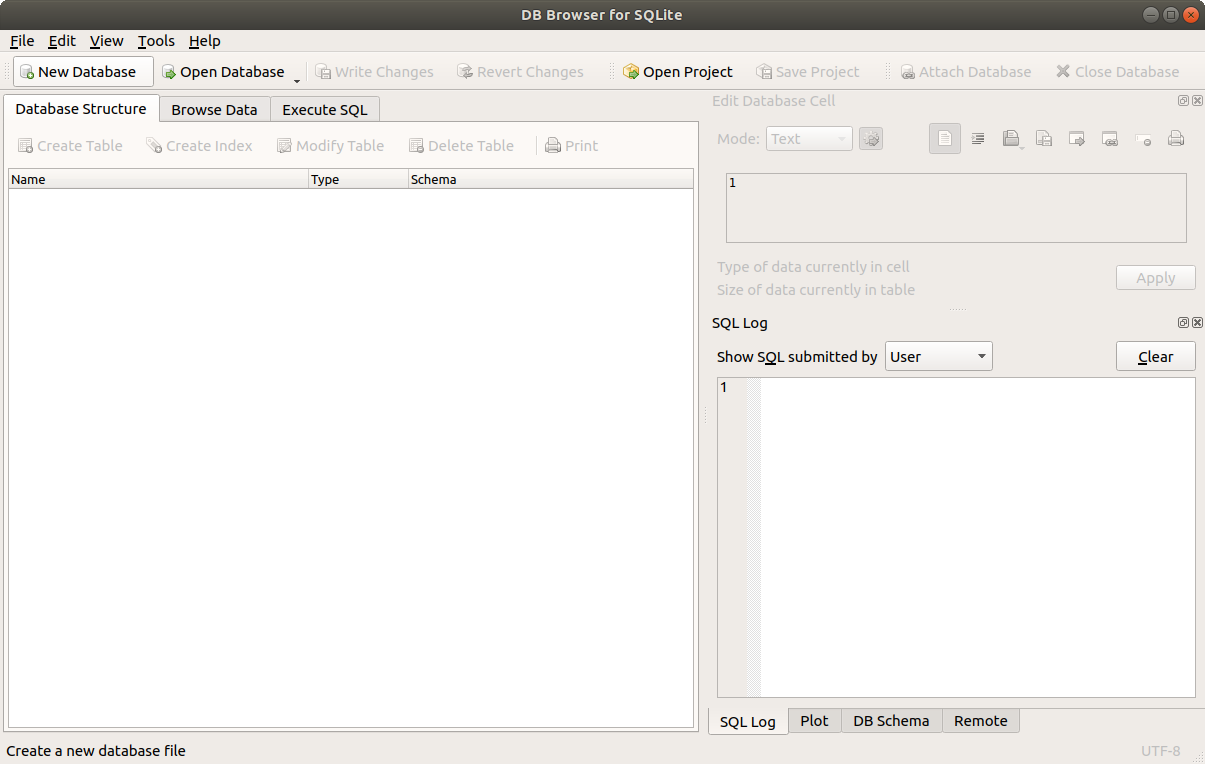
A dialog should show up. Go to the project directory you created and save the file with a name of database.db.
It's common to save SQLite database files with an extension of .db. Sometimes also .sqlite.
# Create a Table
After doing that, it might prompt you to create a new table right away.
If it doesn't, click the button Create Table.
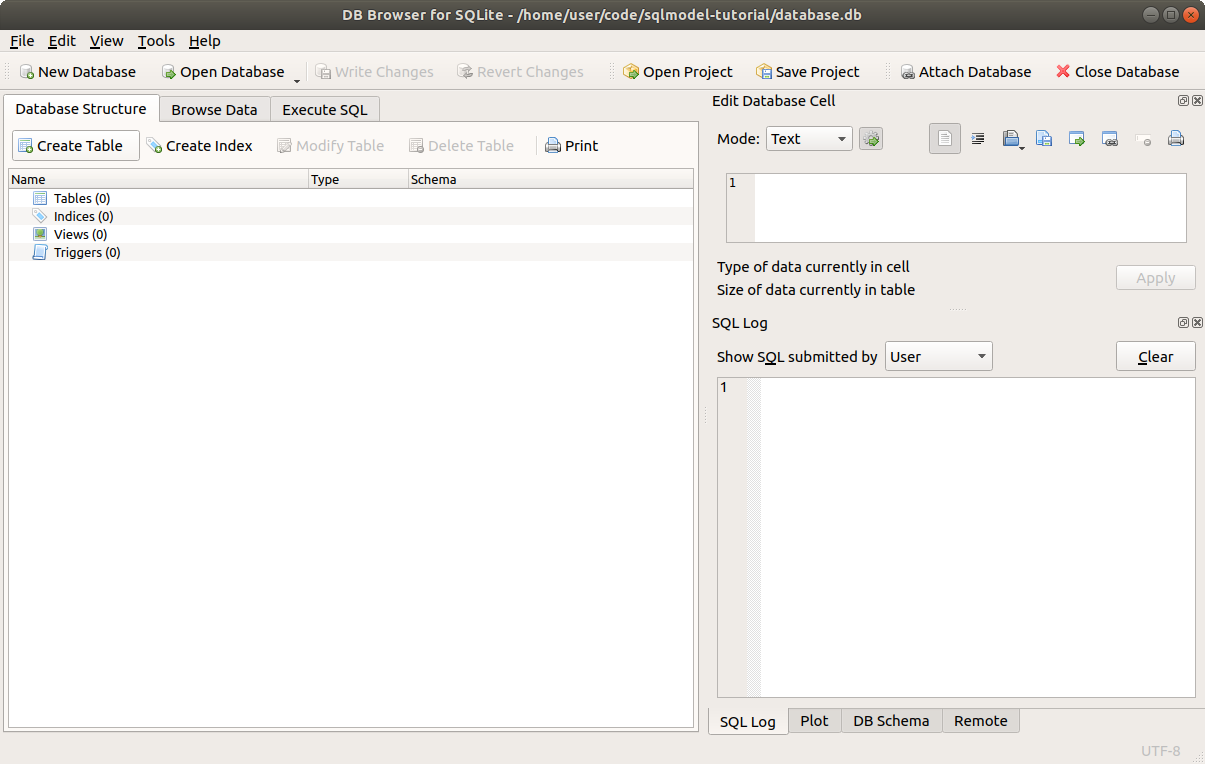
Then you will see the dialog to create a new table.
So, let's create a new table called hero with the following columns:
id: anINTEGERthat will be the primary key (checkPK).name: aTEXT, it should beNOT NULL(checkNN), so, it should always have a value.secret_name: aTEXT, it should beNOT NULLtoo (checkNN).age: anINTEGER, this one can beNULL, so you don't have to check anything else.
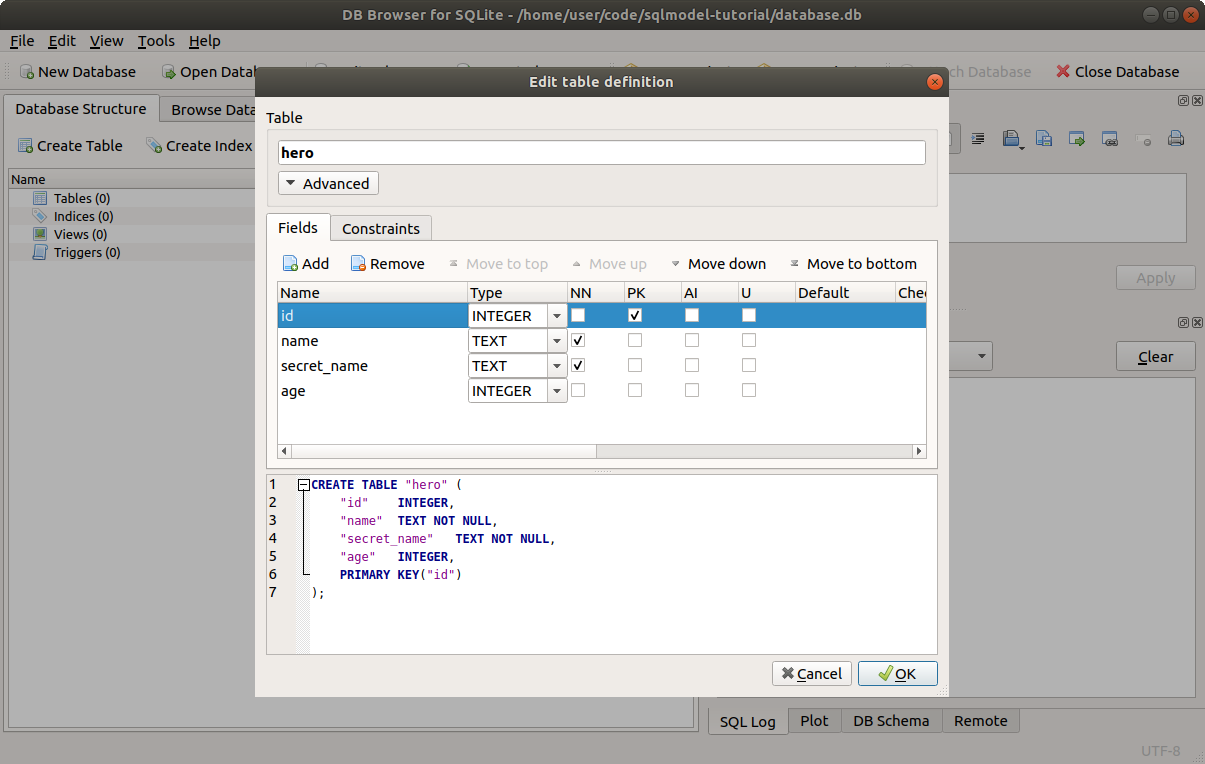
Click OK to create the table.
While you click on the Add button and add the information, it will create and update the SQL statement that is executed to create the table:
CREATE TABLE "hero" ( -- Create a table with the name hero. Also notice that the columns for this table are declared
                      -- inside the parenthesis "(" that starts here.
  "id"  INTEGER, -- The id column, an INTEGER. This is declared as the primary key at the end.
  "name"  TEXT NOT NULL, -- The name column, a TEXT, and it should always have a value NOT NULL.
  "secret_name" TEXT NOT NULL, -- The secret_name column, another TEXT, also NOT NULL
  "age" INTEGER, -- The age column, an INTEGER. This one doesn't have NOT NULL, so it can be NULL.
  PRIMARY KEY("id") -- The PRIMARY KEY of all this is the id column.
); -- This is the end of the SQL table, with final parenthesis ")". It also has the semicolon ";" that marks the end of
   -- the SQL statement. There could be more SQL statements in the same SQL string.
2
3
4
5
6
7
8
9
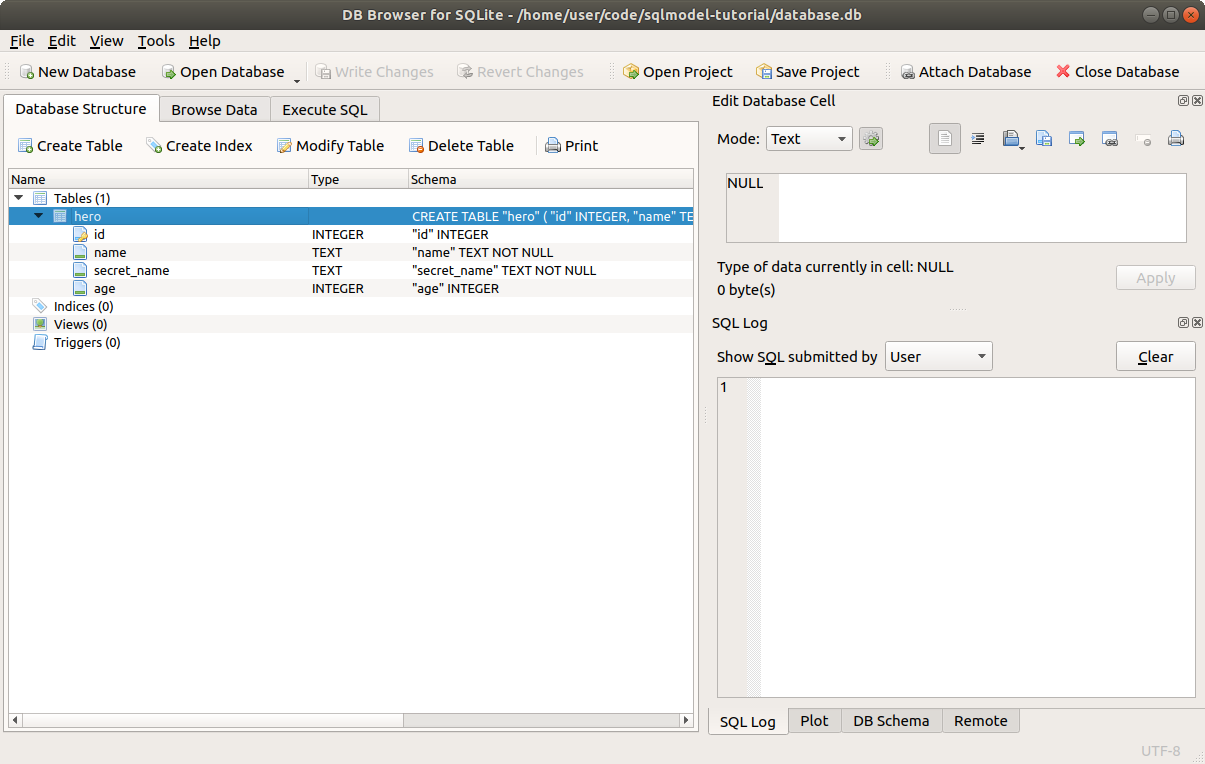
Now you will see that it shows up in the list of Tables with the columns we specified.
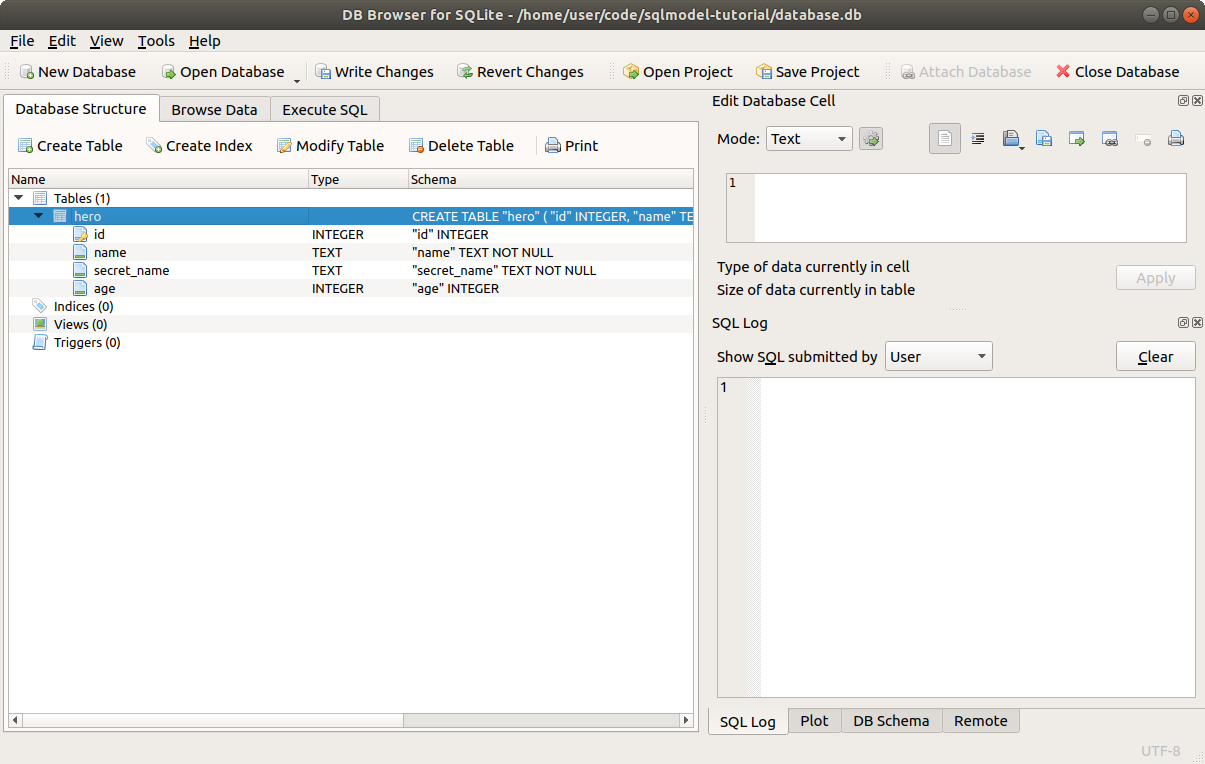
The only step left is to click Write Changes to save the changes to the file.
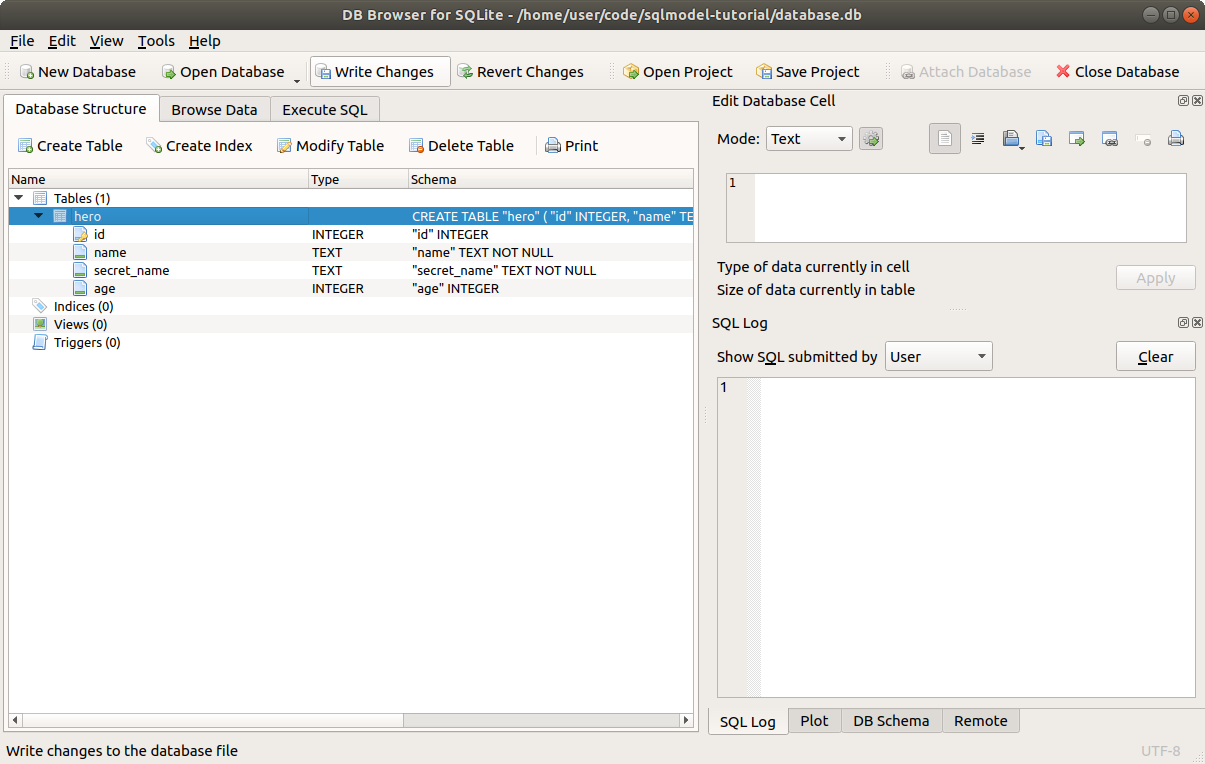
After that, the new table is saved in this database on the file ./database.db.
# Confirm the Table
Let's confirm that it's all saved.
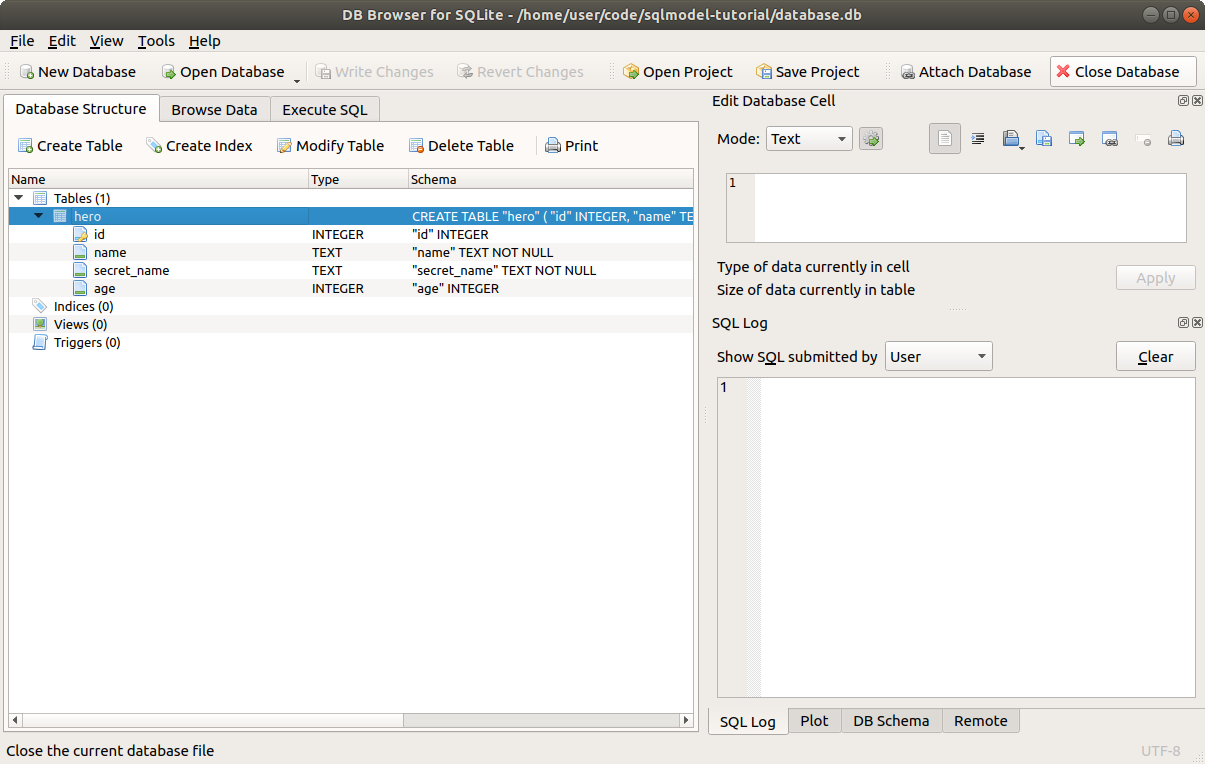
First click the button Close Database to close the database.
Now click on Open Database to open the database again, and select the same file ./database.db.
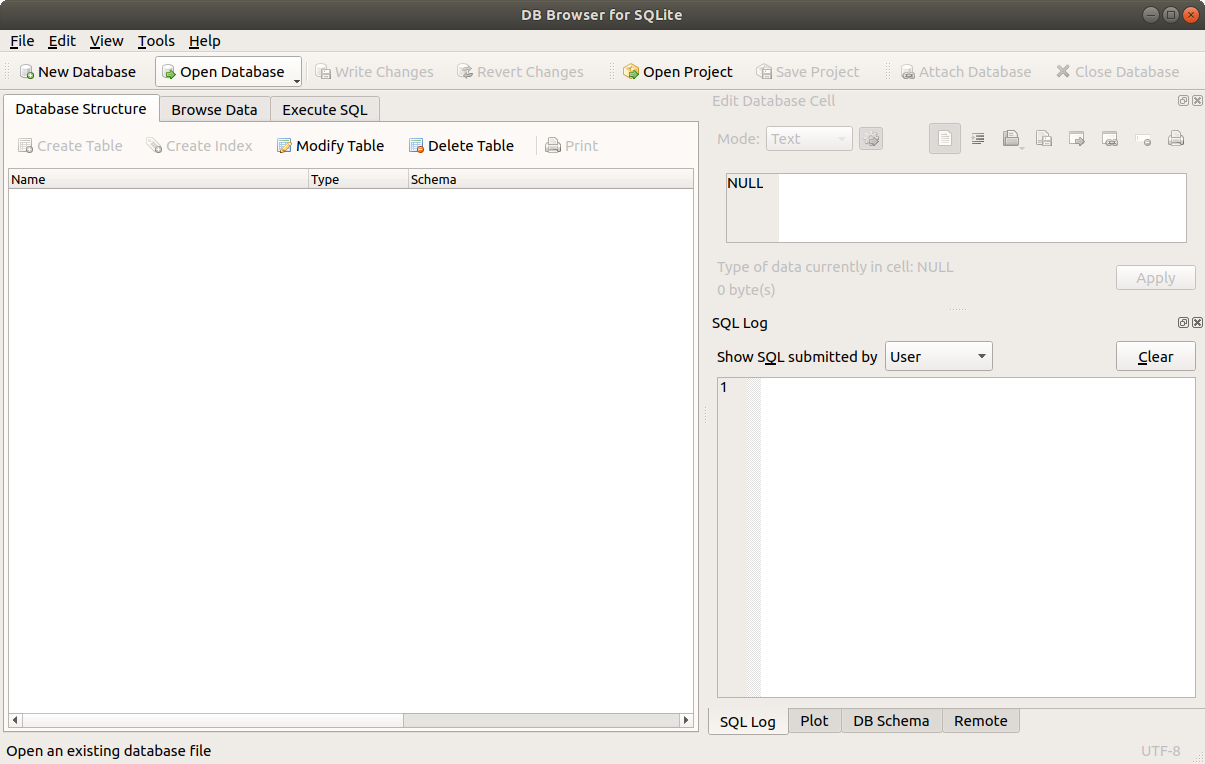
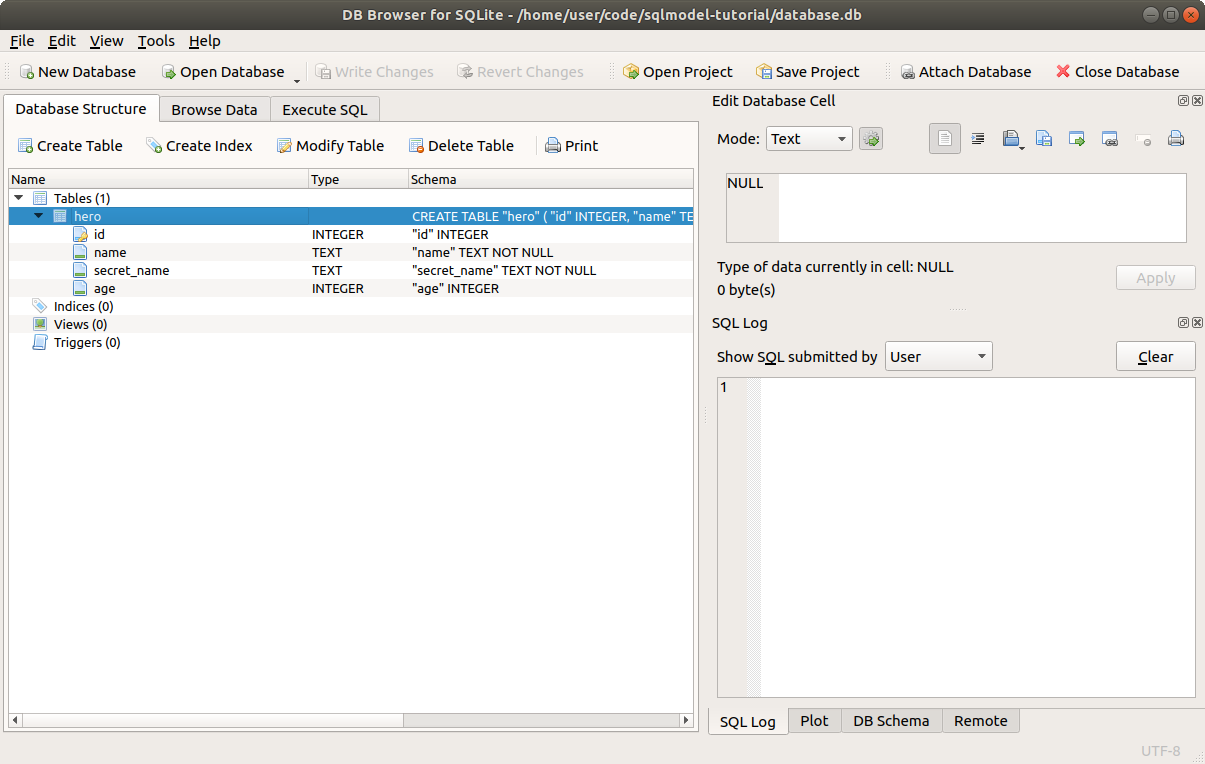
You will see again the same table we created.
# Create the Table again, with SQL
Now, to see how is it that SQL works, let's create the table again, but with SQL.
Click the Close Database button again.
And delete that ./database.db file in your project directory.
And click again on New Database.
Save the file with the name database.db again.
This time, if you see the dialog to create a new table, just close it by clicking the Cancel button.
And now, go to the tab Execute SQL.
Write the same SQL that was generated in the previous step:
CREATE TABLE "hero" (
  "id"  INTEGER,
  "name"  TEXT NOT NULL,
  "secret_name" TEXT NOT NULL,
  "age" INTEGER,
  PRIMARY KEY("id")
);
2
3
4
5
6
7
Then click the "Execute all" button.
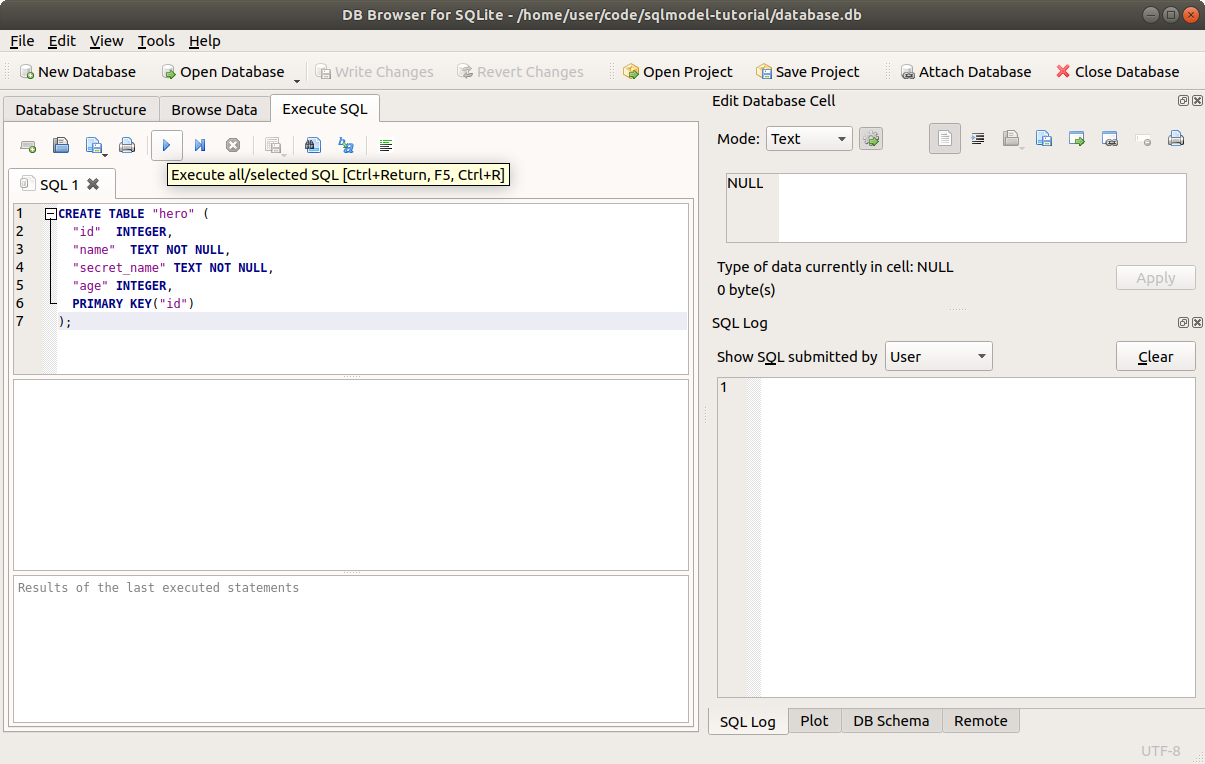
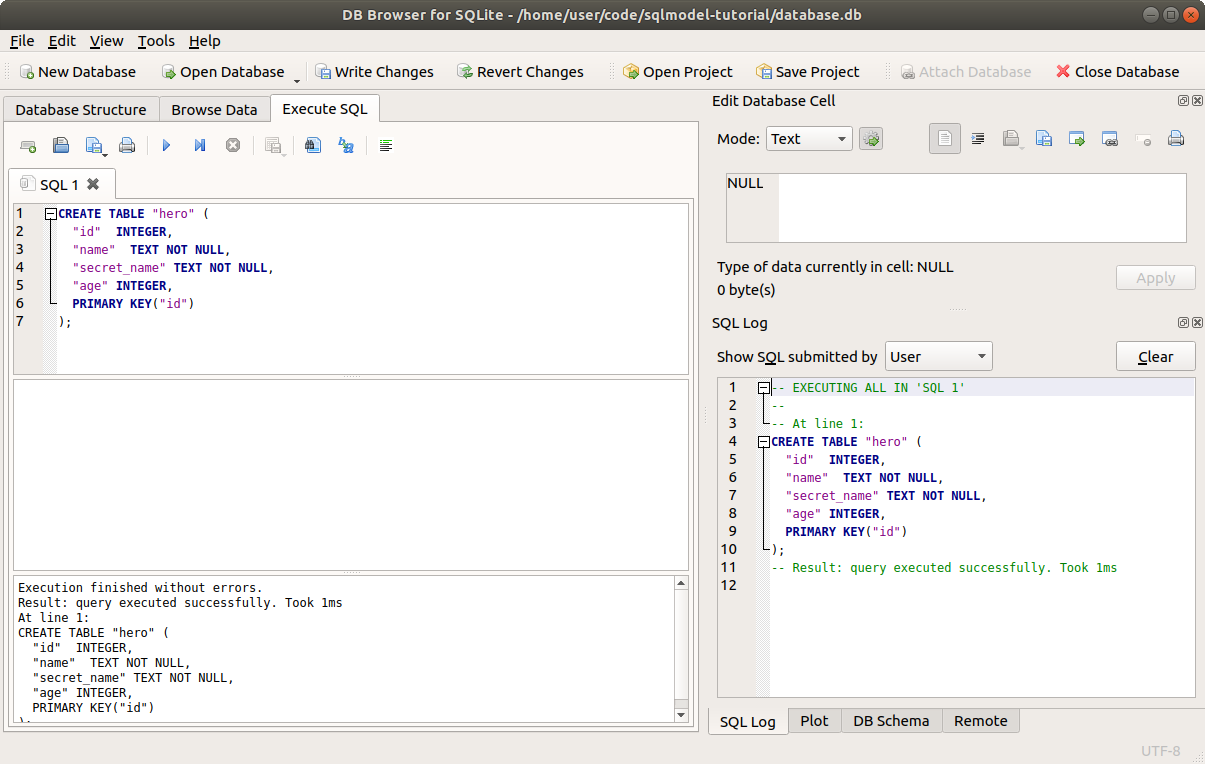
You will see the "execution finished successfully" message.
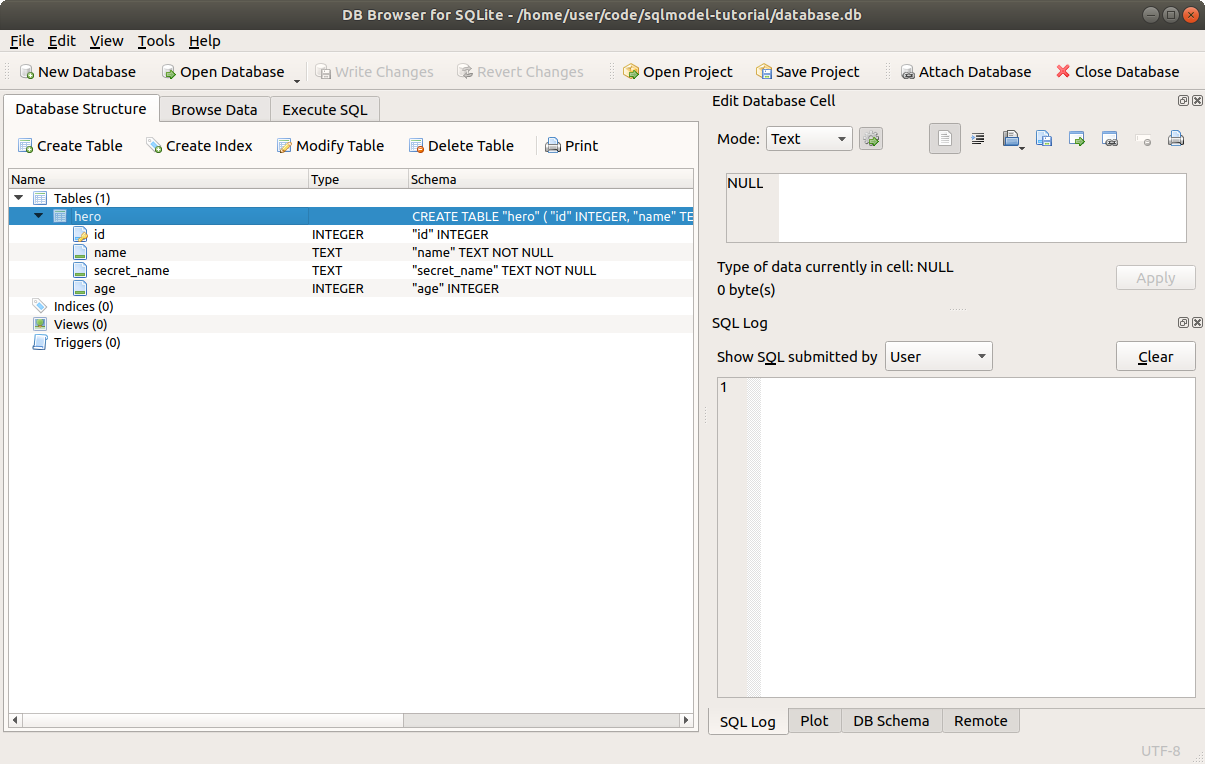
And if you go back to the Database Structure tab, you will see that you effectively created again the same table.
# Learn More SQL
I will keep showing you small bits of SQL through this tutorial. And you don't have to be a SQL expert to use SQLModel.
But if you are curious and want to get a quick overview of SQL, I recommend the visual documentation from SQLite, on SQL As Understood By SQLite.
You can start with CREATE TABLE.
Of course, you can also go and take a full SQL course or read a book about SQL, but you don't need more than what I'll explain here on the tutorial to start being productive with SQLModel.
# Recap
We saw how to interact with SQLite databases in files using DB Browser for SQLite in a visual user interface.
We also saw how to use it to write some SQL directly to the SQLite database. This will be useful to verify the data in the database is looking correctly, to debug, etc.
In the next chapters we will start using SQLModel to interact with the database, and we will continue to use DB Browser for SQLite at the same time to look at the database underneath.
# Create a Table with SQLModel - Use the Engine
Now let's get to the code.
Make sure you are inside of your project directory and with your virtual environment activated as explained in the previous chapter.
We will:
- Define a table with SQLModel
- Create the same SQLite database and table with SQLModel
- Use DB Browser for SQLite to confirm the operations
# Create the Table Model Class
The first thing we need to do is create a class to represent the data in the table.
A class like this that represents some data is commonly called a model.
That's why this package is called SQLModel. Because it's mainly used to create SQL Models.
For that, we will import SQLModel (plus other things we will also use) and create a class Hero that inherits from SQLModel and represents the table model for our heroes:
from sqlmodel import Field, SQLModel, create_engine


class Hero(SQLModel, table=True):
    id: int | None = Field(default=None, primary_key=True)
    name: str
    secret_name: str
    age: int | None = None

# Code below omitted
sqlite_file_name = "database.db"
sqlite_url = f"sqlite:///{sqlite_file_name}""

engine = create_engine(sqlite_url, echo=True)

SQLModel.metadata.create_all(engine)
2
3
4
5
6
7
8
9
10
11
12
13
14
15
16
This class Hero represents the table for our heroes. And each instance we create later will represent a row in the table.
We use the config table=True to tell SQLModel that this is a table model, it represents a table.
It's also possible to have models without table=True, those would be only data models, without a table in the database, they would not be table models.
Those data models will be very useful later, but for now, we'll just keep adding the table=True configuration.
# Define the Fields, Columns
The next step is to define the fields or columns of the class by using standard Python type annotations.
The name of each of these variables will be the name of the column in the table.
And the type of each of them will also be the type of table column:
from sqlmodel import Field, SQLModel, create_engine


class Hero(SQLModel, table=True):
    id: int | None = Field(default=None, primary_key=True)
    name: str
    secret_name: str
    age: int | None = None

# Code below omitted
2
3
4
5
6
7
8
9
10
Let's now see with more detail these field/column declarations.
# None Fields, Nullable Columns
Let's start with age, notice that it has a type of int | None.
That is the standard way to declare that something "could be an int or None" in Python.
And we also set the default value of age to None.
from sqlmodel import Field, SQLModel, create_engine


class Hero(SQLModel, table=True):
    id: int | None = Field(default=None, primary_key=True)
    name: str
    secret_name: str
    age: int | None = None

# Code below omitted
2
3
4
5
6
7
8
9
10
We also define id with int | None. But we will talk about id below.
Because the type is int | None:
- When validating data,
Nonewill be an allowed value forage. - In the database, the column for
agewill be allowed to haveNULL(the SQL equivalent to Python'sNone).
And because there's a default value =None:
- When validating data, this
agefield won't be required, it will beNoneby default. - When saving to the database, the
agecolumn will have aNULLvalue by default.
The default value could have been something else, like = 42.
# Primary Key id
Now let's review the id field. This is the primary key of the table.
So, we need to mark id as the primary key.
To do that, we use the special Field function from sqlmodel and set the argument primary_key=True:
from sqlmodel import Field, SQLModel, create_engine


class Hero(SQLModel, table=True):
    id: int | None = Field(default=None, primary_key=True)
    name: str
    secret_name: str
    age: int | None = None

# Code below omitted
2
3
4
5
6
7
8
9
10
That way, we tell SQLModel that this id field/column is the primary key of the table.
But inside the SQL database, it is always required and can't be NULL. Why should we declare it with int | None?
The id will be required in the database, but it will be generated by the database, not by our code.
So, whenever we create an instance of this class (in the next chapters), we will not set the id. And the value of id will be None until we save it in the database, and then it will finally have a value.
my_hero = Hero(name="Spider-Boy", secret_name="Pedro Parqueador")

do_something(my_hero.id) # Oh no! my_hero.id is None!

# Imagine this saves it to the database
somehow_save_in_db(my_hero)

do_something(my_hero.id) # Now my_hero.id has a value generated in DB
2
3
4
5
6
7
8
So, because in our code (not in the database) the value of id could be None, we use int | None. This way the editor will be able to help us, for example, if we try to access the id of an object that we haven't saved in the database yet and would still be None.
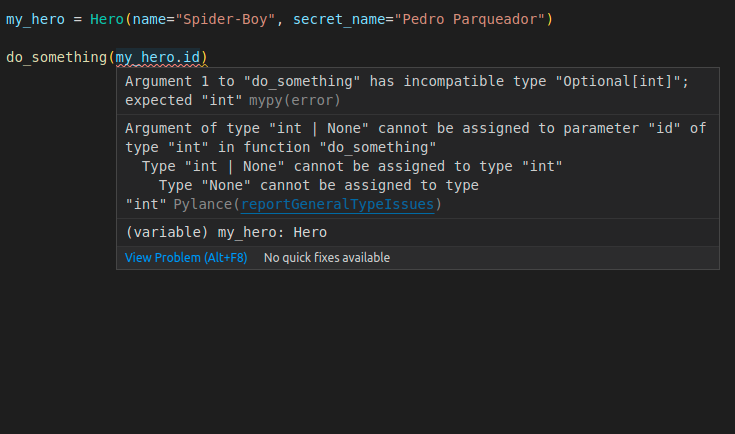
Now, because we are taking the place of the default value with our Field() function, we set the actual default value of id to None with the argument default=None in Field():
Field(default=None)
If we didn't set the default value, whenever we use this model later to do data validation (powered b Pydantic) it would accept a value of None apart from an int, but it would still require pasing that None value. And it would be confusing for for whoever is using this model later (probably us), so better set the default value here.
# Create the Engine
Now we need to create the SQLAlchemy Engine.
It is an object that handles the communication with the database.
If you have a server database (for example PostgreSQL or MySQL), the engine will hold the network connections to that database.
Creating the engine is very simple, just call create_engine() with a URL for the database to use:
from sqlmodel import Field, SQLModel, create_engine


class Hero(SQLModel, table=True):
    id: int | None = Field(default=None, primary_key=True)
    name: str
    secret_name: str
    age: int | None = None


sqlite_file_name = "database.db"
sqlite_url = f"sqlite:///{sqlite_file_name}"

engine = create_engine(sqlite_url, echo=True)

SQLModel.metadata.create_all(engine)
2
3
4
5
6
7
8
9
10
11
12
13
14
15
16
You should normally have a single engine object for your whole application and re-use it everywhere.
There's another related thing called a Session that normally should not be a single object per application. But we will talk about it later.
# Engine Database URL
Each supported database has its own URL type. For example, for SQLite it is sqlite:/// followed by the file path. For example:
sqlite:///database.dbsqlite:///database/local/application.dbsqlite:///db.sqlite
SQLite supports a special database that lives all in memory. Hence, it's very fast, but be careful, the database gets deleted after the program terminates. You can specify this in-memory database by using just two slash characters(//) and no file name:
sqlite://
You can read a lot more about all the databases supported by SQLAlchemy (and that way supported by SQLModel) in the SQLAlchemy documentation.
# Engine Echo
In this example, we are also using the argument echo=True.
It will make the engine print all the SQL statements it executes, which can help you understand what's happening.
It is particularly useful for learning and debugging.
from sqlmodel import Field, SQLModel, create_engine


class Hero(SQLModel, table=True):
    id: int | None = Field(default=None, primary_key=True)
    name: str
    secret_name: str
    age: int | None = None


sqlite_file_name = "database.db"
sqlite_url = f"sqlite:///{sqlite_file_name}"

engine = create_engine(sqlite_url, echo=True)

SQLModel.metadata.create_all(engine)
2
3
4
5
6
7
8
9
10
11
12
13
14
15
16
But in production, you would probably want to remove echo=True:
engine = create_engine(sqlite_url)
# Engine Technical Details
If you didn't know about SQLAlchemy before and are just learning SQLModel, you can probably skip this section, scroll below.
You can read a lot more about the engine in the SQLAlchemy documentation.
SQLModel defines its own create_engine() function. It is the same as SQLAlchemy's create_engine(), but with the difference that it defaults to use future=True (which means that it uses the style of the latest SQLAlchemy, 1.4, and the future 2.0).
And SQLModel's version of create_engine() is type annotated internally, so your editor will be able to help you with autocompletion and inline errors.
# Create the Database and Table
Now everything is in place to finally create the database and table:
from sqlmodel import Field, SQLModel, create_engine


class Hero(SQLModel, table=True):
    id: int | None = Field(default=None, primary_key=True)
    name: str
    secret_name: str
    age: int | None = None


sqlite_file_name = "database.db"
sqlite_url = f"sqlite:///{sqlite_file_name}"

engine = create_engine(sqlite_url, echo=True)

SQLModel.metadata.create_all(engine)
2
3
4
5
6
7
8
9
10
11
12
13
14
15
16
Creating the engine doesn't create the database.db file.
But once we run SQLModel.create_all(engine), it creates the database.db file and creates the hero table in that database.
Both things are done in this single step.
Let's unwrap that:
SQLModel.metadata.create_all(engine)
# SQLModel MetaData
The SQLModel class has a metadata attribute. It is an instance of a class MetaData.
Whenever you create a class that inherits from SQLModel and is configured with table=True, it is registered in this metadata attribute.
So, by the last line, SQLModel.metadata already has the Hero registered.
# Calling create_all()
This MetaData object at SQLModel.metadata has a create_all() method.
It takes an engine and uses it to create the database and all the tables registered in this MetaData object.
# SQLModel MetaData Order Matters
This also means that you have to call SQLModel.metadata.create_all() after the code that creates new model classes inheriting from SQLModel.
For example, let's imagine you do this:
- Create the models in one Python file
models.py - Create the engine object in a file
db.py - Create your main app and call
SQLModel.metadata.create_all()inapp.py
If you only imported SQLModel and tried to call SQLModel.metadata.create_all() in app.py, it would not create your tables:
# This wouldn't work!
from sqlmodel import SQLModel

from .db import engine

SQLModel.metadata.create_all(engine)
2
3
4
5
6
It wouldn't work because when you import SQLModel alone, Python doesn't execute all the code creating the classes inheriting from it (in our example, the class Hero), so SQLModel.metadata is still empty.
But if you import the models before calling SQLModel.metadata.create_all(), it will work:
from sqlmodel import SQLModel

from . import models
from .db import engine

SQLModel.metadata.create_all(engine)
2
3
4
5
6
This would work because by importing the models, Python executes all the code creating the classes inheriting from SQLModel and registering them in the SQLModel.metadata.
As an alternative, you could import SQLModel and your models inside of db.py:
# db.py
from sqlmodel import SQLModel, create_engine
from . import models


sqlite_file_name = "database.db"
sqlite_url = f"sqlite:///{sqlite_file_name}"

engine = create_engine(sqlite_url)
2
3
4
5
6
7
8
9
And then import SQLModel from db.py in app.py, and there call SQLModel.metadata.create_all():
# app.py
from .db import engine, SQLModel

SQLModel.metadata.create_all(engine)
2
3
4
The import of SQLModel from db.py would work because SQLModel is also imported in db.py.
And this trick would work correctly and create the tables in the database because by importing SQLModel from db.py, Python executes all the code creating the classes that inherit from SQLModel in that db.py file, for example, the class Hero.
# Migrations
For this simple example, and for most of the Tutorial - User Guide, using SQLModel.metadata.create_all() is enough.
But for a production system you would probably want to use a system to migrate the database.
This would be useful and important, for example, whenever you add or remove a column, add a new table, change a type, etc.
But you will learn about migrations later in the Advanced User Guide.
# Run The Program
Let's run the program to see it all working.
Put the code it in a file app.py if you haven't already.
from sqlmodel import Field, SQLModel, create_engine


class Hero(SQLModel, table=True):
    id: int | None = Field(default=None, primary_key=True)
    name: str
    secret_name: str
    age: int | None = None


sqlite_file_name = "database.db"
sqlite_url = f"sqlite:///{sqlite_file_name}"

engine = create_engine(sqlite_url, echo=True)

SQLModel.metadata.create_all(engine)
2
3
4
5
6
7
8
9
10
11
12
13
14
15
16
Remember to activate the virtual environment before running it.
Now run the program with Python:
# We set echo = True, so this will show the SQL code
python app.py

# First, some boilerplate SQL that we are not that interested in
INFO Engine BEGIN (implicit)
INFO Engine PRAGMA main.table_info("hero")
INFO Engine [raw sql] ()
INFO Engine PRAGMA temp.table_info("hero")
INFO Engine [raw sql] ()
INFO Engine

# Finally, the glorious SQL to create the table
CREATE TABLE hero (
        id INTEGER,
        name VARCHAR NOT NULL,
        secret_name VARCHAR NOT NULL,
        age INTEGER,
        PRIMARY KEY (id)
)

# More SQL boilerplate
INFO Engine [no key 0.00020s] ()
INFO Engine COMMIT
2
3
4
5
6
7
8
9
10
11
12
13
14
15
16
17
18
19
20
21
22
23
I simplified output above a bit to make it easier to read.
But in reality, instead of showing:
INFO Engine BEGIN (implicit)
it would show something like:
2021-07-25 21:37:39,175 INFO sqlalchemy.engine.Engine BEGIN (implicit)
# TEXT or VARCHAR
In the example in the previous chapter we created the table using TEXT for some columns.
But in this output SQLAlchemy is using VARCHAR instead. Let's see what's going on.
Remember that each SQL Database has some different variations in what they support?
This is one of the differences. Each database supports some particular data types, like INTEGER and TEXT.
Some databases have some particular types that are special for certain things. For example, PostgreSQL and MySQL support BOOLEAN for values of True and False. SQLite accepts SQL with booleans, even when defining table columns, but what it actually uses internally are INTEGERs, with 1 to represent True and 0 to represent False.
The same way, there are several possible types for storing strings. SQLite uses the TEXT type. But other databases like PostgreSQL and MySQL use the VARCHAR type by default, and VARCHAR is one of the most common data types.
VARCHAR comes from variable length character.
SQLAlchemy generates the SQL statements to create tables using VARCHAR, and then SQLite receives them, and internally converts them to TEXTs.
Additional to the difference between those two data types, some databases like MySQL require setting a maximum length for the VARCHAR types, for example VARCHAR(255) sets the maximum number of characters to 255.
To make it easier to start using SQLModel right away independent of the database you use (even with MySQL), and without any extra configurations, by default, str fields are interpreted as VARCHAR in most databases and VARCHAR(255) in MySQL, this way you know the same class will be compatible with the most popular databases without extra effort.
You will learn how to change the maximum length of string columns later in the Advanced Tutorial - User Guide.
# Verify the Database
Now, open the database with DB Browser for SQLite, you will see that the program created the table hero just as before.
# Refector Data Creation
Now let's restructure the code a bit to make it easier to reuse, share, and test later.
Let's move the code that has the main side effects, that changes data (creates a file with a database and a table) to a function.
In this example it's just the SQLModel.metadata.create_all(engine).
Let's put it in a function create_db_and_tables():
from sqlmodel import Field, SQLModel, create_engine


class Hero(SQLModel, table=True):
    id: int | None = Field(default=None, primary_key=True)
    name: str
    secret_name: str
    age: int | None = None


sqlite_file_name = "database.db"
sqlite_url = f"sqlite:///{sqlite_file_name}"

engine = create_engine(sqlite_url, echo=True)


def create_db_and_tables():
    SQLModel.metadata.create_all(engine)


if __name__ == "__main__":
    create_db_and_tables()
2
3
4
5
6
7
8
9
10
11
12
13
14
15
16
17
18
19
20
21
22
If SQLModel.metadata.create_all(engine) was not in a function and we tried to import something from this module (from this file) in another, it would try to create the database and table every time we executed that other file that imported this module.
We don't want that to happen like that, only when we intend it to happen, that's why we put it in a function, because we can make sure that the tables are created only when we call that function, and not when this module is imported somewhere else.
Now we would be able to, for example, import the Hero class in some other file without having those side effects.
The function is called create_db_and_tables() because we will have more tables in the future with other classes apart from Hero.
# Create Data as a Script
We prevented the side affects when importing something from your app.py file.
But we still want it to create the database and table when we call it with Python directly as an independent script from the terminal, just as above.
Think of the word script and program as interchangeable.
The word script often implies that the code could be run independently and easily. Or in some cases it refers to a relatively simple program.
For that we can use the special variable __name__ in an if block:
from sqlmodel import Field, SQLModel, create_engine


class Hero(SQLModel, table=True):
    id: int | None = Field(default=None, primary_key=True)
    name: str
    secret_name: str
    age: int | None = None


sqlite_file_name = "database.db"
sqlite_url = f"sqlite:///{sqlite_file_name}"

engine = create_engine(sqlite_url, echo=True)


def create_db_and_tables():
    SQLModel.metadata.create_all(engine)


if __name__ == "__main__":
    create_db_and_tables()
2
3
4
5
6
7
8
9
10
11
12
13
14
15
16
17
18
19
20
21
22
# About __name__ == __main__
The main purpose of the __name__ == "__main__" is to have some code that is executed when your file is called with:
python app.py
but is not called when another file imports it, like in:
from app import Hero
That if block using if __name__ == "__main__": is sometimes called the "main block".
The official name (in the Python docs) is "Top-level script environment".
# More details
Let's say your file is named myapp.py.
If you run it with:
python myapp.py
then the internal variable __name__ in your file, created automatically by Python, will have as value the string "__main__".
So, the function in:
if __name__ == "__main__":
    create_db_and_tables()
2
will run.
This won't happen if you import that module (file).
So, if you have another file importer.py with:
from myapp import Hero

# Some more code
2
3
in that case, the automatic variable inside of myapp.py will not have the variable __name__ with a value of "__main__".
So, the line:
if __name__ == "__main__":
    create_db_and_tables()
2
will not be executed.
For more information, check the official Python docs.
# Last Review
After those changes, you could run it again, and it would generate the same output as before.
But now we can import things from this module in other files.
Now, let's give the code a final look:
# Import the things we will need from sqlmodel: Field, SQLModel, create_engine
from sqlmodel import Field, SQLModel, create_engine

# Create the Hero model class, representing the hero table in the database.
# And also mark this class as a table model with table=True
class Hero(SQLModel, table=True):
    # Create the id field:
    # It could be None until the database assigns a value to it, so we annotate it with Optional.
    # It is a primary key, so we use Field() and the argument primary_key=True
    id: int | None = Field(default=None, primary_key=True)
    # Create the name field
    # It is required, so there's no default value, and it's not Optional
    name: str
    # Create the secret_name field
    # Also required
    secret_name: str
    # Create the age field.
    # It is not required, the default value is None
    # In the database, the default value will be NULL, the SQL equivalent of None.
    # As this field could be None (and NULL in the database), we annotate it with Optional.
    age: int | None = None


# Write the name of the database file
sqlite_file_name = "database.db"
# Use the name of the database file to create the database URL
sqlite_url = f"sqlite:///{sqlite_file_name}"

# Create the engine using the URL
# This doesn't create the database yet, no file or table is created at this point,
# only the engine object that will handle the connections with this specific database,
# and with specific support for SQLite (based on the URL).
engine = create_engine(sqlite_url, echo=True)


# Put the code that creates side effects in a function
# In this case, only one line that creates the database file with the table.
def create_db_and_tables():
    # Create all the tables that were automatically registered in SQLModel.metadata
    SQLModel.metadata.create_all(engine)


# Add a main block, or "Top-level script environment".
# And put some logic to be executed when this is called directly with Python, as in:
# python app.py
if __name__ == "__main__":
    # In this main block, call the function that creates the database file and the table.
    # This way when we call it with:
    # python app.py
    create_db_and_tables()
2
3
4
5
6
7
8
9
10
11
12
13
14
15
16
17
18
19
20
21
22
23
24
25
26
27
28
29
30
31
32
33
34
35
36
37
38
39
40
41
42
43
44
45
46
47
48
49
50
# Recap
We learn how to use SQLModel to define how a table in the database should look like, and we created a database and a table using SQLModel.
We also refactored the code to make it easier to reuse, share, and test later.
In the next chapters we will see how SQLModel will help us interact with SQL databases from code.
# Create Rows - Use the Session - INSERT
Now that we have a database and a table, we can start adding data.
Here's reminder of the table would look like, this is the data we want to add:
| id | name | secret_name | age |
|---|---|---|---|
| 1 | Deadpond | Dive Wilson | null |
| 2 | Spider-Boy | Pedro Parqueador | null |
| 3 | Rusty-Man | Tommy Sharp | 48 |
# Create Table and Database
We will continue from where we left off in the last chapter.
This is the code we had to create the database and table, nothing new here:
# Import the things we will need from sqlmodel: Field, SQLModel, create_engine
from sqlmodel import Field, SQLModel, create_engine

# Create the Hero model class, representing the hero table in the database.
# And also mark this class as a table model with table=True
class Hero(SQLModel, table=True):
    # Create the id field:
    # It could be None until the database assigns a value to it, so we annotate it with Optional.
    # It is a primary key, so we use Field() and the argument primary_key=True
    id: int | None = Field(default=None, primary_key=True)
    # Create the name field
    # It is required, so there's no default value, and it's not Optional
    name: str
    # Create the secret_name field
    # Also required
    secret_name: str
    # Create the age field.
    # It is not required, the default value is None
    # In the database, the default value will be NULL, the SQL equivalent of None.
    # As this field could be None (and NULL in the database), we annotate it with Optional.
    age: int | None = None


# Write the name of the database file
sqlite_file_name = "database.db"
# Use the name of the database file to create the database URL
sqlite_url = f"sqlite:///{sqlite_file_name}"

# Create the engine using the URL
# This doesn't create the database yet, no file or table is created at this point,
# only the engine object that will handle the connections with this specific database,
# and with specific support for SQLite (based on the URL).
engine = create_engine(sqlite_url, echo=True)


# Put the code that creates side effects in a function
# In this case, only one line that creates the database file with the table.
def create_db_and_tables():
    # Create all the tables that were automatically registered in SQLModel.metadata
    SQLModel.metadata.create_all(engine)


# Add a main block, or "Top-level script environment".
# And put some logic to be executed when this is called directly with Python, as in:
# python app.py
if __name__ == "__main__":
    # In this main block, call the function that creates the database file and the table.
    # This way when we call it with:
    # python app.py
    create_db_and_tables()
2
3
4
5
6
7
8
9
10
11
12
13
14
15
16
17
18
19
20
21
22
23
24
25
26
27
28
29
30
31
32
33
34
35
36
37
38
39
40
41
42
43
44
45
46
47
48
49
50
Now that we can create the database and the table, we will continue from this point and add more code on the same file to create the data.
# Create Data with SQL
Before working with Python code, let's see how we can create data with SQL.
Let's say we want to insert the record/row for Deadpond into our database.
We can do this with the following SQL code:
INSERT INTO "hero" ("name", "secret_name") VALUES ("Deadpond", "Dive Wilson");
# Try it in DB Explorer for SQLite
You can try that SQL statement in DB Explorer for SQLite.
Make sure to open the same database we already created by clicking Open Database and selecting the same database.db file.
Then go to the Execute SQL tab and copy the SQL from above.
It would look like this:
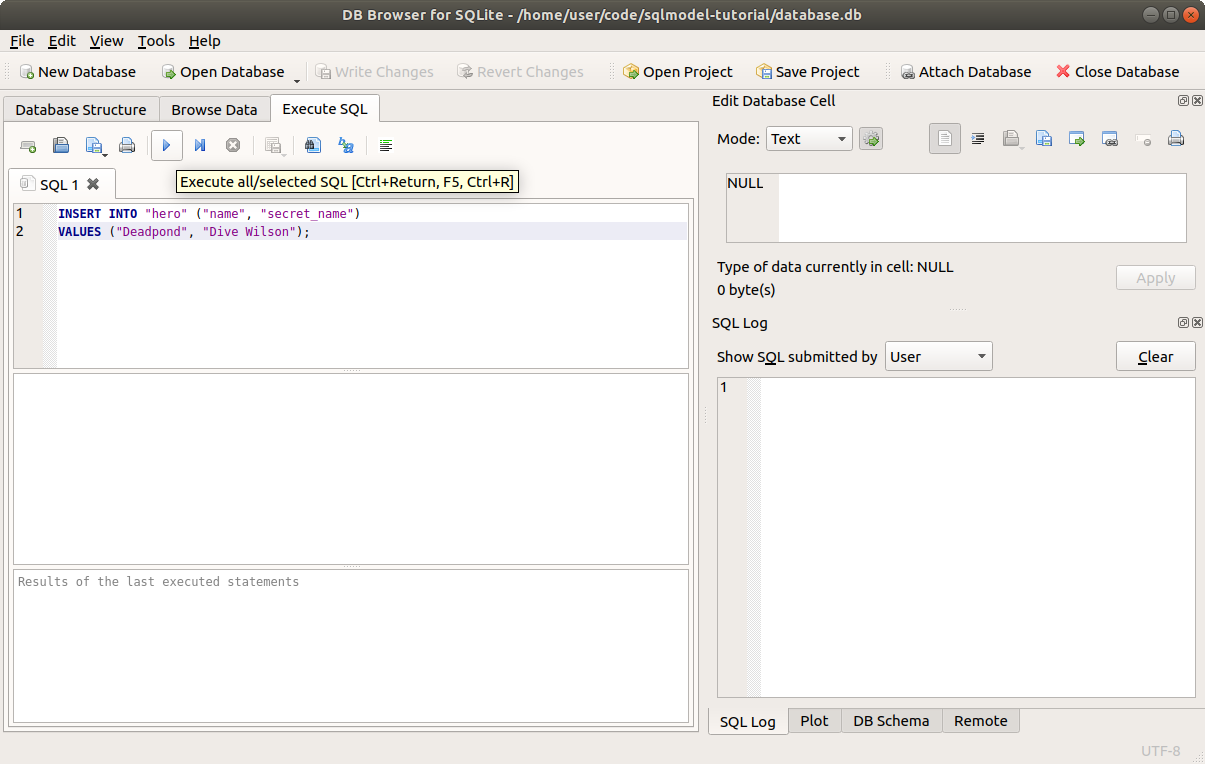
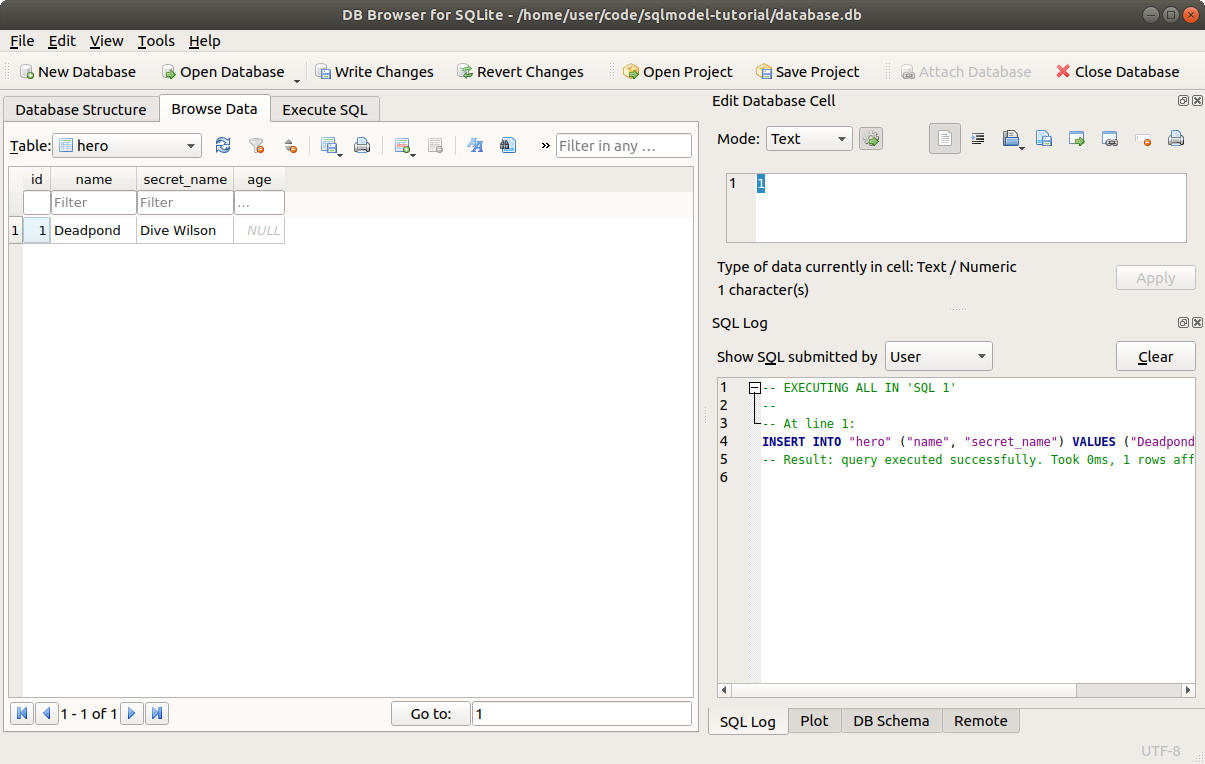
Click the "Execute all" button. Then you can go to the Browse Data tab, and you will see your newly created record/row:
# Data in a Database and Data in Code
When working with a database (SQL or any other type) in a programming language, we will always have some data in memory, in objects and variables we create in our code, and there will be some data in the database.
We are constantly getting some of the data from the database and putting it in memory, in variables.
The same way, we are constantly creating variables and objects with data in our code, that we then want to save in the database, so we send it somehow.
In some cases, we can even create some data in memory and then change it and update it before saving it in the database.
We might even decide with some logic in the code that we no longer want to save the data in the database, and then just remove it. And we only handled that data in memory, without sending it back and forth to the database.
SQLModel does all it can (actually via SQLAlchemy) to make this interaction as simple, intuitive, and familiar or "close to programming" as possible.
But that division of the two places where some data might be at each moment in time (in memory or in the database) is always there. And it's important for you to have it in mind.
# Create Data with Python and SQLModel
Now let's create that same row in Python.
First, remove that file database.db so we can start from a clean slate.
Because we have Python code executing with data in memory, and the database is an independent system (an external SQLite file, or an external database server), we need to perform two steps:
- create the data in Python, in memory (in a variable)
- save/send the data to the database
# Create a Model Instance
Let's start with the first step, create the data in memory.
We already created a class Hero that represents the hero table in the database.
Each instance we create will represent the data in a row in the database.
So, the first steop is to simply create an instance of Hero.
We'll create 3 right away, for the 3 heros:
from sqlmodel import Field, Session, SQLModel, create_engine


class Hero(SQLModel, table=True):
    id: int | None = Field(default=None, primary_key=True)
    name: str
    secret_name: str
    age: int | None = None


sqlite_file_name = "database.db"
sqlite_url = f"sqlite:///{sqlite_file_name}"

engine = create_engine(sqlite_url, echo=True)


def create_db_and_tables():
    SQLModel.metadata.create_all(engine)


def create_heroes():
    hero_1 = Hero(name="Deadpond", secret_name="Dive Wilson")
    hero_2 = Hero(name="Spider-Boy", secret_name="Pedro Parqueador")
    hero_3 = Hero(name="Rusty-Man", secret_name="Tommy Sharp", age=48)

    with Session(engine) as session:
        session.add(hero_1)
        session.add(hero_2)
        session.add(hero_3)

        session.commit()


def main():
    create_db_and_tables()
    create_heroes()


if __name__ == "__main__":
    main()
2
3
4
5
6
7
8
9
10
11
12
13
14
15
16
17
18
19
20
21
22
23
24
25
26
27
28
29
30
31
32
33
34
35
36
37
38
39
40
We are putting that in a function create_heroes(), to call it later once we finish it.
If you are trying the code interactively, you could also write that directly.
# Create a Session
Up to now, we have only used the engine to interact with the database.
The engine is that single object that we share with all the code, and that is in charge of communicating with database, handling the connections (when using a server database like PostgreSQL or MySQL), etc.
But wen working with SQLModel you will mostly use another tool that sits on top, the Session.
In contrast to the engine that is one for the whole application, we create a new session for each group of operations with the database that belong together.
In fact, the session needs and uses an engine.
For example, if we have a web application, we would normally have a single session per request.
We would re-use the same engine in all the code, everywhere in the application (shared by all the requests). But for each request, we would create and use a new session. And once the request is done, we would close the session.
The first step is to import the Session class:
from sqlmodel import Field, Session, SQLModel, create_engine

# Code below omitted
2
3
Then we can create a new session:
# Code above omitted

def create_heroes():
    hero_1 = Hero(name="Deadpond", secret_name="Dive Wilson")
    hero_2 = Hero(name="Spider-Boy", secret_name="Pedro Parqueador")
    hero_3 = Hero(name="Rusty-Man", secret_name="Tommy Sharp", age=48)

    session = Session(engine)

# Code below omitted
2
3
4
5
6
7
8
9
10
The new Session takes an engine as a parameter. And it will use the engine underneath.
We will see a better way to create a session using a with block later.
# Add Model Instances to the Session
Now that we have some hero model instances (some objects in memory) and a session, the next step is to add them to the session:
# Code above omitted

def create_heroes():
    hero_1 = Hero(name="Deadpond", secret_name="Dive Wilson")
    hero_2 = Hero(name="Spider-Boy", secret_name="Pedro Parqueador")
    hero_3 = Hero(name="Rusty-Man", secret_name="Tommy Sharp", age=48)

    session = Session(engine)

    session.add(hero_1)
    session.add(hero_2)
    session.add(hero_3)

# Code below omitted
2
3
4
5
6
7
8
9
10
11
12
13
14
By this point, our heroes are not stored in the database yet.
And this is one of the cases where having a session independent of an engine makes sense.
The session is holding in memory all the objects that should be saved in the database later.
And once we are ready, we can commit those changes, and then the session will use the engine underneath to save all the data by sending the appropriate SQL to the database, and that way it will create all the rows. All in a single batch.
This makes the interactions with the database more efficient (plus some extra benefits).
Technical Details
The session will create a new transaction and execute all the SQL code in that transaction.
This ensure that the data is saved in a single batch, and that it will all succeed or all fail, but it won't leave the database in a broken state.
# Commit the Session Changes
Now that we have the heroes in the session and that we are ready to save all that to the database, we can commit the changes:
# Code above omitted

def create_heroes():
    hero_1 = Hero(name="Deadpond", secret_name="Dive Wilson")
    hero_2 = Hero(name="Spider-Boy", secret_name="Pedro Parqueador")
    hero_3 = Hero(name="Rusty-Man", secret_name="Tommy Sharp", age=48)

    session = Session(engine)

    session.add(hero_1)
    session.add(hero_2)
    session.add(hero_3)

    session.commit()

# Code below omitted
2
3
4
5
6
7
8
9
10
11
12
13
14
15
16
Once this line is executed, the session will use the engine to save all the data in the database by sending the corresponding SQL.
# Create Heroes as a Script
The function to create the heroes is now ready.
Now we just need to make sure to call it when we run this program with Python directly.
We already had a main block like:
if __name__ == "__main__":
    create_db_and_tables()
2
We could add the new function there, as:
if __name__ == "__main__":
    create_db_and_tables()
    create_heroes()
2
3
But to keep things a bit more organized, let's instead create a new function main() that will contain all the code that should be executed when called as an independent script, and we can put there the previous function create_db_and_tables(), and add the new function create_heroes():
# Code above omitted

def main():
    create_db_and_tables()
    create_heroes()

# Code below omitted
2
3
4
5
6
7
And then we can call that single main() function from that main block:
# Code above omitted

def main():
    create_db_and_tables()
    create_heroes()


if __name__ == "__main__":
    main()
2
3
4
5
6
7
8
9
By having everything that should happen when called as a script in a single function, we can easily add more code later on.
And some other code could also import and use this same main() function if it was necessary.
# Run the Script
Now we can run our program as a script from the console.
Because we created the engine with echo=True, it will print out all the SQL code that it is executing:
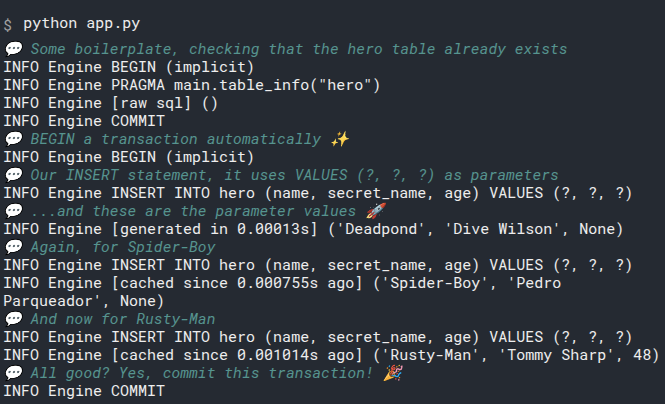
If you have ever used Git, this works very similarly.
We use session.add() to add new objects (model instances) to the session (similar to git add).
And that ends up in a group of data ready to be saved, but not saved yet.
We can make more modifications, add more objects, etc.
And once we are ready, we can commit all the changes in a single step (similar to git commit).
# Close the Session
The session holds some resources, like connections from the engine.
So once we are done with the session, we should close it to make it release those resources and finish its cleanup:
# Code above omitted

def create_heroes():
    hero_1 = Hero(name="Deadpond", secret_name="Dive Wilson")
    hero_2 = Hero(name="Spider-Boy", secret_name="Pedro Parqueador")
    hero_3 = Hero(name="Rusty-Man", secret_name="Tommy Sharp", age=48)

    session = Session(engine)

    session.add(hero_1)
    session.add(hero_2)
    session.add(hero_3)

    session.commit()

    session.close()

# Code below omitted
2
3
4
5
6
7
8
9
10
11
12
13
14
15
16
17
18
But what happens if we forget to close the session?
Or if there's an exception in the code and it never reaches the session.close()?
For that, there's a better way to create and close the session, using a with block.
# A Session in a with Block
It's good to know how the Session works and how to create and close it manually. It might be useful if, for example, you want to explore the code in an interactive session (for example with Jupyter).
But there's a better way to handle the session, using a with block:
# Code above omitted

def create_heroes():
    hero_1 = Hero(name="Deadpond", secret_name="Dive Wilson")
    hero_2 = Hero(name="Spider-Boy", secret_name="Pedro Parqueador")
    hero_3 = Hero(name="Rusty-Man", secret_name="Tommy Sharp", age=48)

    with Session(engine) as session:
        session.add(hero_1)
        session.add(hero_2)
        session.add(hero_3)

        session.commit()

# Code below omitted
2
3
4
5
6
7
8
9
10
11
12
13
14
15
This is the same as creating the session manually and then manually closing it. But here, using a with block, it will be automatically created when starting the with block and assigned to the variable session, and it will be automatically closed after the with block is finished.
And it will work even if there's an exception in the code.
# Review All the Code
Let's give this whole file a final look.
You already know all of the first part for creating the Hero model class, the engine, and creating the database and table.
Let's focus on the new code:
from sqlmodel import Field, Session, SQLModel, create_engine


class Hero(SQLModel, table=True):
    id: int | None = Field(default=None, primary_key=True)
    name: str
    secret_name: str
    age: int | None = None


sqlite_file_name = "database.db"
sqlite_url = f"sqlite:///{sqlite_file_name}"

engine = create_engine(sqlite_url, echo=True)


def create_db_and_tables():
    SQLModel.metadata.create_all(engine)


# We use a function create_heroes() to put this logic together
def create_heroes():
    # Create each of the objects/instances of the Hero model
    # Each of them represents the data for one row.
    hero_1 = Hero(name="Deadpond", secret_name="Dive Wilson")
    hero_2 = Hero(name="Spider-Boy", secret_name="Pedro Parqueador")
    hero_3 = Hero(name="Rusty-Man", secret_name="Tommy Sharp", age=48)

    # Use a with block to create a Session using the engine.
    # The new session will be assigned to the variable session.
    # And it will be automatically closed when the with block is finished.
    with Session(engine) as session:
        # And each of the objects/instances to the session.
        # Each of these objects represents a row in the database.
        # They are all waiting there in the session to be saved.
        session.add(hero_1)
        session.add(hero_2)
        session.add(hero_3)

        # Commit the changes to the database.
        # This will actually send the data to the database.
        # It will start a transaction automatically and save all the data in a single batch.
        session.commit()
    # By this point, after the with block is finished, the session is automatically closed.


# We have a main() function with all the code that should be executed when the program is called as a script from the
# console.
# That way we can add more code later to this function.
# We then put this function main() in the main block below.
# And as it is a single function, other Python files could import it and call it directly.
def main():
    # In this main() function, we are also creating the database and the tables.
    # In the previous version, this function was called directly in the main block.
    # But now it is just called in the main() function.
    create_db_and_tables()
    # And now we are also creating the heroes in this main() function.
    create_heroes()


# We still have a main block to execute some code when the program is run as a script from the command line, like:
# python app.py
if __name__ == "__main__":
    # There's a single main() function now that contains all the code that should be executed when running the program
    # from the console.
    # So this is all we need to have in the main block. Just call the main() function.
    main()
2
3
4
5
6
7
8
9
10
11
12
13
14
15
16
17
18
19
20
21
22
23
24
25
26
27
28
29
30
31
32
33
34
35
36
37
38
39
40
41
42
43
44
45
46
47
48
49
50
51
52
53
54
55
56
57
58
59
60
61
62
63
64
65
66
67
68
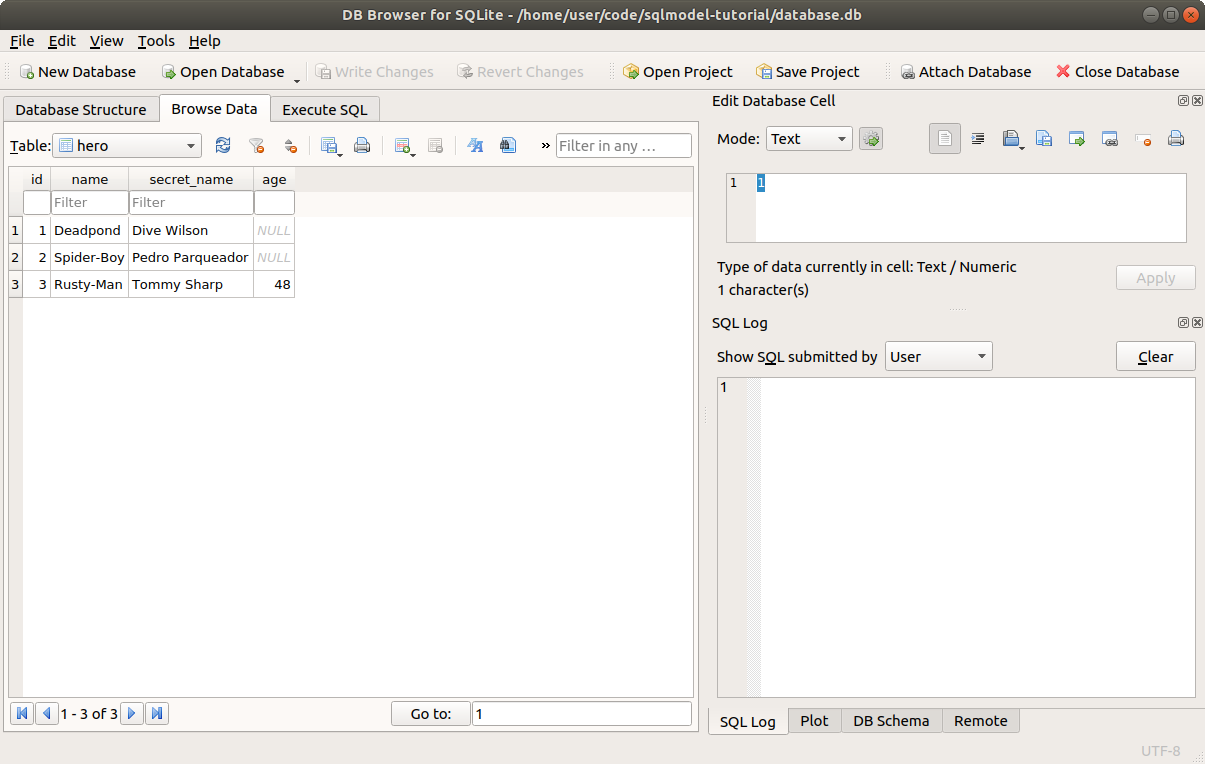
You can now put it in a app.py file and run it with Python. And you will see an output like the one shown above.
After that, if you open the database with DB Browser for SQLite, you will see the data you just created in the Browser Data tab:
# What's Next
Now you know how to add rows to the database.
Now is a good time to understand better why the id field can't be NULL on the database because it's a primary key, but actually can be None in the Python code.
# Automatic IDs, None Defaults, and Refreshing Data
In the previous chapter, we saw how to add rows to the database using SQLModel.
Now let's talk a bit about why the id field can't be NULL on the database because it's a primary key, and we declare it using Field(primary_key=True).
But the same id field actually can be NULL in the Python code, so we declare the type with int | None, and set the default value to Field(default=None):
# Code above omitted

class Hero(SQLModel, table=True):
    id: int | None = Field(default=None, primary_key=True)
    name: str
    secret_name: str
    age: int | None = None

# Code below omitted
2
3
4
5
6
7
8
9
Next, I'll show you a bit more about the synchronization of data between the database and the Python code.
When do we get an actual int from the database in that id field? Let's see all that.
# Create a New Hero Instance
When we create a new Hero instance, we don't set the id:
# Code above omitted

def create_heroes():
    hero_1 = Hero(name="Deadpond", secret_name="Dive Wilson")
    hero_2 = Hero(name="Spider-Boy", secret_name="Pedro Parqueador")
    hero_3 = Hero(name="Rusty-Man", secret_name="Tommy Sharp", age=48)

# Code below omitted
2
3
4
5
6
7
8
# How int | None Helps
Because we don't set the id, it takes the Python's default value of None that we set in Field(default=None).
This is the only reason why we define it with int | None and with a default value of None.
Because at this point in the code, before interacting with the database, the Python value could actually be None.
If we assumed that the id was always an int and added the type annotation without int | None, we could end up writing broken code, like:
next_hero_id = hero_1.id + 1
If we ran this code before saving the hero to the database and the hero_1.id was still None, we would get an error like:
TypeError: unsupported operand type(s) for +: 'NoneType' and 'int'
But by declaring it with int | None, the editor will help us to avoid writing broken code by showing us a warning telling us that the code could be invalid if hero_1.id is None.
# Print the Default id Values
We can confirm that by printing our heroes before adding them to the database:
# Code above omitted

def create_heroes():
    hero_1 = Hero(name="Deadpond", secret_name="Dive Wilson")
    hero_2 = Hero(name="Spider-Boy", secret_name="Pedro Parqueador")
    hero_3 = Hero(name="Rusty-Man", secret_name="Tommy Sharp", age=48)

    print("Before interacting with the database")
    print("Hero 1:", hero_1)
    print("Hero 2:", hero_2)
    print("Hero 3:", hero_3)

# Code below omitted
2
3
4
5
6
7
8
9
10
11
12
13
That will output:
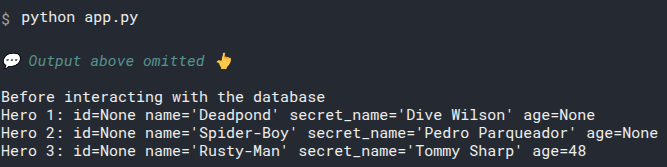
Notice they all have id=None.
That's the default value we defined in the Hero model class.
What happens when we add these objects to the session?
# Add the Objects to the Session
After we add the Hero instance objects to the session, the IDs are still None.
We can verify by creating a session using a with block and adding the objects. And then printing them again:
# Code above omitted

def create_heroes():
    hero_1 = Hero(name="Deadpond", secret_name="Dive Wilson")
    hero_2 = Hero(name="Spider-Boy", secret_name="Pedro Parqueador")
    hero_3 = Hero(name="Rusty-Man", secret_name="Tommy Sharp", age=48)

    print("Before interacting with the database")
    print("Hero 1:", hero_1)
    print("Hero 2:", hero_2)
    print("Hero 3:", hero_3)

    with Session(engine) as session:
        session.add(hero_1)
        session.add(hero_2)
        session.add(hero_3)

        print("After adding to the session")
        print("Hero 1:", hero_1)
        print("Hero 2:", hero_2)
        print("Hero 3:", hero_3)

# Code below omitted
2
3
4
5
6
7
8
9
10
11
12
13
14
15
16
17
18
19
20
21
22
23
This will, again, output the ids of the objects as None:
As we saw before, the session is smart and doesn't talk to the database every time we prepare something to be changed, only after we are ready and tell it to commit the changes it goes and sends all the SQL to the database to store the data.
# Commit the Changes to the Database
Then we can commit the changes in the session, and print again:
# Code above omitted

    with Session(engine) as session:
        session.add(hero_1)
        session.add(hero_2)
        session.add(hero_3)

        print("After adding to the session")
        print("Hero 1:", hero_1)
        print("Hero 2:", hero_2)
        print("Hero 3:", hero_3)

        session.commit()

        print("After committing the session")
        print("Hero 1:", hero_1)
        print("Hero 2:", hero_2)
        print("Hero 3:", hero_3)

# Code below omitted
2
3
4
5
6
7
8
9
10
11
12
13
14
15
16
17
18
19
20
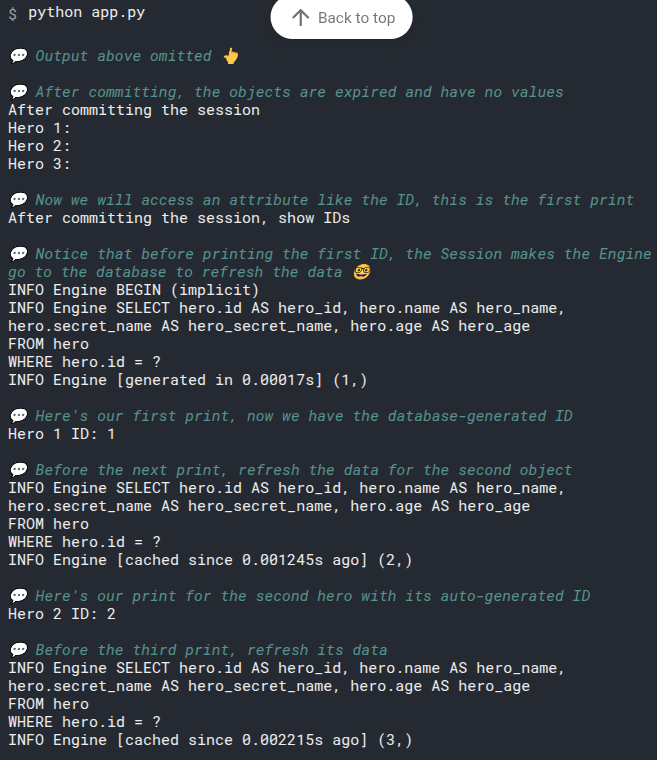
And now, something unexpected happens, look at the output, it seems as if the Hero instance objects had no data at all:
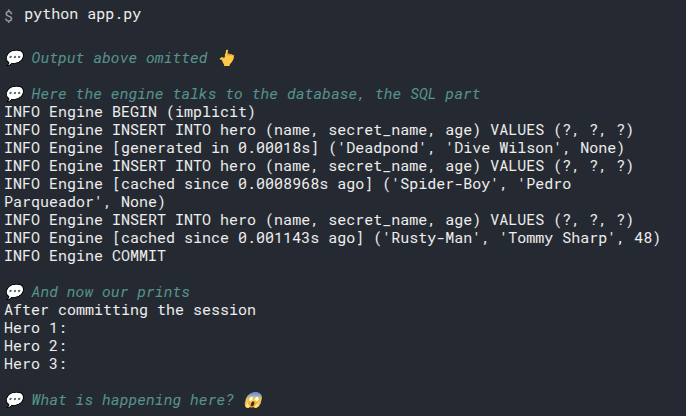
What happens is that SQLModel (actually SQLAlchemy) is internally marking those objects as "expired", they don't have the latest version of their data. This is because we could have some fields updated in the database, for example, imagine a field updated_at: datetime that was automatically updated when we saved changes.
The same way, other values could have changed, so the option the session has to be sure and safe is to just internally mark the objects are expired.
And then, next time we access each attibute, for example with:
current_hero_name = hero_1.name
SQLModel (actually SQLAlchemy) will make sure to contact the database and get the most recent version of the data, updating that field name in our object and then making it available for the rest of the Python expression. In the example above, at that point, Python would be able to continue executing and use that hero_1.name value (just updated) to put it in the variable current_hero_name.
All this happens automatically and behind the scenes.
And here's the funny and strange thing with our example:
print("Hero 1:", hero_1)
We didn't access the object's attributes, like hero.name. We only accessed the entire object and printed it, so SQLAlchemy has no way of knowing that we want to access this object's data.
# Print a Single Field
To confirm and understand how this automatic expiration and refresh of data when accessing attributes work, we can print some individual fields (instance attributes):
# Code above omitted

    with Session(engine) as session:
        session.add(hero_1)
        session.add(hero_2)
        session.add(hero_3)

        print("After adding to the session")
        print("Hero 1:", hero_1)
        print("Hero 2:", hero_2)
        print("Hero 3:", hero_3)

        session.commit()

        print("After committing the session")
        print("Hero 1:", hero_1)
        print("Hero 2:", hero_2)
        print("Hero 3:", hero_3)

        print("After committing the session, show IDs")
        print("Hero 1 ID:", hero_1.id)
        print("Hero 2 ID:", hero_2.id)
        print("Hero 3 ID:", hero_3.id)

        print("After committing the session, show names")
        print("Hero 1 name:", hero_1.name)
        print("Hero 2 name:", hero_2.name)
        print("Hero 3 name:", hero_3.name)

# Code below omitted
2
3
4
5
6
7
8
9
10
11
12
13
14
15
16
17
18
19
20
21
22
23
24
25
26
27
28
29
30
Now we are actually accessing the attributes, because instead of printing the whole object hero_1:
print("Hero 1:", hero_1)
we are not printing the id attribute in hero.id:
print("Hero 1 ID:", hero_1.id)
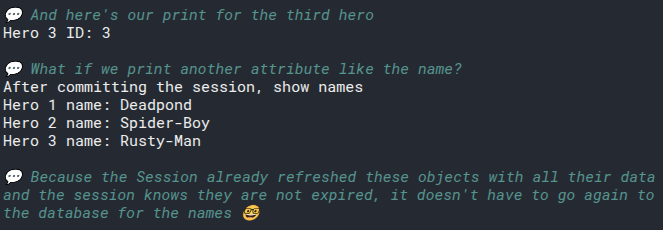
By accessing the attribute, that triggers a lot of work done by SQLModel (actually SQLAlchemy) underneath to refresh the data from the database, set it in the object's id attribute, and make it available for the Python expression (in this case just to print it).
Let's see how it works:
# Refresh Objects Explicitly
You just learnt how the session refreshes the data automatically behind the scenes, as a side effect, when you access an attribute.
But what if you want to explicitly refresh the data?
You can do that too with session.refresh(object):
# Code above omitted

    with Session(engine) as session:
        session.add(hero_1)
        session.add(hero_2)
        session.add(hero_3)

        print("After adding to the session")
        print("Hero 1:", hero_1)
        print("Hero 2:", hero_2)
        print("Hero 3:", hero_3)

        session.commit()

        print("After committing the session")
        print("Hero 1:", hero_1)
        print("Hero 2:", hero_2)
        print("Hero 3:", hero_3)

        print("After committing the session, show IDs")
        print("Hero 1 ID:", hero_1.id)
        print("Hero 2 ID:", hero_2.id)
        print("Hero 3 ID:", hero_3.id)

        print("After committing the session, show names")
        print("Hero 1 name:", hero_1.name)
        print("Hero 2 name:", hero_2.name)
        print("Hero 3 name:", hero_3.name)

        session.refresh(hero_1)
        session.refresh(hero_2)
        session.refresh(hero_3)

        print("After refreshing the heroes")
        print("Hero 1:", hero_1)
        print("Hero 2:", hero_2)
        print("Hero 3:", hero_3)

# Code below omitted
2
3
4
5
6
7
8
9
10
11
12
13
14
15
16
17
18
19
20
21
22
23
24
25
26
27
28
29
30
31
32
33
34
35
36
37
38
39
When Python executes this code:
session.refresh(hero_1)
When Python executes this code:
session.refresh(hero_1)
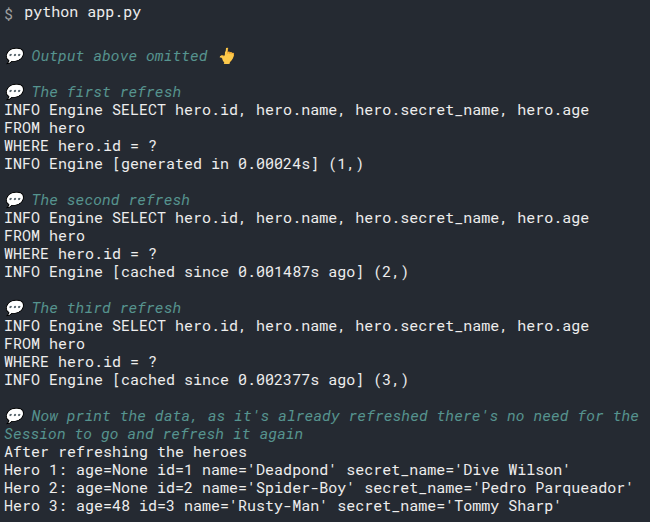
the session goes and makes the engine communicate with the database to get the recent data for this object hero_1, and then the session puts the data in the hero_1 object and marks it as "fresh" or "not expired".
Here's how the output would look like:
This could be useful, for example, if you are building a web API to create heroes. And once a hero is created with some data, you return it to the client.
You wouldn't want to return an object that looks empty because the automatic magic to refresh the data was not triggered.
In this case, after committing the object to the database with the session, you could refresh it, and then return it to the client. This would ensure that the object has its fresh data.
# Print Data After Closing the Session
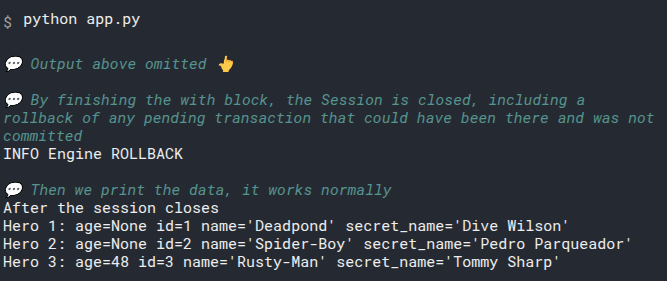
Now, as a final experiment, we can also print data after the session is closed.
There are no surprises here, it still works:
# Code above omitted

    with Session(engine) as session:
        session.add(hero_1)
        session.add(hero_2)
        session.add(hero_3)

        print("After adding to the session")
        print("Hero 1:", hero_1)
        print("Hero 2:", hero_2)
        print("Hero 3:", hero_3)

        session.commit()

        print("After committing the session")
        print("Hero 1:", hero_1)
        print("Hero 2:", hero_2)
        print("Hero 3:", hero_3)

        print("After committing the session, show IDs")
        print("Hero 1 ID:", hero_1.id)
        print("Hero 2 ID:", hero_2.id)
        print("Hero 3 ID:", hero_3.id)

        print("After committing the session, show names")
        print("Hero 1 name:", hero_1.name)
        print("Hero 2 name:", hero_2.name)
        print("Hero 3 name:", hero_3.name)

        session.refresh(hero_1)
        session.refresh(hero_2)
        session.refresh(hero_3)

        print("After refreshing the heroes")
        print("Hero 1:", hero_1)
        print("Hero 2:", hero_2)
        print("Hero 3:", hero_3)

    print("After the session closes")
    print("Hero 1:", hero_1)
    print("Hero 2:", hero_2)
    print("Hero 3:", hero_3)

# Code below omitted
2
3
4
5
6
7
8
9
10
11
12
13
14
15
16
17
18
19
20
21
22
23
24
25
26
27
28
29
30
31
32
33
34
35
36
37
38
39
40
41
42
43
44
And the output shows again the same data:
# Review All the Code
Now let's review all this code once again.
from sqlmodel import Field, Session, SQLModel, create_engine


class Hero(SQLModel, table=True):
    id: int | None = Field(default=None, primary_key=True)
    name: str
    secret_name: str
    age: int | None = None


sqlite_file_name = "database.db"
sqlite_url = f"sqlite:///{sqlite_file_name}"

engine = create_engine(sqlite_url, echo=True)


def create_db_and_tables():
    SQLModel.metadata.create_all(engine)


def create_heroes():
    hero_1 = Hero(name="Deadpond", secret_name="Dive Wilson")
    hero_2 = Hero(name="Spider-Boy", secret_name="Pedro Parqueador")
    hero_3 = Hero(name="Rusty-Man", secret_name="Tommy Sharp", age=48)

    print("Before interacting with the database")
    print("Hero 1:", hero_1)
    print("Hero 2:", hero_2)
    print("Hero 3:", hero_3)

    with Session(engine) as session:
        session.add(hero_1)
        session.add(hero_2)
        session.add(hero_3)

        print("After adding to the session")
        print("Hero 1:", hero_1)
        print("Hero 2:", hero_2)
        print("Hero 3:", hero_3)

        session.commit()

        print("After committing the session")
        print("Hero 1:", hero_1)
        print("Hero 2:", hero_2)
        print("Hero 3:", hero_3)

        print("After committing the session, show IDs")
        print("Hero 1 ID:", hero_1.id)
        print("Hero 2 ID:", hero_2.id)
        print("Hero 3 ID:", hero_3.id)

        print("After committing the session, show names")
        print("Hero 1 name:", hero_1.name)
        print("Hero 2 name:", hero_2.name)
        print("Hero 3 name:", hero_3.name)

        session.refresh(hero_1)
        session.refresh(hero_2)
        session.refresh(hero_3)

        print("After refreshing the heroes")
        print("Hero 1:", hero_1)
        print("Hero 2:", hero_2)
        print("Hero 3:", hero_3)


    print("After the session closes")
    print("Hero 1:", hero_1)
    print("Hero 2:", hero_2)
    print("Hero 3:", hero_3)


def main():
    create_db_and_tables()
    create_heroes()


if __name__ == "__main__":
    main()
2
3
4
5
6
7
8
9
10
11
12
13
14
15
16
17
18
19
20
21
22
23
24
25
26
27
28
29
30
31
32
33
34
35
36
37
38
39
40
41
42
43
44
45
46
47
48
49
50
51
52
53
54
55
56
57
58
59
60
61
62
63
64
65
66
67
68
69
70
71
72
73
74
75
76
77
78
79
80
# Recap
You read all that! That was a lot! Have some cake, you earned it.
We discussed how the session uses the engine to send SQL to the database, to create data and to fetch data too. How it keeps track of "expired" and "fresh" data. At which moments it fetches data automatically (when accessing instance attributes) and how that data is synchronized between objects in memory and the database via the session.
If you understood all that, now you know a lot about SQLModel, SQLAlchemy, and how the interactions from Python with databases work in general.
If you didn't get all that, it's fine, you can always come back later to refresh the concepts.
# Read Data - SELECT
We already have a database and a table with some data in it that looks more or less like this:
| id | name | secret_name | age |
|---|---|---|---|
| 1 | Deadpond | Dive Wilson | null |
| 2 | Spider-Boy | Pedro Parqueador | null |
| 3 | Rusty-Man | Tommy Sharp | 48 |
Things are getting more exciting! Let's now see how to read data from the database!
# Continue From Previous Code
Let's continue from the last code we used to create some data.
from sqlmodel import Field, Session, SQLModel, create_engine


class Hero(SQLModel, table=True):
    id: int | None = Field(default=None, primary_key=True)
    name: str
    secret_name: str
    age: int | None = None


sqlite_file_name = "database.db"
sqlite_url = f"sqlite:///{sqlite_file_name}"

engine = create_engine(sqlite_url, echo=True)


def create_db_and_tables():
    SQLModel.metadata.create_all(engine)


def create_heroes():
    hero_1 = Hero(name="Deadpond", secret_name="Dive Wilson")
    hero_2 = Hero(name="Spider-Boy", secret_name="Pedro Parqueador")
    hero_3 = Hero(name="Rusty-Man", secret_name="Tommy Sharp", age=48)

    with Session(engine) as session:
        session.add(hero_1)
        session.add(hero_2)
        session.add(hero_3)

        session.commit()


def main():
    create_db_and_tables()
    create_heroes()


if __name__ == "__main__":
    main()
2
3
4
5
6
7
8
9
10
11
12
13
14
15
16
17
18
19
20
21
22
23
24
25
26
27
28
29
30
31
32
33
34
35
36
37
38
39
40
We are creating a SQLModel Hero class model and creating some records.
We will need the Hero model and the engine, but we will create a new session to query data in a new function.
# Read Data with SQL
Before writing Python code let's do a quick review of how querying data with SQL looks like:
SELECT id, name, secret_name, age
FROM hero
2
Then the database will go and get the data and return it to you in a table like this:
| id | name | secret_name | age |
|---|---|---|---|
| 1 | Deadpond | Dive Wilson | null |
| 2 | Spider-Boy | Pedro Parqueador | null |
| 3 | Rusty-Man | Tommy Sharp | 48 |
You can try that out in DB Browser for SQLite:
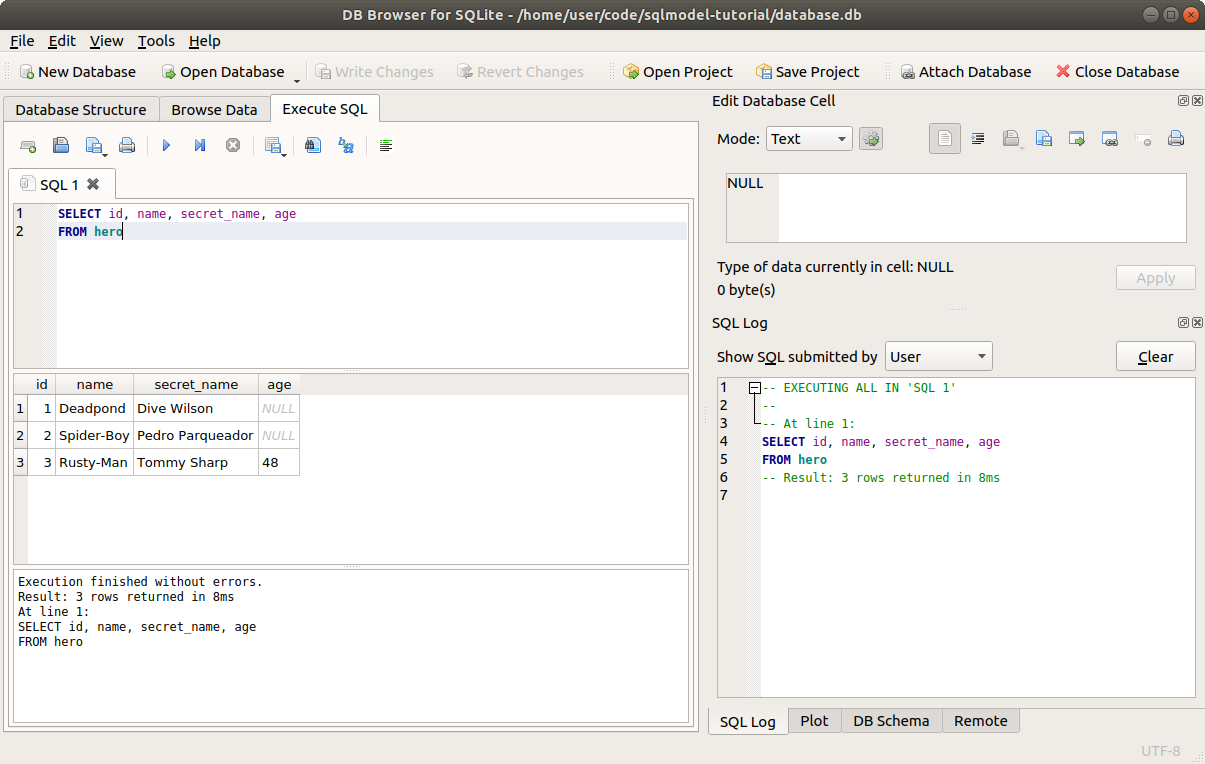
Here we are getting all the rows.
If you have thousands of rows, that could be expensive to compute for the database.
You would normally want to filter the rows to receive only the ones you want. But we'll learn about that later in the next chapter.
# A SQL Shortcut
If we want to get all the columns like in this case above, in SQL there's a shortcut, instead of specifying each of the column names we could write a *:
SELECT * FROM hero;
That would end up in the same result. Although we won't use that for SQLModel.
# SELECT Fewer Columns
We can also SELECT fewer columns, for example:
SELECT id, name FROM hero;
Here we are only selecting the id and name columns.
And it would result in a table like this:
| id | name |
|---|---|
| 1 | Deadpond |
| 2 | Spider-Boy |
| 3 | Rusty-Man |
And here is something interesting to notice. SQL databases store their data in tables. And they also always communicate their results in tables.
# SELECT Variants
The SQL language allows serveral variations in serveral places.
One of those variations is that in SELECT statements you can use the names of the columns directly, or you can prefix them with the name of the table and a dot.
For example, the same SQL code above could be written as:
SELECT hero.id, hero.name, hero.secret_name, hero.age FROM hero;
This will be particularly imortant later when working with multiple tables at the same time that could have the same name for some columns.
For example hero.id and team.id, or hero.name and team.name.
Another variation is that most of the SQL keywords like SELECT can also be written in lowercase, like select.
# Result Tables Don't Have to Exist
This is the interesting part. The tables returned by SQL databases don't have to exist in the database as independent tables.
For example, in our database, we only have one table that has all the columns, id, name, secret_name, age. And here we are getting a result table with fewer columns.
One of the main points of SQL is to be able to keep the data structured in different tables, without repeating data, etc, and then query the database in many ways and get many different tables as a result.
# Read Data with SQLModel
Now let's do the same query to read all the heroes, but with SQLModel.
# Create a Session
The first step is to create a Session, the same way we did when creating the rows.
We will start with that in a new function select_heroes():
# Code above omitted

def select_heroes():
    with Session(engine) as session:

# Code below omitted
2
3
4
5
6
# Create a select Statement
Next, pretty much the same way we wrote a SQL SELECT statement above, now we'll create a SQLModel select statement.
First we have to import select from sqlmodel at the top of the file:
from sqlmodel import Field, Session, SQLModel, create_engine, select

# Code below omitted
2
3
And then we will use it to create a SELECT statement in Python code:
from sqlmodel import Field, Session, SQLModel, create_engine, select

# Code here omitted

def select_heroes():
    with Session(engine) as session:
        statement = select(Hero)

# Code below omitted
2
3
4
5
6
7
8
9
It's a very simple line of code that conveys a lot of information:
statement = select(Hero)
This is equivalent to the first SQL SELECT statement above:
SELECT id, name, secret_name, age FROM hero;
We pass the class model Hero to the select() function. And that tells it that we want to select all the columns necessary for the Hero class.
And notice that in the select() function we don't explicitly specify the FROM part. It is already abvious to SQLModel (actually to SQLAlchemy) that we want to select FROM the table hero, because that's the one associated with the Hero class model.
The value of the statement returned by select() is a special object that allows us to do other things. I'll tell you about that in the next chapters.
# Execute the Statement
Now that we have the select statement, we can execute it with the session:
# Code above omitted

def select_heroes():
    with Session(engine) as session:
        statement = select(Hero)
        results = session.exec(statement)

# Code below omitted
2
3
4
5
6
7
8
This will tell the session to go ahead and use the engine to execute that SELECT statement in the database and bring the results back.
Because we created the engine with echo=True, it will show the SQL it executes in the output.
This session.exec(statement) will generate this output:
INFO Engine BEGIN (implicit)
INFO Engine SELECT hero.id, hero.name, hero.secret_name, hero.age
FROM hero
INFO Engine [no key 0.00032s] ()
2
3
4
The database returns the table with all the data, just like above when we wrote SQL directly.
# Iterate Through the Results
The results object is an iterable that can be used to go through each one of the rows.
Now we can put it in a for loop and print each one of the heroes:
# Code above omitted

def select_heroes():
    with Session(engine) as session:
        statement = select(Hero)
        results = session.exec(statement)
        for hero in results:
            print(hero)

# Code below omitted
2
3
4
5
6
7
8
9
10
This will print the output:
id=1 name='Deadpond' age=None secret_name='Dive Wilson'
id=2 name='Spider-Boy' age=None secret_name='Pedro Parqueador'
id=3 name='Rusty-Man' age=48 secret_name='Tommy Sharp'
2
3
# Add select_heroes() to main()
Now include a call to select_heroes() in the main() function so that it is executed when we run the program from the command line:
# Code above omitted

def select_heroes():
    with Session(engine) as session:
        statement = select(Hero)
        results = session.exec(statement)
        for hero in results:
            print(hero)


def main():
    create_db_and_tables()
    create_heroes()
    select_heroes()

# Code below omitted
2
3
4
5
6
7
8
9
10
11
12
13
14
15
16
# Review The Code
Great, you're now being able to read the data from the database!
Let's review the code up to this point:
# Import from sqlmodel everything we will use, including the new select() function.
from sqlalchemy import Engine
from sqlmodel import Field, Session, SQLModel, create_engine, select


# Create the Hero class model, representing the hero table.
class Hero(SQLModel, table=True):
    id: int | None = Field(default=None, primary_key=True)
    name: str
    secret_name: str
    age: int | None = None


sqlite_file_name = "sqlmodel.db"
sqlite_url = f"sqlite:///{sqlite_file_name}"

# Create the engine, we should use a single one shared by all the application code,
# and that's what we are doing here.
engine = create_engine(sqlite_url, echo=True)


def create_db_and_tables():
    # Create all the tables for the models registered in SQLModel.metadata.
    # This also creates the database if it doesn't exist already.
    SQLModel.metadata.create_all(engine)


def create_heroes():
    # Create each one of the Hero objects.
    # You might not have this in your version if you had already created the data in the database.
    hero_1 = Hero(name="Deadpond", secret_name="Dive Wilson")
    hero_2 = Hero(name="Spider-Boy", secret_name="Pedro Parqueador")
    hero_3 = Hero(name="Rusty-Man", secret_name="Tommy Sharp", age=48)

    # Create a new session and use it to add the heroes to the database, and then commit the changes.
    with Session(engine) as session:
        session.add(hero_1)
        session.add(hero_2)
        session.add(hero_3)

        session.commit()


def select_heroes():
    # Create a new session to query data
    # Notice that this is a new session independent from the one in the other function above.
    # But it still uses the same engine. We still have one engine for the whole application.
    with Session(engine) as session:
        # Use the select() function to create a statement selecting all the Hero objects.
        # This selects all the rows in the hero table.
        statement = select(Hero)
        # Use session.exec(statement) to make the session use the engine to execute the internal SQL statement.
        # This will go to the database, execute that SQL, and get the results back.
        # It returns a special iterable object that we put in the variable results.
        # This generates the output:
        # INFO Engine BEGIN (implicit)
        # INFO Engine SELECT hero.id, hero.name, hero.secret_name, hero.age
        # FROM hero
        # INFO Engine [no key 0.00032s] ()
        results = session.exec(statement)
        # Iterable for each hero object in the results
        for hero in results:
            # print each hero.
            # The 3 iterations in the for loop will generate this output:
            # id=1 name='Deadpond' age=None secret_name='Dive Wilson'
            # id=2 name='Spider-Boy' age=None secret_name='Pedro Parqueador'
            # id=3 name='Rusty-Man' age=48 secret_name='Tommy Sharp'
            print(hero)
        # At this point, after the with block, the session is closed.
        # This generates the output:
        # INFO Engine ROLLBACK


def main():
    create_db_and_tables()
    create_heroes()
    # Add this function `select_heroes()` to the `main()` function so that it is called when we run this program
    # from the command line.
    select_heroes()


if __name__ == "__main__":
    main()
2
3
4
5
6
7
8
9
10
11
12
13
14
15
16
17
18
19
20
21
22
23
24
25
26
27
28
29
30
31
32
33
34
35
36
37
38
39
40
41
42
43
44
45
46
47
48
49
50
51
52
53
54
55
56
57
58
59
60
61
62
63
64
65
66
67
68
69
70
71
72
73
74
75
76
77
78
79
80
81
82
83
Here it starts to become more evident why we should have a single engine for the whole application, but different sessions for each group of operations.
This new session we created uses the same engine, but it's a new and idependent session.
The code above creating the models could, for example, live in a function handling web API requests and creating models.
And the second section reading data from the database could be in another function for other requests.
So, both sections could be in different places and would need their own sessions.
To be faire, in this example all that code could actually share the same session, there's actually no need to have two here.
But it allows me to show you how they could be separated and to reinforce the idea that you should have one engine per application, and multiple sessions, on per each group of operations.
# Get a List of Hero Objects
Up to now we are using the results to iterate over them.
But for different reasons you might want to have the full list of Hero objects right away instead of just an iterable. For example, if you want to return them in a web API.
The special results object also has a method results.all() that returns a list with all the objects.
# Code above omitted

def select_heroes():
    with Session(engine) as session:
        statement = select(Hero)
        results = session.exec(statement)
        heroes = results.all()
        print(heroes)

# Code below omitted
2
3
4
5
6
7
8
9
10
With this now we have all the heroes in a list in the heroes variable.
After printing it, we would see something like:
[
    Hero(id=1, name='Deadpond', age=None, secret_name='Dive Wilson'),
    Hero(id=2, name='Spider-Boy', age=None, secret_name='Pedro Parqueador'),
    Hero(id=3, name='Rusty-Man', age=48, secret_name='Tommy Sharp')
]
2
3
4
5
It would actually look more compact, I'm formatting it a bit for you to see that it is actually a list with all the data.
# Compact Version
I have been creating several variables to be able to explain to you what each thing is doing.
But knowing what is each object and what it is all doing, we can simplify it a bit and put it in a more compact form:
# Code above omitted

def select_heroes():
    with Session(engine) as session:
        heroes = session.exec(select(Hero)).all()
        print(heroes)

# Code below omitted
2
3
4
5
6
7
8
Here we are putting it all on a single line, you will probably put the select statements in a single line like this more often.
# SQLModel or SQLAlchemy - Technical Details
SQLModel is actually, more or less, just SQLAlchemy and Pydantic underneath, combined together.
It uses and returns the same types of objects and is compatible with both libraries.
Nevertheless, SQLModel defines a few of its own internal parts to improve the developer experience.
In this chapter we are touching some of them.
# SQLModel's select
When importing from sqlmodel the select() function, you are using SQLModel's version of select.
SQLAlchemy also has its own select, and SQLModel's select uses SQLAlchemy's select internally.
But SQLModel's version does a lot of tricks with type annotations to make sure you get the best editor support possible, no matter if you use VS Code, PyCharm, or something else.
There are a lot of work and research, with different versions of the internal code, to improve this as much as possible.
# SQLModel's session.exec
This is one to pay special attention to.
SQLAlchemy's own Session has a method session.execute(). It doesn't have a session.exec() method.
If you see SQLAlchemy tutorials, they will always use session.execute().
SQLModel's own Session inherits directly from SQLAlchemy's Session, and adds this additional method session.exec(). Underneath, it uses the same session.execute().
But session.exec() does serveral tricks combined with the tricks in session() to give you the best editor support, with autocompletion and inline errors everywhere, even after getting data from a select.
For example, in SQLAlchemy you would need to add a .scalars() here:
heroes = session.execute(select(Hero)).scalars().all()
But you would have to remove it when selecting multiple things (we'll see that later).
SQLModel's session.exec() takes care of that for you, so you don't have to add the .scalars().
This is something that SQLAlchemy currently can't provide, because the regular session.execute() supports serveral other use cases, including legacy ones, so it can't have all the internal type annotations and tricks to support this.
On top of that, SQLModel's session.exec() also does some tricks to reduce the amount of code you have to write and to make it as intuitive as possible.
But SQLModel's Session still has access to session.execute() too.
Your editor will give you autocompletion for both session.exec() and session.execute().
Remember to always use session.exec() to get the best editor support and developer experience.
from sqlmodel import Field, Session, SQLModel, create_engine, select


class Hero(SQLModel, table=True):
    id: int | None = Field(default=None, primary_key=True)
    name: str
    secret_name: str
    age: int | None = None


sqlite_file_name = "sqlmodel.db"
sqlite_url = f"sqlite:///{sqlite_file_name}"

engine = create_engine(sqlite_url, echo=True)


def create_db_and_tables():
    SQLModel.metadata.create_all(engine)


def create_heroes():
    hero_1 = Hero(name="Deadpond", secret_name="Dive Wilson")
    hero_2 = Hero(name="Spider-Boy", secret_name="Pedro Parqueador")
    hero_3 = Hero(name="Rusty-Man", secret_name="Tommy Sharp", age=48)

    with Session(engine) as session:
        session.add(hero_1)
        session.add(hero_2)
        session.add(hero_3)

        session.commit()


def select_heroes():
    with Session(engine) as session:
        heroes = session.exec(select(Hero)).all()
        print(heroes)


def main():
    create_db_and_tables()
    create_heroes()
    select_heroes()


if __name__ == "__main__":
    main()
2
3
4
5
6
7
8
9
10
11
12
13
14
15
16
17
18
19
20
21
22
23
24
25
26
27
28
29
30
31
32
33
34
35
36
37
38
39
40
41
42
43
44
45
46
47
# Caveats of SQLModel Flavor
SQLModel is designed to have the best developer experience in a narrow set of very common use cases.
You can still combine it with SQLAlchemy directly and use all the fetures of SQLAlchemy when you need to, including lower level more "pure" SQL constructs, exotic patterns, and even legacy ones.
But SQLModel's desing (e.g. type annotations) assume you are using it in the ways I explain there in the documentation.
Thanks to this, you will get as much autocompletion and inline errors as possible.
But this also means that if you use SQLModel with some more exotic patterns from SQLAlchemy, your editor might tell you that there's an error, while in fact, the code would still work.
That's the trade-off.
But for the situations where you need those exotic patterns, you can always use SQLAlchemy directly combined with SQLModel (using the same models, etc).
# Filter Data - WHERE
In the previous chapter we saw how to SELECT data from the database.
We did it using pure SQL and using SQLModel.
But we always got all the rows, the whole table:
| id | name | secret_name | age |
|---|---|---|---|
| 1 | Deadpond | Dive Wilson | null |
| 2 | Spider-Boy | Pedro Parqueador | null |
| 3 | Rusty-Man | Tommy Sharp | 48 |
In most of the cases we will want to get only one row, or only a group of rows.
We will see how to do that now, to filter data and get only the rows where a condition is true.
# Continue From Previous Code
We'll continue with the same examples we have been using in the previous chapters to create and select data.
And now we will update select_heroes() to filter the data.
from sqlmodel import Field, Session, SQLModel, create_engine, select


class Hero(SQLModel, table=True):
    id: int | None = Field(default=None, primary_key=True)
    name: str
    secret_name: str
    age: int | None = None


sqlite_file_name = "sqlmodel.db"
sqlite_url = f"sqlite:///{sqlite_file_name}"

engine = create_engine(sqlite_url, echo=True)


def create_db_and_tables():
    SQLModel.metadata.create_all(engine)


def create_heroes():
    hero_1 = Hero(name="Deadpond", secret_name="Dive Wilson")
    hero_2 = Hero(name="Spider-Boy", secret_name="Pedro Parqueador")
    hero_3 = Hero(name="Rusty-Man", secret_name="Tommy Sharp", age=48)

    with Session(engine) as session:
        session.add(hero_1)
        session.add(hero_2)
        session.add(hero_3)

        session.commit()


def select_heroes():
    with Session(engine) as session:
        heroes = session.exec(select(Hero)).all()
        print(heroes)


def main():
    create_db_and_tables()
    create_heroes()
    select_heroes()


if __name__ == "__main__":
    main()
2
3
4
5
6
7
8
9
10
11
12
13
14
15
16
17
18
19
20
21
22
23
24
25
26
27
28
29
30
31
32
33
34
35
36
37
38
39
40
41
42
43
44
45
46
47
If you already executed the previous examples and have a database with data, remove the database file before runing each example, that way you won't have duplicate data and you will be able to get the same results.
# Filter Data with SQL
Let's check first how to filter data with SQL using the WHERE keyword.
SELECT id, name, secret_name, age
FROM hero
WHERE name = "Deadpond"
2
3
Then the WHERE keyword adds the following, then the database will bring a table like this:
| id | name | secret_name | age |
|---|---|---|---|
| 1 | Deadpond | Dive Wilson | null |
Even if the result is only one row, the database always returns a table.
In this case, a table with only one row.
You can try that out in DB Browser for SQLite:
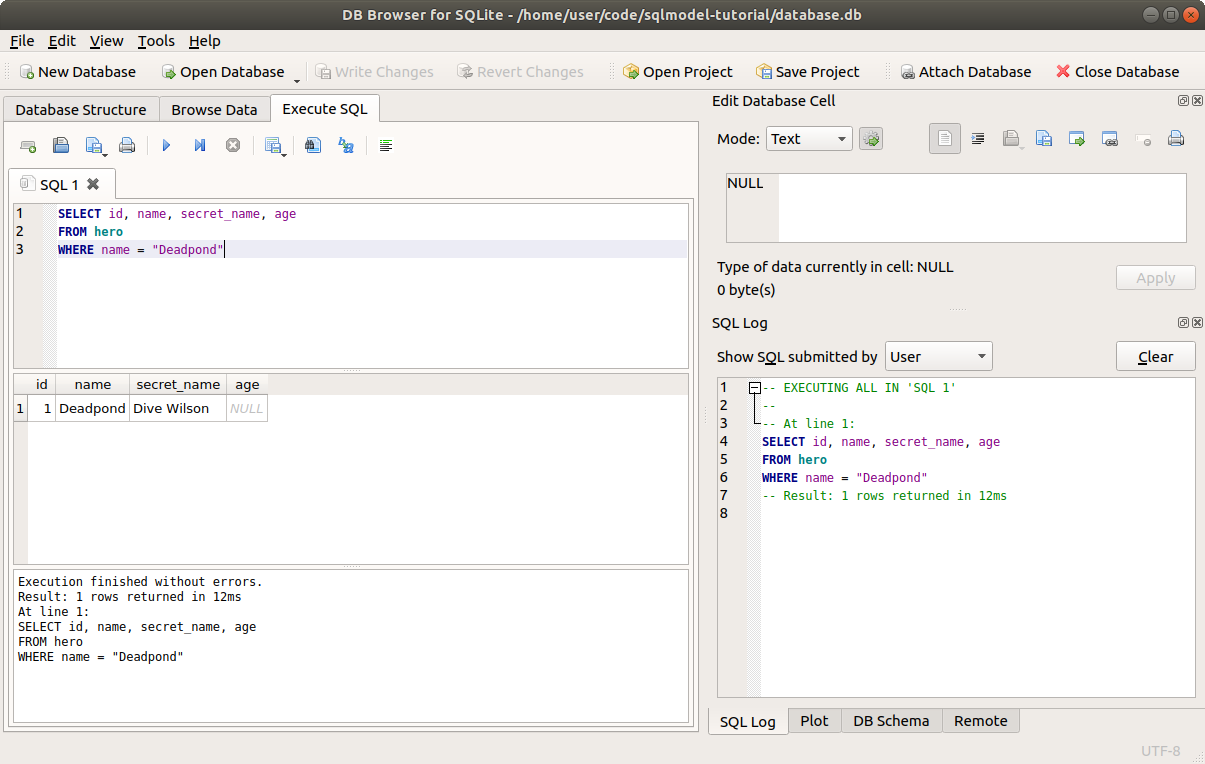
# WHERE and FROM are "clauses"
These additional keywords with some sections like WHERE and FROM that go after SELECT (or others) have a technical name, they are called clauses.
There are others clauses too, with their own SQL keywords.
I won't use the term clause too much here, but it's good for you to know it as it will probably show up in other tutorials you could study later.
# SELECT and WHERE
Here's a quick tip that helps me think about it.
SELECTis used to tell the SQL database what columns to return.WHEREis used to tell the SQL database what rows to return.
The size of the table in the two dimensions depend mostly on those two keywords.
# SELECT Land
If the table has too many or too few columns, that's changed in the SELECT part.
Starting with some table:
| id | name | secret_name | age |
|---|---|---|---|
| 1 | Deadpond | Dive Wilson | null |
| 2 | Spider-Boy | Pedro Parqueador | null |
| 3 | Rusty-Man | Tommy Sharp | 48 |
and changing the number of columns:
| name |
|---|
| Deadpond |
| Spider-Boy |
| Rusty-Man |
is all SELECT land.
# WHERE Land
If the table has too many or too few rows, that's changed in the WHERE part.
Starting with some table:
| id | name | secret_name | age |
|---|---|---|---|
| 1 | Deadpond | Dive Wilson | null |
| 2 | Spider-Boy | Pedro Parqueador | null |
| 3 | Rusty-Man | Tommy Sharp | 48 |
and changing the number of rows:
| id | name | secret_name | age |
|---|---|---|---|
| 2 | Spider-Boy | Pedro Parqueador | null |
is all WHERE land.
# Review SELECT with SQLModel
Let's review some of the code we used to read data with SQLModel.
We care specially about the select statement:
# Code above omitted

def select_heroes():
    with Session(engine) as session:
        statement = select(Hero)
        results = session.exec(statement)
        for hero in results:
            print(hero)

# Code below omitted
2
3
4
5
6
7
8
9
10
# Filter Rows Using WHERE with SQLModel
Now, the same way that we add WHERE to a SQL statement to filter rows, we can add a .where() to a SQLModel select() statement to filter rows, which will filter the objects returned:
# Code above omitted

def select_heroes():
    with Session(engine) as session:
        statement = select(Hero).where(Hero.name == "Deadpond")
        results = session.exec(statement)
        for hero in results:
            print(hero)

# Code below omitted
2
3
4
5
6
7
8
9
10
It's a very small change, but it's packed of details. Let's explore them.
# select() Objects
The object returned by select(Hero) is a special type of object with some methods.
One of those methods is .where() used to (unsurprisingly) add a WHERE to the SQL statement in that select object.
There are other methods that we will explore later.
Most of these methods return the same object again after modifying it.
So we could call one after the other:
statement = select(Hero).where(Hero.name == "Deadpond").where(Hero.age == 48)
# Calling .where()
Now, this .where() method is special and very powerful. It is tightly integrated with SQLModel (actually SQLAlchemy) to let you use very familiar Python syntax and code.
Notice that we didn't call it with a single equal(=) sign, and with something like:
# Not supported
select(Hero).where(name="Deadpond")
2
That would have been shorter, of course, but it would have been much more error prone and limited. I'll show you why in a bit.
Instead, we used two ==:
select(Hero).where(Hero.name == "Deadpond")
So, what's happening there?
# .where() and Expressions
In the example above we are using two equal signs (==). That's called the "equality operator".
An operator is just a symbol that is put beside one value or in the middle of two values to do something with them.
== is called the equality operator because it checks if two things are equal.
When writing Python, if you something using this equality operator (==) like:
some_name == "Deadpond"
That's called an equality "comparison", and it normally results in a value of:
True
or
False
<, >, >=, <=, and != are all operators used for comparisons.
But SQLAlchemy adds some magic to che columns/fields in a model class to make those Python comparisons have super powers.
So, if you write something like:
Hero.name == "Deadpond"
that doesn't result in a value of True or False.
Instead, it results in a special type of object. If you tried that in an interactive Python session, you'd see something like:
Hero.name == "Deadpond"
# <sqlalchemy.sql.elements.BinaryExpression object at 0x7f4aec0d6c90>
2
So, that result value is an expression object.
And .where() takes one (or more) of these expression objects to update the SQL statement.
# Model Class Attributes, Expressions, and Instances
Now, let's stop for a second to make a clear distinction that is very important and easy to miss.
Model class attributes for each of the columns/fields are special and can be used for expressions.
But that's only for the model class attributes.
Instance attributes behave like normal Python values.
So, using the class (Hero, with capital H) in a Python comparison:
Hero.name == "Deadpond"
results in one of those expression objects to be used with .where():
# <sqlalchemy.sql.elements.BinaryExpression object at 0x7f4aec0d6c90>
But if you take an instance:
some_hero = Hero(name="Deadpond", secret_name="Dive Wilson")
and use it in a comparison:
some_hero.name == "Deadpond"
That results in a Python value of:
True
or if it was a different object with a different name, it could have been:
False
The difference is that one is using the model class, the other is using an instance.
# Class or Instance
It's quite probable that you will end up having some variable hero (with lowercase h) like:
hero = Hero(name="Deadpond", secret_name="Dive Wilson")
And now the class is Hero (with capital H) and the instance is hero (with a lowercase h).
So now you have Hero.name and hero.name that look very similar, but are two deifferent things:
Hero.name == "Deadpond"
# <sqlalchemy.sql.elements.BinaryExpression object at 0x7f4aec0d6c90>

hero.name == "Deadpond"
# True
2
3
4
5
It's just something to pay attention to.
But after understanding that difference between classes and instances it can feel natural, and you can do very powerful things.
For example, as hero.name works like a str and Hero.name works like a special object for comparisons, you could write some code like:
select(Hero).where(Hero.name == hero.name)
That would mean:
Hey SQL Database, please
SELECTall the columnsFROMthe table for the model classHero(the table "hero")WHEREthe column"name"is equal to the name of this hero instance I have here:hero.name(in the example above, the value"Deadpond")
# .where() and Expressions Instead of Keyword Arguments
Now, let me tell you why I think that for this use case of interacting with SQL databases it's better to have these expressions:
# Expression
select(Hero).where(Hero.name == "Deadpond")
2
instead of keyword arguments like this:
# Not supported, keyword argument
select(Hero).where(name="Deadpond")
2
Of course, the keyword arguments would have been a bit shorter.
But with the expressions your editor can help you a lot with autocompletion and inline error checks.
Let me give you an example. Let's imagine that keyword arguments were supported in SQLModel and you wanted to filter using the secret identity of Spider-Boy.
You could write:
# Don't copy this
select(Hero).where(secret_identity="Pedro Parqueador")
2
The editor would see the code, and because it doesn't have any information of which keyword arguments are allowed and which not, it would have no way to help you detect the error.
Maybe your code could even run and seem like it's all fine, and then some months later you would be wondering why your app never finds rows although you were sure that there was one "Pedro Parqueador".
And maybe finally you would realize that we wrote the code using secret_identity which is not a column in the table. We should have written secret_nameinstead.
Now, with the expressions, your editor would show you an error right away if you tried this:
# Expression
select(Hero).where(Hero.secret_identity == "Pedro Parqueador")
2
Even better, it would autocomplete the correct one for you, to get:
select(Hero).where(Hero.secret_name == "Pedro Parqueador")
I think that alone, having better editor support, autocompletion, and inline errors, is enough to make it worth having expressions instead of keyword arguments.
Expressions also provide more features for other types of comparisons, shown down below.
# Exec the Statement
Now that we knwo how .where() works, let's finish the code.
It's actually the same as in previous chapters for selecting data:
# Code above omitted

def select_heroes():
    with Session(engine) as session:
        statement = select(Hero).where(Hero.name == "Deadpond")
        results = session.exec(statement)
        for hero in results:
            print(hero)

# Code below omitted
2
3
4
5
6
7
8
9
10
We take that statement, that now includes a WHERE, and we exec() it to get the results.
And in this case the results will be just one:
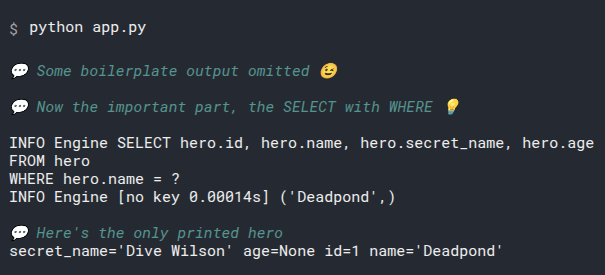
The results object is an iterable to be used in a for loop.
Even if we got only one row, we iterate over that results object. Just as if it was a list of one element.
We'll see other ways to get the data later.
# Other Comparisons
Here's another great advantage of these special expressions passed to .where().
Above, we have been using an "equality" comparison (using ==), only checking if two things are the same value.
But we can use other standard Python comparisons.
# Not Equal
We could get the rows where a column is not equal to a value using !=:
# Code above omitted

def select_heroes():
    with Session(engine) as session:
        statement = select(Hero).where(Hero.name != "Deadpond")
        results = session.exec(statement)
        for hero in results:
            print(hero)

# Code below omitted
2
3
4
5
6
7
8
9
10
That would output:
secret_name='Pedro Parqueador' age=None id=2 name='Spider-Boy'
secret_name='Tommy Sharp' age=48 id=3 name='Rusty-Man'
2
# Pause to Add Data
Let's update the function create_heroes() and add some more rows to make the next comparison examples clearer:
# Code above omitted

def create_heroes():
    hero_1 = Hero(name="Deadpond", secret_name="Dive Wilson")
    hero_2 = Hero(name="Spider-Boy", secret_name="Pedro Parqueador")
    hero_3 = Hero(name="Rusty-Man", secret_name="Tommy Sharp", age=48)
    hero_4 = Hero(name="Tarantula", secret_name="Natalia Roman-on", age=32)
    hero_5 = Hero(name="Black Lion", secret_name="Trevor Challa", age=35)
    hero_6 = Hero(name="Dr. Weird", secret_name="Steve Weird", age=36)
    hero_7 = Hero(name="Captain North America", secret_name="Esteban Rogelios", age=93)

    with Session(engine) as session:
        session.add(hero_1)
        session.add(hero_2)
        session.add(hero_3)
        session.add(hero_4)
        session.add(hero_5)
        session.add(hero_6)
        session.add(hero_7)

        session.commit()

# Code below omitted
2
3
4
5
6
7
8
9
10
11
12
13
14
15
16
17
18
19
20
21
22
23
Now that we have several heroes with different ages, it's gonna be more obvious what the next comparisons do.
# More Than
Now let's use > to get the rows where a column is more than a value:
# Code above omitted

def select_heroes():
    with Session(engine) as session:
        statement = select(Hero).where(Hero.age > 35)
        results = session.exec(statement)
        for hero in results:
            print(hero)

# Code below omitted
2
3
4
5
6
7
8
9
10
That would output:
age=48 id=3 name='Rusty-Man' secret_name='Tommy Sharp'
age=36 id=6 name='Dr. Weird' secret_name='Steve Weird'
age=93 id=7 name='Captain North America' secret_name='Esteban Rogelios'
2
3
Notice that it didn't select Black Lion, because the age is not strictly greater than 35.
# More Than or Equal
Let's do that again, but with >= to get the rows where a column is more than or equal to a value:
# Code above omitted

def select_heroes():
    with Session(engine) as session:
        statement = select(Hero).where(Hero.age >= 35)
        results = session.exec(statement)
        for hero in results:
            print(hero)

# Code below omitted
2
3
4
5
6
7
8
9
10
Because we are using >=, the age 35 will be included in the output:
age=48 id=3 name='Rusty-Man' secret_name='Tommy Sharp'
age=35 id=5 name='Black Lion' secret_name='Trevor Challa'
age=36 id=6 name='Dr. Weird' secret_name='Steve Weird'
age=93 id=7 name='Captain North America' secret_name='Esteban Rogelios'
2
3
4
This time we got Black Lion too because although the age is not strictly greater than 35 but it is equal to 35.
# Less Than
Similarly, we can use < to get the rows where a column is less than a value:
# Code above omitted

def select_heroes():
    with Session(engine) as session:
        statement = select(Hero).where(Hero.age < 35)
        results = session.exec(statement)
        for hero in results:
            print(hero)

# Code below omitted
2
3
4
5
6
7
8
9
10
And we get the younger one with an age in the database:
age=32 id=4 name='Tarantula' secret_name='Natalia Roman-on'
We could imagine that Spider-Boy is even younger. But because we don't know the age, it is NULL in the database (None in Python). It doesn't match any of these age comparisons with numbers.
# Less Than or Equal
Finally, we can use <= to get the rows where a column is less than or equal to a value:
# Code above omitted

def select_heroes():
    with Session(engine) as session:
        statement = select(Hero).where(Hero.age <= 35)
        results = session.exec(statement)
        for hero in results:
            print(hero)

# Code below omitted
2
3
4
5
6
7
8
9
10
And we get the younger ones, 35 and below:
age=32 id=4 name='Tarantula' secret_name='Natalia Roman-on'
age=35 id=5 name='Black Lion' secret_name='Trevor Challa'
2
We get Black Lion here too because although the age is not strictly less than 35 it is equal to 35.
# Benefits of Expressions
Here's a good moment to see that being able to use these pure Python expressions instead of keyword arguments can help a lot.
We can use the same standard Python comparison operator like <, <=, >, >=, ==, etc.
# Multiple .where()
Because .where() returns the same special select object back, we can add more .where() calls to it:
# Code above omitted

def select_heroes():
    with Session(engine) as session:
        statement = select(Hero).where(Hero.age >= 35).where(Hero.age < 40)
        results = session.exec(statement)
        for hero in results:
            print(hero)

# Code below omitted
2
3
4
5
6
7
8
9
10
This will select the rows WHERE the age is greater than or equal to 35, AND also the age is less than 40.
The equivalent SQL would be:
SELECT id, name, secret_name, age
FROM hero
WHERE age >= 35 AND age < 40
2
3
This uses AND to put both comparisons together.
We can then run it to see the output from the program:
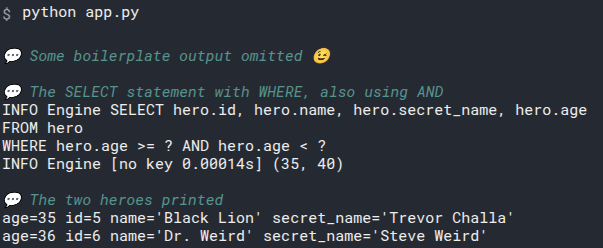
# .where() With Multiple Expressions
As an alternative to using multiple .where() we can also pass serveral expressions to a single .where():
# Code above omitted

def select_heroes():
    with Session(engine) as session:
        statement = select(Hero).where(Hero.age >= 35, Hero.age < 40)
        results = session.exec(statement)
        for hero in results:
            print(hero)

# Code below omitted
2
3
4
5
6
7
8
9
10
This is the same as the above, and will result in the same output with the two heroes:
age=35 id=5 name='Black Lion' secret_name='Trevor Challa'
age=36 id=6 name='Dr. Weird' secret_name='Steve Weird'
2
# .where() With Multiple Expressions Using OR
These last examples use where() with multiple expressions. And then those are combined in the final SQL using AND, which means taht all of the expressions must be true in a row for it to be included in the results.
But we can also combine expressions using OR. Which means that any (but not necessarily all) of the expressions should be true in a row for it to be included.
To do it, you can import or_:
from sqlmodel import Field, Session, SQLModel, create_engine, or_, select

# Code below omitted
2
3
And then pass both expressoins to or_() and put it inside .where().
For example, here we select the heroes that are the youngest OR the oldest:
# Code above omitted

def select_heroes():
    with Session(engine) as session:
        statement = select(Hero).where(or_(Hero.age <= 35, Hero.age > 90))
        results = session.exec(statement)
        for hero in results:
            print(hero)

# Code below omitted
2
3
4
5
6
7
8
9
10
When we run it, this generates the output:
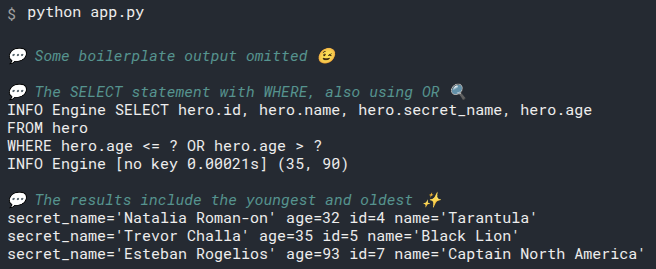
# Type Annotations and Errors
There's a chance that your editor gives you an error when using these comparisons, like:
Hero.age > 35
It would be an error telling you that
Hero.ageis potentiallyNone, and you cannot compareNonewith>
This is because as we are using pure and plain Python annotations for the fields, age is indeed annotated as int | None.
By using this simple and standard Python type annotations we get the benefit of the extra simplicity and the inline error checks when creating or using instances.
And when we use these special class attributes in a .where(), during execution of the program, the special class attribute will know that the comparison only applies for the values that are not NULL in the database, and it will work correctly.
But the editor doesn't know that it's a special class attribute, so it tries to help us preventing an error (that in this case is a false alarm).
Nevertheless, we can easily fix.
We can tell the editor that this class attribute is actually a special SQLModel column (instead of an instance attribute with a normal value).
To do that, we can import col() (as short for "column"):
from sqlmodel import Field, Session, SQLModel, col, create_engine, select

# Code below omitted
2
3
And then put the class attribute inside col() when using it in a .where():
# Code above omitted

def select_heroes():
    with Session(engine) as session:
        statement = select(Hero).where(col(Hero.age) >= 35)
        results = session.exec(statement)
        for hero in results:
            print(hero)

# Code below omitted
2
3
4
5
6
7
8
9
10
So, now the comparison is not:
Hero.age > 35
but:
col(Hero.age) > 35
And with that the editor knows this code is actually fine, because this is a special SQLModel column.
That col() will come handy later, giving autocompletion to serveral other things we can do with these special class attributes for columns.
But we'll get there later.
# Recap
from sqlmodel import Field, Session, SQLModel, create_engine, select, or_, col


class Hero(SQLModel, table=True):
    id: int | None = Field(default=None, primary_key=True)
    name: str
    secret_name: str
    age: int | None = None


sqlite_file_name = "sqlmodel.db"
sqlite_url = f"sqlite:///{sqlite_file_name}"

engine = create_engine(sqlite_url, echo=True)


def create_db_and_tables():
    SQLModel.metadata.create_all(engine)


def create_heroes():
    hero_1 = Hero(name="Deadpond", secret_name="Dive Wilson")
    hero_2 = Hero(name="Spider-Boy", secret_name="Pedro Parqueador")
    hero_3 = Hero(name="Rusty-Man", secret_name="Tommy Sharp", age=48)
    hero_4 = Hero(name="Tarantula", secret_name="Natalia Roman-on", age=32)
    hero_5 = Hero(name="Black Lion", secret_name="Trevor Challa", age=35)
    hero_6 = Hero(name="Dr. Weird", secret_name="Steve Weird", age=36)
    hero_7 = Hero(name="Captain North America", secret_name="Esteban Rogelios", age=93)

    with Session(engine) as session:
        session.add(hero_1)
        session.add(hero_2)
        session.add(hero_3)
        session.add(hero_4)
        session.add(hero_5)
        session.add(hero_6)
        session.add(hero_7)

        session.commit()


def select_heroes():
    with Session(engine) as session:
        statement = select(Hero).where(or_(col(Hero.age) <= 35, col(Hero.age) > 90))
        results = session.exec(statement)
        for hero in results:
            print(hero)


def main():
    # create_db_and_tables()
    # create_heroes()
    select_heroes()


if __name__ == "__main__":
    main()
2
3
4
5
6
7
8
9
10
11
12
13
14
15
16
17
18
19
20
21
22
23
24
25
26
27
28
29
30
31
32
33
34
35
36
37
38
39
40
41
42
43
44
45
46
47
48
49
50
51
52
53
54
55
56
57
You can use .where() with powerful expressions using SQLModel columns (the special class attributes) to filter the rows that you want.
Up to now, the database would have been looking through each one of the records (rows) to find the ones that match what you want. If you have thousands or millions of records, this could be very slow.
In the next section I'll tell you how to add indexes to the database, this is what will make the queries very efficient.
# Indexes - Optimize Queries
We just saw how to get some data WHERE a condition is true. For example, where the hero name is "Deadpond".
If we just create the tables and the data as we have been doing, when we SELECT some data using WHERE, the database would have to scan through each one of the records to find the ones that match. This is not a problem with 3 heroes as in these examples.
But imagine that your database has thousands or millions of records, if every time you want to find the heroes with the name "Deadpond" it has to scan through all of the records to find all the possible matches, then that becomes problemtic, as it would be too slow.
I'll show you how to handle it with a database index.
The change in the code is extremely small, but it's useful to understand what's happening behind the scenes, so I'll show you how it all works and what it means.
If you already executed the previous examples and have a database with data, remove the database file before running each example, that way you won't have duplicate data and you will be able to get the same results.
# No Time to Explain
Are you already a SQL expert and don't have time for all my explanations?
Fine, in that case, you can sneak peek the final code to create indexes here.
from sqlmodel import Field, Session, SQLModel, create_engine, select


class Hero(SQLModel, table=True):
    id: int | None = Field(default=None, primary_key=True)
    name: str = Field(index=True)
    secret_name: str
    age: int | None = Field(default=None, index=True)


sqlite_file_name = "database.db"
sqlite_url = f"sqlite:///{sqlite_file_name}"

engine = create_engine(sqlite_url, echo=True)


def create_db_and_tables():
    SQLModel.metadata.create_all(engine)


def create_heroes():
    hero_1 = Hero(name="Deadpond", secret_name="Dive Wilson")
    hero_2 = Hero(name="Spider-Boy", secret_name="Pedro Parqueador")
    hero_3 = Hero(name="Rusty-Man", secret_name="Tommy Sharp", age=48)
    hero_4 = Hero(name="Tarantula", secret_name="Natalia Roman-on", age=32)
    hero_5 = Hero(name="Black Lion", secret_name="Trevor Challa", age=35)
    hero_6 = Hero(name="Dr. Weird", secret_name="Steve Weird", age=36)
    hero_7 = Hero(name="Captain North America", secret_name="Esteban Rogelios", age=93)

    with Session(engine) as session:
        session.add(hero_1)
        session.add(hero_2)
        session.add(hero_3)
        session.add(hero_4)
        session.add(hero_5)
        session.add(hero_6)
        session.add(hero_7)

        session.commit()


def select_heroes():
    with Session(engine) as session:
        statement = select(Hero).where(Hero.age <= 35)
        results = session.exec(statement)
        for hero in results:
            print(hero)


def main():
    create_db_and_tables()
    create_heroes()
    select_heroes()


if __name__ == "__main__":
    main()
2
3
4
5
6
7
8
9
10
11
12
13
14
15
16
17
18
19
20
21
22
23
24
25
26
27
28
29
30
31
32
33
34
35
36
37
38
39
40
41
42
43
44
45
46
47
48
49
50
51
52
53
54
55
56
57
but if you are not an expert, continue reading, this will probably be useful.
# What is an Index
In general, an index is just something we can have to help us find things faster. It normally works by having things in order. Let's think about some real-life examples before even thinking about databases and code.
# An Index and a Dictionary
Imagine a dictionary, a book with definitions of words. not a Python dict.
Let's say that you want to find a word, for example the word "database". You take the dictionary, and open it somewhere, for example in the middle. Maybe you see some definitions of words that start with m, like manual, so you conclude that you are in the letter m in the dictionary.

You know that in the alphabet, the letter d for database comes before the letter m for manual>

So, you know you have to search in the dictionary before the point you currently are. You still don't know where the word database is, because you don't know exactly where the letter d is in the dictionary, but you know that it is not after that point, you can now discard the right half of the dictionary in your search.

Next, you open the dictionary again, but only taking into account the half of the dictionary that can contain the word you want, the left part of the dictionary. You open it in the middle of that left part and now you arrive maybe at the letter f.

You know that d from database comes before f. So it has to be before that. But now you know that database is not after that point, and you can discard the dictionary from that point onward.

Now you have a small section of dictionary to search (only a quarter of dictionary can have your word). You take that quarter of the pages at the start of the dictionary that can contain your word, and open it in the middle of that section. Maybe you arrive at the letter c.

You know the world database has to be after that and not before that point, so you can discard the left part of that block of pages.

You repeat this process a few more tiems, and you finally arrive at the letter d, you continue with the same process in that section for the letter d and you finally find the word database.

You had to open the dictionary a few times, maybe 5 or 10. That's actually very little work compared to what it could have been.
Techinical Details
Do you like fancy words? Cool! Programmers tend to like fancy words.
That algorithm I showed you above is called Binary Search.
It's called that because you search something by splitting the dictionary (or any ordered list of things) in two ("binary" means "two") parts. And you do that process multiple times until you find what you want.
# An Index and a Novel
Let's now imagine you are reading a novel book. And someone told you that at some point, they mention a database, and you want to find that chapter.
How do you find the word "database" there? You might have to read the entire book to find where the word "database" is located in the book. So, instead of opening the book 5 or 10 times, you would have to open each of the 500 pages and read them one by one until you find the word. You might enjoy the book, though.
But if we are interested in quickly finding information (as when working with SQL database), then reading each of the 500 pages is too inefficient when these could be an option to open the book in 5 or 10 places and find what you're looking for.
# A Technical Book with an Index
Now let's imagine you are reading a technical book. For example, with several topics about programming. And there's a couple of sections where it talks about a database.
This book might have a book index: a section in the book that has some names of topics covered and the page numbers in the book where you can read about them. And the topic names are sorted in alphabetic order, pretty much like a dictionary (a book with words, as in the previous example).
In this case, you can open that book in the end (or in the beginning) to find the book index section, it would have only a few pages. And then, you can do the same process as with the dictionary example above.
Open the index, and after 5 or 10 steps, quickly find the topic "database" with the page numbers where that is covered, for example "page 253 in Chapter 5". Now you used the dictionary technque to find the topic, and that topic gave you a page number.
Now you know that you need to find "page 253". But by looking at the closed book you still don't know where that page is, so you have to find the page. To find it, you can do the same process again, but this time, instead of searching for a topic in the index, you are searching for a page number in the entire book. And after 5 or 10 more steps, you find the page 253 in Chapter 5.

After this, even though this book is not a dictionary and has some particular content, you were able to find the section in the book that talks about a "database" in a few steps (say 10 or 20, instead of reading all the 500 pages).
The main point is that the index is sorted, so we can use the same process we used for the dictionary to find the topic. And then that gives us a page number, and the page numbers are also sorted.
When we have a list of sorted things we can apply the same technique, and that's the whole trick here, we use the same technique first for the topics in the index and then for the page numbers to find the actual chapter.
Such efficiency!
# What are Database Indexes
Database indexes are very similar to book indexes.
Database indexes store some info, some keys, in a way that makes it easy and fast to find (for example sorted), and then for each key the point to some data somewhere else in the database.
Let's see a more clear example. Let's say you have this table in a database:
| id | name | secret_name | age |
|---|---|---|---|
| 1 | Deadpond | Dive Wilson | null |
| 2 | Spider-Boy | Pedro Parqueador | null |
| 3 | Rusty-Man | Tommy Sharp | 48 |
And let's imagine you have many more rows, many more heroes. Probably thousands.
If you tell the SQL database to get you a hero by a specific name, for example Spider-Boy (by using the name in the WHERE part of the SQL query), the database will have to scan all the heroes, checking *one by one to find all the ones with a name of Spider-Boy.
In this case, there's only one, but there's nothing limiting the database from have more records with the same name. And because of that, the database would continue searching and checking each one of the records, which would be very slow.
But now let's say that the database has an index for the column name. The index could look something like this, we could imagine that the index is like an additional special table that the database manages automatically:
| name | id |
|---|---|
| Deadpond | 1 |
| Rusty-Man | 3 |
| Spider-Boy | 2 |
It would have each name field from the hero table in order. It would not be sorted by id, but by name (in alphabetical order, as the name is a string). So, first it would have Deadpond, then Rusty-Man, and last Spider-Boy. It would also include the id of each hero. Remember that this could have thousands of heroes.
Then the database would be able to use more or less the same ideas in the examples above with the dictionary and the book index.
It could start somewhere (for example, in the middle of the index). It could arrive at some hero there in the middle, like Rusty-Man. And because the index has the name fields in order, the database would know that it can discard all the previous index rows and only search in the following index rows.

And that way, as with the example with the dictionary above, instead of reading thousands of heroes, the database would be able to do a few steps, say 5 or 10 steps, and arrive at the row of the index that has Spider-Boy, even if the table (and index) has thousands of rows:

Then by looking at this index row, it would know that the id for Spider-Boy in the hero table is 2.
So then it could search that id in the hero table using more or less the same technique.
That way, in the end, instead of reading thousands of records, the database only had to do a few steps to find the hero we wanted.
# Updating the Index
As you can imagine, for all this to work, the index would need to be up to date with data in the database.
If you had to update it manually in code, it would be very cumbersome and error-prone, as it would be easy to end up in a state where the index is not up to date and points to incorrect data.
Here's the good news: when you create an index in a SQL Database, the database takes care of updating it automatically whenever it's necessary.
If you add new records to the hero table, the database will automatically update the index. It will do the same process of finding the right place to put the new index data (those 5 or 10 steps described above), and then it will save the new index information there. The same would happen when you update or delete data.
Defining and creating an index is very easy with SQL databases. And then using it even easier... it's transparent. The database will figure out which index to use automatically, the SQL queries don't even change.
So, in SQL databases indexes are great! And are super easy to use. Why not just have indexes for everything? ...Because indexes also have a "cost" in computation and storage (disk space).
# Index Cost
There's a cost associated with indexes.
When you don't have an index and add a new row to the table hero, the database has to perform 1 operation to add the new hero row at the end of the table.
But if you have an index for the hero names, now the database has to perform the same 1 operation to add that row plus some extra 5 or 10 operations in the index, to find the right spot for the name, to then add that index record there.
And if you have an index for the name, one for the age, and one for the secret_name, now the database has to perform the same 1 operation to add that row plus some extra 5 or 10 operations in the index times 3, for each of the indexes. This means that now adding one row takes something like 31 operations.
This also means that you are exchanging the time it takes to read data for the time it takes to write data plus some extra space in the database.
If you have queries that get data out of the database comparing each one of those fields (for example using WHERE), then it makes total sense to have indexes for each one of them. Because 31 operations while creating or updating data (plus the space of the index) is much, much better than the possible 500 or 1000 operations to read all the rows to be able to compare them using each field.
But if you never have queries that find records by the secret_name (you never use secret_name in the WHERE part) it probably doesn't make sense to have an index for the secret_name field/column, as that will increase the computational and space cost of writing and updating the database.
# Create an Index with SQL
Phew, that was a lot of theory and explanations.
The most important thing about indexes is understanding them, how, and when to use them.
Let's now see the SQL syntax to create an index. It is very simple:
CREATE INDEX ix_hero_name
ON hero (name)
2
# Declare Indexes with SQLModel
And now let's see how to define indexes in SQLModel.
The change in code is underwhelming, it's very simple.
Here's the Hero model we had before:
from sqlmodel import Field, Session, SQLModel, create_engine, select


class Hero(SQLModel, table=True):
    id: int | None = Field(default=None, primary_key=True)
    name: str
    secret_name: str
    age: int | None = None

# Code below omitted
2
3
4
5
6
7
8
9
10
Let's now update it to tell SQLModel to create an index for the name field when creating the table:
from sqlmodel import Field, Session, SQLModel, create_engine, select


class Hero(SQLModel, table=True):
    id: int | None = Field(default=True, primary_key=True)
    name: str = Field(index=True)
    secret_name: str
    age: int | None = Field(default=None, index=True)

# Code below omitted
2
3
4
5
6
7
8
9
10
We use the same Field() again as we did before, and set index=True. That's it!
Notice that we didn't set an argument of default=None or anything similar. This means that SQLModel (thanks to Pydantic) will keep it as a required field.
SQLModel (actually SQLAlchemy) will automatically generate the index name for you.
In this case the generated name would be ix_hero_name.
# Query Data
Now, to query the data using the field name and the new index we don't have to do anything special or different in the code, it's just the same code.
The SQL database will figure it out automatically.
This is great because it means that indexes are very simple to use. But it mignt also feel counterintuitive at first, as you are not doing anything explicitly in the code to make it obvious that the index is useful, it all happens in the database behind the scenes.
# Code above omitted

def select_heroes():
    with Session(engine) as session:
        statement = select(Hero).where(Hero.name == "Deadpond")
        results = session.exec(statement)
        for hero in results:
            print(hero)

# Code below omitted
2
3
4
5
6
7
8
9
10
This is exactly the same code as we had before, but now the database will use the index* underneath.
# Run the Program
If you run the program now, you will see an output like this:
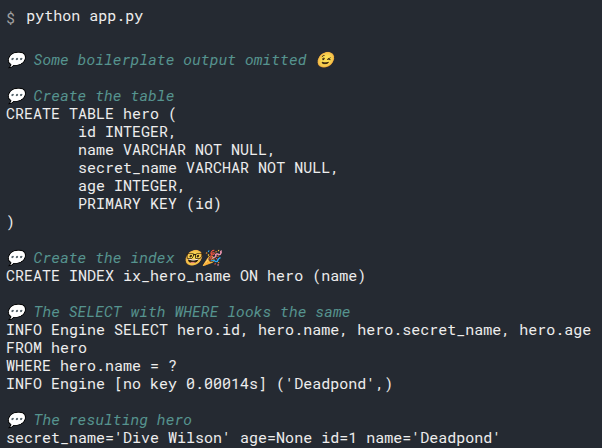
# More Indexes
We are going to query the hero table doing comparisons on the age field too, so we should define an index for that one as well:
from sqlmodel import Field, Session, SQLModel, create_engine, select


class Hero(SQLModel, table=True):
    id: int | None = Field(default=None, primary_key=True)
    name: str = Field(index=True)
    secret_name: str
    age: int | None = Field(default=None, index=True)

# Code below omitted
2
3
4
5
6
7
8
9
10
In this case, we want the default value of age to continue being None, so we set default=None when using Field().
Now when we use SQLModel to create the database and tables, it will also create the indexes for these two columns in the hero table.
So, when we query the database for the hero table and use those two columns to define what data we get, the database will be able to use those indexes to improve the reading performance.
# Primary Key and Indexes
You probably noticed that we didn't set index=True for the id field.
Because the id is already the primary key, the database will automatically create an internal index for it.
The database always creates an internal index for primary keys automatically, as those are the primary way to organize, store, and retrieve data.
But if you want to be frequently querying the SQL database for any other field(e.g. using any other field in the WHERE section), you will probably want to have at least an index for that.
# Recap
from sqlmodel import Field, Session, SQLModel, create_engine, select


class Hero(SQLModel, table=True):
    id: int | None = Field(default=None, primary_key=True)
    name: str = Field(index=True)
    secret_name: str
    age: int | None = Field(default=None, index=True)


sqlite_file_name = "database.db"
sqlite_url = f"sqlite:///{sqlite_file_name}"

engine = create_engine(sqlite_url, echo=True)


def create_db_and_tables():
    SQLModel.metadata.create_all(engine)


def create_heroes():
    hero_1 = Hero(name="Deadpond", secret_name="Dive Wilson")
    hero_2 = Hero(name="Spider-Boy", secret_name="Pedro Parqueador")
    hero_3 = Hero(name="Rusty-Man", secret_name="Tommy Sharp", age=48)
    hero_4 = Hero(name="Tarantula", secret_name="Natalia Roman-on", age=32)
    hero_5 = Hero(name="Black Lion", secret_name="Trevor Challa", age=35)
    hero_6 = Hero(name="Dr. Weird", secret_name="Steve Weird", age=36)
    hero_7 = Hero(name="Captain North America", secret_name="Esteban Rogelios", age=93)

    with Session(engine) as session:
        session.add(hero_1)
        session.add(hero_2)
        session.add(hero_3)
        session.add(hero_4)
        session.add(hero_5)
        session.add(hero_6)
        session.add(hero_7)

        session.commit()


def select_heroes():
    with Session(engine) as session:
        statement = select(Hero).where(Hero.age <= 35)
        results = session.exec(statement)
        for hero in results:
            print(hero)


def main():
    create_db_and_tables()
    create_heroes()
    select_heroes()


if __name__ == "__main__":
    main()
2
3
4
5
6
7
8
9
10
11
12
13
14
15
16
17
18
19
20
21
22
23
24
25
26
27
28
29
30
31
32
33
34
35
36
37
38
39
40
41
42
43
44
45
46
47
48
49
50
51
52
53
54
55
56
57
Indexes are very important to improve reading performance and speed when querying the database.
Creating and using them is very simple and easy. The most important part is to understand how they work, when to create them, and for which columns.
# Read One Row
You already know how to filter rows to select using .where().
And you saw how when executing a select() it normally returns an iterable object.
Or you can call results.all() to get a list of all the rows right away, instead of an iterable.
But in many cases you really just want to read a single row, and having to deal with an iterable or a list is not as convenient.
Let's see the utilities to read a single row.
# Continue From Previous Code
We'll continue with the same examples we have been using in the previous chapters to create and select data and we'll keep updating them.
If you already executed the previous examples and have a database with data, remove the database file before running each example, that way you won't have duplicate data and you will be able to get the same results.
# Read the First Row
We have been iterating over the rows in a result object like:
# Code above omitted

def select_heroes():
    with Session(engine) as session:
        statement = select(Hero).where(Hero.age <= 35)
        results = session.exec(statement)
        for hero in results:
            print(hero)

# Code below omitted
2
3
4
5
6
7
8
9
10
But let's say that we are not interested in all the rows, just the first one.
We can call the .first() method on the results object to get the first row:
# Code above omitted

def select_heroes():
    with Session(engine) as session:
        statement = select(Hero).where(Hero.age <= 35)
        results = session.exec(statement)
        hero = results.first()
        print("Hero: ", hero)

# Code below omitted
2
3
4
5
6
7
8
9
10
This will return the first object in the results (if there was any).
That way, we don't have to deal with an iterable or a list.
Notice that .first() is a method of the results object, not of the select() statement.
Although this query would find two rows, by using .first() we get only the first rows.
If we run it in the command line it would output:
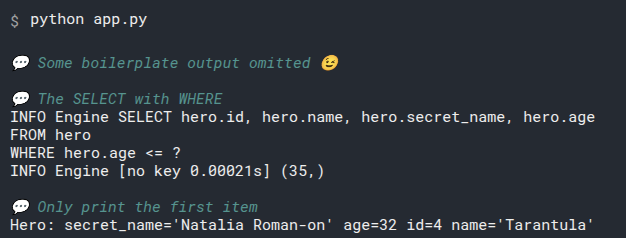
# First or None
It would be possible that the SQL query doesn't find any row.
In that case, .first() will return None:
# Code above omitted

def select_heroes():
    with Session(engine) as session:
        statement = select(Hero).where(Hero.age < 25)
        results = session.exec(statement)
        hero = results.first()
        print("Hero:", hero)

# Code below omitted
2
3
4
5
6
7
8
9
10
In this case, as there's no hero with an age less than 25, .first() will return None.
When we run it in the command line it will output:
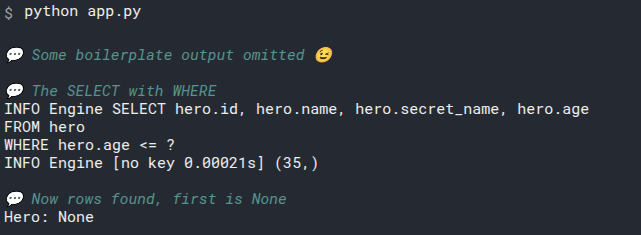
# Exactly One
There might be cases where we want to ensure that there's exactly one row matching the query.
And if there was more than one, it would mean that there's an error in the system, and we should terminate with an error.
In that case, instead of .first() we can use .one():
# Code above omitted

def select_heroes():
    with Session(engine) as session:
        statement = select(Hero).where(Hero.name == "Deadpond")
        results = session.exec(statement)
        hero = results.one()
        print("Hero:", hero)

# Code below omitted
2
3
4
5
6
7
8
9
10
Here we know that there's only one "Deadpond", and there shouldn't be any more than one.
If we run it once will output:
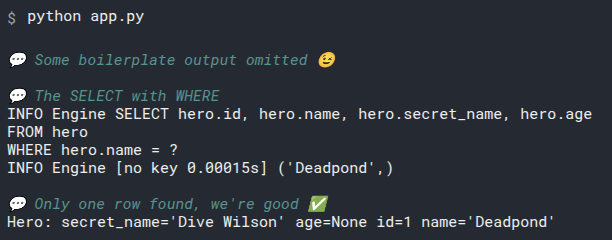
But if we run it again, as it will create and insert all the heroes in the database again, they will be duplicated, and there will be more than one "Deadpond".
So, running it again, without first deleting the file database.db will output:
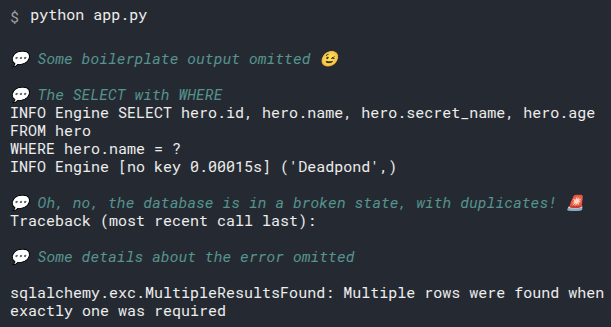
# Exactly One with More Data
Of course, even if we don't duplicate the data, we could get the same error if we send a query that finds more than one row and expect exactly one with .one():
# Code above omitted

def select_heroes():
    with Session(engine) as session:
        statement = select(Hero).where(Hero.age <= 35)
        results = session.exec(statement)
        hero = results.one()
        print("Hero:", hero)

# Code below omitted
2
3
4
5
6
7
8
9
10
That would find 2 rows, and would end up with the same error.
# Exactly One with No Data
And also, if we get no rows at all with .one(), it will also raise an error:
# Code above omitted

def select_heroes():
    with Session(engine) as session:
        statement = select(Hero).where(Hero.age < 25)
        results = session.exec(statement)
        hero = results.one()
        print("Hero:", hero)

# Code below omitted
2
3
4
5
6
7
8
9
10
In this case, as there are no heroes with an age less than 25, .one() will raise an error.
This is what we would get if we run it in the command line:
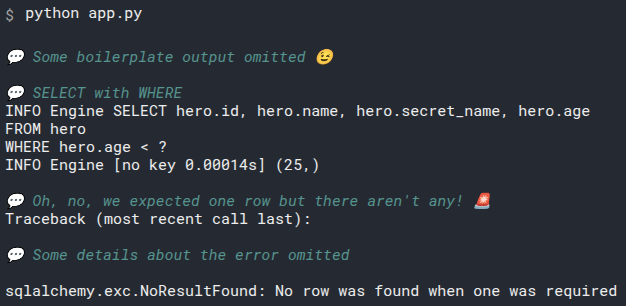
# Compact Version
Of course, with .first() and .one() you would also probably write all that in a more compact form most of the time, all in a single line (or at least a single Python statement):
# Code above omitted

def select_heroes():
    with Session(engine) as session:
        hero = session.exec(select(Hero).where(Hero.name == "Deadpond")).one()
        print("Hero:", hero)

# Code below omitted
2
3
4
5
6
7
8
That would result in the same as some examples above.
# Select by Id with .where()
In many cases you might want to select a single row by its Id column with the primary key.
You could do it the same way we have been doing with a .where() and then getting the first item with .first():
# Code above omitted

def select_heroes():
    with Session(engine) as session:
        statement = select(Hero).where(Hero.id == 1)
        results = session.exec(statement)
        hero = results.first()
        print("Hero:", hero)

# Code below omitted
2
3
4
5
6
7
8
9
10
That would work correctly, as expected. But there's a shorter version.
# Select by Id with .get()
As selecting a single row by its Id column with the primary key is a common operation, there's a shortcut for it:
# Code above omitted

def select_heroes():
    with Session(engine) as session:
        hero = session.get(Hero, 1)
        print("Hero:", hero)

# Code below omitted
2
3
4
5
6
7
8
session.get(Hero, 1) is an equivalent to creating a select(), then fitering by Id using .where(), and then getting the first item with .first().
If you run it, it will output:
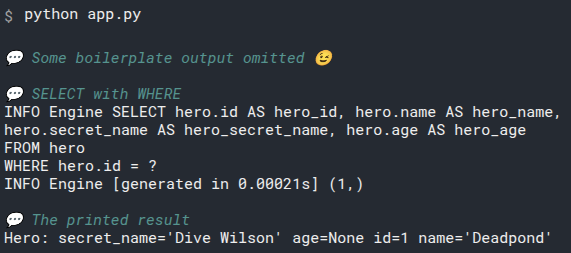
# Select by Id with .get() with No data
.get() behaves similar to .first(), if there's no data it will simply return None (instead of raising an error):
# Code above omitted

def select_heroes():
    with Session(engine) as session:
        hero = session.get(Hero, 9001)
        print("Hero:", hero)

# Code below omitted
2
3
4
5
6
7
8
Running that will output:
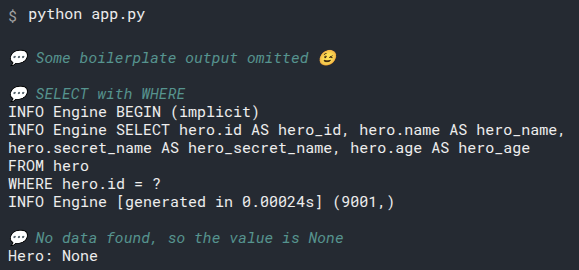
# Recap
As querying the SQL database for a single row is a common operation, you now have serveral tools to do it in a short and simple way.
# Read a Range of Data - LIMIT and OFFSET
Now you know how to get a single row with .one(), .first(), and session.get().
And you also know how to get multiple rows while filtering them using .where().
Now let's see how to get only a range of results.

# Create Data
We will continue with the same code as before, but we'll modify it a little the select_heroes() function to simplify the example and focus on what we want to achieve here.
Again, we will create several heroes to have some data to select from:
from sqlmodel import Field, Session, SQLModel, create_engine, select


class Hero(SQLModel, table=True):
    id: int | None = Field(default=None, primary_key=True)
    name: str = Field(index=True)
    secret_name: str
    age: int | None = Field(default=None, index=True)


sqlite_file_name = "database.db"
sqlite_url = f"sqlite:///{sqlite_file_name}"

engine = create_engine(sqlite_url, echo=True)


def create_db_and_tables():
    SQLModel.metadata.create_all(engine)


def create_heroes():
    hero_1 = Hero(name="Deadpond", secret_name="Dive Wilson")
    hero_2 = Hero(name="Spider-Boy", secret_name="Pedro Parqueador")
    hero_3 = Hero(name="Rusty-Man", secret_name="Tommy Sharp", age=48)
    hero_4 = Hero(name="Tarantula", secret_name="Natalia Roman-on", age=32)
    hero_5 = Hero(name="Black Lion", secret_name="Trevor Challa", age=35)
    hero_6 = Hero(name="Dr. Weird", secret_name="Steve Weird", age=36)
    hero_7 = Hero(name="Captain North America", secret_name="Esteban Rogelios", age=93)

    with Session(engine) as session:
        session.add(hero_1)
        session.add(hero_2)
        session.add(hero_3)
        session.add(hero_4)
        session.add(hero_5)
        session.add(hero_6)
        session.add(hero_7)

        session.commit()


def select_heroes():
    with Session(engine) as session:
        statement = select(Hero).limit(3)
        results = session.exec(statement)
        heroes = results.all()
        print(heroes)


def main():
    create_db_and_tables()
    create_heroes()
    select_heroes()


if __name__ == "__main__":
    main()
2
3
4
5
6
7
8
9
10
11
12
13
14
15
16
17
18
19
20
21
22
23
24
25
26
27
28
29
30
31
32
33
34
35
36
37
38
39
40
41
42
43
44
45
46
47
48
49
50
51
52
53
54
55
56
57
# Review Select All
This is the code we had to select all the heroes in the select() examples:
# Code above omitted

def select_heroes():
    with Session(engine) as session:
        statement = select(Hero)
        results = session.exec(statement)
        heroes = results.all()
        print(heroes)

# Code below omitted
2
3
4
5
6
7
8
9
10
But this would get us all the heroes at the same time, in a database that could have thousands, that could be problematic.
# Select with Limit
We currently have 7 heroes in the database. But we could as well have thousands, so let's limit the results to get only the first 3:
# Code above omitted

def select_heroes():
    with Session(engine) as session:
        statement = select(Hero).limit(3)
        results = session.exec(statement)
        heroes = results.all()
        print(heroes)

# Code below omitted
2
3
4
5
6
7
8
9
10
The special select object we get from select() also has a method .limit() that we can use to limit the results to a certain number.
In this case, instead of getting all the 7 rows, we are limiting them to only get the first 3.
# Run the Program on the Command Line
If we run it on the command line, it will output:
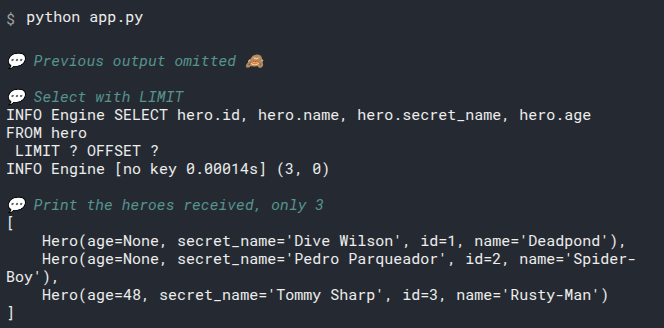
Great! We got only 3 heroes as we wanted.
We will check out that SQL code more in a bit.
# Select with Offset and Limit
Now we can limit the results to get only the first 3.
But imagine we are in a user interface showing the results in batches of 3 heroes at a time.
This is commonly called "pagination". Because the user interface would normally show a "page" of a predefined number of heroes at a time.
And then you can interact with the user interface to get the next page, and so on.
How do we get the next 3?

We can use .offset():
# Code above omitted

def select_heroes():
    with Session(engine) as session:
        statement = select(Hero).offset(3).limit(3)
        results = session.exec(statement)
        heroes = results.all()
        print(heroes)

# Code below omitted
2
3
4
5
6
7
8
9
10
The way this works is that the special select object we get from select() has methods like .where(), .offset() and .limit().
Each of those methods applies the change in the internal special select statement object, and also return the same object, this way, we can continue using more methods on it, like in the example above that we use both .offset() and .limit().
Offset means "skip this many rows", and as we want to skip the ones we already saw, the first three, we use .offset(3).
# Run the Program with Offset on the Command Line
Now we can run the program on the command line, and it will output:
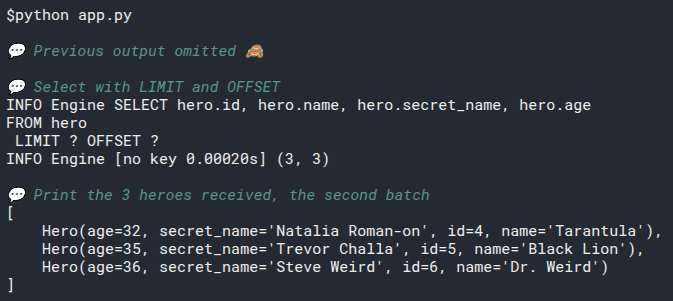
# Select Next Batch
Then to get the next batch of 3 rows we would offset all the ones we already saw, the first 6:
# Code above omitted

def select_heroes():
    with Session(engine) as session:
        statement = select(Hero).offset(6).limit(3)
        results = session.exec(statement)
        heroes = results.all()
        print(heroes)

# Code below omitted
2
3
4
5
6
7
8
9
10
The database right now has only 7 rows, so this query can only get 1 row.

But don't worry, the database won't throw an error trying to get 3 rows when there's only one (as would happen with a Python list).
The database knows that we want to limit the number of results, but it doesn't necessarily have to find that many results.
# Run the Program with the Last Batch on the Command Line
And if we run it in the command line, it will output:
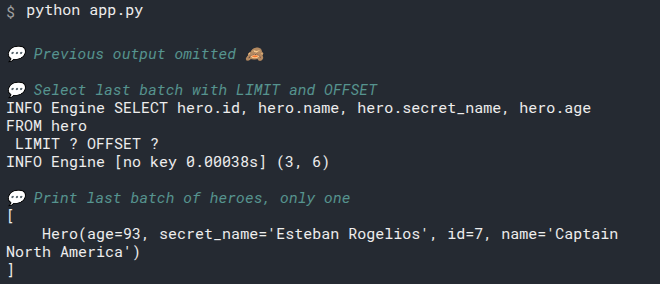
# SQL with LIMIT and OFFSET
You probably noticed the new SQL keywords LIMIT and OFFSET.
You can use them in SQL, at the end of the other parts:
SELECT id, name, secret_name, age
FROM hero
LIMIT 3 OFFSET 6
2
3
If you try that in DB Browser for SQLite, you will get the same result:
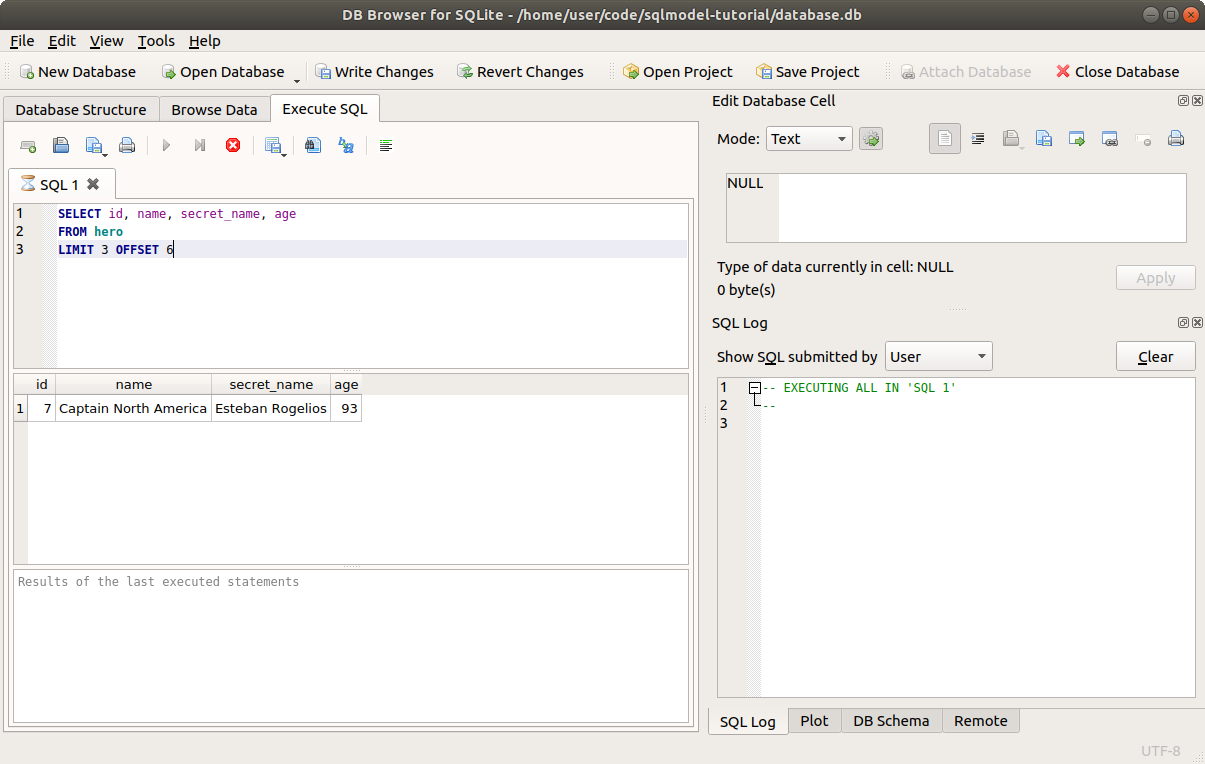
# Combine Limit and Offset with Where
Of course, you can also combine .limit() and .offset() with .where() and other methods you will learn about later:
# Code above omitted

def select_heroes():
    with Session(engine) as session:
        statement = select(Hero).where(Hero.age > 32).offset(1).limit(2)
        results = session.exec(statement)
        heroes = results.all()
        print(heroes)

# Code below omitted
2
3
4
5
6
7
8
9
10
# Run the Program with Limit, Offset, and Where on the Command Line
If we run it on the command line, it will find all the heroes in the database with an age above 32. That would normally be 4 heroes.
But we are starting to include after an offset of 1 (so we don't count the first one), and we are limiting the results to only get the fist 2 after that:
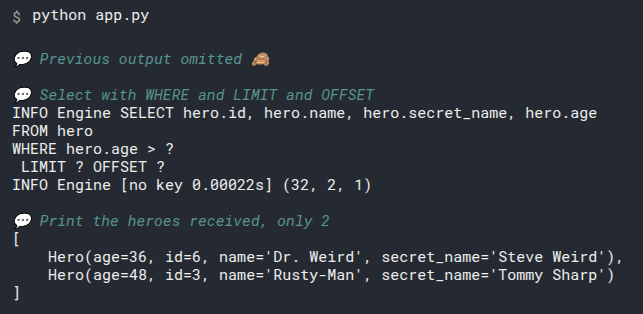
# Recap
Independently of how you filter the data with .where() or other methods, you can limit the query to get at maximum some number of results with .limit().
And the same way, you can skip the first results with .offset().
# Update Data - UPDATE
Now let's see how to update data using SQLModel.
# Continue From Previous Code
As before, we'll continue from where we left off with the previous code.
from sqlmodel import Field, Session, SQLModel, create_engine, select


class Hero(SQLModel, table=True):
    id: int | None = Field(default=None, primary_key=True)
    name: str = Field(index=True)
    secret_name: str
    age: int | None = Field(default=None, index=True)


sqlite_file_name = "database.db"
sqlite_url = f"sqlite:///{sqlite_file_name}"

engine = create_engine(sqlite_url, echo=True)


def create_db_and_tables():
    SQLModel.metadata.create_all(engine)


def create_heroes():
    hero_1 = Hero(name="Deadpond", secret_name="Dive Wilson")
    hero_2 = Hero(name="Spider-Boy", secret_name="Pedro Parqueador")
    hero_3 = Hero(name="Rusty-Man", secret_name="Tommy Sharp", age=48)
    hero_4 = Hero(name="Tarantula", secret_name="Natalia Roman-on", age=32)
    hero_5 = Hero(name="Black Lion", secret_name="Trevor Challa", age=35)
    hero_6 = Hero(name="Dr. Weird", secret_name="Steve Weird", age=36)
    hero_7 = Hero(name="Captain North America", secret_name="Esteban Rogelios", age=93)

    with Session(engine) as session:
        session.add(hero_1)
        session.add(hero_2)
        session.add(hero_3)
        session.add(hero_4)
        session.add(hero_5)
        session.add(hero_6)
        session.add(hero_7)

        session.commit()


def select_heroes():
    with Session(engine) as session:
        statement = select(Hero).where(Hero.age <= 35)
        results = session.exec(statement)
        for hero in results:
            print(hero)


def main():
    create_db_and_tables()
    create_heroes()
    select_heroes()


if __name__ == "__main__":
    main()
2
3
4
5
6
7
8
9
10
11
12
13
14
15
16
17
18
19
20
21
22
23
24
25
26
27
28
29
30
31
32
33
34
35
36
37
38
39
40
41
42
43
44
45
46
47
48
49
50
51
52
53
54
55
56
57
Remember to remove the database.db file before running the examples to get the same results.
# Update with SQL
Let's quickly check how to update data with SQL:
UPDATE hero
SET age=16
WHERE name = "Spider-Boy"
2
3
In a similar way to SELECT statements, the first part defines the columns to work with: what are the columns that have to be updated and to which value. The rest of the columns stay as they were.
And the second part, with the WHERE, defines to which rows it should apply that update.
In this case, as we only have one hero with the name "Spider-Boy", it will only apply the update in that row.
Notice that in the WHERE the single equals sign(=) means assignment, setting a column to some value.
And in the WHERE the same single equals sign(=) is used for comparison between two values, to find rows that match.
This is in contrast to Python and most prgramming languages, where a single equals sign(=) is used for assignment, and two equal signs(==) are used for comparisons.
You can try that in DB Browser for SQLite:
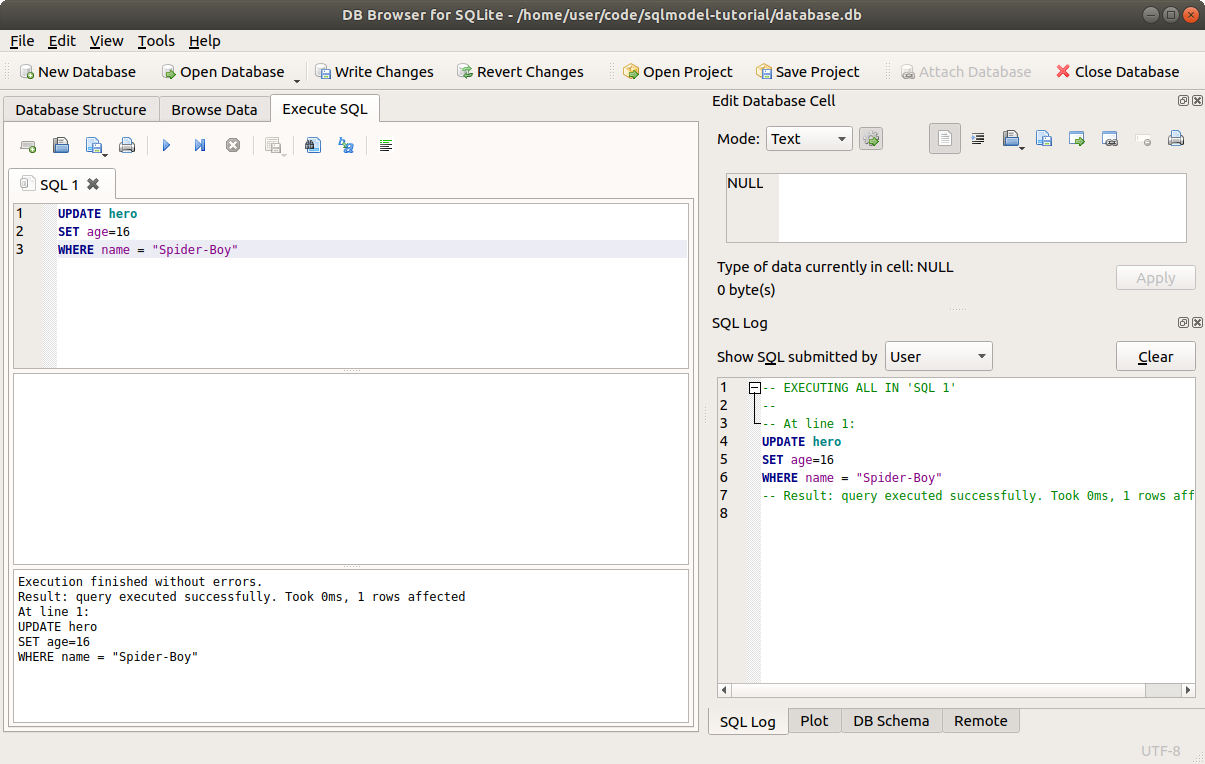
After that update, the data in the table will look like this, with the new age for Spider-Boy:
| id | name | secret_name | age |
|---|---|---|---|
| 1 | Deadpond | Dive Wilson | null |
| 2 | Spider-Boy | Pedro Parqueador | 16✨ |
| 3 | Rusty-Man | Tommy Sharp | 48 |
It will probably be more common to find the row to update by id, for example:
UPDATE hero
SET age=16
WHERE id = 2
2
3
But in the example above I used name to make it more intuitive.
Now let's do the same update in code, with SQLModel.
To get the same results, delete the database.db file before running the example.
# Read From the Database
We'll start by selecting the hero "Spider-Boy", this is the one we will update:
# Code above omitted

def update_heroes():
    with Session(engine) as session:
        statement = select(Hero).where(Hero.name == "Spider-Boy")
        results = session.exec(statement)
        hero = results.one()
        print("Hero:", hero)

# Code below omitted
2
3
4
5
6
7
8
9
10
Let's not forget to add that update_heroes() function to the main() function so that we call it when executing the program from the command line:
# Code above omitted

def main():
    create_db_and_tables()
    create_heroes()
    update_heroes()


if __name__ == "__main__":
    main()

# Code below omitted
2
3
4
5
6
7
8
9
10
11
12
Up to that point, running that in the command line will output:
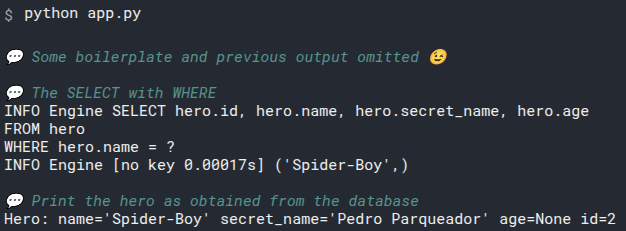
Notice that by this point, the hero still doesn't have an age.
# Set a Field Value
Now that you have a hero object, you can simply set the value of the field (the attribute representing a column) that you want.
In this case, we will set the age to 16:
# Code above omitted

def update_heroes():
    with Session(engine) as session:
        statement = select(Hero).where(Hero.name == "Spider-Boy")
        results = session.exec(statement)
        hero = results.one()
        print("Hero:", hero)

        hero.age = 16

# Code below omitted
2
3
4
5
6
7
8
9
10
11
12
# Add the Hero to the Session
Now that the hero object in memory has a change, in this case a new value for the age, we need to add it to the session.
This is the same we did when creating new hero instances:
# Code above omitted

def update_heroes():
    with Session(engine) as session:
        statment = select(Hero).where(Hero.name == "Spider-Boy")
        results = session.exec(statement)
        hero = results.one()
        print("Hero:", hero)

        hero.age = 16
        session.add(hero)

# Code below omitted
2
3
4
5
6
7
8
9
10
11
12
13
# Commit the Session
To save the current changes in the session, commit it.
This will save the updated hero in the database:
# Code above omitted

def update_heroes():
    with Session(engine) as session:
        statement = select(Hero).where(Hero.name == "Spider-Boy")
        results = session.exec(statement)
        hero = results.one()
        print("Hero:", hero)

        hero.age = 16
        session.add(hero)
        session.commit()

# Code below omitted
2
3
4
5
6
7
8
9
10
11
12
13
14
It will also save anything else that was added to the session.
For example, if you were also creating new heroes and had added those objects to the session before, they would now be saved too in this single commit.
This commit will generate this output:
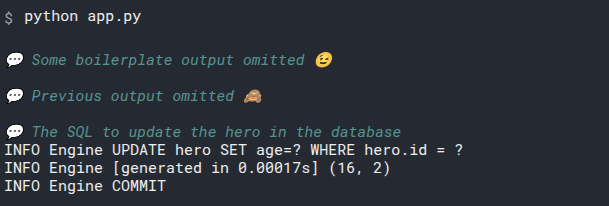
# Refresh the Object
At this point, the hero is updated in the database and it has the new data saved there.
The data in the object would be automatically refreshed if we accessed an attribute, like hero.name.
But in this example we are not accessing any attribute, we will only print the object. And we also want to be explicit, so we will .refresh() the object directly:
# Code above omitted

def update_heroes():
    with Session(engine) as session:
        statement = select(Hero).where(Hero.name == "Spider-Boy")
        results = session.exec(statement)
        hero = results.one()
        print("Hero:", hero)

        hero.age = 16
        session.add(hero)
        session.commit()
        session.refresh(hero)

# Code below omitted
2
3
4
5
6
7
8
9
10
11
12
13
14
15
This refresh will trigger the same SQL query that would be automatically triggered by accessing an attribute. So it will generate this output:
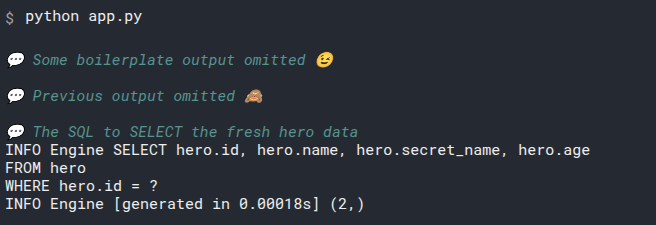
# Print the Updated Object
Now we can just print the hero:
# Code above omitted

def update_heroes():
    with Session(engine) as session:
        statement = select(Hero).where(Hero.name == "Spider-Boy")
        results = session.exec(statement)
        hero = results.one()
        print("Hero:", hero)

        hero.age = 16
        session.add(hero)
        session.commit()
        session.refresh(hero)
        print("Updated hero:", hero)

# Code below omitted
2
3
4
5
6
7
8
9
10
11
12
13
14
15
16
Because we refreshed it right after updating it, it has fresh data, including the new age we just updated.
So, printing it will show the new age:
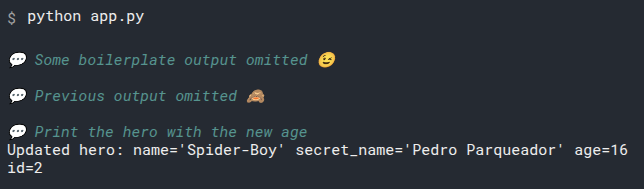
# Review the Code
Now let's review all that code:
from sqlmodel import Field, Session, SQLModel, create_engine, select


class Hero(SQLModel, table=True):
    id: int | None = Field(default=None, primary_key=True)
    name: str = Field(index=True)
    secret_name: str
    age: int | None = Field(default=None, index=True)


sqlite_file_name = "database.db"
sqlite_url = f"sqlite:///{sqlite_file_name}"

engine = create_engine(sqlite_url, echo=True)


def create_db_and_tables():
    SQLModel.metadata.create_all(engine)


def create_heroes():
    hero_1 = Hero(name="Deadpond", secret_name="Dive Wilson")
    hero_2 = Hero(name="Spider-Boy", secret_name="Pedro Parqueador")
    hero_3 = Hero(name="Rusty-Man", secret_name="Tommy Sharp", age=48)
    hero_4 = Hero(name="Tarantula", secret_name="Natalia Roman-on", age=32)
    hero_5 = Hero(name="Black Lion", secret_name="Trevor Challa", age=35)
    hero_6 = Hero(name="Dr. Weird", secret_name="Steve Weird", age=36)
    hero_7 = Hero(name="Captain North America", secret_name="Esteban Rogelios", age=93)

    with Session(engine) as session:
        session.add(hero_1)
        session.add(hero_2)
        session.add(hero_3)
        session.add(hero_4)
        session.add(hero_5)
        session.add(hero_6)
        session.add(hero_7)

        session.commit()


def update_heroes():
    with Session(engine) as session:
        # Select the hero we will work with.
        statement = select(Hero).where(Hero.name == "Spider-Boy")
        # Execute the query with the select statement object.
        # This generates the output
        # INFO Engine SELECT hero.id, hero.name, hero.secret_name, hero.age
        # FROM hero
        # WHERE hero.name = ?
        # INFO Engine [no key 0.00017s] ('Spider-Boy',)
        results = session.exec(statement)
        # This ensure there's no more than one, and that there's exactly one, not None.
        # This would never return None, instead it would raise an exception.
        hero = results.one()
        # Print the hero object.
        # This generate the output:
        # Hero: name='Spider-Boy' secret_name='Pedro Parqueador' age=None id=2
        print("Hero:", hero)

        # Set the hero's age field to the new value 16.
        # Now the hero object in memory has a different value for the age, but it is still not saved to the database.
        hero.age = 16
        # Add the hero to the session.
        # This puts it in that temporary place in the session before committing.
        # But it's still not saved in the database yet.
        session.add(hero)
        # Commit the session
        # This saves the updated hero to the database.
        # And this generated the output:
        # INFO Engine UPDATE hero SET age=? WHERE hero.id = ?
        # INFO Engine [generated in 0.00017s] (16, 2)
        # INFO Engine COMMIT
        session.commit()
        # Refresh the hero object to have the recent data, including the age we just commited.
        # This generates the output:
        # INFO Engine SELECT hero.id, hero.name, hero.secret_name, hero.age
        # FROM hero
        # WHERE hero.id = ?
        # INFO Engine [generated in 0.00018s] (2,)
        session.refresh(hero)
        # Print the updated hero object.
        # This generates the output:
        # Updated hero: name='Spider-Boy' secret_name='Pedro Parqueador' age=16 id=2
        print("Updated hero:", hero)


def main():
    create_db_and_tables()
    create_heroes()
    update_heroes()


if __name__ == "__main__":
    main()
2
3
4
5
6
7
8
9
10
11
12
13
14
15
16
17
18
19
20
21
22
23
24
25
26
27
28
29
30
31
32
33
34
35
36
37
38
39
40
41
42
43
44
45
46
47
48
49
50
51
52
53
54
55
56
57
58
59
60
61
62
63
64
65
66
67
68
69
70
71
72
73
74
75
76
77
78
79
80
81
82
83
84
85
86
87
88
89
90
91
92
93
94
95
# Multiple Updates
The update process with SQLModel is more or less the same as with creating new objects, you add them to the session, and then commit them.
This also means that you can update several fields (attributes, columns) at once, and you can also update several objects (heroes) at once:
# Code above omitted

def update_heroes():
    with Session(engine) as session:
        statement = select(Hero).where(Hero.name == "Spider-Boy")
        results = session.exec(statement)
        hero_1 = results.one()
        print("Hero 1:", hero_1)

        statement = select(Hero).where(Hero.name == "Captain North America")
        results = session.exec(statement)
        hero_2 = results.one()
        print("Hero 2:", hero_2)

        hero_1.age = 16
        hero_1.name = "Spider-Youngster"
        session.add(hero_1)

        hero_2.name = "Captain North America Except Canada"
        hero_2.age = 110
        session.add(hero_2)

        session.commit()
        session.refresh(hero_1)
        session.refresh(hero_2)

        print("Updated hero 1:", hero_1)
        print("Updated hero 2:", hero_2)


# Code below omitted
2
3
4
5
6
7
8
9
10
11
12
13
14
15
16
17
18
19
20
21
22
23
24
25
26
27
28
29
30
31
# Recap
from sqlmodel import Field, Session, SQLModel, create_engine, select


class Hero(SQLModel, table=True):
    id: int | None = Field(default=None, primary_key=True)
    name: str = Field(index=True)
    secret_name: str
    age: int | None = Field(default=None, index=True)


sqlite_file_name = "database.db"
sqlite_url = f"sqlite:///{sqlite_file_name}"

engine = create_engine(sqlite_url, echo=True)


def create_db_and_tables():
    SQLModel.metadata.create_all(engine)


def create_heroes():
    hero_1 = Hero(name="Deadpond", secret_name="Dive Wilson")
    hero_2 = Hero(name="Spider-Boy", secret_name="Pedro Parqueador")
    hero_3 = Hero(name="Rusty-Man", secret_name="Tommy Sharp", age=48)
    hero_4 = Hero(name="Tarantula", secret_name="Natalia Roman-on", age=32)
    hero_5 = Hero(name="Black Lion", secret_name="Trevor Challa", age=35)
    hero_6 = Hero(name="Dr. Weird", secret_name="Steve Weird", age=36)
    hero_7 = Hero(name="Captain North America", secret_name="Esteban Rogelios", age=93)

    with Session(engine) as session:
        session.add(hero_1)
        session.add(hero_2)
        session.add(hero_3)
        session.add(hero_4)
        session.add(hero_5)
        session.add(hero_6)
        session.add(hero_7)

        session.commit()


def update_heroes():
    with Session(engine) as session:
        statement = select(Hero).where(Hero.name == "Spider-Boy")  # (1)!
        results = session.exec(statement)  # (2)!
        hero_1 = results.one()  # (3)!
        print("Hero 1:", hero_1)  # (4)!

        statement = select(Hero).where(Hero.name == "Captain North America")  # (5)!
        results = session.exec(statement)  # (6)!
        hero_2 = results.one()  # (7)!
        print("Hero 2:", hero_2)  # (8)!

        hero_1.age = 16  # (9)!
        hero_1.name = "Spider-Youngster"  # (10)!
        session.add(hero_1)  # (11)!

        hero_2.name = "Captain North America Except Canada"  # (12)!
        hero_2.age = 110  # (13)!
        session.add(hero_2)  # (14)!

        session.commit()  # (15)!
        session.refresh(hero_1)  # (16)!
        session.refresh(hero_2)  # (17)!

        print("Updated hero 1:", hero_1)  # (18)!
        print("Updated hero 2:", hero_2)  # (19)!
    # (20)!


def main():
    create_db_and_tables()
    create_heroes()
    update_heroes()


if __name__ == "__main__":
    main()
2
3
4
5
6
7
8
9
10
11
12
13
14
15
16
17
18
19
20
21
22
23
24
25
26
27
28
29
30
31
32
33
34
35
36
37
38
39
40
41
42
43
44
45
46
47
48
49
50
51
52
53
54
55
56
57
58
59
60
61
62
63
64
65
66
67
68
69
70
71
72
73
74
75
76
77
78
Update SQLModel objects just as you would with other Python objects.
Just remember to add them to a session, and then commit it. And if necessary, refresh them.
# Delete Data - DELETE
Now let's delete some data using SQLModel.
# Continue From Previous Code
As before, we'll continue from where we left off with the previous code.
from sqlmodel import Field, Session, SQLModel, create_engine, select


class Hero(SQLModel, table=True):
    id: int | None = Field(default=None, primary_key=True)
    name: str = Field(index=True)
    secret_name: str
    age: int | None = Field(default=None, index=True)


sqlite_file_name = "database.db"
sqlite_url = f"sqlite:///{sqlite_file_name}"

engine = create_engine(sqlite_url, echo=True)


def create_db_and_tables():
    SQLModel.metadata.create_all(engine)


def create_heroes():
    hero_1 = Hero(name="Deadpond", secret_name="Dive Wilson")
    hero_2 = Hero(name="Spider-Boy", secret_name="Pedro Parqueador")
    hero_3 = Hero(name="Rusty-Man", secret_name="Tommy Sharp", age=48)
    hero_4 = Hero(name="Tarantula", secret_name="Natalia Roman-on", age=32)
    hero_5 = Hero(name="Black Lion", secret_name="Trevor Challa", age=35)
    hero_6 = Hero(name="Dr. Weird", secret_name="Steve Weird", age=36)
    hero_7 = Hero(name="Captain North America", secret_name="Esteban Rogelios", age=93)

    with Session(engine) as session:
        session.add(hero_1)
        session.add(hero_2)
        session.add(hero_3)
        session.add(hero_4)
        session.add(hero_5)
        session.add(hero_6)
        session.add(hero_7)

        session.commit()


def update_heroes():
    with Session(engine) as session:
        statement = select(Hero).where(Hero.name == "Spider-Boy")
        results = session.exec(statement)
        hero_1 = results.one()
        print("Hero 1:", hero_1)

        statement = select(Hero).where(Hero.name == "Captain North America")
        results = session.exec(statement)
        hero_2 = results.one()
        print("Hero 2:", hero_2)

        hero_1.age = 16
        hero_1.name = "Spider-Youngster"
        session.add(hero_1)

        hero_2.name = "Captain North America Except Canada"
        hero_2.age = 110
        session.add(hero_2)

        session.commit()
        session.refresh(hero_1)
        session.refresh(hero_2)

        print("Updated hero 1:", hero_1)
        print("Updated hero 2:", hero_2)


def main():
    create_db_and_tables()
    create_heroes()
    update_heroes()


if __name__ == "__main__":
    main()
2
3
4
5
6
7
8
9
10
11
12
13
14
15
16
17
18
19
20
21
22
23
24
25
26
27
28
29
30
31
32
33
34
35
36
37
38
39
40
41
42
43
44
45
46
47
48
49
50
51
52
53
54
55
56
57
58
59
60
61
62
63
64
65
66
67
68
69
70
71
72
73
74
75
76
77
Remember to remove the database.db file before running the examples to get the same results.
# Delete with SQL
This Spider-Youngster is getting too weird, so let's just delete it.
But don't worry, we'll reboot it later with a new story.
Let's see how to delete it with SQL:
DELETE
FROM hero
WHERE name = "Spider-Youngster"
2
3
Remember that when using a SELECT statement it has the form:
SELECT [some stuff here]
FROM [name of a table here]
WHERE [some condition here]
2
3
DELETE is very similar, and again we use FROM to tell the table to work on, and we use WHERE to tell the condition to use to match the rows that we want to delete.
You can try that in DB Browser for SQLite:
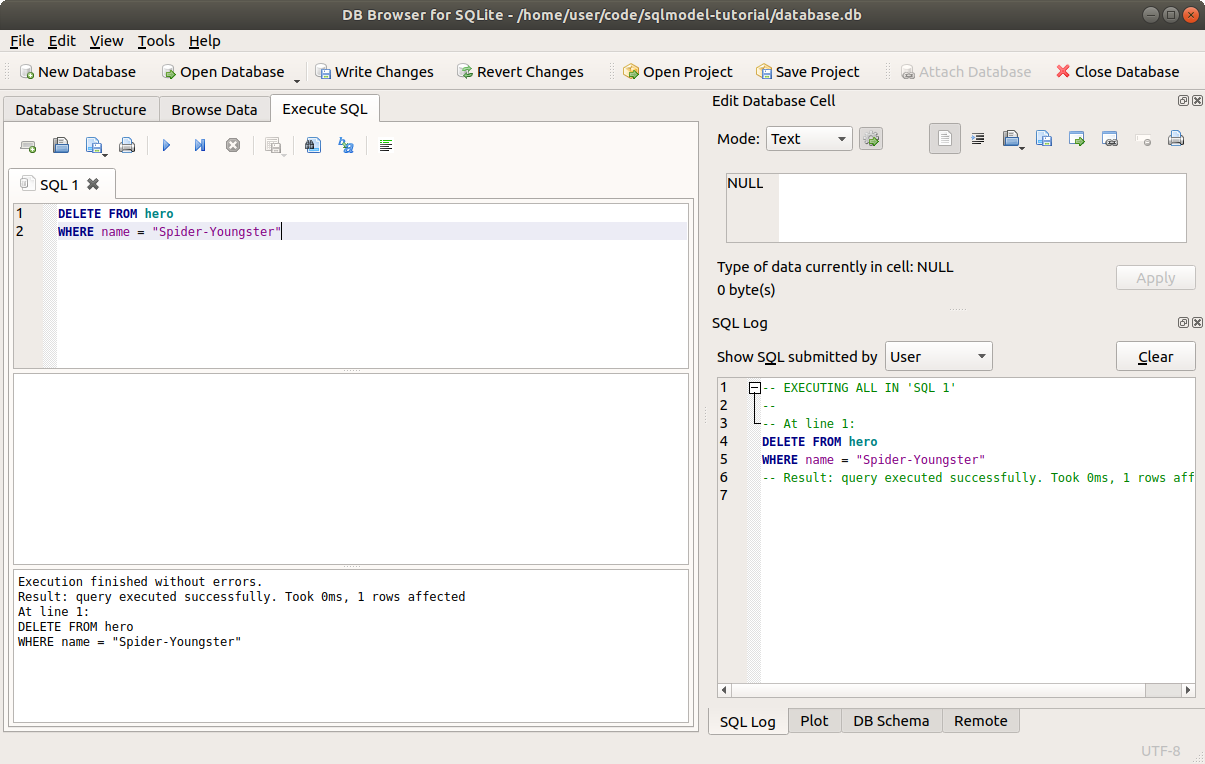
Have in mind that DELETE is to delete entire rows, not single values in a row.
If you want to "delete" a single value in a column while keeping the row, you would instead update the row as explained in the previous chapter, setting the specific value of the column in that row to NULL (to None in Python).
Now let's delete with SQLModel.
To get the same results, delete the database.db file before running the examples.
# Read From the Database
We'll start by selecting the hero "Spider-Youngster" that we updated in the previous chapter, this is the one we will delete:
# Code above omitted

def delete_heroes():
    with Session(engine) as session:
        statement = select(Hero).where(Hero.name == "Spider-Youngster")
        results = session.exec(statement)
        hero = results.one()
        print("Hero: ", hero)

# Code below omitted
2
3
4
5
6
7
8
9
10
As this is a new function delete_heroes(), we'll also add it to the main() function so that we call it when executing the program from the command line.
# Code above omitted

def main():
    create_db_and_tables()
    create_heroes()
    update_heroes()
    delete_heroes()


if __name__ == "__main__":
    main()
2
3
4
5
6
7
8
9
10
11
That will print the same existing hero Spider-Youngster:
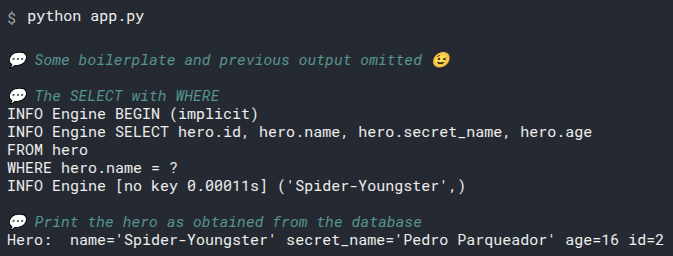
# Delete the Hero from the Session
Now, very similar to how we used session.add() to add or update new heroes, we can use session.delete() to delete the hero from the session:
# Code above omitted

def delete_heroes():
    with Session(engine) as session:
        statement = select(Hero).where(Hero.name == "Spider-Youngster")
        results = session.exec(statement)
        hero = results.one()
        print("Hero:", hero)

        session.delete(hero)

# Code below omitted
2
3
4
5
6
7
8
9
10
11
12
# Commit the Session
To save the current changes in the session, commit it.
This will save all the changes sotred in the session, like the deleted hero:
# Code above omitted

def delete_heroes():
    with Session(engine) as session:
        statement = select(Hero).where(Hero.name == "Spider-Youngster")
        results = session.exec(statement)
        hero = results.one()
        print("Hero: ", hero)

        session.delete(hero)
        session.commit()

# Code below omitted
2
3
4
5
6
7
8
9
10
11
12
13
The same as we have seen before, .commit() will also save anything else that was added to the session. Including updates, or created heroes.
This commit after deleting the hero will generate this output:
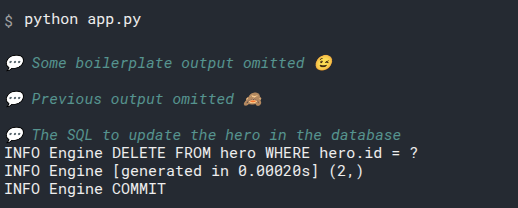
# Print the Deleted Object
Now the hero is deleted from the database.
If we tried to use session.refresh() with it, it would raise an exception, because there's no data in the database for this hero.
Nevertheless, the object is still available with its data, but now it's not connected to the session and it no longer exists in the database.
As the object is not connected to the session, it is not marked as "expired", the session doesn't even care much about this object anymore.
Because of that, the object still contains its attributes with the data in it, so we can print it:
# Code above omitted

def delete_heroes():
    with Session(engine) as session:
        statement = select(Hero).where(Hero.name == "Spider-Youngster")
        results = session.exec(statement)
        hero = results.one()
        print("Hero: ", hero)

        session.delete(hero)
        session.commit()

        print("Deleted hero:", hero)

# Code below omitted
2
3
4
5
6
7
8
9
10
11
12
13
14
15
This will output:
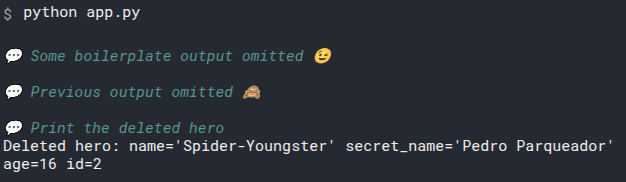
# Query the Database for the Same Row
To confirm if it was deleted, now let's query the database again, with the same "Spider-Youngster" name:
# Code above omitted

def delete_heroes():
    with Session(engine) as session:
        statement = select(Hero).where(Hero.name == "Spider-Youngster")
        results = session.exec(statement)
        hero = results.one()
        print("Hero: ", hero)

        session.delete(hero)
        session.commit()

        print("Deleted hero:", hero)

        statement = select(Hero).where(Hero.name == "Spider-Youngster")
        results = session.exec(statement)
        hero = results.first()

# Code below omitted
2
3
4
5
6
7
8
9
10
11
12
13
14
15
16
17
18
19
Here we are using results.first() to get the first object found (in case it found multiple) or None, if it didn't find anything.
If we used results.one() instead, it would raise an exception, because it expects exactly one result.
And because we just deleted that hero, this should not find anything and we should get None.
This will execute some SQL in the database and output:
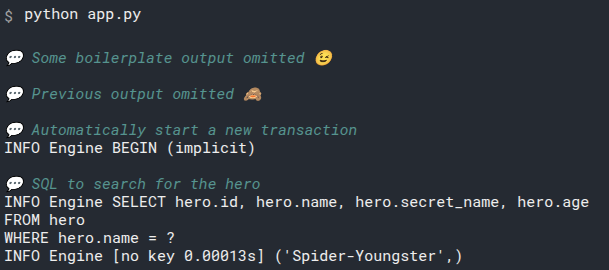
# Confirm the Deletion
Now let's just confirm that, indeed, no hero was found in the database with that name.
We'll do it by checking that the "first" item in the results is None:
# Code above omitted

def delete_heroes():
    with Session(engine) as session:
        statement = select(Hero).where(Hero.name == "Spider-Youngster")
        results = session.exec(statement)
        hero = results.one()
        print("Hero: ", hero)

        session.delete(hero)
        session.commit()

        print("Deleted hero:", hero)

        statement = select(Hero).where(Hero.name == "Spider-Youngster")
        results = session.exec(statement)
        hero = results.first()

        if hero is None:
            print("There's no hero named Spider-Youngster")

# Code below omitted
2
3
4
5
6
7
8
9
10
11
12
13
14
15
16
17
18
19
20
21
22
This will output:
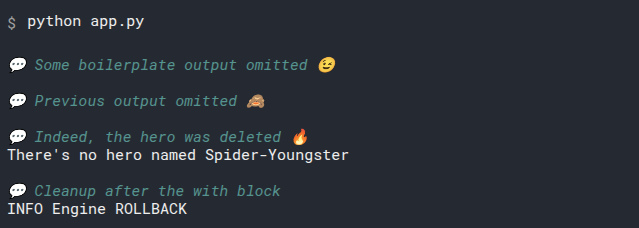
# Review the Code
Now let's review all that code:
from sqlmodel import Field, Session, SQLModel, create_engine, select


class Hero(SQLModel, table=True):
    id: int | None = Field(default=None, primary_key=True)
    name: str = Field(index=True)
    secret_name: str
    age: int | None = Field(default=None, index=True)


sqlite_file_name = "database.db"
sqlite_url = f"sqlite:///{sqlite_file_name}"

engine = create_engine(sqlite_url, echo=True)


def create_db_and_tables():
    SQLModel.metadata.create_all(engine)


def create_heroes():
    hero_1 = Hero(name="Deadpond", secret_name="Dive Wilson")
    hero_2 = Hero(name="Spider-Boy", secret_name="Pedro Parqueador")
    hero_3 = Hero(name="Rusty-Man", secret_name="Tommy Sharp", age=48)
    hero_4 = Hero(name="Tarantula", secret_name="Natalia Roman-on", age=32)
    hero_5 = Hero(name="Black Lion", secret_name="Trevor Challa", age=35)
    hero_6 = Hero(name="Dr. Weird", secret_name="Steve Weird", age=36)
    hero_7 = Hero(name="Captain North America", secret_name="Esteban Rogelios", age=93)

    with Session(engine) as session:
        session.add(hero_1)
        session.add(hero_2)
        session.add(hero_3)
        session.add(hero_4)
        session.add(hero_5)
        session.add(hero_6)
        session.add(hero_7)

        session.commit()


def update_heroes():
    with Session(engine) as session:
        statement = select(Hero).where(Hero.name == "Spider-Boy")
        results = session.exec(statement)
        hero_1 = results.one()
        print("Hero 1:", hero_1)

        statement = select(Hero).where(Hero.name == "Captain North America")
        results = session.exec(statement)
        hero_2 = results.one()
        print("Hero 2:", hero_2)

        hero_1.age = 16
        hero_1.name = "Spider-Youngster"
        session.add(hero_1)

        hero_2.name = "Captain North America Except Canada"
        hero_2.age = 110
        session.add(hero_2)

        session.commit()
        session.refresh(hero_1)
        session.refresh(hero_2)

        print("Updated hero 1:", hero_1)
        print("Updated hero 2:", hero_2)


def delete_heroes():
    with Session(engine) as session:
        statement = select(Hero).where(Hero.name == "Spider-Youngster")
        results = session.exec(statement)
        hero = results.one()
        print("Hero: ", hero)

        session.delete(hero)
        session.commit()

        print("Deleted hero:", hero)

        statement = select(Hero).where(Hero.name == "Spider-Youngster")
        results = session.exec(statement)
        hero = results.first()

        if hero is None:
            print("There's no hero named Spider-Youngster")


def main():
    create_db_and_tables()
    create_heroes()
    update_heroes()
    delete_heroes()


if __name__ == "__main__":
    main()
2
3
4
5
6
7
8
9
10
11
12
13
14
15
16
17
18
19
20
21
22
23
24
25
26
27
28
29
30
31
32
33
34
35
36
37
38
39
40
41
42
43
44
45
46
47
48
49
50
51
52
53
54
55
56
57
58
59
60
61
62
63
64
65
66
67
68
69
70
71
72
73
74
75
76
77
78
79
80
81
82
83
84
85
86
87
88
89
90
91
92
93
94
95
96
97
98
99
# Recap
To delete rows with SQLModel you just have to .delete() them with the session, and then, as always, .commit() the session to save the changes to the database.
# Connect Tables - JOIN - Intro
By this point, you already know how to perform the main CRUD operations with SQLModel using a single table.
But the main advantage and feature of SQL database is being able to handle related data, to connect or "join" different tables together. Connecting rows in one table to rows in another.
Let's see how to use SQLModel to manage connected data in the next chapters.
We will extend this further in the next group of chapters making it even more convenient to work with in Python code, using relationship attributes.
But you should start in this group of chapters first.
# Create Connected Tables
Now we will deal with connected data put in different tables.
So, the first step is to create more than one table and connect them, so that each row in one table can reference another row in the other table.
We have been working with heroes in a single table hero. Let's now add a table team.
The team table will look like this:
| id | name | headquarters |
|---|---|---|
| 1 | Preventers | Sharp Tower |
| 2 | Z-Force | Sister Margaret's Bar |
To connect them, we will add another column to the hero table to point to each team by the ID with the team_id:
| id | name | secret_name | age | team_id✨ |
|---|---|---|---|---|
| 1 | Deadpond | Dive Wilson | null | 2✨ |
| 2 | Spider-Boy | Pedro Parqueador | null | 1✨ |
| 3 | Rusty-Man | Tommy Sharp | 48 | 1✨ |
This way each row in the table hero can point to a row in the table team:

# One-to-Many and Many-to-One
Here we are creating connected data in a relationship where one team could have many heroes. So it is commonly called a one-to-many or many-to-one relationship.
The many-to-one part can be seen if we start from the heroes, many heroes could be part of one team.
This is probably the most popular type of relationship, so we'll start with that. But there's also many-to-many and one-to-one relationships.
# Create Tables in Code
# Create the team Table
Let's start by creating the tables in code.
Import the things we need from sqlmodel and create a new Team model:
from sqlmodel import field, SQLModel, create_engine

class Team(SQLModel, table=True):
    id: int | None = Field(default=None, primary_key=True)
    name: str = Field(index=True)
    headquarters: str

# Code below omitted
2
3
4
5
6
7
8
This is very similar to what we have been doing with the Hero model.
The Team model will be in a table automatically named "team", and it will have the columns:
id, the primary key, automatically generated by the databasename, the name of the team- We also tell SQLModel to create an index for this column
headquarters, the headquarters of the team
And finally we mark it as a table in the config.
# Create the New hero Table
Now let's create the hero table.
This is the same model we have been using up to now, we are just adding the new column team_id:
from sqlmodel import Field, SQLModel, create_engine


class Team(SQLModel, table=True):
    id: int | None = Field(default=None, primary_key=True)
    name: str = Field(index=True)
    headquarters: str


class Hero(SQLModel, table=True):
    id: int | None = Field(default=None, primary_key=True)
    name: str = Field(index=True)
    secret_name: str
    age: int | None = Field(default=None, index=True)
    team_id: int | None = Field(default=None, foreign_key="team.id")

# Code below omitted
2
3
4
5
6
7
8
9
10
11
12
13
14
15
16
17
Most of that should look familiar:
The column will be named team_id. It will be an integer, and it could be NULL in the database (or None in Python), because there could be some heroes that don't belong to any team.
We add a default of None to the Field() so we don't have to explicitly pass team_id=None when creating a hero.
Now, here's the new part:
In Field() we pass the argument foreign_key="team.id". This tells the database that this column team_id is a foreign key to the table team. A "foreign key" just means that this column will have the key to identify a row in a foreign table.
The value in this column team_id will be the same integer that is in some row in the id column on the team table. That is what connects the two tables.
# The Value of foreign_key
Notice that the foreign_key is a string.
Inside it has the name of the table, then a dot, and then the name of the column.
This is the name of the table in the database, so it is "team", not the name of the model class Team (with a capital T).
If you had a custom table name, you would use that custom table name.
You can learn about setting a custom table name for a model in the Advanced User Guide.
# Create the Tables
Now we can add the same code as before to create the engine and the function to create the tables:
# Code above omitted

sqlite_file_name = "database.db"
sqlite_url = f"sqlite:///{sqlite_file_name}"

engine = create_engine(sqlite_url, echo=True)


def create_db_and_tables():
    SQLModel.metadata.create_all(engine)

# Code below omitted
2
3
4
5
6
7
8
9
10
11
12
And as before, we'll call this function from another function main(), and we'll add that function main() to the main block of the file:
# Code above omitted

def main():
    create_db_and_tables()


if __name__ == "__main__":
    main()
2
3
4
5
6
7
8
# Run the Code
Before running the code, make sure you delete the file database.db to make sure you start from scratch.
If we run the code we have up to now, it will go and create the database file database.db and the tables in it we just defined, team and hero:
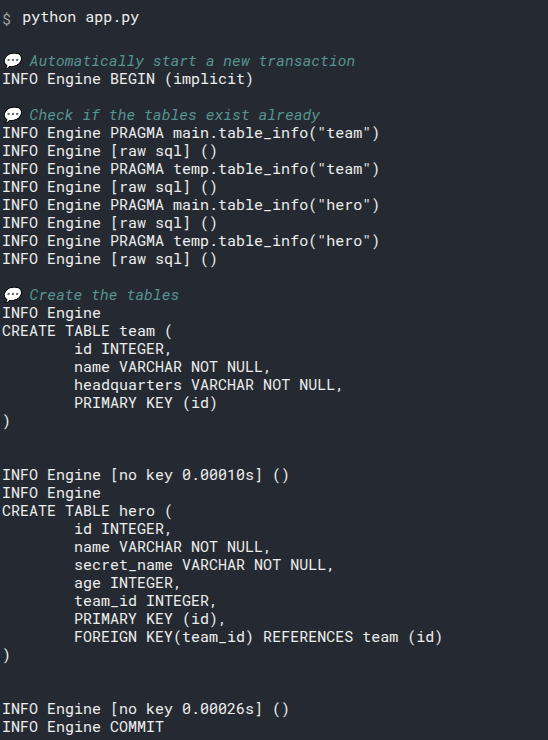
# Create Tables in SQL
Let's see that same generated SQL code.
As we saw before, those VARCHAR columns are converted to TEXT in SQLite, which is the database we are using for experiments.
So, the first SQL could also be written as:
CREATE TABLE team (
    id INTEGER,
    name TEXT NOT NULL,
    headquarters TEXT NOT NULL,
    PRIMARY KEY (id)
)
2
3
4
5
6
And the second table could be written as:
CREATE TABLE hero (
    id INTEGER,
    name TEXT NOT NULL,
    secret_name TEXT NOT NULL,
    age INTEGER,
    team_id INTEGER,
    PRIMARY KEY (id),
    FOREIGN KEY(team_id) REFERENCES team (id)
)
2
3
4
5
6
7
8
9
The only new is the FOREIGN KEY line, and as you can see, it tells the database what column in this table is a foreign key (team_id), which other (foreign) table it references (team) and which column in that table is the key to define which row to connect (id).
Feel free to experiment with it in DB Browser for SQLite.
# Recap
from sqlmodel import Field, SQLModel, create_engine


class Team(SQLModel, table=True):
    id: int | None = Field(default=None, primary_key=True)
    name: str = Field(index=True)
    headquarters: str


class Hero(SQLModel, table=True):
    id: int | None = Field(default=None, primary_key=True)
    name: str = Field(index=True)
    secret_name: str
    age: int | None = Field(default=None, index=True)

    team_id: int | None = Field(default=None, foreign_key="team.id")


sqlite_file_name = "database.db"
sqlite_url = f"sqlite:///{sqlite_file_name}"

engine = create_engine(sqlite_url, echo=True)


def create_db_and_tables():
    SQLModel.metadata.create_all(engine)


def main():
    create_db_and_tables()


if __name__ == "__main__":
    main()
2
3
4
5
6
7
8
9
10
11
12
13
14
15
16
17
18
19
20
21
22
23
24
25
26
27
28
29
30
31
32
33
34
from sqlmodel import SQLModel, Field, create_engine


class Team(SQLModel, table=True):
    __tablename__ = "t_team"
    id: int | None = Field(default=None, primary_key=True)
    name: str = Field(unique=True, index=True)
    headquarters: str


class Hero(SQLModel, table=True):
    __tablename__ = "t_hero"
    id: int | None = Field(default=None, primary_key=True)
    name: str = Field(unique=True, index=True)
    secret_name: str
    age: int | None = Field(default=None, index=True)
    team_id: int | None = Field(default=None, foreign_key="t_team.id", index=True)


sqlite_file_name = "sqlmodel.db"
sqlite_url = f"sqlite:///{sqlite_file_name}"

engine = create_engine(sqlite_url, echo=True)


def create_db_and_tables():
    SQLModel.metadata.create_all(engine)


def main():
    create_db_and_tables()


if __name__ == "__main__":
    main()
2
3
4
5
6
7
8
9
10
11
12
13
14
15
16
17
18
19
20
21
22
23
24
25
26
27
28
29
30
31
32
33
34
35
Using SQLModel, in most of the cases you only need a field (column) with a foreign_key in the Field() with a string pointing to another table and column to connect two tables.
Now that we have the tables created and connected, let's create some rows in the next chapter.
# Create and Connect Rows
We will now create rows for each table.
The team table will look like this:
| id | name | headquarters |
|---|---|---|
| 1 | Preventers | Sharp Tower |
| 2 | Z-Force | Sister Margaret's Bar |
And after we finish working with the data in this chapter, the hero table will look like this:
| id | name | secret_name | age | team_id |
|---|---|---|---|---|
| 1 | Deadpond | Dive Wilson | null | 2 |
| 2 | Rusty-Man | Tommy Sharp | 48 | 1 |
| 3 | Spider-Boy | Pedro Parqueador | null | null |
Each row in the table hero will point to a row in the table team:

We will later update Spider-Boy to add him to the Preventers team too, but not yet.
We will continue with the code in the previous example and we will add more things to it.
from sqlmodel import Field, SQLModel, create_engine


class Team(SQLModel, table=True):
    id: int | None = Field(default=None, primary_key=True)
    name: str = Field(index=True)
    headquarters: str


class Hero(SQLModel, table=True):
    id: int | None = Field(default=None, primary_key=True)
    name: str = Field(index=True)
    secret_name: str
    age: int | None = Field(default=None, index=True)

    team_id: int | None = Field(default=None, foreign_key="team.id")


sqlite_file_name = "database.db"
sqlite_url = f"sqlite:///{sqlite_file_name}"

engine = create_engine(sqlite_url, echo=True)


def create_db_and_tables():
    SQLModel.metadata.create_all(engine)


def main():
    create_db_and_tables()


if __name__ == "__main__":
    main()
2
3
4
5
6
7
8
9
10
11
12
13
14
15
16
17
18
19
20
21
22
23
24
25
26
27
28
29
30
31
32
33
34
Make sure you remove the database.db file before running the examples to get the same results.
# Create Rows for Teams with SQLModel
Let's do the same we did before and define a create_heroes() function where we create our heroes.
And now we will also create the teams there.
Let's start by creating two teams:
# Code above omitted

def create_heroes():
    with Session(engine) as session:
        team_preventers = Team(name="Preventers", headquarters="Sharp Tower")
        team_z_force = Team(name="Z-Force", headquarters="Sister Margaret's Bar")
        session.add(team_preventers)
        session.add(team_z_force)
        session.commit()

# Code below omitted
2
3
4
5
6
7
8
9
10
11
This would hopefully look already familiar.
We start a session in a with block using the same engine we created above.
Then we create two instances of the model class (in this case Team).
Next we add those objects to the session.
And finally we commit the session to save the changes the changes to the database.
# Add It to Main
Let's not forget to add this function create_heroes() to the main() function so that we run it when calling the program from the command line:
# Code above omitted

def main():
    create_db_and_tables()
    create_heroes()

# Code below omitted
2
3
4
5
6
7
# Run it
If we run that code we have up to now, it will output:
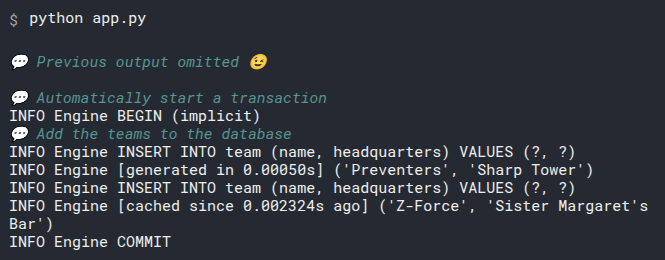
You can see in the output that it uses common SQL INSERT statments to create the rows.
# Create Rows for Heroes in Code
Now let's create one hero object to start.
As the Hero class model now has a field (column, attribute) team_id, we can set it by using the ID field from the Team objects we just created before:
# Code above omitted

def create_heroes():
    with Session(engine) as session:
        team_preventers = Team(name="Preventers", headquarters="Sharp Tower")
        team_z_force = Team(name="Z-Force", headquarters="Sister Margaret's Bar")
        session.add(team_preventers)
        session.add(team_z_force)
        session.commit()

        hero_deadpond = Hero(
            name="Deadpond", secret_name="Dive Wilson", team_id=team_z_force.id
        )

# Code below omitted
2
3
4
5
6
7
8
9
10
11
12
13
14
15
We haven't committed this hero to the database yet, but there are already a couple of things to pay attention to.
If the database already had some teams, we wouldn't even know what is the ID that is going to be automatically assigned to each team by the database, for example, we couldn't just guess 1 or 2.
But once the team is created and commited to the database, we can access the object's id field to get that ID.
Accessing an attribute in a model that was just committed, for example with team_z_force.id, automatically triggers a refresh of the data from the DB in the object, and then exposes the value for that field.
So, even though we are not committing this hero yet, just because we are using team_z_force.id, that will trigger some SQL sent to the database to fetch the data for this team.
That line alone would generate an output of:
INFO Engine BEGIN (implicit)
INFO Engine SELECT team.id AS team_id, team.name AS team_name, team.headquarters AS team_headquarters
FROM team
WHERE team.id = ?
INFO Engine [generated in 0.00025s] (2,)
2
3
4
5
Let's now create two more heroes:
# Code above omitted

def create_heroes():
    with Session(engine) as session:
        team_preventers = Team(name="Preventers", headquarters="Sharp Tower")
        team_z_force = Team(name="Z-Force", headquarters="Sister Margaret's Bar")
        session.add(team_preventers)
        session.add(team_z_force)
        session.commit()

        hero_deadpond = Hero(
            name="Deadpond", secret_name="Dive Wilson", team_id=team_z_force.id
        )
        hero_rusty_man = Hero(
            name="Rusty-Man",
            secret_name="Tommy Sharp",
            age=48,
            team_id=team_preventers.id,
        )
        hero_spider_boy = Hero(name="Spider-Boy", secret_name="Pedro Parqueador")
        session.add(hero_deadpond)
        session.add(hero_rusty_man)
        session.add(hero_spider_boy)
        session.commit()

# Code below omitted
2
3
4
5
6
7
8
9
10
11
12
13
14
15
16
17
18
19
20
21
22
23
24
25
26
When creating hero_rusty_man, we are accessing team_preventers.id, so that will also trigger a refresh of its data, generating an output of:
INFO Engine SELECT team.id AS team_id, team.name AS team_name, team.headquarters AS team_headquarters
FROM team
WHERE team.id = ?
INFO Engine [cached since 0.001795s ago] (1,)
2
3
4
There's something else to note. We marked team_id as int | None, meaning that this could be NULL on the database (and None in Python).
That means that a hero doesn't have to have a team. And in this case, Spider-Boy doesn't have one.
Next we just commit the changes to save them to the database, and that will generate the output:
INFO Engine INSERT INTO hero (name, secret_name, age, team_id) VALUES (?, ?, ?, ?)
INFO Engine [generated in 0.00022s] ('Deadpond', 'Dive Wilson', None, 2)
INFO Engine INSERT INTO hero (name, secret_name, age, team_id) VALUES (?, ?, ?, ?)
INFO Engine [cached since 0.0007987s ago] ('Rusty-Man', 'Tommy Sharp', 48, 1)
INFO Engine INSERT INTO hero (name, secret_name, age, team_id) VALUES (?, ?, ?, ?)
INFO Engine [cached since 0.001095s ago] ('Spider-Boy', 'Pedro Parqueador', None, None)
INFO Engine COMMIT
2
3
4
5
6
7
# Refresh and Print Heroes
Now let's refresh and print those new heroes to see their new ID pointing to their teams:
# Code above omitted

def create_heroes():
    with Session(engine) as session:
        team_preventers = Team(name="Preventers", headquarters="Sharp Tower")
        team_z_force = Team(name="Z-Force", headquarters="Sister Margaret's Bar")
        session.add(team_preventers)
        session.add(team_z_force)
        session.commit()

        hero_deadpond = Hero(
            name="Deadpond", secret_name="Dive Wilson", team_id=team_z_force.id
        )
        hero_rusty_man = Hero(
            name="Rusty-Man",
            secret_name="Tommy Sharp",
            age=48,
            team_id=team_preventers.id,
        )
        hero_spider_boy = Hero(name="Spider-Boy", secret_name="Pedro Parqueador")
        session.add(hero_deadpond)
        session.add(hero_rusty_man)
        session.add(hero_spider_boy)
        session.commit()

        session.refresh(hero_deadpond)
        session.refresh(hero_rusty_man)
        session.refresh(hero_spider_boy)

        print("Created hero:", hero_deadpond)
        print("Created hero:", hero_rusty_man)
        print("Created hero:", hero_spider_boy)

# Code below omitted
2
3
4
5
6
7
8
9
10
11
12
13
14
15
16
17
18
19
20
21
22
23
24
25
26
27
28
29
30
31
32
33
34
If we execute that in the command line, it will output:
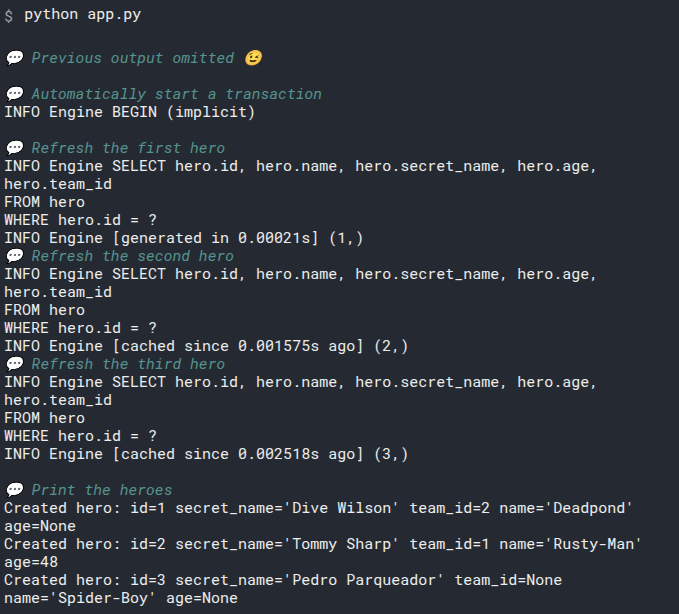
They now have their team_ids, nice!
# Relationships
from sqlmodel import Field, Session, SQLModel, create_engine


class Team(SQLModel, table=True):
    id: int | None = Field(default=None, primary_key=True)
    name: str = Field(index=True)
    headquarters: str


class Hero(SQLModel, table=True):
    id: int | None = Field(default=None, primary_key=True)
    name: str = Field(index=True)
    secret_name: str
    age: int | None = Field(default=None, index=True)

    team_id: int | None = Field(default=None, foreign_key="team.id")


sqlite_file_name = "database.db"
sqlite_url = f"sqlite:///{sqlite_file_name}"

engine = create_engine(sqlite_url, echo=True)


def create_db_and_tables():
    SQLModel.metadata.create_all(engine)


def create_heroes():
    with Session(engine) as session:
        team_preventers = Team(name="Preventers", headquarters="Sharp Tower")
        team_z_force = Team(name="Z-Force", headquarters="Sister Margaret's Bar")
        session.add(team_preventers)
        session.add(team_z_force)
        session.commit()

        hero_deadpond = Hero(
            name="Deadpond", secret_name="Dive Wilson", team_id=team_z_force.id
        )
        hero_rusty_man = Hero(
            name="Rusty-Man",
            secret_name="Tommy Sharp",
            age=48,
            team_id=team_preventers.id,
        )
        hero_spider_boy = Hero(name="Spider-Boy", secret_name="Pedro Parqueador")
        session.add(hero_deadpond)
        session.add(hero_rusty_man)
        session.add(hero_spider_boy)
        session.commit()

        session.refresh(hero_deadpond)
        session.refresh(hero_rusty_man)
        session.refresh(hero_spider_boy)

        print("Created hero:", hero_deadpond)
        print("Created hero:", hero_rusty_man)
        print("Created hero:", hero_spider_boy)


def main():
    create_db_and_tables()
    create_heroes()


if __name__ == "__main__":
    main()
2
3
4
5
6
7
8
9
10
11
12
13
14
15
16
17
18
19
20
21
22
23
24
25
26
27
28
29
30
31
32
33
34
35
36
37
38
39
40
41
42
43
44
45
46
47
48
49
50
51
52
53
54
55
56
57
58
59
60
61
62
63
64
65
66
67
Relationships in SQL databases are just made by having columns in one table referencing the values in columns on other tables.
And here we have treated them just like that, more column fields, which is what they actually are behind the scenes in the SQL database.
But later in this tutorial, in the next group of chapters, you will learn about Relationship Attributes to make it all a lot easier to work with in code.
# Read Connected Data
Now that we have some data in both tables, let's select the data that is connected together.
The team table has this data:
| id | name | headquarters |
|---|---|---|
| 1 | Preventers | Sharp Tower |
| 2 | Z-Force | Sister Margaret's Bar |
And the hero table has this data:
| id | name | secret_name | age | team_id |
|---|---|---|---|---|
| 1 | Deadpond | Dive Wilson | null | 2 |
| 2 | Rusty-Man | Tommy Sharp | 48 | 1 |
| 3 | Spider-Boy | Pedro Parqueador | null | null |
We will continue with the code in the previous example and we will add more things to it.
# SELECT Connected Data with SQL
Let's start seeing how SQL works when selecting connected data. This is where SQL databases actually shine.
If you don't have a database.db file, run that previous program we had written (or copy it from the preview above) to create it.
Now open DB Browser for SQLite and open the database.db file.
To SELECT connected data we use the same keywords we have used before, but now we combine the two tables.
Let's get each hero with the id, name, and the team name:
SELECT hero.id, hero.name, team.name
FROM hero, team
WHERE hero.team_id = team.id
2
3
Because we have two columns called name, one for hero and one for team, we can specify them with the prefix of the table name and the dot to make it explicit what we refer to.
Notice that now in the WHERE part we are not comparing one column with a literal value (like hero.name = "Deadpond"), but we are comparing two columns.
If we execute that SQL, it will return the table:
| id | name | name |
|---|---|---|
| 1 | Deadpond | Z-Force |
| 2 | Rusty-Man | Preventers |
You can go ahead and try it in DB Browser for SQLite:
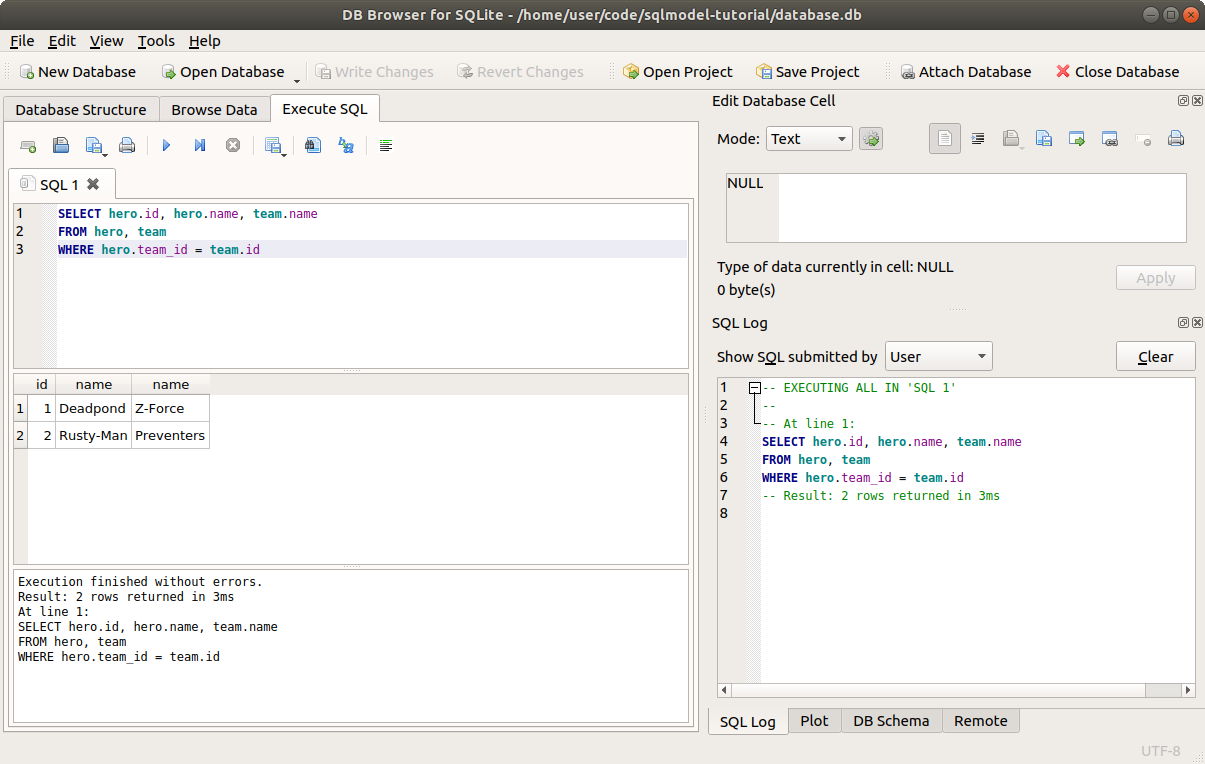
Wait, what about Spider-Boy?
He doesn't have a team, so his team_id is NULL in the database. And this SQL is comparing that NULL from the team_id with all the id fields in the rows in the team table.
As there's no team with an ID of NULL, it doesn't find a match.
But we'll see how to fix that later with a LEFT JOIN.
# Select Related Data with SQLModel
Now let's use SQLModel to do the same select.
We'll create a function select_heroes() just as we did before, but now we'll work with two tables.
Remember SQLModel's select() function? It can take more than one argument.
So, we can pass the Hero and Team model classes. And we can also use both their columns in the .where() part:
# Code above omitted

def select_heroes():
    with Session(engine) as session:
        statement = select(Hero, Team).where(Hero.team_id == Team.id)

# Code below omitted
2
3
4
5
6
7
Notice that in the comparison with == we are using the class attributes for both Hero.team_id and Team.id.
That will generate the appropriate expression object that will be converted to the right SQL, equivalent to the SQL example we saw above.
Now we can execute it and get the results object.
And as we used select with two models, we will receive tuples of instances of those two models, so we can iterate over them naturally in a for loop:
# Code above omitted

def select_heroes():
    with Session(engine) as session:
        statement = select(Hero, Team).where(Hero.team_id == Team.id)
        results = session.exec(statement)
        for hero, team in results:
            print("Hero:", hero, "Team:", team)

# Code below omitted
2
3
4
5
6
7
8
9
10
For each iteration in the for loop we get a tuple with an instance of the class Hero and an instance of the class Team.
And in this for loop we assign them to the variable hero and the variable team.
There was a lot of research, design, and work behind SQLModel to make this provide the best possible developer experience.
And you should get autocompletion and inline errors in your editor for both hero and team.
# Add It to Main
As always, we must remember to add this new select_heroes() function to the main() function to make sure it is executed when we call this program from the command line.
# Code above omitted

def main():
    create_db_and_tables()
    create_heroes()
    select_heroes()

# Code below omitted
2
3
4
5
6
7
8
# Run the Program
Now we can run the program and see how it shows us each hero with their corresponding team:
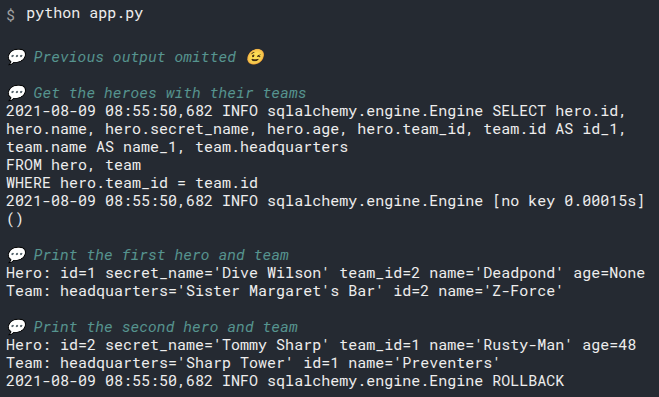
# JOIN Tables with SQL
There's an alternative syntax for that SQL query from above using the keyword JOIN instead of WHERE.
This is the same version from above, using WHERE:
SELECT hero.id, hero.name, team.name
FROM hero, team
WHERE hero.team_id = team.id
2
3
And this is the alternative version using JOIN:
SELECT hero.id, hero.name, team.name
FROM hero
JOIN team
ON hero.team_id = team.id
2
3
4
Both are equivalent. The differences in the SQL code are that instead of passing the team to the FROM part (also called FROM clause) we add a JOIN and put the team table there.
And then, instead of putting a WHERE with a condition, we put an ON keword with the condition, because ON is the one that comes with JOIN.
That will return the same table as before.
Why bother with all this if the result is the same?
This JOIN will be useful in a bit to be able to also get Spider-Boy, even if he doesn't have a team.
from typing import List, Dict, Any
from sqlmodel import Field, SQLModel, create_engine, Session, select
from sqlalchemy.sql.expression import label
from sqlalchemy.engine import Result


class Team(SQLModel, table=True):
    id: int | None = Field(default=None, primary_key=True)
    name: str = Field(index=True)
    headquarters: str


class Hero(SQLModel, table=True):
    id: int | None = Field(default=None, primary_key=True)
    name: str = Field(index=True)
    secret_name: str
    age: int | None = Field(default=None, index=True)

    team_id: int | None = Field(default=None, foreign_key="team.id")


class HeroTeam(SQLModel):
    hero_id: int
    team_id: int
    hero_name: str
    team_name: str


sqlite_file_name = "sqlmodel.db"
sqlite_url = f"sqlite:///{sqlite_file_name}"

engine = create_engine(sqlite_url, echo=True)


def create_db_and_tables():
    SQLModel.metadata.create_all(engine)


def create_heroes():
    with Session(engine) as session:
        team_preventers = Team(name="Preventers", headquarters="Sharp Tower")
        team_z_force = Team(name="Z-Force", headquarters="Sister Margaret's Bar")
        session.add(team_preventers)
        session.add(team_z_force)
        session.commit()

        hero_deadpond = Hero(
            name="Deadpond",
            secret_name="Dive Wilson",
            team_id=team_z_force.id,
        )
        hero_rusty_man = Hero(
            name="Rusty-Man",
            secret_name="Tommy Sharp",
            age=48,
            team_id=team_preventers.id,
        )
        hero_spider_boy = Hero(
            name="Spider-Boy",
            secret_name="Pedro Parqueador",
        )
        session.add(hero_deadpond)
        session.add(hero_rusty_man)
        session.add(hero_spider_boy)
        session.commit()

        session.refresh(hero_deadpond)
        session.refresh(hero_rusty_man)
        session.refresh(hero_spider_boy)

        print("Created hero:", hero_deadpond)
        print("Created hero:", hero_rusty_man)
        print("Created hero:", hero_spider_boy)


def select_heroes():
    with Session(engine) as session:
        query = (
            select(
                label("hero_id", Hero.id),
                label("hero_name", Hero.name),
                label("team_id", Team.id),
                label("team_name", Team.name),
            ).join(Team)
        )
        results: Result = session.exec(query)
        mappings: List[Dict[str, Any]] = results.mappings().all()
        hts: List[HeroTeam] = [HeroTeam(**m) for m in mappings]
        for ht in hts:
            print(ht.hero_id, ht.hero_name, ht.team_id, ht.team_name)


def main():
    # create_db_and_tables()
    # create_heroes()
    select_heroes()


if __name__ == "__main__":
    main()
2
3
4
5
6
7
8
9
10
11
12
13
14
15
16
17
18
19
20
21
22
23
24
25
26
27
28
29
30
31
32
33
34
35
36
37
38
39
40
41
42
43
44
45
46
47
48
49
50
51
52
53
54
55
56
57
58
59
60
61
62
63
64
65
66
67
68
69
70
71
72
73
74
75
76
77
78
79
80
81
82
83
84
85
86
87
88
89
90
91
92
93
94
95
96
97
98
99
100
# Join Tables in SQLModel
The same way there's a .where() available when using select(), there's also a .join().
And in SQLModel(actually SQLAlchemy), when using the .join(), because we already declared what it the foreign_key when creating the models, we don't have to pass an ON part, it is inferred automatically:
# Code above omitted

def select_heroes():
    with Session(engine) as session:
        statement = select(Hero, Team).join(Team)
        results = session.exec(statement)
        for hero, team in results:
            print("Hero:", hero, "Team:", team)

# Code below omitted
2
3
4
5
6
7
8
9
10
Also notice that we are still including Team in the select(Hero, Team), because we still want to access that data.
This is equivalent to the previous example.
And if we run it in the command line, it will output:
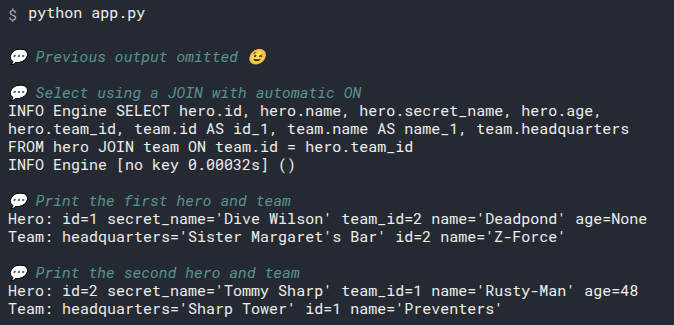
# JOIN Tables with SQL and LEFT OUTER (Maybe JOIN)
When working with a JOIN, you can imagine that you start with a table on the FROM part and put that table in an imaginary space on the left side.
And then you want another table to JOIN the result.
And you put that second table in the right side on that imaginary space.
And then you tell the database ON which condition it should join those two tables and give you the results back.
But by default, only the rows from both left and right that match the condition will be returned.

In this example of tables obove, it would return all the heroes, because every hero has a team_id, so every hero can be joined with the team table:
| id | name | name |
|---|---|---|
| 1 | Deadpond | Z-Force |
| 2 | Rusty-Man | Preventers |
| 3 | Spider-Boy | Preventers |
# Foreign Keys with NULL
But in the database that we are working with in the code above, Spider-Boy doesn't have any team, the value of team_id is NULL in the database.
So there's no way to join the Spider-Boy row with some row in the team table:

Running the same SQL we used above, the resulting table would not includes Spider-Boy:
| id | name | name |
|---|---|---|
| 1 | Deadpond | Z-Force |
| 2 | Rusty-Man | Preventers |
# Include Everything on the LEFT OUTER
In this case, that we want to include all heroes in the result even if they don't have a team, we can extend that same SQL using a JOIN from above and add a LEFT OUTER right before JOIN:
SELECT hero.id, hero.name, team.name
FROM hero
LEFT OUTER JOIN team
ON hero.team_id = team.id
2
3
4
This LEFT OUTER part tells the database that we want to keep everything on the first table, the one on the LEFT in the imaginary space, even if those rows would be left out, so we want it to include the OUTER rows too. In this case, every hero with or without a team.
And that would return the following result, including Spider-Boy.
| id | name | name |
|---|---|---|
| 1 | Deadpond | Z-Force |
| 2 | Rusty-Man | Preventers |
| 3 | Spider-Boy | null |
The only difference between this query and the previous is that extra LEFT OUTER.
And here's another of the SQL variations, you could write LEFT OUTER JOIN or just LEFT JOIN, it means the same.
# Join Tables in SQLModel with LEFT OUTER
Now let's replicate the same query in SQLModel.
.join() has a parameter we can use isouter=True to make the JOIN be a LEFT OUTER JOIN:
# Code above omitted

def select_heroes():
    with Session(engine) as session:
        statement = select(Hero, Team).join(Team, isouter=True)
        results = session.exec(statement)
        for hero, team in results:
            print("Hero:", hero, "Team:", team)

# Code below omitted
2
3
4
5
6
7
8
9
10
from sqlmodel import Field, Session, SQLModel, create_engine, select


class Team(SQLModel, table=True):
    id: int | None = Field(default=None, primary_key=True)
    name: str = Field(index=True)
    headquarters: str


class Hero(SQLModel, table=True):
    id: int | None = Field(default=None, primary_key=True)
    name: str = Field(index=True)
    secret_name: str
    age: int | None = Field(default=None, index=True)

    team_id: int | None = Field(default=None, foreign_key="team.id")


sqlite_file_name = "database.db"
sqlite_url = f"sqlite:///{sqlite_file_name}"

engine = create_engine(sqlite_url, echo=True)


def create_db_and_tables():
    SQLModel.metadata.create_all(engine)


def create_heroes():
    with Session(engine) as session:
        team_preventers = Team(name="Preventers", headquarters="Sharp Tower")
        team_z_force = Team(name="Z-Force", headquarters="Sister Margaret's Bar")
        session.add(team_preventers)
        session.add(team_z_force)
        session.commit()

        hero_deadpond = Hero(
            name="Deadpond", secret_name="Dive Wilson", team_id=team_z_force.id
        )
        hero_rusty_man = Hero(
            name="Rusty-Man",
            secret_name="Tommy Sharp",
            age=48,
            team_id=team_preventers.id,
        )
        hero_spider_boy = Hero(name="Spider-Boy", secret_name="Pedro Parqueador")
        session.add(hero_deadpond)
        session.add(hero_rusty_man)
        session.add(hero_spider_boy)
        session.commit()

        session.refresh(hero_deadpond)
        session.refresh(hero_rusty_man)
        session.refresh(hero_spider_boy)

        print("Created hero:", hero_deadpond)
        print("Created hero:", hero_rusty_man)
        print("Created hero:", hero_spider_boy)


def select_heroes():
    with Session(engine) as session:
        statement = select(Hero, Team).join(Team, isouter=True)
        results = session.exec(statement)
        for hero, team in results:
            print("Hero:", hero, "Team:", team)


def main():
    create_db_and_tables()
    create_heroes()
    select_heroes()


if __name__ == "__main__":
    main()
2
3
4
5
6
7
8
9
10
11
12
13
14
15
16
17
18
19
20
21
22
23
24
25
26
27
28
29
30
31
32
33
34
35
36
37
38
39
40
41
42
43
44
45
46
47
48
49
50
51
52
53
54
55
56
57
58
59
60
61
62
63
64
65
66
67
68
69
70
71
72
73
74
75
76
And if we run it, it will output:
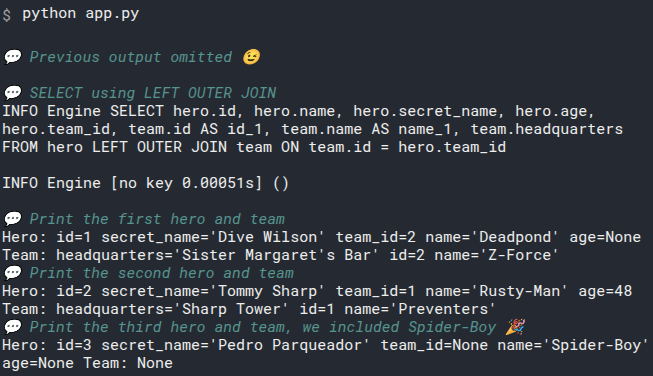
# What Goes in select()
You might be wondering why we put the Team in the select() and not just in the .join().
And then why we didn't include Hero in the .join().
In SQLModel(actually in SQLAlchemy), all these functions and tools try to replicate how it would be to work with the SQL language.
Remember that SELECT defines the columns to get and WHERE how to filter them?.
This also applies here, but with JOIN and ON.
# Select Only Heroes But Join with Teams
If we only put the Team in the .join() and not in the select() function, we would not get the team data.
But we would still be able to filter the rows with it.
We could even add some additional .where() after .join() to filter the data more, for example to return only the heroes from one team:
# Code above omitted

def select_heroes():
    with Session(engine) as session:
        statement = select(Hero).join(Team).where(Team.name == "Preventers")
        results = session.exec(statement)
        for hero in results:
            print("Preventer Hero:", hero)

# Code below omitted
2
3
4
5
6
7
8
9
10
Here we are filtering with .where() to get only the heroes that belong to the Preventers team.
But we are still only requesting the data from the heroes, not their teams.
If we run that, it would output:
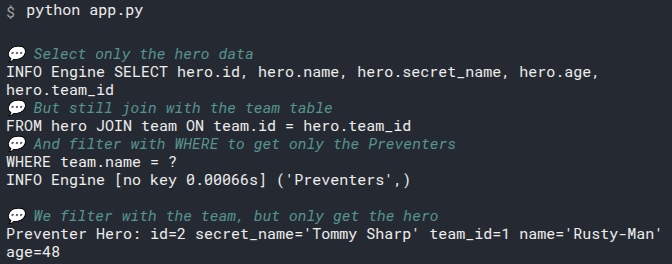
# Include the Team
By putting the Team in select() we tell SQLModel and the database that we want the team data too.
# Code above omitted

def select_heroes():
    with Session(engine) as session:
        statement = select(Hero, Team).join(Team).where(Team.name == "Preventers")
        results = session.exec(statement)
        for hero, team in results:
            print("Preventer Hero:", hero, "Team:", team)

# Code below omitted
2
3
4
5
6
7
8
9
10
And if we run that, it will output:
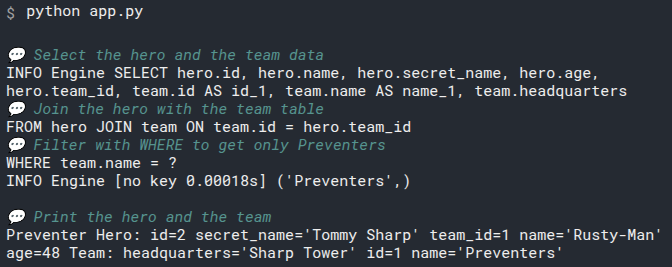
We still have to .join() because otherwise it would just compute all the possible combinations of heroes and teams, for example including Rusty-Man with Preventers and also Rusty-Man with Z-Force, which would be a mistake.
# Relationship Attributes
Here we have been using the pure class models directly, but in a future chapter we will also see how to use Relationship Attributes that let us interact with the database in a way much more close to the code with Python objects.
And we will also see how to load their data in a different, simpler way, achieving the same we achieved here.
# Update Data Connections
At this point we have a team table:
| id | name | name |
|---|---|---|
| 1 | Deadpond | Z-Force |
| 2 | Rusty-Man | Preventers |
And a hero table:
| id | name | secret_name | age | team_id |
|---|---|---|---|---|
| 1 | Deadpond | Dive Wilson | null | 2 |
| 2 | Spider-Boy | Pedro Parqueador | null | 1 |
| 3 | Rusty-Man | Tommy Sharp | 48 | null |
Some of these heroes are part of a team.
Now we'll see how to update those connections between rows tables.
We will continue with the code we used to create some heroes, and we'll update them.
# Assign a Team to a Hero
Let's say that Tommy Sharp uses his "rich uncle" charms to recruit Spider-Boy to join the team of the Preventers, now we need to update our Spider-Boy hero object to connect it to the Preventers team.
Doing it is just like updating any other field:
# Code above omitted

def create_heroes():
    with Session(engine) as session:
        # Code  here omitted
        hero_spider_boy.team_id = team_preventers.id
        session.add(hero_spider_boy)
        session.commit()
        session.refresh(hero_spider_boy)
        print("Updated hero:", hero_spider_boy)


# Code below omitted
2
3
4
5
6
7
8
9
10
11
12
13
from sqlmodel import Field, Session, SQLModel, create_engine


class Team(SQLModel, table=True):
    id: int | None = Field(default=None, primary_key=True)
    name: str = Field(index=True)
    headquarters: str


class Hero(SQLModel, table=True):
    id: int | None = Field(default=None, primary_key=True)
    name: str = Field(index=True)
    secret_name: str
    age: int | None = Field(default=None, index=True)

    team_id: int | None = Field(default=None, foreign_key="team.id")


sqlite_file_name = "database.db"
sqlite_url = f"sqlite:///{sqlite_file_name}"

engine = create_engine(sqlite_url, echo=True)


def create_db_and_tables():
    SQLModel.metadata.create_all(engine)


def create_heroes():
    with Session(engine) as session:
        team_preventers = Team(name="Preventers", headquarters="Sharp Tower")
        team_z_force = Team(name="Z-Force", headquarters="Sister Margaret's Bar")
        session.add(team_preventers)
        session.add(team_z_force)
        session.commit()

        hero_deadpond = Hero(
            name="Deadpond", secret_name="Dive Wilson", team_id=team_z_force.id
        )
        hero_rusty_man = Hero(
            name="Rusty-Man",
            secret_name="Tommy Sharp",
            age=48,
            team_id=team_preventers.id,
        )
        hero_spider_boy = Hero(name="Spider-Boy", secret_name="Pedro Parqueador")
        session.add(hero_deadpond)
        session.add(hero_rusty_man)
        session.add(hero_spider_boy)
        session.commit()

        session.refresh(hero_deadpond)
        session.refresh(hero_rusty_man)
        session.refresh(hero_spider_boy)

        print("Created hero:", hero_deadpond)
        print("Created hero:", hero_rusty_man)
        print("Created hero:", hero_spider_boy)

        hero_spider_boy.team_id = team_preventers.id
        session.add(hero_spider_boy)
        session.commit()
        session.refresh(hero_spider_boy)
        print("Updated hero:", hero_spider_boy)


def main():
    create_db_and_tables()
    create_heroes()


if __name__ == "__main__":
    main()
2
3
4
5
6
7
8
9
10
11
12
13
14
15
16
17
18
19
20
21
22
23
24
25
26
27
28
29
30
31
32
33
34
35
36
37
38
39
40
41
42
43
44
45
46
47
48
49
50
51
52
53
54
55
56
57
58
59
60
61
62
63
64
65
66
67
68
69
70
71
72
73
We can simply assign a value to that field attribute team_id, then add() the hero to the session, and then commit().
Next we refresh() it to get the recent data, and we print it.
Running that in the command line will output:
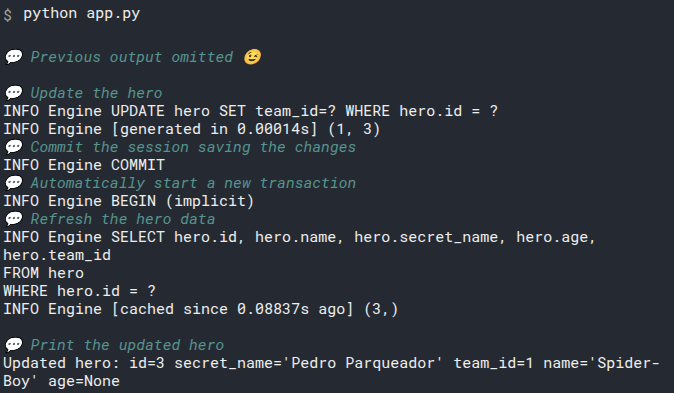
And now Spider-Boy has the team_id=1, which is the ID of the Preventers.
Let's now see how to remove connections in the next chapter.
# Remove Data Connections
We currently have a team table:
| id | name | name |
|---|---|---|
| 1 | Deadpond | Z-Force |
| 2 | Rusty-Man | Preventers |
And a hero table:
| id | name | secret_name | age | team_id |
|---|---|---|---|---|
| 1 | Deadpond | Dive Wilson | null | 2 |
| 2 | Spider-Boy | Pedro Parqueador | null | 1 |
| 3 | Rusty-Man | Tommy Sharp | 48 | 1 |
Let's see how to remove connections between rows in tables.
We will continue with the code from the previous chapter.
# Break a Connection
We don't really have to delete anything to break a connection. We can just assign None to the foreign key, in this case, to the team_id.
Let's say Spider-Boy is tired of the lack of friendly neighbors and wants to get out of the Preventers.
We can simply set the team_id to None, and now it doesn't have a connection with the team:
# Code above omitted

def create_heroes():
    with Session(engine) as session:

# Code here omitted
        hero_spider_boy.team_id = None
        session.add(hero_spider_boy)
        session.commit()
        session.refresh(hero_spider_boy)
        print("No Longer Preventer:", hero_spider_boy)

# Code below omitted
2
3
4
5
6
7
8
9
10
11
12
13
from sqlmodel import Field, Session, SQLModel, create_engine


class Team(SQLModel, table=True):
    id: int | None = Field(default=None, primary_key=True)
    name: str = Field(index=True)
    headquarters: str


class Hero(SQLModel, table=True):
    id: int | None = Field(default=None, primary_key=True)
    name: str = Field(index=True)
    secret_name: str
    age: int | None = Field(default=None, index=True)

    team_id: int | None = Field(default=None, foreign_key="team.id")


sqlite_file_name = "database.db"
sqlite_url = f"sqlite:///{sqlite_file_name}"

engine = create_engine(sqlite_url, echo=True)


def create_db_and_tables():
    SQLModel.metadata.create_all(engine)


def create_heroes():
    with Session(engine) as session:
        team_preventers = Team(name="Preventers", headquarters="Sharp Tower")
        team_z_force = Team(name="Z-Force", headquarters="Sister Margaret's Bar")
        session.add(team_preventers)
        session.add(team_z_force)
        session.commit()

        hero_deadpond = Hero(
            name="Deadpond", secret_name="Dive Wilson", team_id=team_z_force.id
        )
        hero_rusty_man = Hero(
            name="Rusty-Man",
            secret_name="Tommy Sharp",
            age=48,
            team_id=team_preventers.id,
        )
        hero_spider_boy = Hero(name="Spider-Boy", secret_name="Pedro Parqueador")
        session.add(hero_deadpond)
        session.add(hero_rusty_man)
        session.add(hero_spider_boy)
        session.commit()

        session.refresh(hero_deadpond)
        session.refresh(hero_rusty_man)
        session.refresh(hero_spider_boy)

        print("Created hero:", hero_deadpond)
        print("Created hero:", hero_rusty_man)
        print("Created hero:", hero_spider_boy)

        hero_spider_boy.team_id = team_preventers.id
        session.add(hero_spider_boy)
        session.commit()
        session.refresh(hero_spider_boy)
        print("Updated hero:", hero_spider_boy)

        hero_spider_boy.team_id = None
        session.add(hero_spider_boy)
        session.commit()
        session.refresh(hero_spider_boy)
        print("No longer Preventer:", hero_spider_boy)


def main():
    create_db_and_tables()
    create_heroes()


if __name__ == "__main__":
    main()
2
3
4
5
6
7
8
9
10
11
12
13
14
15
16
17
18
19
20
21
22
23
24
25
26
27
28
29
30
31
32
33
34
35
36
37
38
39
40
41
42
43
44
45
46
47
48
49
50
51
52
53
54
55
56
57
58
59
60
61
62
63
64
65
66
67
68
69
70
71
72
73
74
75
76
77
78
79
Again, we just assign a value to that field attribute team_id, now the value is None, which means NULL in the database. Then we add() the hero to the session, and then commit().
Next we refresh() it to get the recent data, and we print it.
Running that in the command line will output:
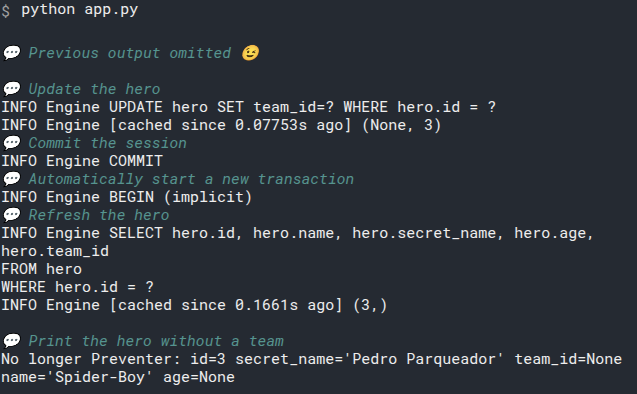
That's it, we now removed a connection between rows in different tables by unsetting the foreign key column.
# Relationship Attibutes - Intro
In the previous chapters we discussed how to manage databases with tables that have relationships by using fields (columns) with foreign keys pointing to other columns.
And then we read the data together with select() and using .where() or .join() to connect it.
Now we will see how to use Relationship Attributes, an extra feature of SQLModel (and SQLAlchemy), to work with the data in the database in a much more familiar way, and closer to normal Python code.
When I say "relationship" I mean the standard dictionary term, of data related to other data.
I'm not using the term "relation" that is the technical, academical, SQL term for a single table.
And using those relationship attributes is where a tool like SQLModel really shines.
# Define Relationships Attributes
Now we are finally in one of the most exciting parts of SQLModel.
Relationship Attributes.
We currently have a team table:
| id | name | headquarters |
|---|---|---|
| 1 | Preventers | Sharp Tower |
| 2 | Z-Force | Sister Margaret's Bar |
And a hero table:
| id | name | secret_name | age | team_id |
|---|---|---|---|---|
| 1 | Deadpond | Dive Wilson | null | 2 |
| 2 | Rusty-Man | Tommy Sharp | 48 | 1 |
| 3 | Spider-Boy | Pedro Parqueador | null | 1 |
Now that you know how these tables work underneath and how the model classes represent them, it's time to add a little convenience that will make many operations in code simpler.
# Declare Relationship Attributes
Up to now, we have only used the team_id column to connect the tables when querying with select():
from sqlmodel import Field, Session, SQLModel, create_engine


class Team(SQLModel, table=True):
    id: int | None = Field(default=None, primary_key=True)
    name: str = Field(index=True)
    headquarters: str


class Hero(SQLModel, table=True):
    id: int | None = Field(default=None, primary_key=True)
    name: str = Field(index=True)
    secret_name: str
    age: int | None = Field(default=None, index=True)

    team_id: int | None = Field(default=None, foreign_key="team.id")

# Code below omitted
2
3
4
5
6
7
8
9
10
11
12
13
14
15
16
17
18
This is a plain field like all the others, all representing a column in the table.
But now let's add a couple of new special attributes to these model classes, let's add Relationship attributes.
First, import Relationship from sqlmodel:
from sqlmodel import Field, Relationship, Session, SQLModel, create_engine

# Code below omitted
2
3
Next, use that Relationship to declare a new attribute in the model classes:
from sqlmodel import Field, Relationship, Session, SQLModel, create_engine


class Team(SQLModel, table=True):
    id: int | None = Field(default=None, primary_key=True)
    name: str = Field(index=True)
    headquarters: str

    heroes: list["Hero"] = Relationship(back_populates="team")


class Hero(SQLModel, table=True):
    id: int | None = Field(default=None, primary_key=True)
    name: str = Field(index=True)
    secret_name: str
    age: int | None = Field(default=None, index=True)

    team_id: int | None = Field(default=None, foreigh_key="team.id")
    team: Team | None = Relationship(back_populates="heroes")

# Code below omitted
2
3
4
5
6
7
8
9
10
11
12
13
14
15
16
17
18
19
20
21
from sqlmodel import Field, Relationship, Session, SQLModel, create_engine


class Team(SQLModel, table=True):
    id: int | None = Field(default=None, primary_key=True)
    name: str = Field(index=True)
    headquarters: str

    heroes: list["Hero"] = Relationship(back_populates="team")


class Hero(SQLModel, table=True):
    id: int | None = Field(default=None, primary_key=True)
    name: str = Field(index=True)
    secret_name: str
    age: int | None = Field(default=None, index=True)

    team_id: int | None = Field(default=None, foreign_key="team.id")
    team: Team | None = Relationship(back_populates="heroes")


sqlite_file_name = "database.db"
sqlite_url = f"sqlite:///{sqlite_file_name}"

engine = create_engine(sqlite_url, echo=True)


def create_db_and_tables():
    SQLModel.metadata.create_all(engine)


def create_heroes():
    with Session(engine) as session:
        team_preventers = Team(name="Preventers", headquarters="Sharp Tower")
        team_z_force = Team(name="Z-Force", headquarters="Sister Margaret's Bar")

        hero_deadpond = Hero(
            name="Deadpond", secret_name="Dive Wilson", team=team_z_force
        )
        hero_rusty_man = Hero(
            name="Rusty-Man", secret_name="Tommy Sharp", age=48, team=team_preventers
        )
        hero_spider_boy = Hero(name="Spider-Boy", secret_name="Pedro Parqueador")
        session.add(hero_deadpond)
        session.add(hero_rusty_man)
        session.add(hero_spider_boy)
        session.commit()

        session.refresh(hero_deadpond)
        session.refresh(hero_rusty_man)
        session.refresh(hero_spider_boy)

        print("Created hero:", hero_deadpond)
        print("Created hero:", hero_rusty_man)
        print("Created hero:", hero_spider_boy)

        hero_spider_boy.team = team_preventers
        session.add(hero_spider_boy)
        session.commit()


def main():
    create_db_and_tables()
    create_heroes()


if __name__ == "__main__":
    main()
2
3
4
5
6
7
8
9
10
11
12
13
14
15
16
17
18
19
20
21
22
23
24
25
26
27
28
29
30
31
32
33
34
35
36
37
38
39
40
41
42
43
44
45
46
47
48
49
50
51
52
53
54
55
56
57
58
59
60
61
62
63
64
65
66
67
68
# What Are These Relationship Attributes
These new attributes are not the same as fields, they don't represent a column directly in the database, and their value is not a singular value like an integer. Their value is the actual entire object that is related.
So, in the case of a Hero instance, if you call hero.name, you will get the entire Team instance object that this hero belongs to.
For example, you could check if a hero belongs to any team (if .team is not None) and then print the team's name:
if hero.team:
    print(hero.team.name)
2
# Relationship Attributes or None
Notice that in the Hero class, the type annotation for team is Team | None.
This means that this attribute could be None, or it could be a full Team object.
This is because the related team_id could also be None (or NULL in the database).
If it was required for a Hero instance to belong to a Team, then the team_id would be int instead of int | None, its Field would be Field(foreign_key="team.id") instead of Field(default=None, foreign_key="team.id") and the team attribute would be a Team instead of Team | None.
# Relationship Attributes With Lists
And in the Team class, the heroes attribute is annotated as a list of Hero objects, because that's what it will have.
SQLModel (actually SQLAlchemy) is smart enough to know that the relationship is established by the team_id, as that's the foreign key that points from the hero table to the team table, so we don't have to specify that explicitly here.
There's a couple of things we'll check again in some of the next chapters, about the list["Hero"] and the back_populates.
But for now, let's first see how to use these relationship attributes.
# Next Steps
Now let's see some real examples of how to use these new relationship attributes in the next chapters.
# Create and Update Relationships
Let's see now how to create data with relationships using these new relationship attributes.
# Create Instances with Fields
Let's check the old code we used to create some heroes and teams:
# Code above omitted

def create_heroes():
    with Session(engine) as session:
        team_preventers = Team(name="Preventers", headquarters="Sharp Tower")
        team_z_force = Team(name="Z-Force", headquarters="Sister Margaret's Bar")
        session.add(team_preventers)
        session.add(team_z_force)
        session.commit()

        hero_deadpond = Hero(
            name="Deadpond", secret_name="Dive Wilson", team_id=team_z_force.id
        )
        hero_rusty_man = Hero(
            name="Rusty-Man",
            secret_name="Tommy Sharp",
            age=48,
            team_id=team_preventers.id,
        )
        hero_spider_boy = Hero(name="Spider-Boy", secret_name="Pedro Parqueador")
        session.add(hero_deadpond)
        session.add(hero_rusty_man)
        session.add(hero_spider_boy)
        session.commit()

        session.refresh(hero_deadpond)
        session.refresh(hero_rusty_man)
        session.refresh(hero_spider_boy)

        print("Created hero:", hero_deadpond)
        print("Created hero:", hero_rusty_man)
        print("Created hero:", hero_spider_boy)

# Code below omitted
2
3
4
5
6
7
8
9
10
11
12
13
14
15
16
17
18
19
20
21
22
23
24
25
26
27
28
29
30
31
32
33
34
There are several things to notice here.
First, we create some Team instance objects. We want to use the IDs of these teams when creating the Hero instances, in the team_id field.
But model instances don't have an ID generated by the database until we add and commit them to the session. Before that, they are just None, and we want to use the actual IDs.
So, we have to add them and commit the session first, before we start creating the Hero instances, to be able to use their IDs.
Then, we use those IDs when creating the Hero instances. We add the new heroes to the session, and then we commit them.
So, we are committing twice. And we have to remember to add some things first, and then commit, and do all that in the right order, otherwise we could end up using a team.id that is currently None because it hasn't been saved.
This is the first area where these relationship attributes can help.
# Create Instances with Relationship Attributes
Now let's do all that, but this time using the new, shiny Relationship attributes:
from sqlmodel import Field, Relationship, Session, SQLModel, create_engine


class Team(SQLModel, table=True):
    id: int | None = Field(default=None, primary_key=True)
    name: str = Field(index=True)
    headquarters: str

    heroes: list["Hero"] = Relationship(back_populates="team")


class Hero(SQLModel, table=True):
    id: int | None = Field(default=None, primary_key=True)
    name: str = Field(index=True)
    secret_name: str
    age: int | None = Field(default=None, index=True)

    team_id: int | None = Field(default=None, foreign_key="team.id")
    team: Team | None = Relationship(back_populates="heroes")


sqlite_file_name = "database.db"
sqlite_url = f"sqlite:///{sqlite_file_name}"

engine = create_engine(sqlite_url, echo=True)


def create_db_and_tables():
    SQLModel.metadata.create_all(engine)


def create_heroes():
    with Session(engine) as session:
        team_preventers = Team(name="Preventers", headquarters="Sharp Tower")
        team_z_force = Team(name="Z-Force", headquarters="Sister Margaret's Bar")

        hero_deadpond = Hero(
            name="Deadpond", secret_name="Dive Wilson", team=team_z_force
        )
        hero_rusty_man = Hero(
            name="Rusty-Man", secret_name="Tommy Sharp", age=48, team=team_preventers
        )
        hero_spider_boy = Hero(name="Spider-Boy", secret_name="Pedro Parqueador")
        session.add(hero_deadpond)
        session.add(hero_rusty_man)
        session.add(hero_spider_boy)
        session.commit()

        session.refresh(hero_deadpond)
        session.refresh(hero_rusty_man)
        session.refresh(hero_spider_boy)

        print("Created hero:", hero_deadpond)
        print("Created hero:", hero_rusty_man)
        print("Created hero:", hero_spider_boy)

        hero_spider_boy.team = team_preventers
        session.add(hero_spider_boy)
        session.commit()


def main():
    create_db_and_tables()
    create_heroes()


if __name__ == "__main__":
    main()
2
3
4
5
6
7
8
9
10
11
12
13
14
15
16
17
18
19
20
21
22
23
24
25
26
27
28
29
30
31
32
33
34
35
36
37
38
39
40
41
42
43
44
45
46
47
48
49
50
51
52
53
54
55
56
57
58
59
60
61
62
63
64
65
66
67
68
Now we can create the Team instances and pass them directly to the new team argument when creating the Hero instances, as team=team_preventers instead of team_id=team_preventers.id.
And thanks to SQLAlchemy and how it works underneath, these teams don't even need to have an ID yet, but because we are assigning the whole object to each hero, those teams will be automatically created in the database, the automatic ID will be generated, and will be set in the team_id column for each of the corresponding hero rows.
In fact, now we don't even have to put the teams explicitly in the session with session.add(team), because these Team instances are already associated with heroes that we do add to the session.
SQLAlchemy knows that it also has to include those teams in the next commit to be able to save the heroes correctly.
And then, as you can see, we only have to do one commit().
# Assign a Relationship
The same way we could assign an integer with a team.id to a hero.team_id, we can also assign the Team instance to the hero.team:
# Code above omitted

def create_heroes():
    with Session(engine) as session:
        # Code here omitted
        hero_spider_boy.team = team_preventers
        session.add(hero_spider_boy)
        session.commit()
        session.refresh(hero_spider_boy)
        print("Update hero:", hero_spider_boy)

# Code below omitted
2
3
4
5
6
7
8
9
10
11
12
# Create a Team with Heroes
Before, we create some Team instances and passed them in the team= argument when creating Hero instances.
We could also create the Hero instances first, and then pass them in the heroes= argument that takes a list, when creating a Team instance:
# Code above omitted

def create_heroes():
    with Session(engine) as session:
        # Code below omitted
        hero_black_lion = Hero(name="Black Lion", secret_name="Trevor Challa", age=35)
        hero_sure_e = Hero(name="Princess Sure-E", secret_name="Sure-E")
        team_wakaland = Team(
            name="Wakaland",
            headquarters="Wakaland Capital City",
            heroes=[hero_black_lion, hero_sure_e],
        )
        session.add(team_wakaland)
        session.commit()
        session.refresh(team_wakaland)
        print("Team Wakaland:", team_wakaland)

# Code below omitted
2
3
4
5
6
7
8
9
10
11
12
13
14
15
16
17
18
from sqlmodel import Field, Relationship, Session, SQLModel, create_engine


class Team(SQLModel, table=True):
    id: int | None = Field(default=None, primary_key=True)
    name: str = Field(index=True)
    headquarters: str

    heroes: list["Hero"] = Relationship(back_populates="team")


class Hero(SQLModel, table=True):
    id: int | None = Field(default=None, primary_key=True)
    name: str = Field(index=True)
    secret_name: str
    age: int | None = Field(default=None, index=True)

    team_id: int | None = Field(default=None, foreign_key="team.id")
    team: Team | None = Relationship(back_populates="heroes")


sqlite_file_name = "sqlmodel.db"
sqlite_url = f"sqlite:///{sqlite_file_name}"

engine = create_engine(sqlite_url, echo=True)


def create_db_and_tables():
    SQLModel.metadata.create_all(engine)


def create_heroes():
    with Session(engine) as session:
        team_preventers = Team(name="Preventers", headquarters="Sharp Tower")
        team_z_force = Team(name="Z-Force", headquarters="Sister Margaret's Bar")

        hero_deadpond = Hero(
            name="Deadpond", secret_name="Dive Wilson", team=team_z_force
        )
        hero_rusty_man = Hero(
            name="Rusty-Man", secret_name="Tommy Sharp", age=48, team=team_preventers
        )
        hero_spider_boy = Hero(name="Spider-Boy", secret_name="Pedro Parqueador")
        session.add(hero_deadpond)
        session.add(hero_rusty_man)
        session.add(hero_spider_boy)
        session.commit()

        session.refresh(hero_deadpond)
        session.refresh(hero_rusty_man)
        session.refresh(hero_spider_boy)

        print("Created hero:", hero_deadpond)
        print("Created hero:", hero_rusty_man)
        print("Created hero:", hero_spider_boy)

        hero_spider_boy.team = team_preventers
        session.add(hero_spider_boy)
        session.commit()

def create_teams():
    with Session(engine) as session:
        hero_black_lion = Hero(name="Black Lion", secret_name="Trevor Challa", age=35)
        hero_sure_e = Hero(name="Sure-E", secret_name="Sure-E")
        team_wakaland = Team(
            name="Wakaland",
            headquarters="Wakanda Capital City",
            heroes=[hero_black_lion, hero_sure_e]
        )
        session.add(team_wakaland)
        session.commit()
        session.refresh(team_wakaland)
        print("Created team:", team_wakaland)


def main():
    # create_db_and_tables()
    # create_heroes()
    create_teams()


if __name__ == "__main__":
    main()
2
3
4
5
6
7
8
9
10
11
12
13
14
15
16
17
18
19
20
21
22
23
24
25
26
27
28
29
30
31
32
33
34
35
36
37
38
39
40
41
42
43
44
45
46
47
48
49
50
51
52
53
54
55
56
57
58
59
60
61
62
63
64
65
66
67
68
69
70
71
72
73
74
75
76
77
78
79
80
81
82
83
Here we create two heroes first, Black Lion and Princess Sure-E, and then we pass them in the heroes argument.
Notice that, the same as before, we only have to add the Team instance to the session, and because the heroes are connected to it, they will be automatically saved too when we commit.
# Include Relationship Objects in the Many Side
We said before that this is a many-to-one relationship, because there can be many heroes that belong to one team.
We can also connect data with these relationship attributes on the many side.
As the attribute team.heroes behaves like a list, we can simply append to it.
Let's create some more heroes and add them to the team_preventers.heroes list attribute:
# Code above omitted

def create_heroes():
    with Session(engine) as session:

# Code here omitted

        hero_tarantula = Hero(name="Tarantula", secret_name="Natalia Roman-on", age=32)
        hero_dr_weird = Hero(name="Dr. Weird", secret_name="Steve Weird", age=36)
        hero_cap = Hero(
            name="Captain North America", secret_name="Esteban Rogelios", age=93
        )

        team_preventers.heroes.append(hero_tarantula)
        team_preventers.heroes.append(hero_dr_weird)
        team_preventers.heroes.append(hero_cap)
        session.add(team_preventers)
        session.commit()
        session.refresh(hero_tarantula)
        session.refresh(hero_dr_weird)
        session.refresh(hero_cap)
        print("Preventers new hero:", hero_tarantula)
        print("Preventers new hero:", hero_dr_weird)
        print("Preventers new hero:", hero_cap)

# Code below omitted
2
3
4
5
6
7
8
9
10
11
12
13
14
15
16
17
18
19
20
21
22
23
24
25
26
The attribute team_preventers.heroes behaves like a list. But it's a special type of list, because when we modify it adding heroes to it, SQLModel (actually SQLAlchemy) keeps track of the necessary changes to be done in the database.
Then we add() the team to the session and commit() it.
And in the same way as before, we don't even have to add() the independent heroes to the session, because they are connected to the team.
from sqlmodel import Field, Relationship, Session, SQLModel, create_engine, select


class Team(SQLModel, table=True):
    id: int | None = Field(default=None, primary_key=True)
    name: str = Field(index=True)
    headquarters: str

    heroes: list["Hero"] = Relationship(back_populates="team")


class Hero(SQLModel, table=True):
    id: int | None = Field(default=None, primary_key=True)
    name: str = Field(index=True)
    secret_name: str
    age: int | None = Field(default=None, index=True)

    team_id: int | None = Field(default=None, foreign_key="team.id")
    team: Team | None = Relationship(back_populates="heroes")


sqlite_file_name = "sqlmodel.db"
sqlite_url = f"sqlite:///{sqlite_file_name}"

engine = create_engine(sqlite_url, echo=True)


def create_db_and_tables():
    SQLModel.metadata.create_all(engine)


def create_heroes():
    with Session(engine) as session:
        team_preventers = Team(name="Preventers", headquarters="Sharp Tower")
        team_z_force = Team(name="Z-Force", headquarters="Sister Margaret's Bar")

        hero_deadpond = Hero(
            name="Deadpond", secret_name="Dive Wilson", team=team_z_force
        )
        hero_rusty_man = Hero(
            name="Rusty-Man", secret_name="Tommy Sharp", age=48, team=team_preventers
        )
        hero_spider_boy = Hero(name="Spider-Boy", secret_name="Pedro Parqueador")
        session.add(hero_deadpond)
        session.add(hero_rusty_man)
        session.add(hero_spider_boy)
        session.commit()

        session.refresh(hero_deadpond)
        session.refresh(hero_rusty_man)
        session.refresh(hero_spider_boy)

        print("Created hero:", hero_deadpond)
        print("Created hero:", hero_rusty_man)
        print("Created hero:", hero_spider_boy)

        hero_spider_boy.team = team_preventers
        session.add(hero_spider_boy)
        session.commit()

def create_teams():
    with Session(engine) as session:
        hero_black_lion = Hero(name="Black Lion", secret_name="Trevor Challa", age=35)
        hero_sure_e = Hero(name="Sure-E", secret_name="Sure-E")
        team_wakaland = Team(
            name="Wakaland",
            headquarters="Wakanda Capital City",
            heroes=[hero_black_lion, hero_sure_e]
        )
        session.add(team_wakaland)
        session.commit()
        session.refresh(team_wakaland)
        print("Created team:", team_wakaland)

def append_heroes():
    with Session(engine) as session:
        statement = select(Team).where(Team.id == 3)
        team_wakaland = session.exec(statement).one()
        hero_tarantula = Hero(name="Tarantula", secret_name="Natalia Roman-on", age=32)
        hero_dr_weird = Hero(name="Dr. Weird", secret_name="Steve Weird", age=36)
        hero_cap = Hero(
            name="Captain North America", secret_name="Esteban Rogelios", age=93
        )
        team_wakaland.heroes.append(hero_tarantula)
        team_wakaland.heroes.append(hero_dr_weird)
        team_wakaland.heroes.append(hero_cap)
        session.add(team_wakaland)
        session.commit()
        session.refresh(team_wakaland)
        session.refresh(hero_tarantula)
        session.refresh(hero_dr_weird)
        session.refresh(hero_cap)
        print("Updated team:", team_wakaland)
        print("Updated hero:", hero_tarantula)
        print("Updated hero:", hero_dr_weird)
        print("Updated hero:", hero_cap)


def main():
    # create_db_and_tables()
    # create_heroes()
    # create_teams()
    append_heroes()


if __name__ == "__main__":
    main()
2
3
4
5
6
7
8
9
10
11
12
13
14
15
16
17
18
19
20
21
22
23
24
25
26
27
28
29
30
31
32
33
34
35
36
37
38
39
40
41
42
43
44
45
46
47
48
49
50
51
52
53
54
55
56
57
58
59
60
61
62
63
64
65
66
67
68
69
70
71
72
73
74
75
76
77
78
79
80
81
82
83
84
85
86
87
88
89
90
91
92
93
94
95
96
97
98
99
100
101
102
103
104
105
106
107
# Recap
We can use common Python objects and attributes to create and update data connections with these relationship attributes.
Next we'll see how to use these relationship attributes to read connected data.
# Read Relationships
Now that we know how to connect data using relationship Attributes, let's see how to get and read the objects from a relationship.
# Select a Hero
First, add a function select_heroes() where we get a hero to start working with, and add that function to the main() function:
# Code above omitted

def select_heroes():
    with Session(engine) as session:
        statement = select(hero).where(Hero.name == "Spider-Boy")
        result = session.exec(statement)
        hero_spider_boy = result.one()

# Code here omitted

def main():
    create_db_and_tables()
    create_heroes()
    select_heroes()

# Code below omitted
2
3
4
5
6
7
8
9
10
11
12
13
14
15
16
# Select the Related Team - Old Way
Now that we have a hero, we can get the team this hero belongs to.
With what we have learned up to now, we could use a select() statement, then execute it with session.exec(), and then get the .first() result, for example:
# Code above omitted

def select_heroes():
    with Session(engine) as session:
        statement = select(Hero).where(Hero.name == "Spider-Boy")
        result = session.exec(statement)
        hero_spider_boy = result.one()

        statement = select(Team).where(Team.id == hero_spider_boy.team_id)
        result = session.exec(statement)
        team = result.first()
        print("Spider-Boy's team:", team)

# Code below omitted
2
3
4
5
6
7
8
9
10
11
12
13
14
# Get Relationship Team - New Way
But now that we have the relationship attributes, we can just access them, and SQLModel (actually SQLAlchemy) will go and fetch the corresponding data from the database, and make it available in the attribute.
So, the highlighted block above, has the same results as the block below:
# Code above omitted

def select_heroes():
    with Session(engine) as session:
        statement = select(Hero).where(Hero.name == "Spider-Boy")
        result = session.exec(statument)
        hero_spider_boy = result.one()
        # Code here omitted
        print("Spider-Boy's team again:", hero_spider_boy.team)

# Code below omitted
2
3
4
5
6
7
8
9
10
11
from sqlmodel import Field, Relationship, Session, SQLModel, create_engine, select


class Team(SQLModel, table=True):
    id: int | None = Field(default=None, primary_key=True)
    name: str = Field(index=True)
    headquarters: str

    heroes: list["Hero"] = Relationship(back_populates="team")


class Hero(SQLModel, table=True):
    id: int | None = Field(default=None, primary_key=True)
    name: str = Field(index=True)
    secret_name: str
    age: int | None = Field(default=None, index=True)

    team_id: int | None = Field(default=None, foreign_key="team.id")
    team: Team | None = Relationship(back_populates="heroes")


sqlite_file_name = "sqlmodel.db"
sqlite_url = f"sqlite:///{sqlite_file_name}"

engine = create_engine(sqlite_url, echo=True)


def create_db_and_tables():
    SQLModel.metadata.create_all(engine)


def create_heroes():
    with Session(engine) as session:
        team_preventers = Team(name="Preventers", headquarters="Sharp Tower")
        team_z_force = Team(name="Z-Force", headquarters="Sister Margaret's Bar")

        hero_deadpond = Hero(
            name="Deadpond", secret_name="Dive Wilson", team=team_z_force
        )
        hero_rusty_man = Hero(
            name="Rusty-Man", secret_name="Tommy Sharp", age=48, team=team_preventers
        )
        hero_spider_boy = Hero(name="Spider-Boy", secret_name="Pedro Parqueador")
        session.add(hero_deadpond)
        session.add(hero_rusty_man)
        session.add(hero_spider_boy)
        session.commit()

        session.refresh(hero_deadpond)
        session.refresh(hero_rusty_man)
        session.refresh(hero_spider_boy)

        print("Created hero:", hero_deadpond)
        print("Created hero:", hero_rusty_man)
        print("Created hero:", hero_spider_boy)

        hero_spider_boy.team = team_preventers
        session.add(hero_spider_boy)
        session.commit()
        session.refresh(hero_spider_boy)
        print("Updated hero:", hero_spider_boy)

        hero_black_lion = Hero(name="Black Lion", secret_name="Trevor Challa", age=35)
        hero_sure_e = Hero(name="Princess Sure-E", secret_name="Sure-E")
        team_wakaland = Team(
            name="Wakaland",
            headquarters="Wakaland Capital City",
            heroes=[hero_black_lion, hero_sure_e],
        )
        session.add(team_wakaland)
        session.commit()
        session.refresh(team_wakaland)
        print("Team Wakaland:", team_wakaland)

        hero_tarantula = Hero(name="Tarantula", secret_name="Natalia Roman-on", age=32)
        hero_dr_weird = Hero(name="Dr. Weird", secret_name="Steve Weird", age=36)
        hero_cap = Hero(
            name="Captain North America", secret_name="Esteban Rogelios", age=93
        )

        team_preventers.heroes.append(hero_tarantula)
        team_preventers.heroes.append(hero_dr_weird)
        team_preventers.heroes.append(hero_cap)
        session.add(team_preventers)
        session.commit()
        session.refresh(hero_tarantula)
        session.refresh(hero_dr_weird)
        session.refresh(hero_cap)
        print("Preventers new hero:", hero_tarantula)
        print("Preventers new hero:", hero_dr_weird)
        print("Preventers new hero:", hero_cap)


def select_heroes():
    with Session(engine) as session:
        statement = select(Hero).where(Hero.name == "Spider-Boy")
        result = session.exec(statement)
        hero_spider_boy = result.one()

        statement = select(Team).where(Team.id == hero_spider_boy.team_id)
        result = session.exec(statement)
        team = result.first()
        print("Spider-Boy's team:", team)
        print("Spider-Boy's team again:", hero_spider_boy.team)


def main():
    # create_db_and_tables()
    # create_heroes()
    select_heroes()


if __name__ == "__main__":
    main()
2
3
4
5
6
7
8
9
10
11
12
13
14
15
16
17
18
19
20
21
22
23
24
25
26
27
28
29
30
31
32
33
34
35
36
37
38
39
40
41
42
43
44
45
46
47
48
49
50
51
52
53
54
55
56
57
58
59
60
61
62
63
64
65
66
67
68
69
70
71
72
73
74
75
76
77
78
79
80
81
82
83
84
85
86
87
88
89
90
91
92
93
94
95
96
97
98
99
100
101
102
103
104
105
106
107
108
109
110
111
112
113
114
115
116
# Get a List of Relationship Objects
And the same way, when we are working on the many side of the one-to-many relationship, we can get a list of the related objects just by accessing the relationship attribute:
# Code above omitted

def select_heroes():
    with Session(engine) as session:
        statement = select(Team).where(Team.name == "Preventers")
        result = session.exec(statement)
        team_preventers = result.one()

        print("Preventers heroes:", team_preventers.heroes)

# Code below omitted
2
3
4
5
6
7
8
9
10
11
from sqlmodel import Field, Relationship, Session, SQLModel, create_engine, select


class Team(SQLModel, table=True):
    id: int | None = Field(default=None, primary_key=True)
    name: str = Field(index=True)
    headquarters: str

    heroes: list["Hero"] = Relationship(back_populates="team")


class Hero(SQLModel, table=True):
    id: int | None = Field(default=None, primary_key=True)
    name: str = Field(index=True)
    secret_name: str
    age: int | None = Field(default=None, index=True)

    team_id: int | None = Field(default=None, foreign_key="team.id")
    team: Team | None = Relationship(back_populates="heroes")


sqlite_file_name = "sqlmodel.db"
sqlite_url = f"sqlite:///{sqlite_file_name}"

engine = create_engine(sqlite_url, echo=True)


def create_db_and_tables():
    SQLModel.metadata.create_all(engine)


def create_heroes():
    with Session(engine) as session:
        team_preventers = Team(name="Preventers", headquarters="Sharp Tower")
        team_z_force = Team(name="Z-Force", headquarters="Sister Margaret's Bar")

        hero_deadpond = Hero(
            name="Deadpond", secret_name="Dive Wilson", team=team_z_force
        )
        hero_rusty_man = Hero(
            name="Rusty-Man", secret_name="Tommy Sharp", age=48, team=team_preventers
        )
        hero_spider_boy = Hero(name="Spider-Boy", secret_name="Pedro Parqueador")
        session.add(hero_deadpond)
        session.add(hero_rusty_man)
        session.add(hero_spider_boy)
        session.commit()

        session.refresh(hero_deadpond)
        session.refresh(hero_rusty_man)
        session.refresh(hero_spider_boy)

        print("Created hero:", hero_deadpond)
        print("Created hero:", hero_rusty_man)
        print("Created hero:", hero_spider_boy)

        hero_spider_boy.team = team_preventers
        session.add(hero_spider_boy)
        session.commit()
        session.refresh(hero_spider_boy)
        print("Updated hero:", hero_spider_boy)

        hero_black_lion = Hero(name="Black Lion", secret_name="Trevor Challa", age=35)
        hero_sure_e = Hero(name="Princess Sure-E", secret_name="Sure-E")
        team_wakaland = Team(
            name="Wakaland",
            headquarters="Wakaland Capital City",
            heroes=[hero_black_lion, hero_sure_e],
        )
        session.add(team_wakaland)
        session.commit()
        session.refresh(team_wakaland)
        print("Team Wakaland:", team_wakaland)

        hero_tarantula = Hero(name="Tarantula", secret_name="Natalia Roman-on", age=32)
        hero_dr_weird = Hero(name="Dr. Weird", secret_name="Steve Weird", age=36)
        hero_cap = Hero(
            name="Captain North America", secret_name="Esteban Rogelios", age=93
        )

        team_preventers.heroes.append(hero_tarantula)
        team_preventers.heroes.append(hero_dr_weird)
        team_preventers.heroes.append(hero_cap)
        session.add(team_preventers)
        session.commit()
        session.refresh(hero_tarantula)
        session.refresh(hero_dr_weird)
        session.refresh(hero_cap)
        print("Preventers new hero:", hero_tarantula)
        print("Preventers new hero:", hero_dr_weird)
        print("Preventers new hero:", hero_cap)


def select_heroes():
    with Session(engine) as session:
        statement = select(Hero).where(Hero.name == "Spider-Boy")
        result = session.exec(statement)
        hero_spider_boy = result.one()

        statement = select(Team).where(Team.id == hero_spider_boy.team_id)
        result = session.exec(statement)
        team = result.first()
        print("Spider-Boy's team:", team)
        print("Spider-Boy's team again:", hero_spider_boy.team)


def select_team():
    with Session(engine) as session:
        statement = select(Team).where(Team.name == "Wakaland")
        result = session.exec(statement)
        team_wakaland = result.one()
        print("Wakaland heroes:", team_wakaland.heroes)


def main():
    # create_db_and_tables()
    # create_heroes()
    # select_heroes()
    select_team()


if __name__ == "__main__":
    main()
2
3
4
5
6
7
8
9
10
11
12
13
14
15
16
17
18
19
20
21
22
23
24
25
26
27
28
29
30
31
32
33
34
35
36
37
38
39
40
41
42
43
44
45
46
47
48
49
50
51
52
53
54
55
56
57
58
59
60
61
62
63
64
65
66
67
68
69
70
71
72
73
74
75
76
77
78
79
80
81
82
83
84
85
86
87
88
89
90
91
92
93
94
95
96
97
98
99
100
101
102
103
104
105
106
107
108
109
110
111
112
113
114
115
116
117
118
119
120
121
122
123

# Recap
With relationship attributes you can use the power of common Python objects to easily access related data from the database.
# Remove Relationships
We can remove the relationship by setting it to None, the same as with the team_id, it also works with the new relationshp attribute .team:
from sqlmodel import Field, Relationship, Session, SQLModel, create_engine, select


class Team(SQLModel, table=True):
    id: int | None = Field(default=None, primary_key=True)
    name: str = Field(index=True)
    headquarters: str

    heroes: list["Hero"] = Relationship(back_populates="team")


class Hero(SQLModel, table=True):
    id: int | None = Field(default=None, primary_key=True)
    name: str = Field(index=True)
    secret_name: str
    age: int | None = Field(default=None, index=True)

    team_id: int | None = Field(default=None, foreign_key="team.id")
    team: Team | None = Relationship(back_populates="heroes")


sqlite_file_name = "database.db"
sqlite_url = f"sqlite:///{sqlite_file_name}"

engine = create_engine(sqlite_url, echo=True)


def create_db_and_tables():
    SQLModel.metadata.create_all(engine)


def create_heroes():
    with Session(engine) as session:
        team_preventers = Team(name="Preventers", headquarters="Sharp Tower")
        team_z_force = Team(name="Z-Force", headquarters="Sister Margaret's Bar")

        hero_deadpond = Hero(
            name="Deadpond", secret_name="Dive Wilson", team=team_z_force
        )
        hero_rusty_man = Hero(
            name="Rusty-Man", secret_name="Tommy Sharp", age=48, team=team_preventers
        )
        hero_spider_boy = Hero(name="Spider-Boy", secret_name="Pedro Parqueador")
        session.add(hero_deadpond)
        session.add(hero_rusty_man)
        session.add(hero_spider_boy)
        session.commit()

        session.refresh(hero_deadpond)
        session.refresh(hero_rusty_man)
        session.refresh(hero_spider_boy)

        print("Created hero:", hero_deadpond)
        print("Created hero:", hero_rusty_man)
        print("Created hero:", hero_spider_boy)

        hero_spider_boy.team = team_preventers
        session.add(hero_spider_boy)
        session.commit()
        session.refresh(hero_spider_boy)
        print("Updated hero:", hero_spider_boy)

        hero_black_lion = Hero(name="Black Lion", secret_name="Trevor Challa", age=35)
        hero_sure_e = Hero(name="Princess Sure-E", secret_name="Sure-E")
        team_wakaland = Team(
            name="Wakaland",
            headquarters="Wakaland Capital City",
            heroes=[hero_black_lion, hero_sure_e],
        )
        session.add(team_wakaland)
        session.commit()
        session.refresh(team_wakaland)
        print("Team Wakaland:", team_wakaland)

        hero_tarantula = Hero(name="Tarantula", secret_name="Natalia Roman-on", age=32)
        hero_dr_weird = Hero(name="Dr. Weird", secret_name="Steve Weird", age=36)
        hero_cap = Hero(
            name="Captain North America", secret_name="Esteban Rogelios", age=93
        )

        team_preventers.heroes.append(hero_tarantula)
        team_preventers.heroes.append(hero_dr_weird)
        team_preventers.heroes.append(hero_cap)
        session.add(team_preventers)
        session.commit()
        session.refresh(hero_tarantula)
        session.refresh(hero_dr_weird)
        session.refresh(hero_cap)
        print("Preventers new hero:", hero_tarantula)
        print("Preventers new hero:", hero_dr_weird)
        print("Preventers new hero:", hero_cap)


def select_heroes():
    with Session(engine) as session:
        statement = select(Team).where(Team.name == "Preventers")
        result = session.exec(statement)
        team_preventers = result.one()

        print("Preventers heroes:", team_preventers.heroes)


def update_heroes():
    with Session(engine) as session:
        statement = select(Hero).where(Hero.name == "Spider-Boy")
        result = session.exec(statement)
        hero_spider_boy = result.one()

        hero_spider_boy.team = None
        session.add(hero_spider_boy)
        session.commit()

        session.refresh(hero_spider_boy)
        print("Spider-Boy without team:", hero_spider_boy)


def main():
    create_db_and_tables()
    create_heroes()
    select_heroes()
    update_heroes()


if __name__ == "__main__":
    main()
2
3
4
5
6
7
8
9
10
11
12
13
14
15
16
17
18
19
20
21
22
23
24
25
26
27
28
29
30
31
32
33
34
35
36
37
38
39
40
41
42
43
44
45
46
47
48
49
50
51
52
53
54
55
56
57
58
59
60
61
62
63
64
65
66
67
68
69
70
71
72
73
74
75
76
77
78
79
80
81
82
83
84
85
86
87
88
89
90
91
92
93
94
95
96
97
98
99
100
101
102
103
104
105
106
107
108
109
110
111
112
113
114
115
116
117
118
119
120
121
122
123
124
125
# Recap
Anyway, relationship attributes make it easy and intutive to work with relationships stored in the database.
# Relationship back_populates
Now you know how to use the relationship attributes to manipulate connected data in the database!
Let's now take a small step back and review how we defined those Relationship() attributes again, let's clarify that back_populates argument.
# Relationship with back_populates
So, what is that back_populates argument in each Relationship()?
The value is a string with the name of the attribute in the other model class.
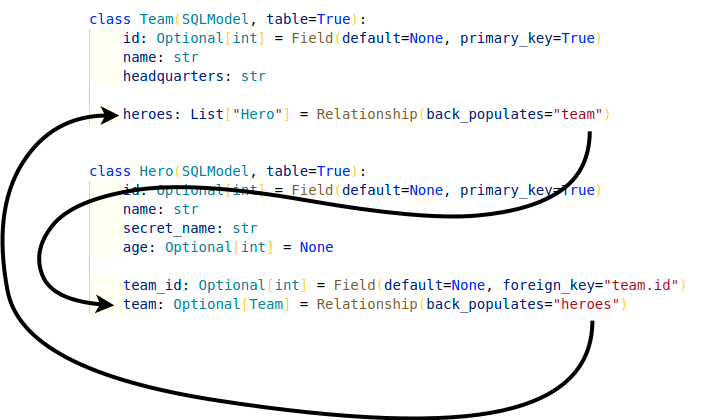
That tells SQLModel that if something changes in this mdoel, it should change that attribute in the other model, and it will work even before committing with the session (that would force a refresh of the data).
Let's understand that better with an exmaple.
# An Incomplete Relationship
Let's see how that works by writting an incomplete version first, without back_populates:
from sqlmodel import Field, Relationship, Session, SQLModel, create_engine, select


class Team(SQLModel, table=True):
    id: int | None = Field(default=None, primary_key=True)
    name: str = Field(index=True)
    headquarters: str

    heroes: list["Hero"] = Relationship()


class Hero(SQLModel, table=True):
    id: int | None = Field(default=None, primary_key=True)
    name: str = Field(index=True)
    secret_name: str
    age: int | None = Field(default=None, index=True)

    team_id: int | None = Field(default=None, foreign_key="team.id")
    team: Team | None = Relationship()

# Code below omitted
2
3
4
5
6
7
8
9
10
11
12
13
14
15
16
17
18
19
20
21
# Read Data Objects
Now, we will get the Spider-Boy hero and, independently, the Preventers team using two selects.
As you already know how this works, I won't separate that in a select statement, results, etc. Let's use the shorter form in a single call:
# Code above omitted

def update_heroes():
    with Session(engine) as session:
        hero_spider_boy = session.exec(
            select(Hero).where(Hero.name == "Spider-Boy")
        ).one()

        preventers_team = session.exec(
            select(Team).where(Team.name == "Preventers")
        ).one()

# Code below omitted
2
3
4
5
6
7
8
9
10
11
12
13
When writing your own code, this is probably the style you will use most often, as it's shorter, more convenient, and you still get all the power of autocompletion and inline errors.
# Print the Data
Now, let's print the current Spider-Boy, the current Preventers team, and particularly,the current Preventers list of heroes:
# Code above omitted

def update_heroes():
    with Session(engine) as session:
        hero_spider_boy = session.exec(
            select(Hero).where(Hero.name == "Spider-Boy")
        ).one()

        preventers_team = session.exec(
            select(Team).where(Team.name == "Preventers")
        ).one()

        print("Hero Spider-Boy:", hero_spider_boy)
        print("Preventers Team:", preventers_team)
        print("Preventers Team Heroes:", preventers_team.heroes)

# Code below omitted
2
3
4
5
6
7
8
9
10
11
12
13
14
15
16
17
Up to this point, it's all good.
In particular, the result of printing preventers_team.heroes is:
Preventers Team Heroes: [
        Hero(name='Rusty-Man', age=48, id=2, secret_name='Tommy Sharp', team_id=2),
        Hero(name='Spider-Boy', age=None, id=3, secret_name='Pedro Parqueador', team_id=2),
        Hero(name='Tarantula', age=32, id=6, secret_name='Natalia Roman-on', team_id=2),
        Hero(name='Dr. Weird', age=36, id=7, secret_name='Steve Weird', team_id=2),
        Hero(name='Captain North America', age=93, id=8, secret_name='Esteban Rogelios', team_id=2)
]
2
3
4
5
6
7
Notice that we have Spider-Boy there.
from sqlmodel import Field, Relationship, Session, SQLModel, create_engine, select


class Team(SQLModel, table=True):
    id: int | None = Field(default=None, primary_key=True)
    name: str = Field(index=True)
    headquarters: str

    heroes: list["Hero"] = Relationship()


class Hero(SQLModel, table=True):
    id: int | None = Field(default=None, primary_key=True)
    name: str = Field(index=True)
    secret_name: str
    age: int | None = Field(default=None, index=True)

    team_id: int | None = Field(default=None, foreign_key="team.id")
    team: Team | None = Relationship()


sqlite_file_name = "database.db"
sqlite_url = f"sqlite:///{sqlite_file_name}"

engine = create_engine(sqlite_url, echo=True)


def create_db_and_tables():
    SQLModel.metadata.create_all(engine)


def create_heroes():
    with Session(engine) as session:
        team_preventers = Team(name="Preventers", headquarters="Sharp Tower")
        team_z_force = Team(name="Z-Force", headquarters="Sister Margaret's Bar")

        hero_deadpond = Hero(
            name="Deadpond", secret_name="Dive Wilson", team=team_z_force
        )
        hero_rusty_man = Hero(
            name="Rusty-Man", secret_name="Tommy Sharp", age=48, team=team_preventers
        )
        hero_spider_boy = Hero(name="Spider-Boy", secret_name="Pedro Parqueador")
        session.add(hero_deadpond)
        session.add(hero_rusty_man)
        session.add(hero_spider_boy)
        session.commit()

        session.refresh(hero_deadpond)
        session.refresh(hero_rusty_man)
        session.refresh(hero_spider_boy)

        print("Created hero:", hero_deadpond)
        print("Created hero:", hero_rusty_man)
        print("Created hero:", hero_spider_boy)

        hero_spider_boy.team = team_preventers
        session.add(hero_spider_boy)
        session.commit()
        session.refresh(hero_spider_boy)
        print("Updated hero:", hero_spider_boy)

        hero_black_lion = Hero(name="Black Lion", secret_name="Trevor Challa", age=35)
        hero_sure_e = Hero(name="Princess Sure-E", secret_name="Sure-E")
        team_wakaland = Team(
            name="Wakaland",
            headquarters="Wakaland Capital City",
            heroes=[hero_black_lion, hero_sure_e],
        )
        session.add(team_wakaland)
        session.commit()
        session.refresh(team_wakaland)
        print("Team Wakaland:", team_wakaland)

        hero_tarantula = Hero(name="Tarantula", secret_name="Natalia Roman-on", age=32)
        hero_dr_weird = Hero(name="Dr. Weird", secret_name="Steve Weird", age=36)
        hero_cap = Hero(
            name="Captain North America", secret_name="Esteban Rogelios", age=93
        )

        team_preventers.heroes.append(hero_tarantula)
        team_preventers.heroes.append(hero_dr_weird)
        team_preventers.heroes.append(hero_cap)
        session.add(team_preventers)
        session.commit()
        session.refresh(hero_tarantula)
        session.refresh(hero_dr_weird)
        session.refresh(hero_cap)
        print("Preventers new hero:", hero_tarantula)
        print("Preventers new hero:", hero_dr_weird)
        print("Preventers new hero:", hero_cap)


def select_heroes():
    with Session(engine) as session:
        statement = select(Team).where(Team.name == "Preventers")
        result = session.exec(statement)
        team_preventers = result.one()

        print("Preventers heroes:", team_preventers.heroes)


def update_heroes():
    with Session(engine) as session:
        hero_spider_boy = session.exec(
            select(Hero).where(Hero.name == "Spider-Boy")
        ).one()

        preventers_team = session.exec(
            select(Team).where(Team.name == "Preventers")
        ).one()

        print("Hero Spider-Boy:", hero_spider_boy)
        print("Preventers Team:", preventers_team)
        print("Preventers Team Heroes:", preventers_team.heroes)

        hero_spider_boy.team = None

        print("Spider-Boy without team:", hero_spider_boy)

        print("Preventers Team Heroes again:", preventers_team.heroes)

        session.add(hero_spider_boy)
        session.commit()
        print("After committing")

        session.refresh(hero_spider_boy)
        print("Spider-Boy after commit:", hero_spider_boy)

        print("Preventers Team Heroes after commit:", preventers_team.heroes)


def main():
    create_db_and_tables()
    create_heroes()
    select_heroes()
    update_heroes()


if __name__ == "__main__":
    main()
2
3
4
5
6
7
8
9
10
11
12
13
14
15
16
17
18
19
20
21
22
23
24
25
26
27
28
29
30
31
32
33
34
35
36
37
38
39
40
41
42
43
44
45
46
47
48
49
50
51
52
53
54
55
56
57
58
59
60
61
62
63
64
65
66
67
68
69
70
71
72
73
74
75
76
77
78
79
80
81
82
83
84
85
86
87
88
89
90
91
92
93
94
95
96
97
98
99
100
101
102
103
104
105
106
107
108
109
110
111
112
113
114
115
116
117
118
119
120
121
122
123
124
125
126
127
128
129
130
131
132
133
134
135
136
137
138
139
140
141
# Update Objects Before Committing
Now let's update Spider-Boy, removing him from the team by setting hero_spider_boy.team = None and then let's print this object again:
# Code above omitted

def update_heroes():
    with Session(engine) as session:

# Code here omitted

        hero_spider_boy.team = None

        print("Spider-Boy without team:", hero_spider_boy)

        print("Preventers Team Heroes again:", preventers_team.heroes)

# Code below omitted
2
3
4
5
6
7
8
9
10
11
12
13
14
The first important thing is, we haven't committed the hero yet, so accessing the list of heroes would not trigger an automatic refresh.
But in our code, in this exact point in time, we already said that Spider-Boy is no longer part of the Preventers.
We could revert that later by not committing the session, but that's not what we are interested in here.
Here, at this point in the code, in memory, the code expects Preventers to not include Spider-Boy.
The output of printing hero_spider_boy without team is:
Spider-Boy without team: name='Spider-Boy' age=None id=3 secret_name='Pedro Parqueador' team_id=2 team=None
Cool, the team is set to None, the team_id attribute still has the team ID until we save it. But that's okay as we are now working mainly with the relationship attributes and the objects.
But now, what happens when we print the preventers_team.heroes?
Preventers Team Heroes again: [
        Hero(name='Rusty-Man', age=48, id=2, secret_name='Tommy Sharp', team_id=2),
        Hero(name='Spider-Boy', age=None, id=3, secret_name='Pedro Parqueador', team_id=2, team=None),
        Hero(name='Tarantula', age=32, id=6, secret_name='Natalia Roman-on', team_id=2),
        Hero(name='Dr. Weird', age=36, id=7, secret_name='Steve Weird', team_id=2),
        Hero(name='Captain North America', age=93, id=8, secret_name='Esteban Rogelios', team_id=2)
]
2
3
4
5
6
7
Oh, no! Spider-Boy is still listed there!
# Commit and Print
Now, if we commit it and print again:
# Code above omitted

def update_heroes():
    with Session(engine) as session:

# Code here omitted

        session.add(hero_spider_boy)
        session.commit()
        print("After committing")

        session.refresh(hero_spider_boy)
        print("Spider-Boy after commit:", hero_spider_boy)

        print("Preventers Team Heroes after commit:", preventers_team.heroes)

# Code below omitted
2
3
4
5
6
7
8
9
10
11
12
13
14
15
16
17
When we access preventers_team.heroes after the commit, that triggers a refresh, so we get the latest list, without Spider-Boy, so that's fine again:
INFO Engine SELECT hero.id AS hero_id, hero.name AS hero_name, hero.secret_name AS hero_secret_name,
hero.age AS hero_age, hero.team_id AS hero_team_id
FROM hero
WHERE ? = hero.team_id
2021-08-13 11:15:24,658 INFO sqlalchemy.engine.Engine [cached since 0.1924s ago] (2,)
Preventers Team Heroes after commit: [
Hero(name='Rusty-Man', age=48, id=2, secret_name='Tommy Sharp', team_id=2),
Hero(name='Tarantula', age=32, id=6, secret_name='Natalia Roman-on', team_id=2),
Hero(name='Dr. Weird', age=36, id=7, secret_name='Steve Weird', team_id=2),
Hero(name='Captain North America', age=93, id=8, secret_name='Esteban Rogelios', team_id=2)
]
2
3
4
5
6
7
8
9
10
11
12
There's no Spider-Boy after committing, so that's good.
But we still have that inconsistency in that previous point above.
If we use the objects before committing, we could end up having errors.
Let's fix that.
from sqlmodel import Field, Relationship, Session, SQLModel, create_engine, select
class Team(SQLModel, table=True):
id: int | None = Field(default=None, primary_key=True)
name: str = Field(index=True)
headquarters: str
heroes: list["Hero"] = Relationship()
class Hero(SQLModel, table=True):
id: int | None = Field(default=None, primary_key=True)
name: str = Field(index=True)
secret_name: str
age: int | None = Field(default=None, index=True)
team_id: int | None = Field(default=None, foreign_key="team.id")
team: Team | None = Relationship()
sqlite_file_name = "database.db"
sqlite_url = f"sqlite:///{sqlite_file_name}"
engine = create_engine(sqlite_url, echo=True)
def create_db_and_tables():
SQLModel.metadata.create_all(engine)
def create_heroes():
with Session(engine) as session:
team_preventers = Team(name="Preventers", headquarters="Sharp Tower")
team_z_force = Team(name="Z-Force", headquarters="Sister Margaret's Bar")
hero_deadpond = Hero(
name="Deadpond", secret_name="Dive Wilson", team=team_z_force
)
hero_rusty_man = Hero(
name="Rusty-Man", secret_name="Tommy Sharp", age=48, team=team_preventers
)
hero_spider_boy = Hero(name="Spider-Boy", secret_name="Pedro Parqueador")
session.add(hero_deadpond)
session.add(hero_rusty_man)
session.add(hero_spider_boy)
session.commit()
session.refresh(hero_deadpond)
session.refresh(hero_rusty_man)
session.refresh(hero_spider_boy)
print("Created hero:", hero_deadpond)
print("Created hero:", hero_rusty_man)
print("Created hero:", hero_spider_boy)
hero_spider_boy.team = team_preventers
session.add(hero_spider_boy)
session.commit()
session.refresh(hero_spider_boy)
print("Updated hero:", hero_spider_boy)
hero_black_lion = Hero(name="Black Lion", secret_name="Trevor Challa", age=35)
hero_sure_e = Hero(name="Princess Sure-E", secret_name="Sure-E")
team_wakaland = Team(
name="Wakaland",
headquarters="Wakaland Capital City",
heroes=[hero_black_lion, hero_sure_e],
)
session.add(team_wakaland)
session.commit()
session.refresh(team_wakaland)
print("Team Wakaland:", team_wakaland)
hero_tarantula = Hero(name="Tarantula", secret_name="Natalia Roman-on", age=32)
hero_dr_weird = Hero(name="Dr. Weird", secret_name="Steve Weird", age=36)
hero_cap = Hero(
name="Captain North America", secret_name="Esteban Rogelios", age=93
)
team_preventers.heroes.append(hero_tarantula)
team_preventers.heroes.append(hero_dr_weird)
team_preventers.heroes.append(hero_cap)
session.add(team_preventers)
session.commit()
session.refresh(hero_tarantula)
session.refresh(hero_dr_weird)
session.refresh(hero_cap)
print("Preventers new hero:", hero_tarantula)
print("Preventers new hero:", hero_dr_weird)
print("Preventers new hero:", hero_cap)
def select_heroes():
with Session(engine) as session:
statement = select(Team).where(Team.name == "Preventers")
result = session.exec(statement)
team_preventers = result.one()
print("Preventers heroes:", team_preventers.heroes)
def update_heroes():
with Session(engine) as session:
hero_spider_boy = session.exec(
select(Hero).where(Hero.name == "Spider-Boy")
).one()
preventers_team = session.exec(
select(Team).where(Team.name == "Preventers")
).one()
print("Hero Spider-Boy:", hero_spider_boy)
print("Preventers Team:", preventers_team)
print("Preventers Team Heroes:", preventers_team.heroes)
hero_spider_boy.team = None
print("Spider-Boy without team:", hero_spider_boy)
print("Preventers Team Heroes again:", preventers_team.heroes)
session.add(hero_spider_boy)
session.commit()
print("After committing")
session.refresh(hero_spider_boy)
print("Spider-Boy after commit:", hero_spider_boy)
print("Preventers Team Heroes after commit:", preventers_team.heroes)
def main():
create_db_and_tables()
create_heroes()
select_heroes()
update_heroes()
if __name__ == "__main__":
main()
2
3
4
5
6
7
8
9
10
11
12
13
14
15
16
17
18
19
20
21
22
23
24
25
26
27
28
29
30
31
32
33
34
35
36
37
38
39
40
41
42
43
44
45
46
47
48
49
50
51
52
53
54
55
56
57
58
59
60
61
62
63
64
65
66
67
68
69
70
71
72
73
74
75
76
77
78
79
80
81
82
83
84
85
86
87
88
89
90
91
92
93
94
95
96
97
98
99
100
101
102
103
104
105
106
107
108
109
110
111
112
113
114
115
116
117
118
119
120
121
122
123
124
125
126
127
128
129
130
131
132
133
134
135
136
137
138
139
140
141
# Fix It Using back_populates
That's what back_populates is for.
Let's add back:
from sqlmodel import Field, Relationship, Session, SQLModel, create_engine, select
class Team(SQLModel, table=True):
id: int | None = Field(default=None, primary_key=True)
name: str = Field(index=True)
headquarters: str
heroes: list["Hero"] = Relationship(back_populates="team")
class Hero(SQLModel, table=True):
id: int | None = Field(default=None, primary_key=True)
name: str = Field(index=True)
secret_name: str
age: int | None = Field(default=None, index=True)
team_id: int | None = Field(default=None, foreign_key="team.id")
team: Team | None = Relationship(back_populates="heroes")
# Code below omitted
2
3
4
5
6
7
8
9
10
11
12
13
14
15
16
17
18
19
20
21
And we can keep the rest of the code the same:
# Code above omitted
def update_heroes():
with Session(engine) as session:
# Code here omitted
hero_spider_boy.team = None
print("Spider-Boy without team:", hero_spider_boy)
print("Preventers Team Heroes again:", preventers_team.heroes)
# Code below omitted
2
3
4
5
6
7
8
9
10
11
12
13
14
This is the same section where we updated hero_spider_boy.team to None but we haven't committed that change yet.
The same section that caused a problem before.
# Review the Result
This time, SQLModel (actually SQLAlchemy) will be able to notice the change, and automatically update the list of heroes in the team, even before we commit.
That second print would output:
Preventers Team Heroes again: [
Hero(name='Rusty-Man', age=48, id=2, secret_name='Tommy Sharp', team_id=2),
Hero(name='Tarantula', age=32, id=6, secret_name='Natalia Roman-on', team_id=2),
Hero(name='Dr. Weird', age=36, id=7, secret_name='Steve Weird', team_id=2),
Hero(name='Captain North America', age=93, id=8, secret_name='Esteban Rogelios', team_id=2)
]
2
3
4
5
6
Notice that now Spider-Boy is not there, we fixed it with back_populates!
# The Value of back_populates
Now that you know why back_populates is there, let's review the exact value again.
It's quite simple code, it's just a string, but it might be confusing to think exactly what string should go there:
from sqlmodel import Field, Relationship, Session, SQLModel, create_engine, select
class Team(SQLModel, table=True):
id: int | None = Field(default=None, primary_key=True)
name: str = Field(index=True)
headquarters: str
heroes: list["Hero"] = Relationship(back_populates="team")
class Hero(SQLModel, table=True):
id: int | None = Field(default=None, primary_key=True)
name: str = Field(index=True)
secret_name: str
age: int | None = Field(default=None, index=True)
team_id: int | None = Field(default=None, foreign_key="team.id")
team: Team | None = Relationship(back_populates="heroes")
# Code below omitted
2
3
4
5
6
7
8
9
10
11
12
13
14
15
16
17
18
19
20
21
The string in back_populates is the name of the attribute in the other model, that will reference the current model.
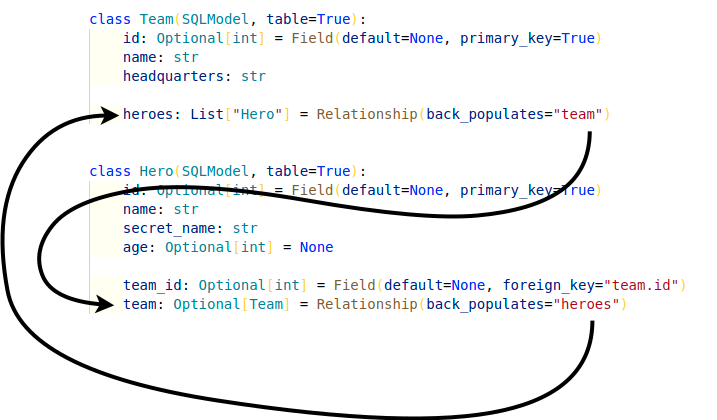
So, in the class Team, we have an attribute heroes and we declare it with Relationship(back_populates="team").
# Code above omitted
class Team(SQLModel, table=True):
id: int | None = Field(default=None, primary_key=True)
name: str = Field(index=True)
headquarters: str
heroes: list["Hero"] = Relationship(back_populates="team")
# Code below omitted
2
3
4
5
6
7
8
9
10
The string in back_populates="team" refers to the attribute team in the class Hero (the other class).
And, the class Hero, we declare an attribute team, and we declare it with Relationship(back_populates="heroes").
So, the string heroes refers to the attribute heroes in the class Team.
# Code above omitted
class Hero(SQLModel, table=True):
id: int | None = Field(default=None, primary_key=True)
name: str = Field(index=True)
secret_name: str
age: int | None = Field(default=None, index=True)
team_id: int | None = Field(default=None, foreign_key="team.id")
team: Team | None = Relationship(back_populates="heroes")
# Code below omitted
2
3
4
5
6
7
8
9
10
11
12
Each relationship attribute points to the other one, in the other model, using back_populates.
Although it's simple code, it can be confusing to think about, because the same line has concepts related to both models in multiple places:
- Just by being in the current model, the line has something to do with the current model.
- The name of the attribute is about the other model.
- The type annotation is about the other model.
- And the
back_populatesrefers to an attribute in the other model, that points to the current model.
# A Mental Trick to Remember back_populates
A mental trick you can use to remember is that the string in back_populates is always about the current model class you are editing.
So, if you are in the class Hero, the value of back_populates for any relationship attribute connecting to any other table (to any other model, it could be Team, Weapon, Powers, etc) will still always refer to this same class.
So, back_populates would most probably be something like "hero" or "heroes".
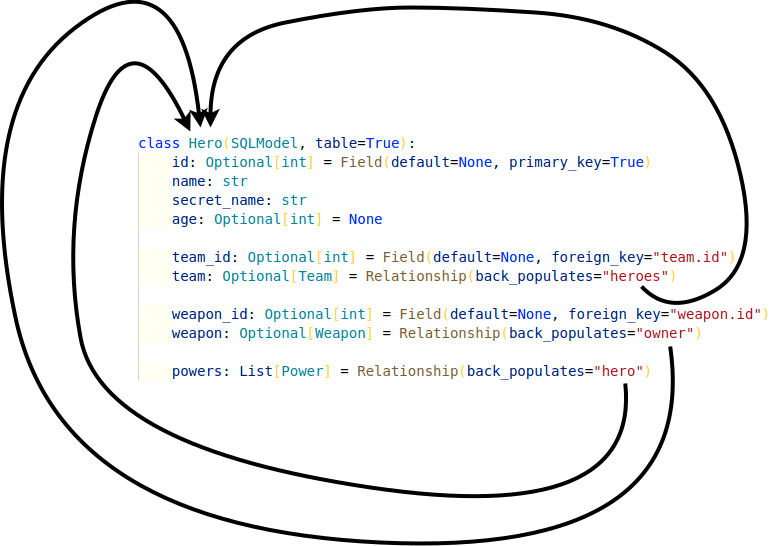
from sqlmodel import Field, Relationship, SQLModel, create_engine
class Weapon(SQLModel, table=True):
id: int | None = Field(default=None, primary_key=True)
name: str = Field(index=True)
hero: "Hero" = Relationship(back_populates="weapon")
class Power(SQLModel, table=True):
id: int | None = Field(default=None, primary_key=True)
name: str = Field(index=True)
hero_id: int = Field(foreign_key="hero.id")
hero: "Hero" = Relationship(back_populates="powers")
class Team(SQLModel, table=True):
id: int | None = Field(default=None, primary_key=True)
name: str = Field(index=True)
headquarters: str
heroes: list["Hero"] = Relationship(back_populates="team")
class Hero(SQLModel, table=True):
id: int | None = Field(default=None, primary_key=True)
name: str = Field(index=True)
secret_name: str
age: int | None = Field(default=None, index=True)
team_id: int | None = Field(default=None, foreign_key="team.id")
team: Team | None = Relationship(back_populates="heroes")
weapon_id: int | None = Field(default=None, foreign_key="weapon.id")
weapon: Weapon | None = Relationship(back_populates="hero")
powers: list[Power] = Relationship(back_populates="hero")
sqlite_file_name = "database.db"
sqlite_url = f"sqlite:///{sqlite_file_name}"
engine = create_engine(sqlite_url, echo=True)
def create_db_and_tables():
SQLModel.metadata.create_all(engine)
def main():
create_db_and_tables()
if __name__ == "__main__":
main()
2
3
4
5
6
7
8
9
10
11
12
13
14
15
16
17
18
19
20
21
22
23
24
25
26
27
28
29
30
31
32
33
34
35
36
37
38
39
40
41
42
43
44
45
46
47
48
49
50
51
52
53
54
55
56
57
# Cascade Delete Relationships
What happens if we delete a team that has a relationship with heroes?
Should those heroes be automatically deleted too? That's called a "cascade", because the initial deletion causes a cascade of other deletions.
Should their team_id instead be set to NULL in the database?
Let's see how to configure that with SQLModel.
This feature, including cascade_delete, ondelete, and passive_deletes, is available since SQLModel version 0.0.21.
# Initial Heroes and Teams
Let's say that we have these teams and heroes.
# Team Table
| id | name | headquarters |
|---|---|---|
| 1 | Z-Force | Sister Margaret's Bar |
| 2 | Preventers | Sharp Tower |
| 3 | Wakaland | Wakaland Capital City |
# Hero Table
| id | name | secret_name | age | team_id |
|---|---|---|---|---|
| 1 | Deadpond | Dive Wilson | 1 | |
| 2 | Rusty-Man | Tommy Sharp | 48 | 2 |
| 3 | Spider-Boy | Pedro Parqueador | 2 | |
| 4 | Black Lion | Trevor Challa | 35 | 3 |
| 5 | Princess Sure-E | Sure-E | 3 |
# Visual Teams and Heroes
We could visualize them like this:
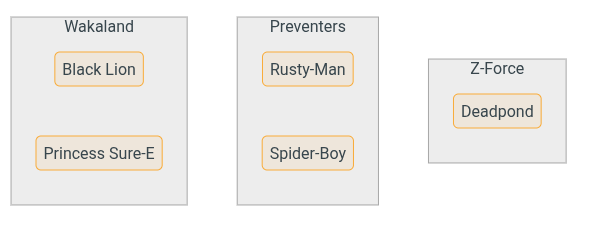
# Delete a Team with Heroes
When we delete a team, we have to do something with the associated heroes.
By default, their foreign key pointing to the team will be set to NULL in the database.
But let's say we want the associated heroes to be automatically deleted.
For example, we could delete the team Wakaland:
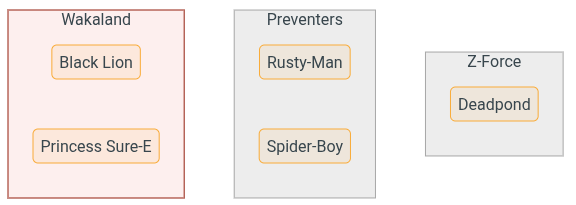
And we would want the heroes Black Lion and Princess Sure-E to be automatically deleted too.
So we would end up with these teams and heroes:
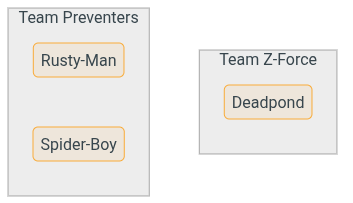
# Configure Automatic Deletion
There are two places where this automatic deletion is configured:
- in Python code
- in the database
# Delete in Python with cascade_delete
When creating a Relationship(), we can set cascade_delete=True.
This configures SQLModel to automatically delete the related records (heroes) when the initial one is deleted (a team).
from sqlmodel import Field, Relationship, Session, SQLModel, create_engine, select
class Team(SQLModel, table=True):
id: int | None = Field(default=None, primary_key=True)
name: str = Field(index=True)
headquarters: str
heroes: list["Hero"] = Relationship(back_populates="team", cascade_delete=True)
# Code below omitted
2
3
4
5
6
7
8
9
10
11
With this configuration, when we delete a team, SQLModel (actually SQLAlchemy) will:
- Make sure the objects for the related records are loaded, in this case, the
heroes. If they are not loaded, it will send aSELECTquery to the database to get them. - Send a
DELETEquery to the database including each related record (each hero). - Finally, delete the initial record (the team) with another
DELETEquery.
This way, the internal Python code will take care of deleting the related records, by emitting the necessary SQL queries for each of them.
The cascade_delete parameter is set in the Relationship(), on the model that doesn't have a foreign key.
Technical Details
Setting cascade_delete=True in the Relationship() will configure SQLAlchemy to use cascade="all, delete-orphan", which is the most common and useful configuration when wanting to cascade deletes.
You can read more about it in the SQLAlchemy docs.
# Delete in the Database with ondelete
In the previous section we saw that using cascade_delete handles automatic deletions from the Python code.
But what happens if someone interacts with the database directly, not using our code, and deletes a team with SQL?
For those cases, we can configure the database to automatically delete the related records with the ondelete parameter in Field().
# ondelete Options
The ondelete parameter will set a SQL ON DELETE in the foreign key column in the database.
ondelete can have these values:
CASCADE: Automatically delete this record (hero) when the related one (team) is deleted.SET NULL: Set this foreign key (hero.team_id) field toNULLwhen the related record is deleted.RESTRICT: Prevent the deletion of this record(hero) if there is a foreign key value by raising an error.
# Set ondelete to CASCADE
If we want to configure the database to automatically delete the related records when the parent is deleted, we can set ondelete="CASCADE".
from sqlmodel import Field, Relationship, Session, SQLModel, create_engine, select
class Team(SQLModel, table=True):
id: int | None = Field(default=None, primary_key=True)
name: str = Field(index=True)
headquarters: str
heroes: list["Hero"] = Relationship(back_populates="team", cascade_delete=True)
class Hero(SQLModel, table=True):
id: int | None = Field(default=None, primary_key=True)
name: str = Field(index=True)
secret_name: str
age: int | None = Field(default=None, index=True)
team_id: int | None = Field(default=None, foreign_key="team.id", ondelete="CASCADE")
team: Team | None = Relationship(back_populates="heroes")
# Code below omitted
2
3
4
5
6
7
8
9
10
11
12
13
14
15
16
17
18
19
20
21
Now, when we create the tables in the database, the team_id column in the Hero table will have an ON DELETE CASCADE in its definition at the database level.
This will configure the database to automatically delete the records (heroes) when the related record (team) is deleted.
The ondelete parameter is set in the Field(), on the model that has a foreign key.
# Using cascade_delete or ondelete
At this point, you might be wondering if you should use cascade_delete or ondelete. The answer is: both!
The ondelete will configure the database, in case someone interacts with it directly.
But cascade_delete is still needed to tell SQLAlchemy that it should delete the Python objects in memory.
# Foreign Key Constraint Support
Some database don't support foreign key constraints.
For example, SQLite doesn't support them by default. They have to be manually enabled with a custom SQL command:
PRAGMA foreign_key = ON;
So, in general it's a good idea to have both cascade_delete and ondelete configured.
You will learn more about how to disable the default automatic SQLModel (SQLAlchemy) behavior and only rely on the database down below, in the section about passive_deletes.
# cascade_delete on Relationship() and ondelete on Field()
Just a note to remember...
ondeleteis put on theFeild()with a foreign key. On the "many" side in "one-to-many" relationships.
class Hero(SQLModel, table=True):
...
team_id: int = Field(foreign_key="team.id", ondelete="CASCADE")
2
3
4
cascade_deleteis put on theRelationship(). Normally on the "one" side in "one-to-many" relationships, the side without a foreign key.
class Team(SQLModel, table=True):
...
heroes: list[Hero] = Relationship(cascade_delete=True)
2
3
4
# Remove a Team and its Heroes
Now, when we delete a team, we don't need to do anything else, it's automatically going to delete its heroes.
# Code above omitted
def delete_team():
with Session(engine) as session:
statement = select(Team).where(Team.name == "Wakaland")
team = session.exec(statement).one()
session.delete(team)
session.commit()
print("Deleted team:", team)
# Code below omitted
2
3
4
5
6
7
8
9
10
11
# Confirm Heroes are Deleted
We can confirm that after deleting the team Wakaland, the heroes Black Lion and Princess Sure-E are also deleted.
If we try to select the from the database, we will no longer find them.
# Code above omitted
def select_deleted_heroes():
with Session(engine) as session:
statement = select(Hero).where(Hero.name == "Black Lion")
result = session.exec(statement)
hero = result.first()
print("Black Lion not found:", hero)
statement = select(Hero).where(Hero.name == "Princess Sure-E")
result = session.exec(statement)
hero = result.first()
print("Princess Sure-E not found:", hero)
# Code below omitted
2
3
4
5
6
7
8
9
10
11
12
13
14
15
# Run the Program with cascade_delete=True and ondelete="CASCADE"
We can confirm everything is working by running the program.
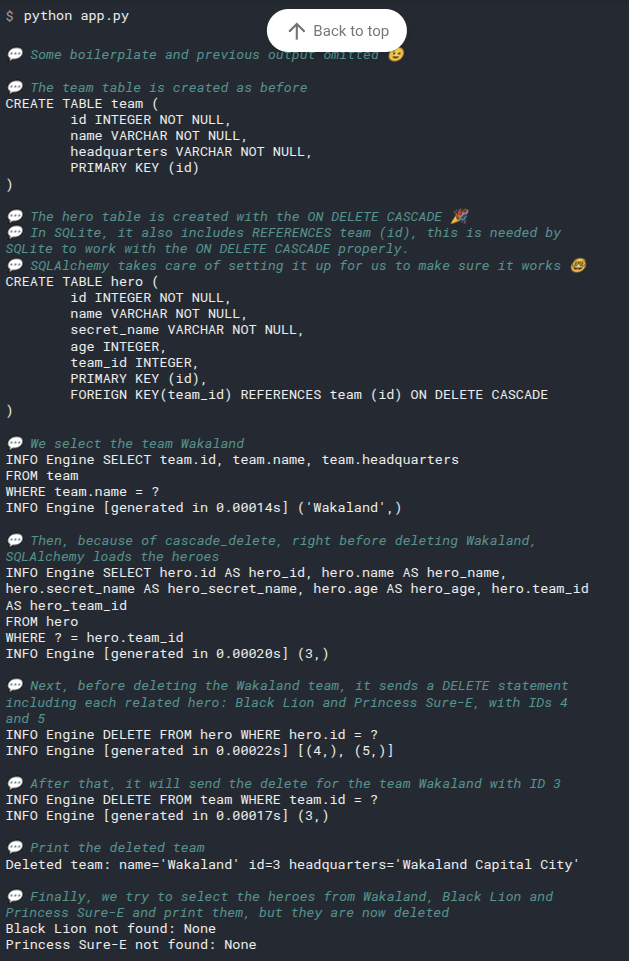
# ondelete with SET NULL
We can configure the database to set the foreign key (the team_id in the hero table) to NULL when the related record (in the team table) is deleted.
In this case, the side with Relationship() won't have cascade_delete, but the side with Field() and a foreign_key will have ondelete="SET NULL".
from sqlmodel import SQLModel, Field, create_engine, Session, select, Relationship
class Team(SQLModel, table=True):
id: int | None = Field(default=None, primary_key=True)
name: str = Field(index=True)
headquarters: str
heroes: list["Hero"] = Relationship(back_populates="team")
class Hero(SQLModel, table=True):
id: int | None = Field(default=None, primary_key=True)
name: str = Field(index=True)
secret_name: str
age: int | None = Field(default=None, index=True)
team_id: int | None = Field(default=None, foreign_key="team.id", ondelete="SET NULL")
team: Team | None = Relationship(back_populates="heroes")
2
3
4
5
6
7
8
9
10
11
12
13
14
15
16
17
18
19
The configuration above is setting the team_id column from the Hero table to have an ON DELETE SET NULL.
This way, when someone deletes a team from the database using SQL directly, the database will go to the heroes for that team and set team_id to NULL (if the database supports it).
The foreign key should allow None values(NULL in the database), otherwise you would end up having an integrity Error by violating the NOT NULL constraint.
So team_id needs to have a type with None, like:
team_id: int | None
# Not Using ondelete="SET NULL"
What happens if you don't use ondelete="SET NULL", don't set anything on cascade_delete, and delete a team?
The default behavior is that SQLModel (actually SQLAlchemy) will go to the heroes and set their team_id to NULL from the Python code.
So, by default, those team_id fields will be set to NULL.
But if someone goes to the database and manually deletes a team, the heroes could end up with a team_id pointing to a non-existing team.
Adding the ondelete="SET NULL" configures the database itself to also set those fields to NULL.
But if you delete a team from code, by default, SQLModel (actually SQLAlchemy) will update those team_id fields to NULL even before the database SET NULL takes effect.
# Removing a Team with SET NULL
Removing a team has the same code as before, the only thing that changes is the configuration underneath in the database.
# Code above omitted
def delete_team():
with Session(engine) as session:
statement = select(Team).where(Team.name == "Wakaland")
team = session.exec(statement).one()
session.delete(team)
session.commit()
print("Deleted team:", team)
# Code below omitted
2
3
4
5
6
7
8
9
10
11
The result would be these tables.
# Team Table after SET NULL
Team Table after SET NULL:
| id | name | headquarters |
|---|---|---|
| 1 | Z-Force | Sister Margaret's Bar |
| 2 | Preventers | Sharp Tower |
# Hero Table after SET NULL
Hero Table after SET NULL:
| id | name | secret_name | age | team_id |
|---|---|---|---|---|
| 1 | Deadpond | Dive Wilson | 1 | |
| 2 | Rusty-Man | Tommy Sharp | 48 | 2 |
| 3 | Spider-Boy | Pedro Parqueador | 2 | |
| 4 | Black Lion | Trevor Challa | 35 | NULL |
| 5 | Princess Sure-E | Sure-E | NULL |
# Visual Teams and Heroes after SET NULL
Visual Teams and Heroes after SET NULL:
We could visualize them like this:
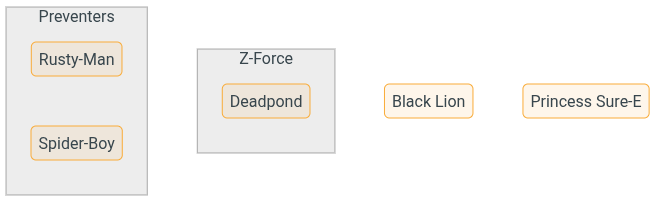
# Run the program with SET NULL
Let's confirm it all works by running the program now:
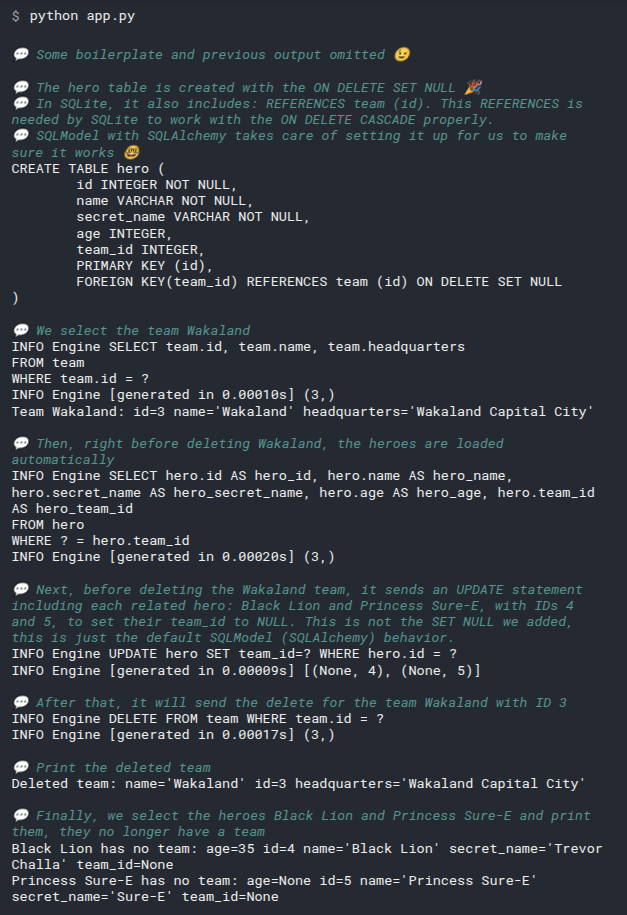
The team Wakaland was deleted and all of its heroes were left without a team, or in other words, with their team_id set to NULL, but still kept in the database!
from sqlmodel import SQLModel, Field, create_engine, Session, select, Relationship
class Team(SQLModel, table=True):
id: int | None = Field(default=None, primary_key=True)
name: str = Field(index=True)
headquarters: str
heroes: list["Hero"] = Relationship(back_populates="team")
class Hero(SQLModel, table=True):
id: int | None = Field(default=None, primary_key=True)
name: str = Field(index=True)
secret_name: str
age: int | None = Field(default=None, index=True)
team_id: int | None = Field(default=None, foreign_key="team.id", ondelete="SET NULL")
team: Team | None = Relationship(back_populates="heroes")
sqlite_file_name = "sqlmodel.db"
sqlite_url = f"sqlite:///{sqlite_file_name}"
engine = create_engine(sqlite_url, echo=True)
def create_db_and_tables():
SQLModel.metadata.create_all(engine)
def create_heroes():
with Session(engine) as session:
team_preventers = Team(name="Preventers", headquarters="Sharp Tower")
team_z_force = Team(name="Z-Force", headquarters="Sister Margaret's Bar")
hero_deadpond = Hero(
name="Deadpond", secret_name="Dive Wilson", team=team_z_force
)
hero_rusty_man = Hero(
name="Rusty-Man", secret_name="Tommy Sharp", age=48, team=team_preventers
)
hero_spider_boy = Hero(name="Spider-Boy", secret_name="Pedro Parqueador")
session.add(hero_deadpond)
session.add(hero_rusty_man)
session.add(hero_spider_boy)
session.commit()
session.refresh(hero_deadpond)
session.refresh(hero_rusty_man)
session.refresh(hero_spider_boy)
print("Created hero:", hero_deadpond)
print("Created hero:", hero_rusty_man)
print("Created hero:", hero_spider_boy)
hero_spider_boy.team = team_preventers
session.add(hero_spider_boy)
session.commit()
session.refresh(hero_spider_boy)
print("Updated hero:", hero_spider_boy)
hero_black_lion = Hero(name="Black Lion", secret_name="Trevor Challa", age=35)
hero_sure_e = Hero(name="Princess Sure-E", secret_name="Sure-E")
team_wakaland = Team(
name="Wakaland",
headquarters="Wakaland Capital City",
heroes=[hero_black_lion, hero_sure_e],
)
session.add(team_wakaland)
session.commit()
session.refresh(team_wakaland)
print("Team Wakaland:", team_wakaland)
def delete_team():
with Session(engine) as session:
statement = select(Team).where(Team.name == "Wakaland")
team = session.exec(statement).one()
session.delete(team)
session.commit()
print("Deleted team:", team)
def select_deleted_heroes():
with Session(engine) as session:
statement = select(Hero).where(Hero.name == "Black Lion")
result = session.exec(statement)
hero = result.first()
print("Black Lion has no team:", hero)
statement = select(Hero).where(Hero.name == "Princess Sure-E")
result = session.exec(statement)
hero = result.first()
print("Princess Sure-E has no team:", hero)
def main():
create_db_and_tables()
create_heroes()
delete_team()
select_deleted_heroes()
if __name__ == "__main__":
main()
2
3
4
5
6
7
8
9
10
11
12
13
14
15
16
17
18
19
20
21
22
23
24
25
26
27
28
29
30
31
32
33
34
35
36
37
38
39
40
41
42
43
44
45
46
47
48
49
50
51
52
53
54
55
56
57
58
59
60
61
62
63
64
65
66
67
68
69
70
71
72
73
74
75
76
77
78
79
80
81
82
83
84
85
86
87
88
89
90
91
92
93
94
95
96
97
98
99
100
101
102
103
104
105
106
# Let the Database Handle it with passive_deletes
In the previous examples we configured ondelete with CASCADE and SET NULL to configure the database to handle the deletion of related records automatically. But we actually never used that functionality ourselves, because SQLModel (SQLAlchemy) by default loads the related records and deletes them or updates them with NULL before sending the DELETE for the team.
If you know your database would be able to correctly handle the deletes or updates on its own, just with ondelete="CASCADE" or ondelete="SET NULL", you can use passive_deletes="all" in the Relationship() to tell SQLModel (actually SQLAlchemy) to not delete or update those records (for heroes) before sending the DELETE for the team.
# Enable Foreign Key Support in SQLite
To be able to test this out with SQLite, we first need to enable foreign key support.
# Code above omitted
def create_db_and_tables():
SQLModel.metadata.create_all(engine)
with engine.connect() as connection:
connection.execute(text("PRAGMA foreign_keys=ON")) # for SQLite only
# Code below omitted
2
3
4
5
6
7
8
You can learn about SQLite, foreign keys, and this SQL command on the SQLAlchemy docs.
# Use passive_deletes="all"
Now let's update the table model for Team to use passive_deletes="all" in the Relationship() for heroes.
We will also use ondelete="SET NULL" in the Hero model table, in the foreign key Field() for the team_id to make the database set those fields to NULL automatically.
from sqlmodel import Field, Relationship, Session, SQLModel, create_engine, select, text
class Team(SQLModel, table=True):
id: int | None = Field(default=None, primary_key=True)
name: str = Field(index=True)
headquarters: str
heroes: list["Hero"] = Relationship(back_populates="team", passive_deletes="all")
class Hero(SQLModel, table=True):
id: int | None = Field(default=None, primary_key=True)
name: str = Field(index=True)
secret_name: str
age: int | None = Field(default=None, index=True)
team_id: int | None = Field(
default=None, foreign_key="team.id", ondelete="SET NULL"
)
team: Team | None = Relationship(back_populates="heroes")
# Code below omitted
2
3
4
5
6
7
8
9
10
11
12
13
14
15
16
17
18
19
20
21
22
23
# Run the Program with passive_deletes
Now, if we run the program, we will see that SQLModel (SQLAlchemy) is no longer loading and updating the heroes, it just sends the DELETE for the team.
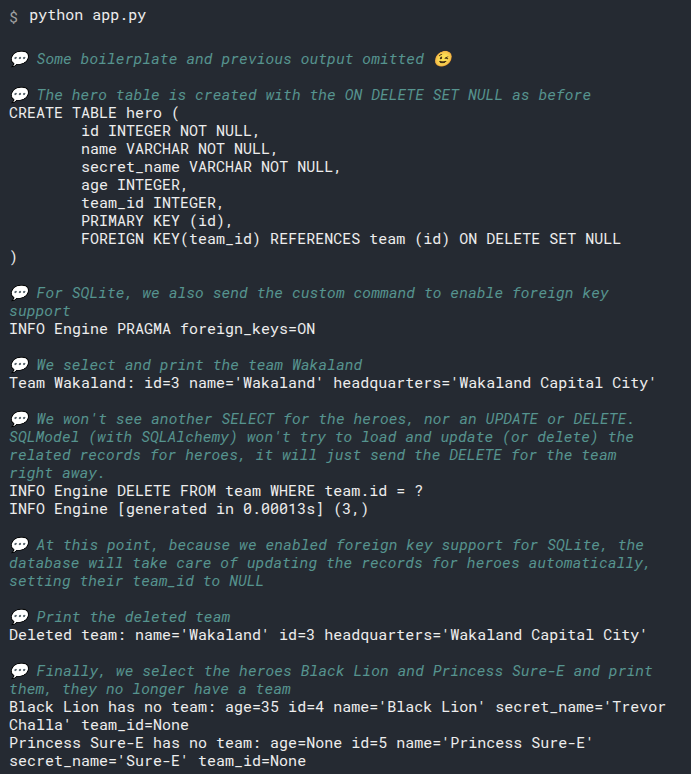
# ondelete with RESTRICT
We can also configure the database to prevent the deletion of a record (a team) if there are related records (heroes).
In this case, when someone attempts to delete a team with heroes in it, the database will raise an error.
And because this is configured in the database, it will happen even if someone interacts with the database directly using SQL (if the database supports it).
For SQLite, this also needs enabling foreign key support.
# Enable Foreign Key Support in SQLite for RESTRICT
As ondelete="RESTRICT" is mainly a database-level constraint, let's enable foreign key support in SQLite first to be able to test it.
# Code above omitted
def create_db_and_tables():
SQLModel.metadata.create_all(engine)
with engine.connect() as connection:
connection.execute(text("PRAGMA foreign_keys=ON")) # for SQLite only
# Code below omitted
2
3
4
5
6
7
8
# Use ondelete="RESTRICT"
Let's set ondelete="RESTRICT" in the foreign key Field() for the team_id in the Hero model table.
And in the Team model table, we will use passive_deletes="all" in the Relationship() for heroes, this way the default behavior of setting foreign keys from deleted models to NULL will be disabled, and when we try to delete a team with heroes, the database will raise an error.
Notice that we don't set cascade_delete in the Team model table.
from sqlmodel import Field, Relationship, Session, SQLModel, create_engine, select, text
class Team(SQLModel, table=True):
id: int | None = Field(default=None, primary_key=True)
name: str = Field(index=True)
headquarters: str
heroes: list["Hero"] = Relationship(back_populates="team", passive_deletes="all")
class Hero(SQLModel, table=True):
id: int | None = Field(default=None, primary_key=True)
name: str = Field(index=True)
secret_name: str
age: int | None = Field(default=None, index=True)
team_id: int | None = Field(
default=None, foreign_key="team.id", ondelete="RESTRICT"
)
team: Team | None = Relationship(back_populates="heroes")
# Code below omitted
2
3
4
5
6
7
8
9
10
11
12
13
14
15
16
17
18
19
20
21
22
23
# Run the Program with RESTRICT, See the Error
from sqlmodel import SQLModel, Field, create_engine, Session, select, Relationship, text
from sqlalchemy import event
class Team(SQLModel, table=True):
id: int | None = Field(default=None, primary_key=True)
name: str = Field(index=True)
headquarters: str
heroes: list["Hero"] = Relationship(back_populates="team", passive_deletes="all")
class Hero(SQLModel, table=True):
id: int | None = Field(default=None, primary_key=True)
name: str = Field(index=True)
secret_name: str
age: int | None = Field(default=None, index=True)
team_id: int | None = Field(default=None, foreign_key="team.id", ondelete="RESTRICT")
team: Team | None = Relationship(back_populates="heroes")
sqlite_file_name = "sqlmodel.db"
sqlite_url = f"sqlite:///{sqlite_file_name}"
engine = create_engine(sqlite_url, echo=True)
@event.listens_for(engine, "connect")
def set_sqlite_pragma(dbapi_connection, connection_record):
cursor = dbapi_connection.cursor()
cursor.execute("PRAGMA foreign_keys=ON")
cursor.close()
def create_db_and_tables():
SQLModel.metadata.create_all(engine)
with engine.connect() as conn:
result = conn.execute(text("PRAGMA foreign_keys"))
fk_status = result.fetchone()[0]
print(f"SQLite 外键约束状态: {'启用' if fk_status else '禁用'}")
# 查看实际创建的外键约束
result = conn.execute(text("PRAGMA foreign_key_list(hero)"))
fks = result.fetchall()
print(f"Hero 表的外键约束: {fks}")
def create_heroes():
with Session(engine) as session:
team_preventers = Team(name="Preventers", headquarters="Sharp Tower")
team_z_force = Team(name="Z-Force", headquarters="Sister Margaret's Bar")
hero_deadpond = Hero(
name="Deadpond", secret_name="Dive Wilson", team=team_z_force
)
hero_rusty_man = Hero(
name="Rusty-Man", secret_name="Tommy Sharp", age=48, team=team_preventers
)
hero_spider_boy = Hero(name="Spider-Boy", secret_name="Pedro Parqueador")
session.add(hero_deadpond)
session.add(hero_rusty_man)
session.add(hero_spider_boy)
session.commit()
session.refresh(hero_deadpond)
session.refresh(hero_rusty_man)
session.refresh(hero_spider_boy)
print("Created hero:", hero_deadpond)
print("Created hero:", hero_rusty_man)
print("Created hero:", hero_spider_boy)
hero_spider_boy.team = team_preventers
session.add(hero_spider_boy)
session.commit()
session.refresh(hero_spider_boy)
print("Updated hero:", hero_spider_boy)
hero_black_lion = Hero(name="Black Lion", secret_name="Trevor Challa", age=35)
hero_sure_e = Hero(name="Princess Sure-E", secret_name="Sure-E")
team_wakaland = Team(
name="Wakaland",
headquarters="Wakaland Capital City",
heroes=[hero_black_lion, hero_sure_e],
)
session.add(team_wakaland)
session.commit()
session.refresh(team_wakaland)
print("Team Wakaland:", team_wakaland)
def delete_team():
with Session(engine) as session:
statement = select(Team).where(Team.name == "Wakaland")
team = session.exec(statement).one()
session.delete(team)
session.commit()
print("Deleted team:", team)
def select_deleted_heroes():
with Session(engine) as session:
statement = select(Hero).where(Hero.name == "Black Lion")
result = session.exec(statement)
hero = result.first()
print("Black Lion has no team:", hero)
statement = select(Hero).where(Hero.name == "Princess Sure-E")
result = session.exec(statement)
hero = result.first()
print("Princess Sure-E has no team:", hero)
def main():
# create_db_and_tables()
# create_heroes()
delete_team()
# select_deleted_heroes()
if __name__ == "__main__":
main()
2
3
4
5
6
7
8
9
10
11
12
13
14
15
16
17
18
19
20
21
22
23
24
25
26
27
28
29
30
31
32
33
34
35
36
37
38
39
40
41
42
43
44
45
46
47
48
49
50
51
52
53
54
55
56
57
58
59
60
61
62
63
64
65
66
67
68
69
70
71
72
73
74
75
76
77
78
79
80
81
82
83
84
85
86
87
88
89
90
91
92
93
94
95
96
97
98
99
100
101
102
103
104
105
106
107
108
109
110
111
112
113
114
115
116
117
118
119
120
121
122
Now, if we run the program and try to delete a team with heroes, we still see an error.
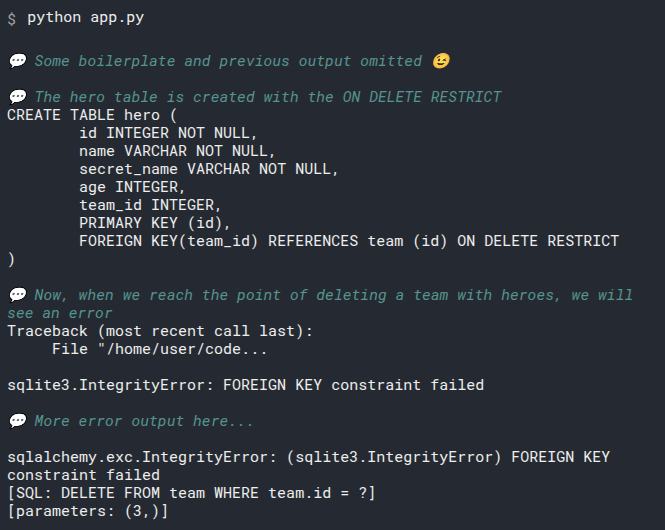
Great! The database didn't let us commit the mistake of deleting a team with heroes.
If you want to test if the PRAGMA foreign_keys=ON is necessary, comment that line and run it again, you will not see an error.
The same with passive_deletes="all", if you comment that line, if you comment that line, SQLModel (SQLAlchemy) will load and update the heroes before deleting the team, set their foreign key team_id to NULL and the constraint won't work as expected, you will not see an error.
# Update Heroes Before Deleting the Team
After having the ondelete="RESTRICT" in place, SQLite configured to support foreign keys, and passive_deletes="all" in the Relationship(), if we try to delete a team with heroes, we will see an error.
If we want to delete the team, we need to update the heroes first and set their team_id to None (or NULL in the database).
By calling the method .clear() from a list, we remove all its items. So, by calling team.heroes.clear() and saving that to the database, we disassociate the heroes from the team, that will set their team_id to None.
Calling team.heroes.clear() is very similar to what SQLModel (actually SQLAlchemy) would have done if we didn't have passive_deletes="all" configured.
# Code above omitted
def remove_team_heroes():
with Session(engine) as session:
statement = select(Team).where(Team.name == "Wakaland")
team = session.exec(statement).one()
team.heroes.clear()
session.add(team)
session.commit()
session.refresh(team)
print("Team with removed heroes:", team)
# Code below omitted
2
3
4
5
6
7
8
9
10
11
12
13
# Run the Program Deleting Heroes First
Now, if we run the program and delete the heroes first, we will be able to delete the team without any issues.
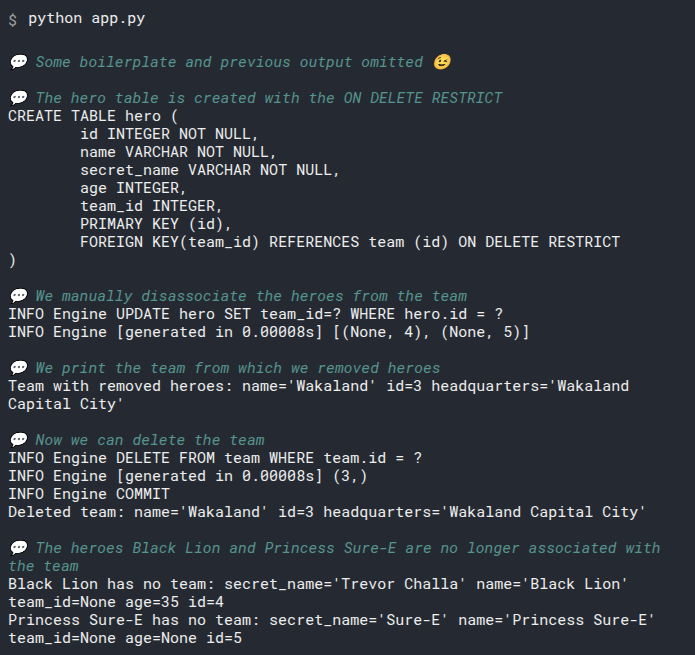
from sqlmodel import Field, Relationship, Session, SQLModel, create_engine, select, text
class Team(SQLModel, table=True):
id: int | None = Field(default=None, primary_key=True)
name: str = Field(index=True)
headquarters: str
heroes: list["Hero"] = Relationship(back_populates="team", passive_deletes="all")
class Hero(SQLModel, table=True):
id: int | None = Field(default=None, primary_key=True)
name: str = Field(index=True)
secret_name: str
age: int | None = Field(default=None, index=True)
team_id: int | None = Field(
default=None, foreign_key="team.id", ondelete="RESTRICT"
)
team: Team | None = Relationship(back_populates="heroes")
sqlite_file_name = "database.db"
sqlite_url = f"sqlite:///{sqlite_file_name}"
engine = create_engine(sqlite_url, echo=True)
def create_db_and_tables():
SQLModel.metadata.create_all(engine)
with engine.connect() as connection:
connection.execute(text("PRAGMA foreign_keys=ON")) # for SQLite only
def create_heroes():
with Session(engine) as session:
team_preventers = Team(name="Preventers", headquarters="Sharp Tower")
team_z_force = Team(name="Z-Force", headquarters="Sister Margaret's Bar")
hero_deadpond = Hero(
name="Deadpond", secret_name="Dive Wilson", team=team_z_force
)
hero_rusty_man = Hero(
name="Rusty-Man", secret_name="Tommy Sharp", age=48, team=team_preventers
)
hero_spider_boy = Hero(name="Spider-Boy", secret_name="Pedro Parqueador")
session.add(hero_deadpond)
session.add(hero_rusty_man)
session.add(hero_spider_boy)
session.commit()
session.refresh(hero_deadpond)
session.refresh(hero_rusty_man)
session.refresh(hero_spider_boy)
print("Created hero:", hero_deadpond)
print("Created hero:", hero_rusty_man)
print("Created hero:", hero_spider_boy)
hero_spider_boy.team = team_preventers
session.add(hero_spider_boy)
session.commit()
session.refresh(hero_spider_boy)
print("Updated hero:", hero_spider_boy)
hero_black_lion = Hero(name="Black Lion", secret_name="Trevor Challa", age=35)
hero_sure_e = Hero(name="Princess Sure-E", secret_name="Sure-E")
team_wakaland = Team(
name="Wakaland",
headquarters="Wakaland Capital City",
heroes=[hero_black_lion, hero_sure_e],
)
session.add(team_wakaland)
session.commit()
session.refresh(team_wakaland)
print("Team Wakaland:", team_wakaland)
def remove_team_heroes():
with Session(engine) as session:
statement = select(Team).where(Team.name == "Wakaland")
team = session.exec(statement).one()
team.heroes.clear()
session.add(team)
session.commit()
session.refresh(team)
print("Team with removed heroes:", team)
def delete_team():
with Session(engine) as session:
statement = select(Team).where(Team.name == "Wakaland")
team = session.exec(statement).one()
session.delete(team)
session.commit()
print("Deleted team:", team)
def select_deleted_heroes():
with Session(engine) as session:
statement = select(Hero).where(Hero.name == "Black Lion")
result = session.exec(statement)
hero = result.first()
print("Black Lion has no team:", hero)
statement = select(Hero).where(Hero.name == "Princess Sure-E")
result = session.exec(statement)
hero = result.first()
print("Princess Sure-E has no team:", hero)
def main():
create_db_and_tables()
create_heroes()
remove_team_heroes()
delete_team()
select_deleted_heroes()
if __name__ == "__main__":
main()
2
3
4
5
6
7
8
9
10
11
12
13
14
15
16
17
18
19
20
21
22
23
24
25
26
27
28
29
30
31
32
33
34
35
36
37
38
39
40
41
42
43
44
45
46
47
48
49
50
51
52
53
54
55
56
57
58
59
60
61
62
63
64
65
66
67
68
69
70
71
72
73
74
75
76
77
78
79
80
81
82
83
84
85
86
87
88
89
90
91
92
93
94
95
96
97
98
99
100
101
102
103
104
105
106
107
108
109
110
111
112
113
114
115
116
117
118
119
120
121
122
# Conclusion
In many cases, you don't really need to configure anything.
In some cases, when you want to cascade the delete of a record to its related records automatically (delete a team with its heroes), you can:
- Use
cascade_delete=Truein theRelationship()on the side without a foreign key. - And use
ondelete="CASCADE"in theField()with the foreign key
That will cover most of the use cases.
And if you need something else, you can refer the additional options described above.
# Type annotation strings
# About the String in list["Hero"]
In the first Relationship attribute, we declare it with list["Hero"], putting the Hero in quotes instead of just normally there:
from sqlmodel import Field, Relationship, Session, SQLModel, create_engine
class Team(SQLModel, table=True):
id: int | None = Field(default=None, primary_key=True)
name: str = Field(index=True)
headquarters: str
heroes: list["Hero"] = Relationship(back_populates="team")
class Hero(SQLModel, table=True):
id: int | None = Field(default=None, primary_key=True)
name: str = Field(index=True)
secret_name: str
age: int | None = Field(default=None, index=True)
team_id: int | None = Field(default=None, foreign_key="team.id")
team: Team | None = Relationship(back_populates="heroes")
# Code below omitted
2
3
4
5
6
7
8
9
10
11
12
13
14
15
16
17
18
19
20
21
What's that about? Can't we just write it normally as list[Hero]?
By that point, in that line in the code, the Python interpreter doesn't know of any class Hero, and if we put it just there, it would try to find it unsuccessfully, and then fail.
But by putting it in quotes, in a string, the interpreter sees it as just a string with the text "Hero" inside.
But the editor and other tools can see that the string is actually a type annotation inside, and provide all the autocompletion, type checks, etc.
And of course, SQLModel can also understand it in the string correctly.
That is actually part of Python, it's the current official solution to handle it.
There's a lot of work going on in Python itself to make that simpler and more intuitive, and find ways to make it possible to not wrap the class in a string.
# Many to Many - Intro
We saw how to work with One-to-Many relationships in the data.
But how do you handle Many-to-Many relationships?
Let's explore them.
# Starting from One-to-Many
Let's start with the familiar and simpler option of One-to-Many.
We have one table with teams and one with heroes, and for each one team, we can have many heroes.
As each team could have multiple heroes, we couldn't be able to put the Hero IDs in columns for all of them in the team table.
But as each hero can belong only to one team, we have a single column in the heroes table to point to the specific team (to a specific row in the team table).
The team table looks like this:
| id | name | headquarters |
|---|---|---|
| 1 | Preventers | Sharp Tower |
| 2 | Z-Force | Sister Margaret's Bar |
Notice that it doesn't have any foreign key to other tables.
And the hero table looks like this:
| id | name | secret_name | age | team_id |
|---|---|---|---|---|
| 1 | Deadpond | Dive Wilson | null | 2 |
| 2 | Spider-Boy | Pedro Parqueador | null | 1 |
| 3 | Rusty-Man | Tommy Sharp | 48 | 1 |
We have a column in the hero table for the team_id that points to the ID of a specific team in the team table.
This is how we connect each hero with a team:

Notice that each hero can only have one connection. But each team can receive many connections. In particular, the team Preventers has two heroes.
# Introduce Many-to-Many
But let's say that as Deadpond is a great character, they recruit him to the new Preventers team, but he's still part of the Z-Force team too.
So, now, we need to be able to have a hero that is connected to many team. And then, each team, should still be able to receive many heroes. So we need a Many-to-Many relationship.
A naive approach that wouldn't work very well is to add more columns to the hero table. Imagine we add two extra columns. Now we could connect a single hero to 3 teams in total, but not more. So we haven't really solved the problem of supporting many teams, only a very limited fixed number of teams.
We can do better!
# Link Table
We can create another table that would represent the link between the hero and team tables.
All this table contains is two columns, hero_id and team_id.
Both columns are foreign keys pointing to the ID of a specific row in the hero and team tables.
As this will represent the hero-team-link, let's call the table heroteamlink.
It would look like this:

Notice that now the table hero doesn't have a team_id column anymore, it is replaced by this link table.
And the team table, just as before, doesn't have any foreign key either.
Specifically, the new link table heroteamlink would be:
| hero_id | team_id |
|---|---|
| 1 | 1 |
| 1 | 2 |
| 2 | 1 |
| 3 | 1 |
Other names used for this link table are:
- association table
- secondary table
- junction table
- intermediate table
- join table
- through table
- relationship table
- connection table
I'm using the term "link table" because it's short, doesn't collide with other terms already used (e.g. "relationship"), it's easy to remember how to write it, etc.
# Link Primary Key
Cool, we have a link table with just two columns. But remember that SQL databases require each row to have a primary key that uniquely identifies the row in that table?
Now, what is the primary key in this table?
How to we identify each unique row?
Should we add another column just to be the primary key of this link table? Nope! We don't have to do that.
Both columns are the primary key of each row in this table (and each row just has those two columns).
A primary key is a way to uniquely identify a particular row in a single table. But it doesn't have to be a single column.
A primary key can be a group of the columns in a table, which combined are unique in this table.
Check the table above again, see that each row has a unique combination of hero_id and team_id?
We cannot have duplicated primary keys, which means that we cannot have duplicated links between hero and team, exactly what we want!
For example, the database will now prevent an error like this, with a duplicated row:
| hero_id | team_id |
|---|---|
| 1 | 1 |
| 1 | 2 |
| 2 | 1 |
| 3 | 1 |
| 3🚨 | 1🚨 |
It wouldn't make sense to have a hero be part of the same team twice, right?
Now, just by using the two columns as the primary keys of this table, SQL will take care of preventing us from duplicating a link between hero and team.
# Recap
An intro with a recap! That's weird... but anyway.
Now you have the theory about the many-to-many relationships, and how to solve them with tables in SQL.
Now let's check how to write the SQL and the code to work with them.
# Create Models with a Many-to-Many Link
We'll now support many-to-many relationships using a link table like this:

Let's start by defining the class models, including the link table model.
# Link Table Model
As we want to support a many-to-many relationship, now we need a link table to connect them.
We can create it just as any other SQLModel:
from sqlmodel import Field, Relationship, Session, SQLModel, create_engine
class HeroTeamLink(SQLModel, table=True):
team_id: int | None = Field(default=None, foreign_key="team.id", primary_key=True)
hero_id: int | None = Field(default=None, foreign_key="hero.id", primary_key=True)
# Code below omitted
2
3
4
5
6
7
This is a SQLModel class model table like any other.
It has two fields, team_id and hero_id.
They are both foreign keys to their respective tables. We'll create those models in a second, but you already know how that works.
And both fields are primary keys. We hadn't used this before.
# Team Model
Let's see the Team model, it's almost identical as before, but with a little change:
# Code above omitted
class Team(SQLModel, table=True):
id: int | None = Field(default=None, primary_key=True)
name: str = Field(index=True)
headquarters: str
heroes: list["Hero"] = Relationship(back_populates="teams", link_model=HeroTeamLink)
# Code below omitted
2
3
4
5
6
7
8
9
10
The relationship attribute heroes is still a list of heroes, annotated as list["Hero"]. Again, we use "Hero" in quotes because we haven't declared that class yet by this point in the code (but as you know, editors and SQLModel understant that).
We use the same Relationship() function.
We use back_populates="teams". Before we referenced an attribute team, but as now we can have many, we'll rename it to teams when creating the Hero model.
And there's the important part to allow the many-to-many relationship, we use link_model=HeroTeamLink. That's it.
# Hero Model
Let's see the other side, here's the Hero model:
# Code above omitted
class Hero(SQLModel, table=True):
id: int | None = Field(default=None, primary_key=True)
name: str = Field(index=True)
secret_name: str
age: int | None = Field(default=None, index=True)
teams: list[Team] = Relationship(back_populates="heroes", link_model=HeroTeamLink)
# Code below omitted
2
3
4
5
6
7
8
9
10
11
We removed the previous team_id field (column) because now the relationship is done via the link table.
The relationship attribute is now named teams instead of team, as now we support multiple teams.
It no longer has a type of Team | None but a list of teams, the type is now declared as list[Team].
We are using the Relationship() here too.
We still have back_populates="heroes" as before.
And now we have a link_model=HeroTeamLink.
# Create the Tables
The same as before, we will have the rest of the code to create the engine, and a function to create all the tables create_db_and_tables().
# Code above omitted
sqlite_file_name = "database.db"
sqlite_url = f"sqlite:///{sqlite_file_name}"
engine = create_engine(sqlite_url, echo=True)
def create_db_and_tables():
SQLModel.metadata.create_all(engine)
# Code below omitted
2
3
4
5
6
7
8
9
10
11
12
And as in previous examples, we will add that function to a function main(), and we will call that main() function in the main block:
# Code above omitted
def main():
create_db_and_tables()
# Code here omitted
if __name__ == "__main__":
main()
2
3
4
5
6
7
8
9
# Run the Code
from sqlmodel import Field, Relationship, Session, SQLModel, create_engine, select
class HeroTeamLink(SQLModel, table=True):
hero_id: int = Field(foreign_key="hero.id", primary_key=True)
team_id: int = Field(foreign_key="team.id", primary_key=True)
class Team(SQLModel, table=True):
id: int | None = Field(default=None, primary_key=True)
name: str = Field(index=True)
headquarters: str
heroes: list["Hero"] = Relationship(back_populates="teams", link_model=HeroTeamLink)
class Hero(SQLModel, table=True):
id: int | None = Field(default=None, primary_key=True)
name: str = Field(index=True)
secret_name: str
age: int | None = Field(default=None, index=True)
teams: list[Team] = Relationship(back_populates="heroes", link_model=HeroTeamLink)
sqlite_file_name = "sqlmodel.db"
sqlite_url = f"sqlite:///{sqlite_file_name}"
engine = create_engine(sqlite_url, echo=True)
def create_db_and_tables():
SQLModel.metadata.create_all(engine)
def create_heroes():
with Session(engine) as session:
team_preventers = Team(name="Preventers", headquarters="Sharp Tower")
team_z_force = Team(name="Z-Force", headquarters="Sister Margaret's Bar")
hero_deadpond = Hero(
name="Deadpond",
secret_name="Dive Wilson",
teams=[team_z_force, team_preventers],
)
hero_rusty_man = Hero(
name="Rusty-Man",
secret_name="Tommy Sharp",
age=48,
teams=[team_preventers],
)
hero_spider_boy = Hero(
name="Spider-Boy", secret_name="Pedro Parqueador", teams=[team_preventers]
)
session.add(hero_deadpond)
session.add(hero_rusty_man)
session.add(hero_spider_boy)
session.commit()
session.refresh(hero_deadpond)
session.refresh(hero_rusty_man)
session.refresh(hero_spider_boy)
print("Deadpond:", hero_deadpond)
print("Deadpond teams:", hero_deadpond.teams)
print("Rusty-Man:", hero_rusty_man)
print("Rusty-Man Teams:", hero_rusty_man.teams)
print("Spider-Boy:", hero_spider_boy)
print("Spider-Boy Teams:", hero_spider_boy.teams)
def main():
create_db_and_tables()
create_heroes()
if __name__ == "__main__":
main()
2
3
4
5
6
7
8
9
10
11
12
13
14
15
16
17
18
19
20
21
22
23
24
25
26
27
28
29
30
31
32
33
34
35
36
37
38
39
40
41
42
43
44
45
46
47
48
49
50
51
52
53
54
55
56
57
58
59
60
61
62
63
64
65
66
67
68
69
70
71
72
73
74
75
76
77
78
If you ran the code in the command line, it would output:
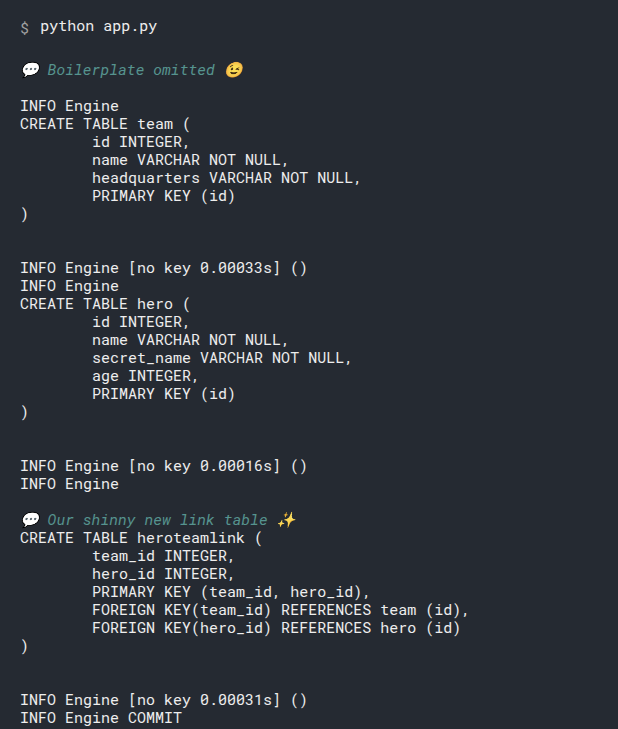
# Recap
We can support many-to-many relationships between tables by declaring a link table.
We can create it the same way as with other SQLModel classes, and then use it in the link_model parameter to Relationship().
Now let's work with data using these models in the next chapters.
# Create Data with Many-to-Many Relationships
Let's continue from where we left and create some data.
We'll create data for this same many-to-many relationship with a link table:
We'll continue from where we left off with the previous code.
# Create Heroes
As we have done before, we'll create a function create_heroes() and we'll create some teams and heroes in it:
# Code above omitted
def create_heroes():
with Session(engine) as session:
team_preventers = Team(name="Preventers", headquarters="Sharp Tower")
team_z_force = Team(name="Z-Force", headquarters="Sister Margaret's Bar")
hero_deadpond = Hero(
name="Deadpond",
secret_name="Dive Wilson",
teams=[team_z_force, team_preventers],
)
hero_rusty_man = Hero(
name="Rusty-Man",
secret_name="Tommy Sharp",
age=48,
teams=[team_preventers],
)
hero_spider_boy = Hero(
name="Spider-Boy", secret_name="Pedro Parqueador", teams=[team_preventers]
)
# Code below omitted
2
3
4
5
6
7
8
9
10
11
12
13
14
15
16
17
18
19
20
21
22
23
This is very similar to what we have done before.
We create a couple of teams, and then three heroes.
The only new detail is that instead of using an argument team we now use teams, because that is the name of the new relationship attribute. And more importantly, we pass a list of teams (even if it contains a single team).
See how Deadpond now belongs to the two teams?
# Commit, Refresh, and Print
Now let's do as we have done before, commit the session, refresh the data, and print it:
# Code above omitted
def create_heroes():
with Session(engine) as session:
team_preventers = Team(name="Preventers", headquarters="Sharp Tower")
team_z_force = Team(name="Z-Force", headquarters="Sister Margaret's Bar")
hero_deadpond = Hero(
name="Deadpond",
secret_name="Dive Wilson",
teams=[team_z_force, team_preventers],
)
hero_rusty_man = Hero(
name="Rusty-Man",
secret_name="Tommy Sharp",
age=48,
teams=[team_preventers],
)
hero_spider_boy = Hero(
name="Spider-Boy", secret_name="Pedro Parqueador", teams=[team_preventers]
)
session.add(hero_deadpond)
session.add(hero_rusty_man)
session.add(hero_spider_boy)
session.commit()
session.refresh(hero_deadpond)
session.refresh(hero_rusty_man)
session.refresh(hero_spider_boy)
print("Deadpond:", hero_deadpond)
print("Deadpond teams:", hero_deadpond.teams)
print("Rusty-Man:", hero_rusty_man)
print("Rusty-Man Teams:", hero_rusty_man.teams)
print("Spider-Boy:", hero_spider_boy)
print("Spider-Boy Teams:", hero_spider_boy.teams)
# Code below omitted
2
3
4
5
6
7
8
9
10
11
12
13
14
15
16
17
18
19
20
21
22
23
24
25
26
27
28
29
30
31
32
33
34
35
36
37
38
# Add to Main
As before, add the create_heroes() function to the main() function to make sure it is called when running this program from the command line:
# Code above omitted
def main():
create_db_and_tables()
create_heroes()
# Code below omitted
2
3
4
5
6
7
# Run the Program
If we run the program from the command line, it would create tables like this:
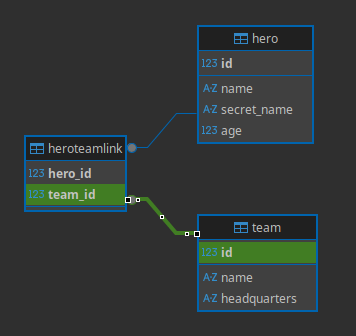
# Recap
After setting up the model link, using it with relationship attributes is fairly straightforward, just Python objects.
# Update and Remove Many-to-Many Relationships
Now we'll see how to update and remove these many-to-many relationships.
We'll continue from where we left off with the previous code.
# Get Data to Update
Let's now create a function update_heroes().
We'll get Spider-Boy and the Z-Force team.
As you already know how these goes, I'll use the short version and get the data in a single Python statement.
And because we are now using select(), we also have to import it.
from sqlmodel import Field, Relationship, Session, SQLModel, create_engine, select
# Code here omitted
def update_heroes():
with Session(engine) as session:
hero_spider_boy = session.exec(
select(Hero).where(Hero.name == "Spider-Boy")
).one()
team_z_force = session.exec(select(Team).where(Team.name == "Z-Force")).one()
# Code below omitted
2
3
4
5
6
7
8
9
10
11
12
And of course, we have to add update_heroes() to our main() function:
# Code above omitted
def main():
create_db_and_tables()
create_heroes()
update_heroes()
if __name__ == "__main__":
main()
2
3
4
5
6
7
8
9
10
# Add Many-to-Many Relationships
Now let's imagine that Spider-Boy thinks that the Z-Force team is super cool and decides to go there and join them.
We can use the same relationship attributes to inlcude hero_spider_boy in the team_z_force.heroes.
# Code above omitted
def update_heroes():
with Session(engine) as session:
hero_spider_boy = session.exec(
select(Hero).where(Hero.name == "Spider-Boy")
).one()
team_z_force = session.exec(select(Team).where(Team.name == "Z-Force")).one()
team_z_force.heroes.append(hero_spider_boy)
session.add(team_z_force)
session.commit()
print("Updated Spider-Boy's Teams:", hero_spider_boy.teams)
print("Z-Force heroes:", team_z_force.heroes)
# Code below omitted
2
3
4
5
6
7
8
9
10
11
12
13
14
15
16
17
Because we are accessing an attribute in the models right after we commit, with hero_spider_boy.teams and team_z_force.heroes, the data is refreshed automatically.
So we don't have to call session.refresh().
We then commit the change, refresh, and print the updated Spider-Boy's heroes to confirm.
Notice that we only add Z-Force to the session, then we commit.
We never add Spider-Boy to the session, and we never refresh it. But we still print his teams.
This still works correctly because we are using back_populates in the Relationship() in the models. That way, SQLModel (actually SQLAlchemy) can keep track of the changes and updates, and make sure they also happen on the relationships in the other related models.
# Run the Program
from sqlmodel import Field, Relationship, Session, SQLModel, create_engine, select
class HeroTeamLink(SQLModel, table=True):
team_id: int | None = Field(default=None, foreign_key="team.id", primary_key=True)
hero_id: int | None = Field(default=None, foreign_key="hero.id", primary_key=True)
class Team(SQLModel, table=True):
id: int | None = Field(default=None, primary_key=True)
name: str = Field(index=True)
headquarters: str
heroes: list["Hero"] = Relationship(back_populates="teams", link_model=HeroTeamLink)
class Hero(SQLModel, table=True):
id: int | None = Field(default=None, primary_key=True)
name: str = Field(index=True)
secret_name: str
age: int | None = Field(default=None, index=True)
teams: list[Team] = Relationship(back_populates="heroes", link_model=HeroTeamLink)
sqlite_file_name = "database.db"
sqlite_url = f"sqlite:///{sqlite_file_name}"
engine = create_engine(sqlite_url, echo=True)
def create_db_and_tables():
SQLModel.metadata.create_all(engine)
def create_heroes():
with Session(engine) as session:
team_preventers = Team(name="Preventers", headquarters="Sharp Tower")
team_z_force = Team(name="Z-Force", headquarters="Sister Margaret's Bar")
hero_deadpond = Hero(
name="Deadpond",
secret_name="Dive Wilson",
teams=[team_z_force, team_preventers],
)
hero_rusty_man = Hero(
name="Rusty-Man",
secret_name="Tommy Sharp",
age=48,
teams=[team_preventers],
)
hero_spider_boy = Hero(
name="Spider-Boy", secret_name="Pedro Parqueador", teams=[team_preventers]
)
session.add(hero_deadpond)
session.add(hero_rusty_man)
session.add(hero_spider_boy)
session.commit()
session.refresh(hero_deadpond)
session.refresh(hero_rusty_man)
session.refresh(hero_spider_boy)
print("Deadpond:", hero_deadpond)
print("Deadpond teams:", hero_deadpond.teams)
print("Rusty-Man:", hero_rusty_man)
print("Rusty-Man Teams:", hero_rusty_man.teams)
print("Spider-Boy:", hero_spider_boy)
print("Spider-Boy Teams:", hero_spider_boy.teams)
def update_heroes():
with Session(engine) as session:
hero_spider_boy = session.exec(
select(Hero).where(Hero.name == "Spider-Boy")
).one()
team_z_force = session.exec(select(Team).where(Team.name == "Z-Force")).one()
team_z_force.heroes.append(hero_spider_boy)
session.add(team_z_force)
session.commit()
print("Updated Spider-Boy's Teams:", hero_spider_boy.teams)
print("Z-Force heroes:", team_z_force.heroes)
hero_spider_boy.teams.remove(team_z_force)
session.add(team_z_force)
session.commit()
print("Reverted Z-Force's heroes:", team_z_force.heroes)
print("Reverted Spider-Boy's teams:", hero_spider_boy.teams)
def main():
create_db_and_tables()
create_heroes()
update_heroes()
if __name__ == "__main__":
main()
2
3
4
5
6
7
8
9
10
11
12
13
14
15
16
17
18
19
20
21
22
23
24
25
26
27
28
29
30
31
32
33
34
35
36
37
38
39
40
41
42
43
44
45
46
47
48
49
50
51
52
53
54
55
56
57
58
59
60
61
62
63
64
65
66
67
68
69
70
71
72
73
74
75
76
77
78
79
80
81
82
83
84
85
86
87
88
89
90
91
92
93
94
95
96
97
98
99
100
101
You can confirm it's all working by running the program in the command line:
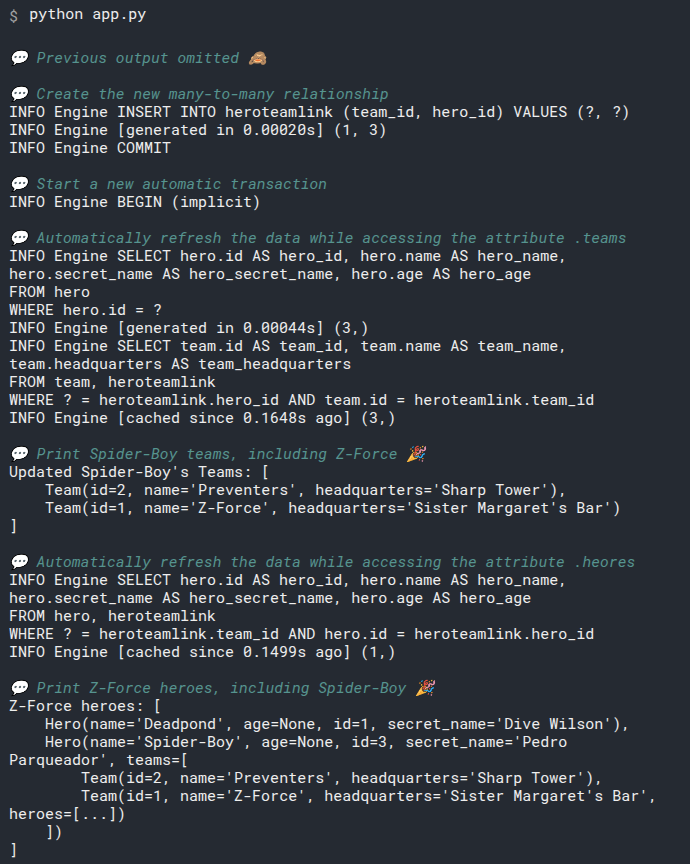
# Remove Many-to-Many Relationships
Now let's say that right after joinint the team, Spider-Boy realized that their "life preserving policies" are much more relaxed than what he's used to.
And their occupational safety and health is also not as great...
So, Spider-Boy decides to leave Z-Force.
Let's update the relationships to remove team_z_force from hero_spider_boy.teams.
Because hero_spider_boy.teams is just a list (a special list managed by SQLAlchemy, but a list), we can use the standard list methods.
In this case, we use the method .remove(), that takes an item and removes it form the list.
# Code above omitted
def update_heroes():
with Session(engine) as session:
hero_spider_boy = session.exec(
select(Hero).where(Hero.name == "Spider-Boy")
).one()
team_z_force = session.exec(select(Team).where(Team.name == "Z-Force")).one()
team_z_force.heroes.append(hero_spider_boy)
session.add(team_z_force)
session.commit()
print("Updated Spider-Boy's Teams:", hero_spider_boy.teams)
print("Z-Force heroes:", team_z_force.heroes)
hero_spider_boy.teams.remove(team_z_force)
session.add(team_z_force)
session.commit()
print("Reverted Z-Force's heroes:", team_z_force.heroes)
print("Reverted Spider-Boy's teams:", hero_spider_boy.teams)
# Code below omitted
2
3
4
5
6
7
8
9
10
11
12
13
14
15
16
17
18
19
20
21
22
23
24
And this time, just to show again that by using back_populates SQLModel (actually SQLAlchemy) takes care of connecting the models by their relationships, even though we performed the operation from the hero_spider_boy object (modifying hero_spider_boy.teams), we are adding team_z_force to the session. And we commit that, without even add hero_spider_boy.
This still works because by updating the teams in hero_spider_boy, because they are synchronized with back_populates, the changes are also reflected in team_z_force, so it also has changes to be saved in the DB (that Spider-Boy was removed).
And then we add the team, and commit the changes, which updates the team_z_force object, and because it changed the table that also had a connection with the hero_spider_boy, it is also marked internally as updated, so it all works.
And then we just print them again to confirm that everything worked correctly.
# Run the Program Again
To confirm that this last part worked, you can run the program again, it will output something like:
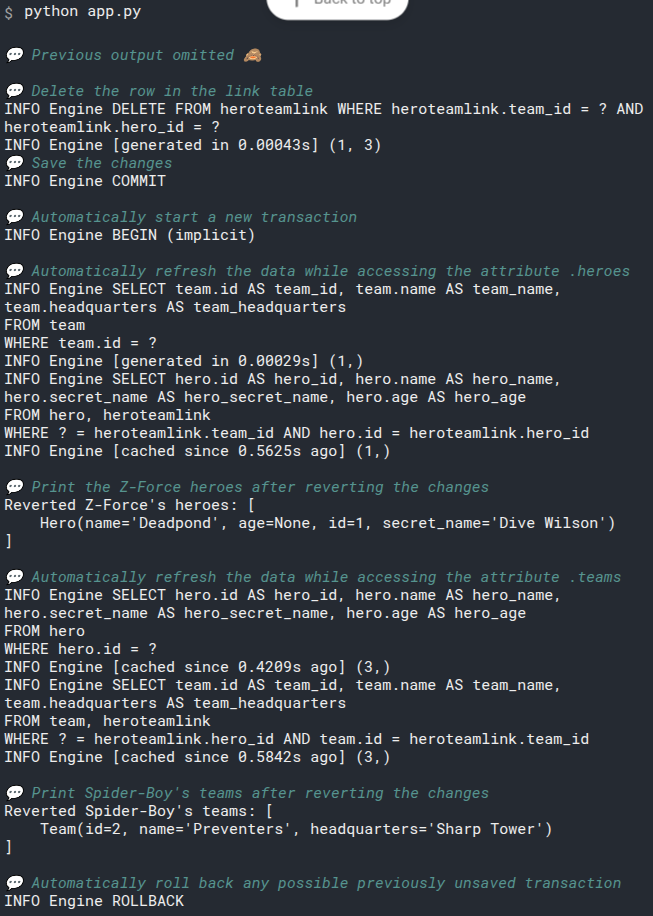
# Recap
Updating and removing many-to-many relationships is quite straightforward after setting up the link model and the relationship attributes.
You can just use common list operation.
# Link Model with Extra Fields
In the previous example we never interacted directly with the HeroTeamLink model, it was all through the automatic many-to-many relationship.
But what if we needed to have additonal data to describe the link between the two models.
Let's say that we want to have an extra field/column to say if a hero is still training in that team or if they are already going on missions and stuff.
Let's see how to achieve that.
# Link Model with One-to-Many
The way to handle this is to explicitly use the link model, to be able to get and modify its data (apart from the foreign keys pointing to the two models for Hero and Team).
In the end, the way it works is just like two one-to-many relationships combined.
A row in the table heroteamlink points to one particular hero, but a single hero can be connected to many hero-team links, so it's one-to-many.
And also, the same row in the table heroteamlink points to one team, but a single team can be connected to many hero-team links, so it's also one-to-many.
The previous many-to-many relationship was also just two one-to-many relationships combined, but now it's going to be much more explicit.
# Update Link Model
Let's update the HeroTeamLink model.
We will add a new field is_training.
And we will also add two relationship attributes, for the linked team and hero:
# Code above omitted
class HeroTeamLink(SQLModel, table=True):
team_id: int | None = Field(default=None, foreign_key="team.id", primary_key=True)
hero_id: int | None = Field(default=None, foreign_key="hero.id", primary_key=True)
is_training: bool = False
team: "Team" = Relationship(back_populates="hero_links")
hero: "Hero" = Relationship(back_populates="team_links")
# Code below omitted
2
3
4
5
6
7
8
9
10
11
The new relationship attributes have their own back_populates pointing to new relationship attributes we will create in the Hero and Team models:
team: hasback_populates="hero_links", because in theTeammodel, the attribute will contain the links to the team's heroes.hero: hasback_populates="team_links", because in theHeromodel, the attribute will contain the links to the hero's teams.
In SQLAlchemy this is called an Association Object or Association Model.
I'm calling it Link Model just because that's easier to write avoiding typos. But you are also free to call it however you want.
# Update Team Model
Now let's update the Team model.
We no longer have the heroes relationship attribute, and instead we have the new hero_links attribute:
# Code above omitted
class Team(SQLModel, table=True):
id: int | None = Field(default=None, primary_key=True)
name: str = Field(index=True)
headquarters: str
hero_links: list[HeroTeamLink] = Relationship(back_populates="team")
# Code below omitted
2
3
4
5
6
7
8
9
10
# Update Hero Model
The same with the Hero model.
We change the teams relationship attribute for team_links:
# Code above omitted
class Hero(SQLModel, table=True):
id: int | None = Field(default=None, primary_key=True)
name: str = Field(index=True)
secret_name: str
age: int | None = Field(default=None, index=True)
team_links: list[HeroTeamLink] = Relationship(back_populates="hero")
# Code below omitted
2
3
4
5
6
7
8
9
10
11
# Create Relationships
Now the process to create relationships is very similar.
But now we create the explicit link models manually, pointing to their hero and team instances, and specifying the additional link data (is_training):
# Code above omitted
def create_heroes():
with Session(engine) as session:
team_preventers = Team(name="Preventers", headquarters="Sharp Tower")
team_z_force = Team(name="Z-Force", headquarters="Sister Margaret's Bar")
hero_deadpond = Hero(
name="Deadpond",
secret_name="Dive Wilson",
)
hero_rusty_man = Hero(
name="Rusty-Man",
secret_name="Tommy Sharp",
age=48,
)
hero_spider_boy = Hero(
name="Spider-Boy",
secret_name="Pedro Parqueador",
)
deadpond_team_z_link = HeroTeamLink(team=team_z_force, hero=hero_deadpond)
deadpond_preventers_link = HeroTeamLink(
team=team_preventers, hero=hero_deadpond, is_training=True
)
spider_boy_preventers_link = HeroTeamLink(
team=team_preventers, hero=hero_spider_boy, is_training=True
)
rusty_man_preventers_link = HeroTeamLink(
team=team_preventers, hero=hero_rusty_man
)
session.add(deadpond_team_z_link)
session.add(deadpond_preventers_link)
session.add(spider_boy_preventers_link)
session.add(rusty_man_preventers_link)
session.commit()
for link in team_z_force.hero_links:
print("Z-Force hero:", link.hero, "is training:", link.is_training)
for link in team_preventers.hero_links:
print("Preventers hero:", link.hero, "is training:", link.is_training)
# Code below omitted
2
3
4
5
6
7
8
9
10
11
12
13
14
15
16
17
18
19
20
21
22
23
24
25
26
27
28
29
30
31
32
33
34
35
36
37
38
39
40
41
42
43
44
We are just adding the link model instances to the session, because the link model instances are connected to the heroes and teams, they will be also automatically included in the session when we commit.
# Run the Program
Now, if we run the program, it will show almost the same output as before, because it is generating almost the same SQL, but this time including the new is_training column:
from sqlmodel import Field, Relationship, Session, SQLModel, create_engine, select
class HeroTeamLink(SQLModel, table=True):
team_id: int | None = Field(default=None, foreign_key="team.id", primary_key=True)
hero_id: int | None = Field(default=None, foreign_key="hero.id", primary_key=True)
is_training: bool = False
team: "Team" = Relationship(back_populates="hero_links")
hero: "Hero" = Relationship(back_populates="team_links")
class Team(SQLModel, table=True):
id: int | None = Field(default=None, primary_key=True)
name: str = Field(index=True)
headquarters: str
hero_links: list[HeroTeamLink] = Relationship(back_populates="team")
class Hero(SQLModel, table=True):
id: int | None = Field(default=None, primary_key=True)
name: str = Field(index=True)
secret_name: str
age: int | None = Field(default=None, index=True)
team_links: list[HeroTeamLink] = Relationship(back_populates="hero")
sqlite_file_name = "database.db"
sqlite_url = f"sqlite:///{sqlite_file_name}"
engine = create_engine(sqlite_url, echo=True)
def create_db_and_tables():
SQLModel.metadata.create_all(engine)
def create_heroes():
with Session(engine) as session:
team_preventers = Team(name="Preventers", headquarters="Sharp Tower")
team_z_force = Team(name="Z-Force", headquarters="Sister Margaret's Bar")
hero_deadpond = Hero(
name="Deadpond",
secret_name="Dive Wilson",
)
hero_rusty_man = Hero(
name="Rusty-Man",
secret_name="Tommy Sharp",
age=48,
)
hero_spider_boy = Hero(
name="Spider-Boy",
secret_name="Pedro Parqueador",
)
deadpond_team_z_link = HeroTeamLink(team=team_z_force, hero=hero_deadpond)
deadpond_preventers_link = HeroTeamLink(
team=team_preventers, hero=hero_deadpond, is_training=True
)
spider_boy_preventers_link = HeroTeamLink(
team=team_preventers, hero=hero_spider_boy, is_training=True
)
rusty_man_preventers_link = HeroTeamLink(
team=team_preventers, hero=hero_rusty_man
)
session.add(deadpond_team_z_link)
session.add(deadpond_preventers_link)
session.add(spider_boy_preventers_link)
session.add(rusty_man_preventers_link)
session.commit()
for link in team_z_force.hero_links:
print("Z-Force hero:", link.hero, "is training:", link.is_training)
for link in team_preventers.hero_links:
print("Preventers hero:", link.hero, "is training:", link.is_training)
def update_heroes():
with Session(engine) as session:
hero_spider_boy = session.exec(
select(Hero).where(Hero.name == "Spider-Boy")
).one()
team_z_force = session.exec(select(Team).where(Team.name == "Z-Force")).one()
spider_boy_z_force_link = HeroTeamLink(
team=team_z_force, hero=hero_spider_boy, is_training=True
)
team_z_force.hero_links.append(spider_boy_z_force_link)
session.add(team_z_force)
session.commit()
print("Updated Spider-Boy's Teams:", hero_spider_boy.team_links)
print("Z-Force heroes:", team_z_force.hero_links)
for link in hero_spider_boy.team_links:
if link.team.name == "Preventers":
link.is_training = False
session.add(hero_spider_boy)
session.commit()
for link in hero_spider_boy.team_links:
print("Spider-Boy team:", link.team, "is training:", link.is_training)
def main():
create_db_and_tables()
create_heroes()
update_heroes()
if __name__ == "__main__":
main()
2
3
4
5
6
7
8
9
10
11
12
13
14
15
16
17
18
19
20
21
22
23
24
25
26
27
28
29
30
31
32
33
34
35
36
37
38
39
40
41
42
43
44
45
46
47
48
49
50
51
52
53
54
55
56
57
58
59
60
61
62
63
64
65
66
67
68
69
70
71
72
73
74
75
76
77
78
79
80
81
82
83
84
85
86
87
88
89
90
91
92
93
94
95
96
97
98
99
100
101
102
103
104
105
106
107
108
109
110
111
112
113
114
115
116
117
# Add Relationships
Now, to add a new relationship, we have to create a new HeroTeamLink instance pointing to the hero and the team, add it to the session, and commit it.
Here we do that in the update_heroes() function:
# Code above omitted
def update_heroes():
with Session(engine) as session:
hero_spider_boy = session.exec(
select(Hero).where(Hero.name == "Spider-Boy")
).one()
team_z_force = session.exec(select(Team).where(Team.name == "Z-Force")).one()
spider_boy_z_force_link = HeroTeamLink(
team=team_z_force, hero=hero_spider_boy, is_training=True
)
team_z_force.hero_links.append(spider_boy_z_force_link)
session.add(team_z_force)
session.commit()
print("Updated Spider-Boy's Teams:", hero_spider_boy.team_links)
print("Z-Force heroes:", team_z_force.hero_links)
# Code below omitted
2
3
4
5
6
7
8
9
10
11
12
13
14
15
16
17
18
19
20
# Run the Program with the New Relationship
omitted.
# Update Relationships with Links
Now let's say that Spider-Boy has been training enough in the Preventers, and they say he can join the team full time.
So now we want to update the status of is_training to False.
We can do that by iterating on the links:
# Code above omitted
def update_heroes():
with Session(engine) as session:
# Code here omitted
for link in hero_spider_boy.team_links:
if link.team.name == "Preventers":
link.is_training = False
session.add(hero_spider_boy)
session.commit()
for link in hero_spider_boy.team_links:
print("Spider-Boy team:", link.team, "is training:", link.is_training)
# Code below omitted
2
3
4
5
6
7
8
9
10
11
12
13
14
15
16
17
18
# Run the Program with the Updated Relationships
omitted.
# Recap
If you need to store more information about a many-to-many relationship you can use an explicit link model with extra data in it.
# Code Structure and Multiple Files
Let's stop for a second to think about to structure the code, particularly in large projects with multiple files.
# Circular Imports
The class Hero has reference to the class Team internally.
But the class Team also has a reference to the class Hero.
So, if those two classes were in separate files and you tried to import the classes in each other's file directly, it would result in a circular import.
And Python will not be able to handle it and will throw an error.
But we actually want to mean that circular reference, because in our code, we would be able to do crazy things like:
hero.team.heroes[0].team.heroes[1].team.heroes[2].name
And that circular reference is what we are expression with these relationship attributes, that:
- A hero can have a team
- That team can have a list of heroes
- Each of those heroes can have a team
- ...and so on
- Each of those heroes can have a team
- That team can have a list of heroes
Let's see different strategies to structure the code accounting for this.
# Single Module for Models
This is the simplest way.
In this solution we are still using multiple files, for the models, for the database, and for the app.
And we could have any other files necessary.
But in this first case, all the models would live in a single file.
The file structure of the project could be:
.
├── project
├── __init__.py
├── app.py
├── database.py
└── models.py
2
3
4
5
6
We have 3 Python modules (or files):
appdatabasemodels
And we also have an empty __init__.py file to make this project a "Python package" (a collection of Python modules). This way we can use relative imports* in the app.py file/module, like:
from .models import Hero, Team
from .database import engine
2
We can use these relative imports because, for example, in the file app.py (the app module) Python knows that it is part of our Python package because it is in the same directory as the file __init__.py. And all the Python files on the same directory are part of the same Python package too.
# Models File
You could put all the database Models in a single Python module (a single Python file), for example models.py:
from typing import List, Optional
from sqlmodel import Field, Relationship, SQLModel
class Team(SQLModel, table=True):
id: Optional[int] = Field(default=None, primary_key=True)
name: str = Field(index=True)
headquarters: str
heroes: List["Hero"] = Relationship(back_populates="team")
class Hero(SQLModel, table=True):
id: Optional[int] = Field(default=None, primary_key=True)
name: str = Field(index=True)
secret_name: str
age: Optional[int] = Field(default=None, index=True)
team_id: Optional[int] = Field(default=None, foreign_key="team.id")
team: Optional[Team] = Relationship(back_populates="heroes")
2
3
4
5
6
7
8
9
10
11
12
13
14
15
16
17
18
19
20
21
This way, you wouldn't have to deal with circular imports for other models.
And then you could import the models from this file/module in any other file/module in your application.
# Database File
Then you could put the code creating the engine and the function to create all the tables (if you are not using migrations) in another file database.py:
from sqlmodel import SQLModel, create_engine
sqlite_file_name = "database.db"
sqlite_url = f"sqlite:///{sqlite_file_name}"
engine = create_engine(sqlite_url)
def create_db_and_tables():
SQLModel.metadata.create_all(engine)
2
3
4
5
6
7
8
9
10
This file would also be imported by your application code, to use the shared engine and to get and call the function create_db_and_tables().
# Application File
Finally, you could put the code to create the app in another file app.py:
from sqlmodel import Session
from .database import create_db_and_tables, engine
from .models import Hero, Team
def create_heroes():
with Session(engine) as session:
team_z_force = Team(name="Z-Force", headquarters="Sister Margaret's Bar")
hero_deadpond = Hero(
name="Deadpond", secret_name="Dive Wilson", team=team_z_force
)
session.add(hero_deadpond)
session.commit()
session.refresh(hero_deadpond)
print("Created hero:", hero_deadpond)
print("Hero's team:", hero_deadpond.team)
def main():
create_db_and_tables()
create_heroes()
if __name__ == "__main__":
main()
2
3
4
5
6
7
8
9
10
11
12
13
14
15
16
17
18
19
20
21
22
23
24
25
26
27
28
29
Here we import the models, the engine, and the function to create all the tables and then we can use them all internally.
# Order Matters
Remember that Order Matters when calling SQLModel.metadata.create_all()?
The point of that section in the docs is that you have to import the module that has the models before calling SQLModel.metadata.create_all().
We are doing that here, we import the models in app.py and after that we create the database and tables, so we are fine and everything works correctly.
# Run it in the Command Line
Because now this is a larger project with a Python package and not a single Python file, we cannot call it just passing a single file name as we did before with:
python app.py
Now we have to tell Python that we want it to execute a module that is part of a package:
python -m project.app
The -m is to tell Python to call a module. And the next thing we pass is a string with project.app, that is the same format we could use in an import:
import project.app
Then Python will execute that module inside of that package, and because Python is executing it directly, the same trick with the main block that we have in app.py will still work:
if __name__ == '__main__':
main()
2
So, the output would be:

# Make Circular Imports Work
Let's say that for some reason you hate the idea of having all the database models together in a single file, and you really want to have separate files a hero_model.py file and a team_model.py file.
You can also do it. There's a couple of things to keep in mind.
This is a bit more advanced.
If the solution above already worked for you, that might be enough for you, and you can continue in the next chapter.
Let's assume that now the file structure is:
.
├── project
├── __init__.py
├── app.py
├── database.py
├── hero_model.py
└── team_model.py
2
3
4
5
6
7
# Circular Imports and Type Annotations
The problem with circular import is that Python can't resolve them at runtime.
But when using Python type annotations it's very common to need to declare the type of some variables with classes imported from other files.
And the files with those classes might also need to import more things from the first files.
And this end up requiring the same circular imports that are not supported in Python at runtime.
# Type Annotations and Runtime
But these type annotations we want to declare are not needed at runtime.
In fact, remember that we used list["Hero"], with a "Hero" in a string?
For Python, at runtime, that is just a string.
So, if we could add the type annotations we need using the string versions, Python wouldn't have a problem.
But if we just put strings in the type annotations, without importing anything, the editor wouldn't know what we mean, and wouldn't be able to help us with autocompletion and inline errors.
So, if there was a way to "import" some things that act as "imported" only while editing the code but not at runtime, that would solve it... And it exists! Exactly that.
# Import Only While Editing with TYPE_CHECKING
To solve it, there's a special trick with a special variable TYPE_CHECKING in the typing module.
It has a value of True for editors and tools that analyze the code with the type annotations.
But when Python is executing, its value is False.
So, we can use it in an if block and import things inside the if block. And they will be "imported" only for editors, but not a runtime.
# Hero Model File
Using that trick of TYPE_CHECKING we can "import" the Team in hero_model.py:
from typing import TYPE_CHECKING, Optional
from sqlmodel import Field, Relationship, SQLModel
if TYPE_CHECKING:
from .team_model import Team
class Hero(SQLModel, table=True):
id: Optional[int] = Field(default=None, primary_key=True)
name: str = Field(index=True)
secret_name: str
age: Optional[int] = Field(default=None, index=True)
team_id: Optional[int] = Field(default=None, foreign_key="team.id")
team: Optional["Team"] = Relationship(back_populates="heroes")
2
3
4
5
6
7
8
9
10
11
12
13
14
15
16
Have in mind that now we have to put the annotation of Team as a string: "Team", so that Python doesn't have errors at runtime.
# Team Model File
We use the same trick in the team_model.py file:
from typing import TYPE_CHECKING, List, Optional
from sqlmodel import Field, Relationship, SQLModel
if TYPE_CHECKING:
from .hero_model import Hero
class Team(SQLModel, table=True):
id: Optional[int] = Field(default=None, primary_key=True)
name: str = Field(index=True)
headquarters: str
heroes: List["Hero"] = Relationship(back_populates="team")
2
3
4
5
6
7
8
9
10
11
12
13
14
Now we get editor support, autocompletion, inline errors, and SQLModel keeps working.
# App File
Now, just for completeness, the app.py file would import the models from both modules:
from sqlmodel import Session
from .database import create_db_and_tables, engine
from .hero_model import Hero
from .team_model import Team
def create_heroes():
with Session(engine) as session:
team_z_force = Team(name="Z-Force", headquarters="Sister Margaret's Bar")
hero_deadpond = Hero(
name="Deadpond", secret_name="Dive Wilson", team=team_z_force
)
session.add(hero_deadpond)
session.commit()
session.refresh(hero_deadpond)
print("Created hero:", hero_deadpond)
print("Hero's team:", hero_deadpond.team)
def main():
create_db_and_tables()
create_heroes()
if __name__ == "__main__":
main()
2
3
4
5
6
7
8
9
10
11
12
13
14
15
16
17
18
19
20
21
22
23
24
25
26
27
28
29
30
And of course, all the tricks with TYPE_CHECKING and type annotations in strings are only needed in the files with circular imports.
As there are no circular imports with app.py, we can just use normal imports and use the classes as normally here.
And running that achieves the same result as before:

# Recap
For the simplest cases (for most of the cases) you can just keep all the models in a single file, and structure the rest of the application (including setting up the engine) in as many files as you want.
And for the complex cases that really need separating all the models in different files, you can use the TYPE_CHECKING to make it all work and still have the best developer experience with the best editor support.
# FastAPI and Pydantic - Intro
One of the use cases where SQLModel shines the most, and the main one why it was built, was to be combined with FastAPI.
FastAPI is a Python web framework for building web APIs created by the same author of SQLModel. FastAPI is also built on top of Pydantic.
In this group of chapters we will see how to combine SQLModel table models representing tables in the SQL database as all the ones we have seen up to now, with data models that only represent data (which are actually just Pydantic models behind the scenes).
Being able to combine SQLModel table models with pure data models would be useful on its own, but to make all the examples more concrete, we will use them with FastAPI.
By the end we will have a simple but complete web API to interact with the data in the database.
# Learning FastAPI
If you have never used FastAPI, maybe a good idea would be to go and study it a bit before continuing.
Just reading and trying the examples on the FastAPI main page should be enough, and it shouldn't take you more than 10 minutes.
# Simple Hero API with FastAPI
Let's start by building a simple hero web API with FastAPI.
# Install FastAPI
The first step is to install FastAPI.
FastAPI is the framework to create the web API.
Make sure you create a virtual environment, activate it, and then install them, for example with:
pip install fastapi "uvicorn[standard]"
# SQLModel Code - Models, Engine
Now let's start with the SQLModel code.
We will start with the simplest version, with just heroes (no teams yet).
This is almost the same code we have seen up to now in previous examples:
# Code above omitted
from sqlmodel import Field, Session, SQLModel, create_engine, select
# Code here omitted
class Hero(SQLModel, table=True):
id: int | None = Field(default=None, primary_key=True)
name: str = Field(index=True)
secret_name: str
age: int | None = Field(default=None, index=True)
sqlite_file_name = "database.db"
sqlite_url = f"sqlite:///{sqlite_file_name}"
connect_args = {"check_same_thread": False} # Only SQLite
engine = create_engine(sqlite_url, echo=True, connect_args=connect_args)
def create_db_and_tables():
SQLModel.metadata.create_all(engine)
# Code below omitted
2
3
4
5
6
7
8
9
10
11
12
13
14
15
16
17
18
19
20
21
22
23
24
There's only one change here from the code we have used before, the check_same_thread in the connect_args.
That is a configuration that SQLAlchemy passes to the low-level library in charge of communicating with the database.
check_same_thread is by default set to True, to prevent misuses in some simple cases.
But here we will make sure we don't share the same session in more than one request, and that's the actual safest way to prevent any of the problems that configuration is there for.
And we also need to disable it because in FastAPI each request could be handled by multiple interacting threads.
That's enough information for now, you can read more about it in the FastAPI docs for async and await.
The main point is, by ensuring you don't share the same session with more than one request, the code is already safe.
# FastAPI App
The next step is to create the FastAPI app.
We will import the FastAPI class from fastapi.
And then create an app object is an instance of that FastAPI class:
from fastapi import FastAPI
from sqlmodel import Field, Session, SQLModel, create_engine, select
# Code here omitted
app = FastAPI()
# Code below omitted
2
3
4
5
6
7
8
# Create Database and Tables on startup
We want to make sure that once the app starts running, the function create_tables is called. To create the database and tables.
This should be called only once at startup, not before every request, so we put it in the function to handle the "startup" event:
# Code above omitted
app = FastAPI()
@app.on_event("startup")
def on_startup():
create_db_and_tables()
# Code below omitted
2
3
4
5
6
7
8
9
10
# Create Heroes Path Operation
If you need a refresher on what a Path Operation is (an endpoint with a specific HTTP Operation) and how to work with it in FastAPI, check out the FastAPI First Steps docs.
Let's create the path operation code to create a new hero.
It will be called when a user sends a request with a POST operation to the /heroes/ path:
# Code above omitted
app = FastAPI()
@app.on_event("startup")
def on_startup():
create_db_and_tables()
@app.post("/heroes/")
def create_hero(hero: Hero):
with Session(engine) as session:
session.add(hero)
session.commit()
session.refresh(hero)
return hero
# Code below omitted
2
3
4
5
6
7
8
9
10
11
12
13
14
15
16
17
18
19
if you need a refresher on some of those concepts, checkout the FastAPI documentation:
# The SQLModel Advantage
Here's where having our SQLModel class models be both SQLAlchemy models and Pydantic mdoels at the same time shine.
Here we use the same class model to define the request body that will be received by our API.
Because FastAPI is based on Pydantic, it will use the same model (the Pydantic part) to do automatic data validation and conversion from the JSON request to an object that is an actual instance of the Hero class.
And then, because this same SQLModel object is not only a Pydantic model instance but also a SQLAlchemy model instance, we can use it directly in a session to create the row in the database.
So we can use intuitive standard Python type annotations, and we don't have to duplicate a lot of the code for the database models and the API data models.
We will improve this further later, but for now, it already shows the power of having SQLModel classes be both SQLAlchemy models and Pydantic models at the same time.
# Read Heroes Path Operation
Now let's add another path operation to read all the heroes:
# Code above omitted
app = FastAPI()
@app.on_event("startup")
def on_startup():
create_db_and_tables()
@app.post("/heroes/")
def create_hero(hero: Hero):
with Session(engine) as session:
session.add(hero)
session.commit()
session.refresh(hero)
return hero
@app.get("/heroes/")
def read_heroes():
with Session(engine) as session:
heroes = session.exec(select(Hero)).all()
return heroes
2
3
4
5
6
7
8
9
10
11
12
13
14
15
16
17
18
19
20
21
22
23
24
This is pretty straightforward.
When a client sends a request to the path /heroes/ with a GET HTTP operation, we run this function that gets the heroes from the database and returns them.
# One Session per Request
Remember that we should use a SQLModel session per each group of operations and if we need other unrelated operations we should use a different session?
Here it is much more obvious.
We should normally have one session per request in most of the cases.
In some isolated cases, we would want to have new sessions inside, so, more than one session per request.
But we would never want to share the same session among different requests.
In this simple example, we just create the new sessions manually in the path operation functions.
In future examples later we will use a FastAPI Dependency to get the session, being able to share it with other dependencies and being able to replace it during testing.
# Run the FastAPI Server in Development Mode
from fastapi import FastAPI
from sqlmodel import Field, Session, SQLModel, create_engine, select
class Hero(SQLModel, table=True):
id: int | None = Field(default=None, primary_key=True)
name: str = Field(index=True)
secret_name: str
age: int | None = Field(default=None, index=True)
sqlite_file_name = "database.db"
sqlite_url = f"sqlite:///{sqlite_file_name}"
connect_args = {"check_same_thread": False}
engine = create_engine(sqlite_url, echo=True, connect_args=connect_args)
def create_db_and_tables():
SQLModel.metadata.create_all(engine)
app = FastAPI()
@app.on_event("startup")
def on_startup():
create_db_and_tables()
@app.post("/heroes/")
def create_hero(hero: Hero):
with Session(engine) as session:
session.add(hero)
session.commit()
session.refresh(hero)
return hero
@app.get("/heroes/")
def read_heroes():
with Session(engine) as session:
heroes = session.exec(select(Hero)).all()
return heroes
2
3
4
5
6
7
8
9
10
11
12
13
14
15
16
17
18
19
20
21
22
23
24
25
26
27
28
29
30
31
32
33
34
35
36
37
38
39
40
41
42
43
44
Now we are ready to run the FastAPI application.
Put all that code in a file called main.py.
Then run it with the fastapi CLI, in development mode:
fastapi dev main.py
The fastapi command uses Uvicorn underneath.
When you use fastapi dev it starts Uvicorn with the option to reload automatically every time you make a change to the code, this way you will be able to develop faster.
# Run the FastAPI Server in Production Mode
The development mode should not be used in production, as it includes automatic reload by default it consumes much more resources than necessary, and it would be more error prone, etc.
For production, use fastapi run instead of fastapi dev:
fastapi run main.py
# Check the API docs UI
Now you can go to the URL in your browser http://127.0.0.1:8000. We didn't create a path operation for the root path /, so that URL alone will only show a "Not Found" error... that "Not Found" error is produced by your FastAPI application.
But you can go to the automatically generated interactive API documentation at the path /docs: http://127.0.0.1:8000/docs.
You will see that this automatice API docs UI has the paths that we defined above with their operations, and that it already knows the shape of the data that the path operations will receive:
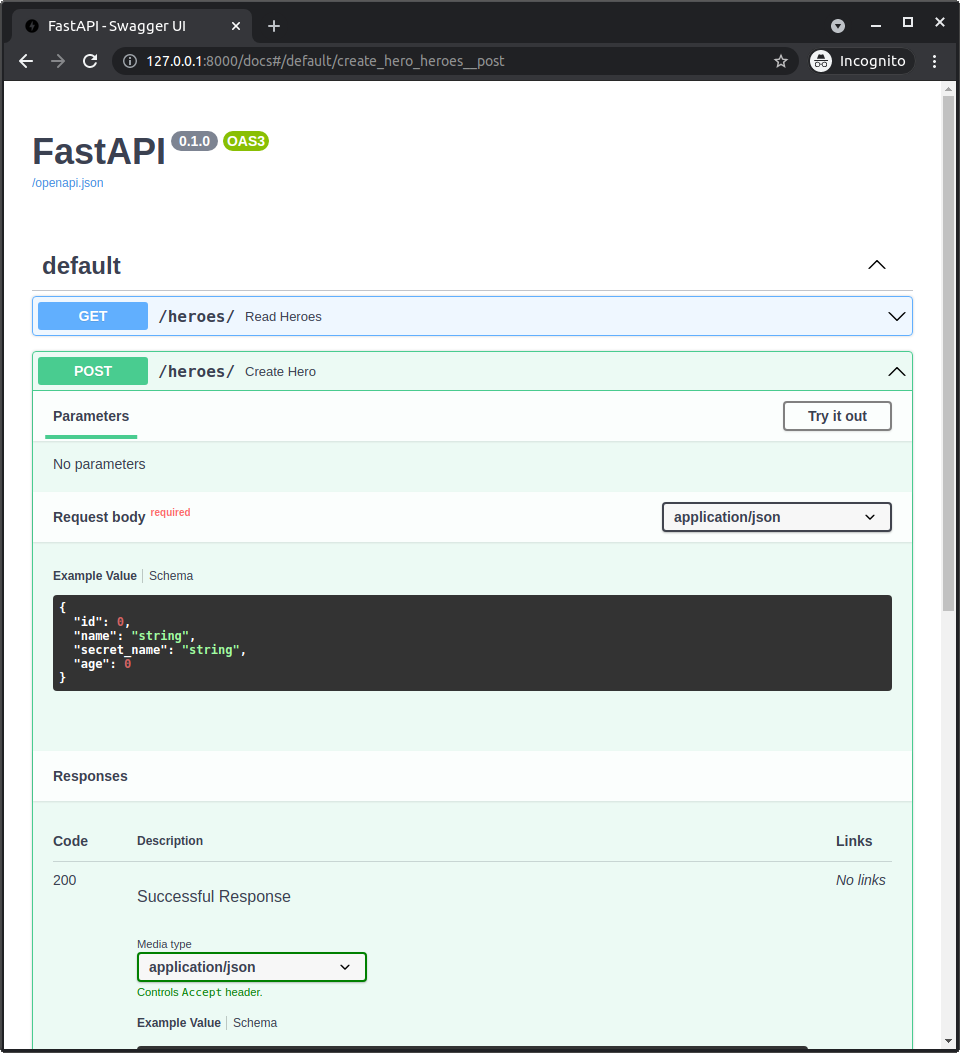
# Play with the API
You can actually click the button Try it out and send some requests to create some heroes with the Create Hero path operation.
And then you can get them back with the Read Heroes path operation:
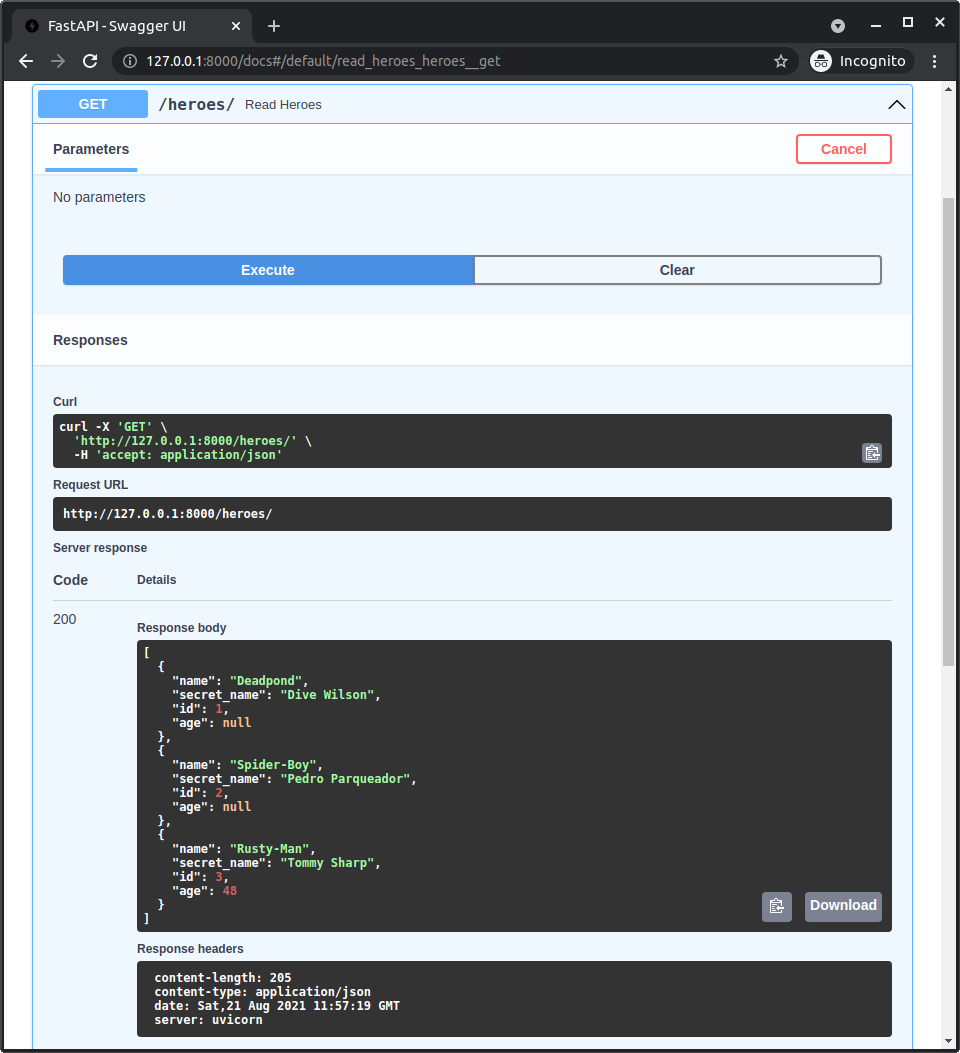
# Check the Database
Now you can terminate that server program by going back to the terminal and pressing Ctrl + C.
And then, you can open DB Browser for SQLite and check the database, to explore the data and confirm that it indeed saved the heroes.
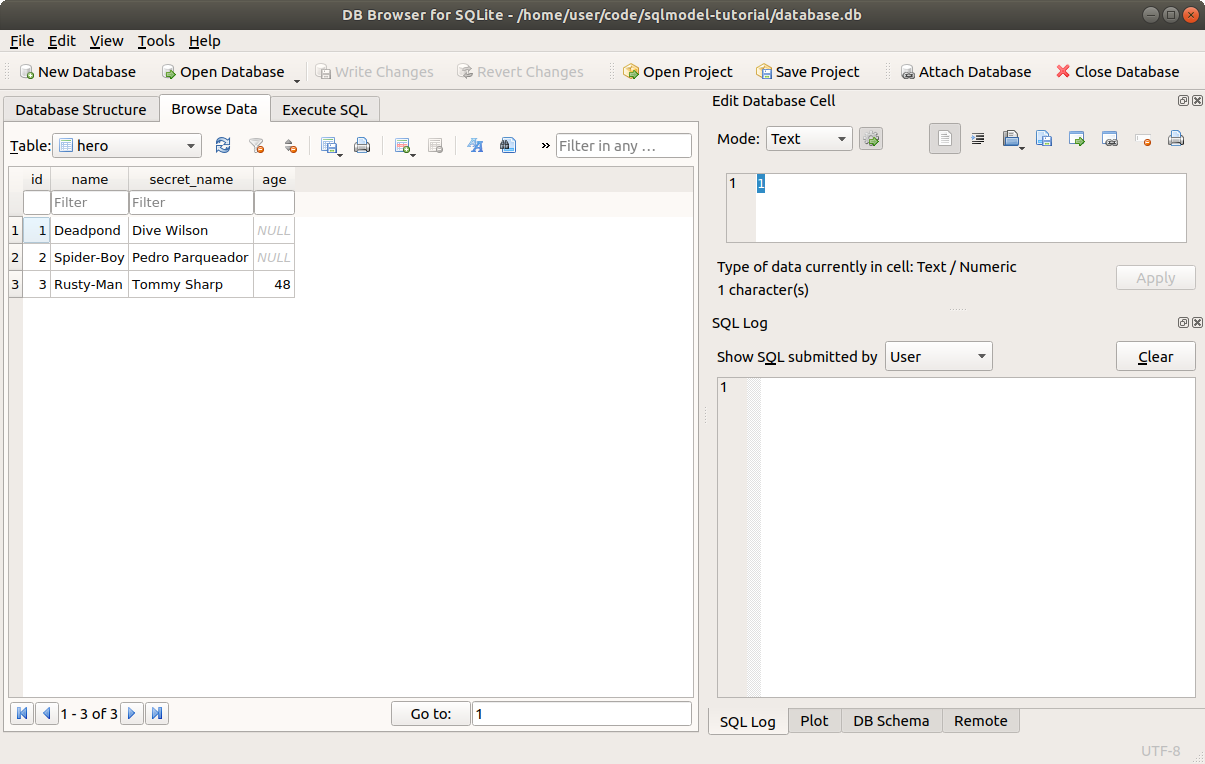
# Recap
Good job! This is already a FastAPI web API application to interact with the heroes database.
There are several things we can improve and extend. For example, we want the database to decide the ID of each new hero, we don't want to allow a user to send it.
We will make all those improvements in the next chapters.
# FastAPI Response Model with SQLModel
Now I'll show you how to use FastAPI's response_model with SQLModel.
# Interactive API Docs
Up to now, with the code we have used, the API docs know the data the clients have to send:
This interactive docs UI is powered by Swagger UI, and what Swagger UI does is to read a big JSON content that defines the API with all the data schemas (data shapes) using the standard OpenAPI, and showing it in that nice UI.
FastAPI automatically generates that OpenAPI for Swagger UI to read it.
And it generates it based on the code you write, using the Pydantic models (in this case SQLModel models) and type annotations to know the schemas of the data that the API handles.
# Response Data
But up to now, the API docs UI doesn't know the schema of the responses our app sends back.
You can see that there's a possible "Successful Response" with a code 200, but we have no idea how the response data would look like.
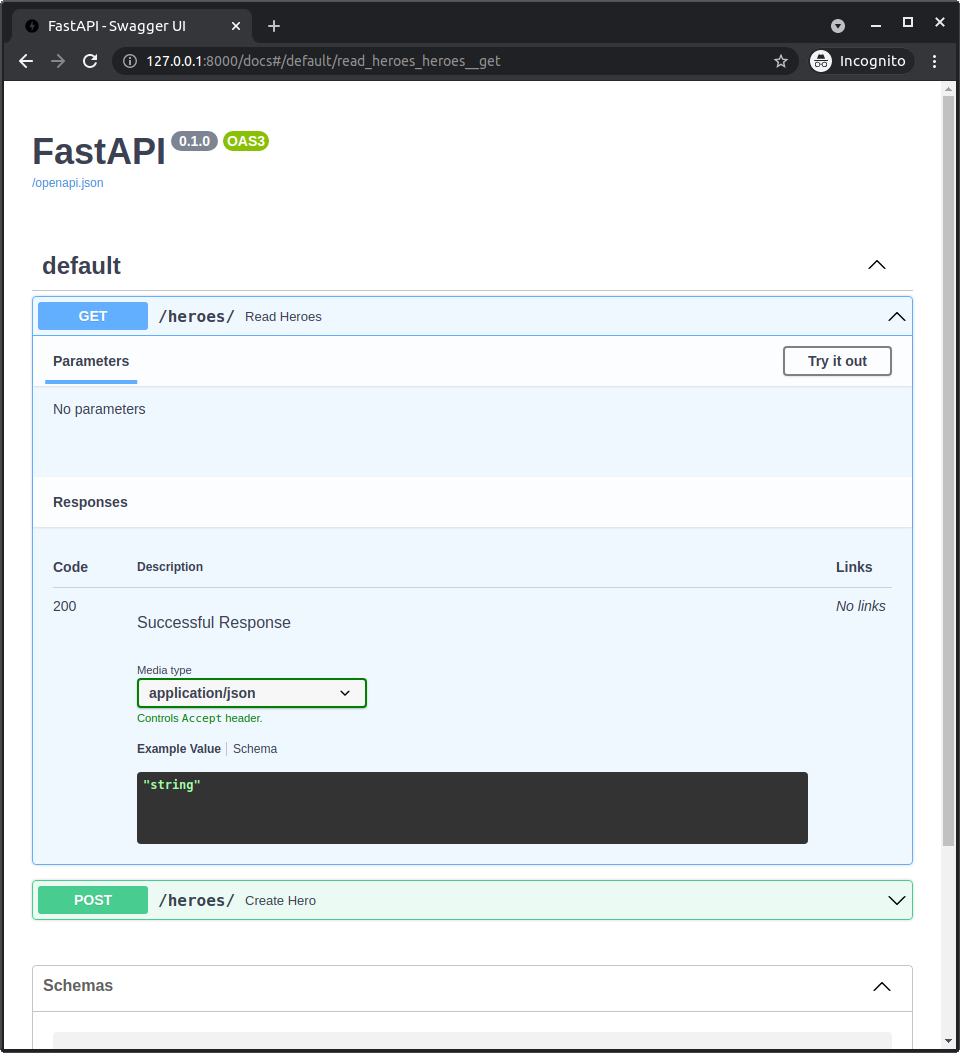
Right now, we only tell FastAPI the data we want to receive, but we don't tell it yet the data we want to send back.
Let's do that now.
# Use response_model
We can use response_model to tell FastAPI the schema of the data we want to send back.
For example, we can pass the same Hero SQLModel class (because it is also a Pydantic model):
# Code above omitted
@app.post("/heroes/", response_model=Hero)
def create_hero(hero: Hero):
with Session(engine) as session:
session.add(hero)
session.commit()
session.refresh(hero)
return hero
# Code below omitted
2
3
4
5
6
7
8
9
10
11
# List of Heroes in response_model
We can also use other type annotations, the same way we can use with Pydantic fields. For example, we can pass a list of Heros.
To do so, we declare the response_model with list[Hero]:
# Code above omitted
@app.get("/heroes/", response_model=list[Hero])
def read_heroes():
with Session(engine) as session:
heroes = session.exec(select(Hero)).all()
return heroes
2
3
4
5
6
7
# FastAPI and Response Model
FastAPI will do data validation and filtering of the response with this response_model.
So this works like a contract between our application and the client.
You can read more about it in the FastAPI docs about response_model.
# New API Docs UI
Now we can go back to the docs UI and see that they now show the schema of the response we will receive.
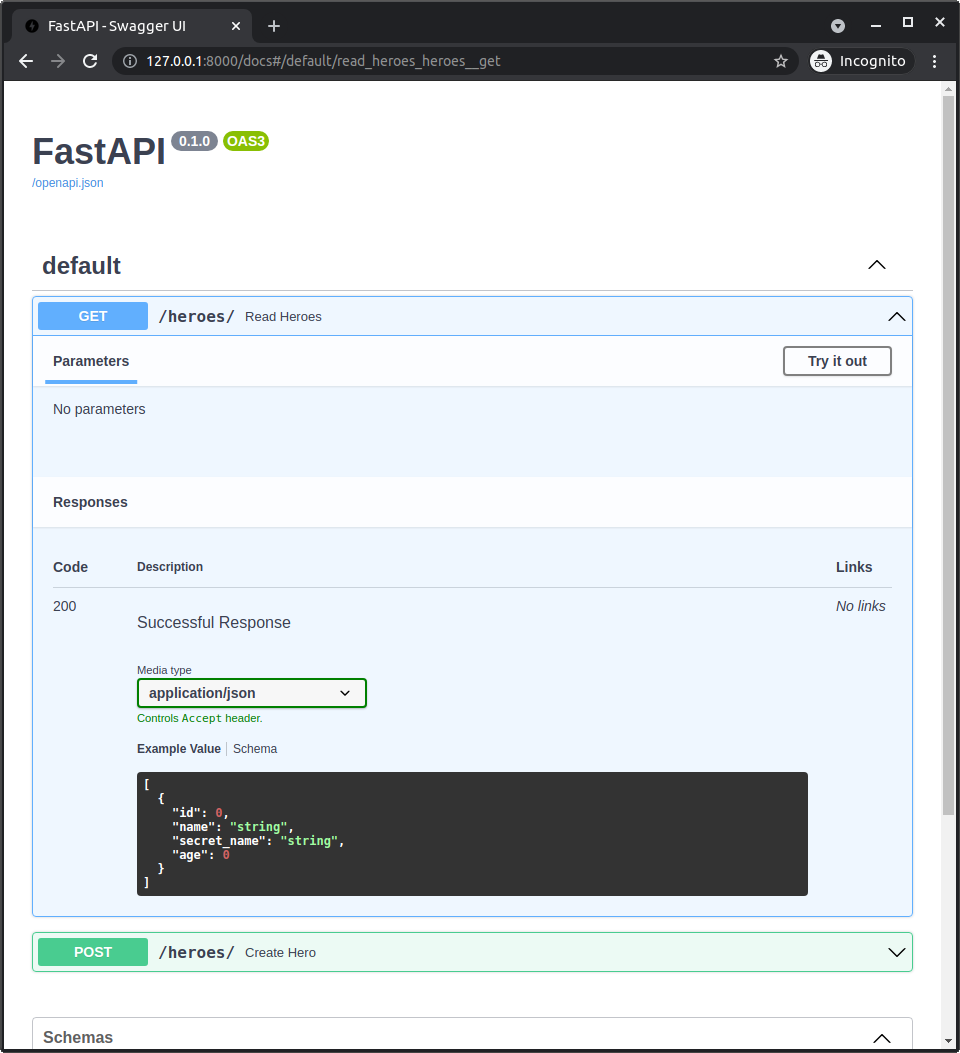
The clients will know what data they should expect.
# Automatic Clients
The most visible advantage of using the response_model is that it shows up in the API docs UI.
But there are other advantages, like that FastAPI will do automatic data validation and filtering of the response data using this model.
Additionally, because the schemas are defined in using a standard, there are many tools that can take advantage of this.
For example, client generators, that can automatically create the code necessary to talk to your API in many languages.
If you are curious about the standards, FastAPI generates OpenAPI, that internally uses JSON Schema. You can read about all that in the FastAPI docs-First Steps.
# Recap
Use the response_model to tell FastAPI the schema of the data you want to send back and have awesome data APIs.
# Multiple Models with FastAPI
We have been using the same Hero model to declare the schema of the data we receive in the API, the table model in the database, and the schema of the data we send back in responses.
But in most of the cases, there are slight differences. Let's multiple models to solve it.
Here you will see the main and biggest feature of SQLModel.
# Review Creation Schema
Let's start by reviewing the automatically generated schemas from the docs UI.
For input, we have:
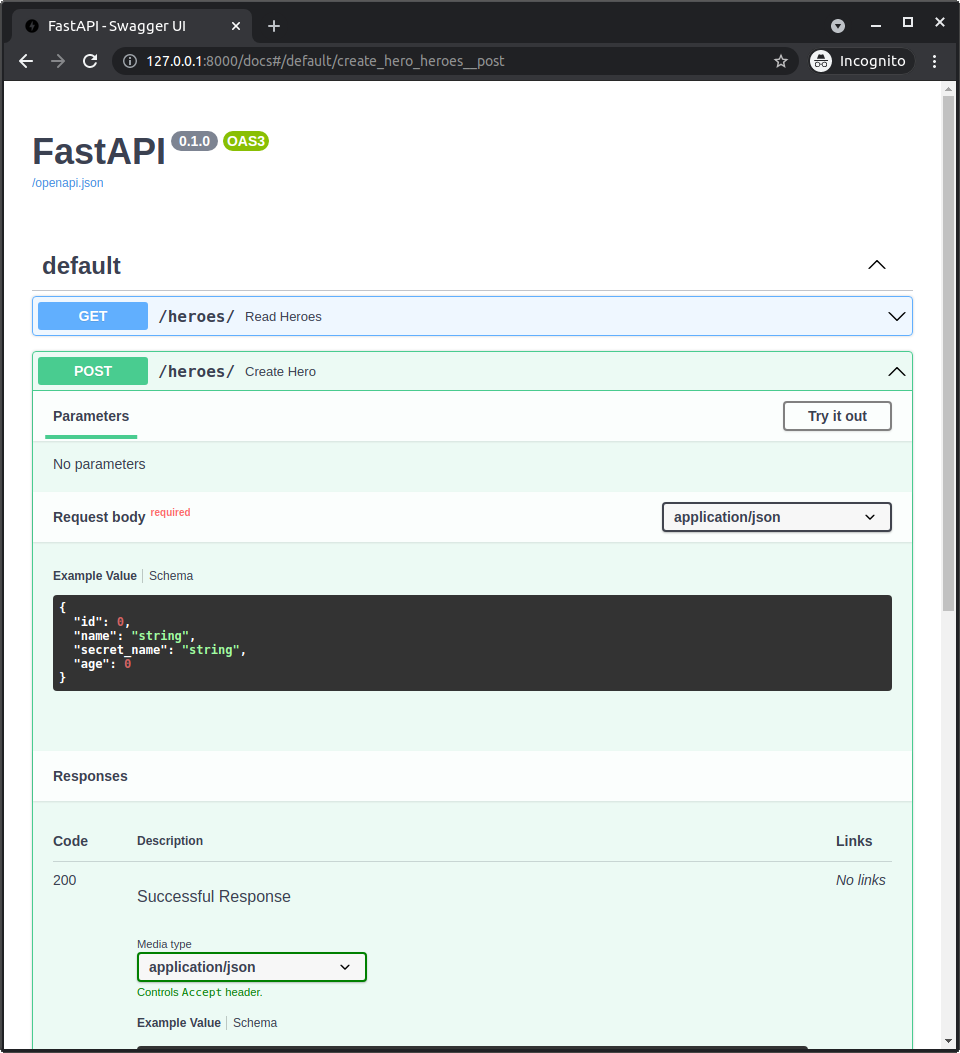
If we pay attention, it shows that the client could send an id in the JSON body of the request.
This means that the client could try to use the same ID that already exists in the database to create another hero.
That's not what we want.
We want the client only to send the data that is needed to create a new hero:
namesecret_name- Optional
age
And we want the id to be generated automatically by the database, so we don't want the client to send it.
We'll see how to fix it in a bit.
# Review Response Schema
Now let's review the schema of the response we send back to the client in the docs UI.
If you click the small tabl Schema instead of the Example Value, you will see something like this:
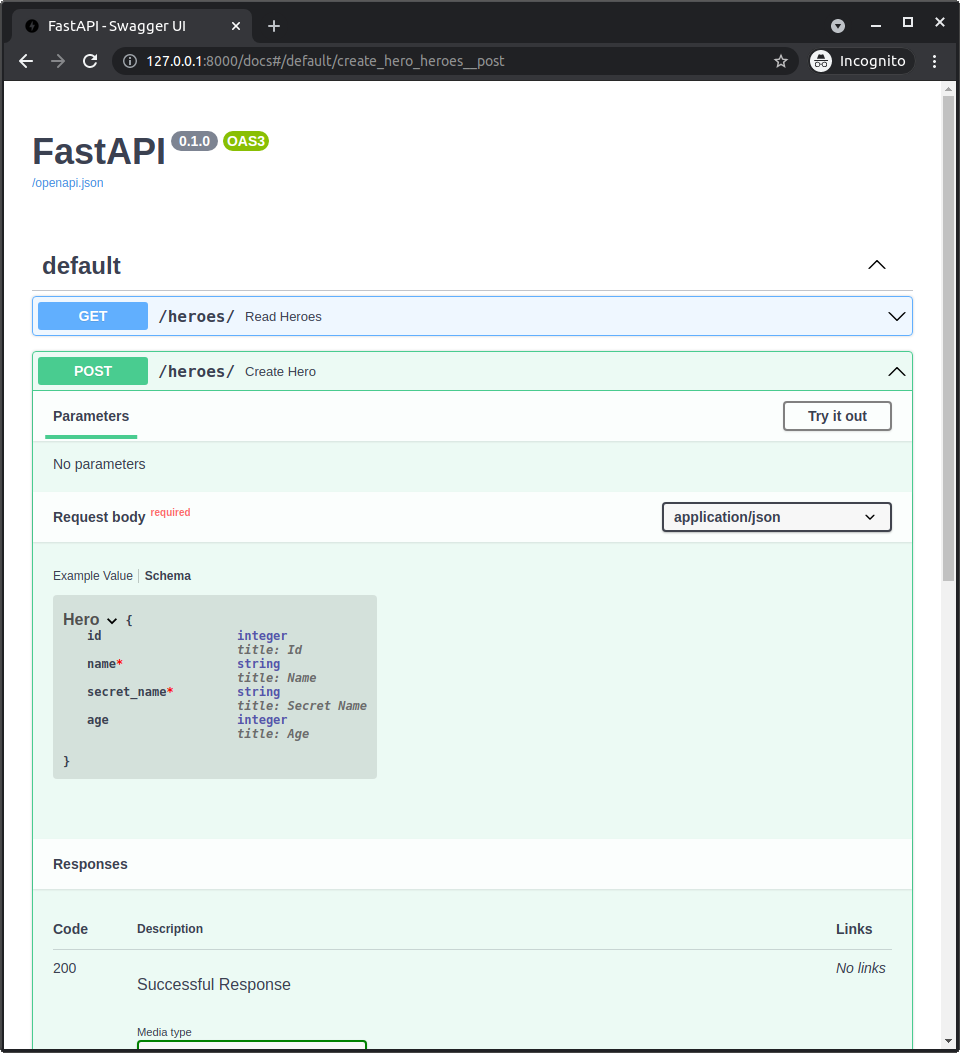
Let's see the details.
The fields with a red asterisk(*) are "required".
This means that our API application is required to return those fields in the response:
namesecret_name
The age is optional, we don't have to return it, or it could be None (or null in JSON), but the name and the secret_name are required.
Here's the weird thing, the id currently seems also "optoinal".
This is because in our SQLModel class we declare the id with a default value of = None, because it could be None in memory until we save it in the database and we finally get the actual ID.
But in the responses, we always send a model from the database, so it always has an ID. So the id in the responses can be declared as required.
This means that our application is making the promise to the clients that if it sends a hero, it will for sure have an id with a value, it will not be None.
# Why is It Important to Have a Contract for Responses
The ultimate goal of an API is for some clients to use it.
The clients could be a frontend application, a command line program, a graphical user interface, a mobile application, another backend application, etc.
And the code those clients write depends on what our API tells them they need to send, and what they can expect to receive.
Making both sides very clear will make it much easier to interact with the API.
And in most of the cases, the developer of the client for that API will also be yourself, so you are doing your future self a favor by declaring those schemas for requests and responses.
# So Why is it Important to Have Required IDs
Now, what's the matter with having one id field marked as "optional" in a response when in reality it is always available (required)?
For example, automatically generated clients in other languages (or also in Python) would have some declaration that this field id is optional.
And then the developers using those clients in their languages would have to be checking all the time in all their code if the id is not None before using it anywhere.
That's a lot of unnecessary checks and unnecessary code that could have been saved by declaring the schema properly.
It would be a lot simpler for that code to know that the id from a response is required and will always have a value.
Let's fix that too.
# Multiple Hero Schemas
So, we want to have our Hero model that declares the data in the database:
id, optional on creation, required on databasename, requiredsecret_name, requiredage, optional
But we also want to have a HeroCreate for the data we want to receive when creating a new hero, whichi is almost all the same data as Hero, except for the id, because that is created automatically by the database:
name, requiredsecret_name, requiredage, optional
And we want to have a HeroPublic with the id field, but this time with a type of id: int, instead of id: int | None, to make it clear that it will always have an int in responses read from the clients:
id, requiredname, requiredsecret_name, requiredage, optional
# Multiple Models with Duplicated Fields
The simplest way to solve it could be to create multiple models, each one with all the corresponding fields:
# Code above omitted
class Hero(SQLModel, table=True):
id: int | None = Field(default=None, primary_key=True)
name: str = Field(index=True)
secret_name: str
age: int | None = Field(default=None, index=True)
class HeroCreate(SQLModel):
name: str
secret_name: str
age: int | None = None
class HeroPublic(SQLModel):
id: int
name: str
secret_name: str
age: int | None = None
# Code below omitted
2
3
4
5
6
7
8
9
10
11
12
13
14
15
16
17
18
19
20
21
22
Here's the important detail, and probably the most important feature of SQLModel: only Hero is declared with table = True.
This means that the class Hero represents a table in the database. It is both a Pydantic model and a SQLAlchemy model.
But HeroCreate and HeroPublic don't have table = True. They are only data models, they are only Pydantic models. They won't be used with the database, but only to declare data schemas for the API(or for other uses).
This also means that SQLModel.metadata.create_all() won't create tables in the database for HeroCreate and HeroPublic, because they don't have table = True, which is exactly what we want.
We will improve this code to avoid duplicating the fields, but for now we can continue learning with these models.
# Use Multiple Models to Create a Hero
Let's now see how to use these new models in the FastAPI application.
Let's first check how is the process to create a hero now:
# Code above omitted
@app.post("/heroes/", response_model=HeroPublic)
def create_hero(hero: HeroCreate):
with Session(engine) as session:
db_hero = Hero.model_validate(hero)
session.add(db_hero)
session.commit()
session.refresh(db_hero)
return db_hero
# Code below omitted
2
3
4
5
6
7
8
9
10
11
12
Let's check that in detail.
Now we use the type annotation HeroCreate for the request JSON data in the hero parameter of the path operation function.
# Code above omitted
def create_hero(hero: HeroCreate):
# Code below omitted
2
3
4
5
Then we create a new Hero (this is the actual table model that saves things to the database) using Hero.model_validate().
The method .model_validate() reads data from another object with attributes (or a dict) and creates a new instance of this class, in this case Hero.
In this case, we have a HeroCreate instance in the hero variable. This is an object with attributes, so we use .model_validate() to read those attributes.
In versions of SQLModel before 0.0.14 you would use the method .from_orm(), but it is now deprecated and you should use .model_validate() instead.
We can now create a new Hero instance (the one for the database) and put it in the variable db_hero from the data in the hero variable that is the HeroCreate instance we received from the request.
# Code above omitted
db_hero = Hero.model_validate(hero)
# Code below omitted
2
3
4
5
Then we just add it to the session, commit, and refresh it, and finally, we return the same db_hero variable that has the just refreshed Hero instance.
Because it is just refreshed, it has the id field set with a new ID taken from the database.
And now that we return it, FastAPI will validate the data with the response_model, which is a HeroPublic:
# Code above omitted
@app.post("/heroes/", response_model=HeroPublic)
# Code below omitted
2
3
4
5
This will validate that all the data that we promised is there and will remove any data we didn't declare.
This filtering could be very important and could be a very good security feature, for example, to make sure you filter private data, hashed passwords, etc.
You can read more about it in the FastAPI docs about Response Model.
In particular, it will make sure that the id is there and that it is indeed an integer (and not None).
# Shared Fields
But looking closely, we could see that these models have a lot of duplicated information.
All the 3 models declare that they share some common fields that look exactly the same:
name, requiredsecret_name, requiredage, optional
And then they declare other fields with some differences (in this case, only about the id).
We want to avoid duplicated information if possible.
This is important, for example, in the future, we decide to refactor the code and rename one field (column). For example, from secret_name to secret_identity.
If we have that duplicated in multiple models, we could easily forget to update one of them. But if we avoid duplication, there's only one place that would need updating.
Let's now improve that.
# Multiple Models with Inheritance
And here it is, you found the biggest feature of SQLModel.
Each of these models is only a data model or both a data model and a table model.
So, it's possible to create models with SQLModel that don't represent tables in the database.
On top of that, we can use inheritance to avoid duplicated information in these models.
We can see from above that they all share some base fields.
name, requiredsecret_name, requiredage, optional
So let's create a base model HeroBase that the others can inherit from:
# Code above omitted
class HeroBase(SQLModel):
name: str = Field(index=True)
secret_name: str
age: int | None = Field(default=None, index=True)
# Code below omitted
2
3
4
5
6
7
8
As you can see, this is not a table model, it doesn't have the table = True config.
But now we can create the other models inheriting from it, they will all share these fields, just as if they had them declared.
# The Hero Table Model
Let's start with the only table model, the Hero:
# Code above omitted
class HeroBase(SQLModel):
name: str = Field(index=True)
secret_name: str
age: int | None = Field(default=None, index=True)
class Hero(HeroBase, table=True):
id: int | None = Field(default=None, primary_key=True)
# Code below omitted
2
3
4
5
6
7
8
9
10
11
12
Notice that Hero now doesn't inherit from SQLModel, but from HeroBase.
And now we only declare one single field directly, the id, that here is int | None, and is a primary_key.
And even though we don't declare the other fields explicitly, because they are inherited, they are also part of this Hero model.
And of course, all these fields will be in the columns for the resulting hero table in the database.
And those inherited fields will also be in the autocompletion and inline errors in editors, etc.
# Columns and Inheritance with Multiple Models
Notice that the parent model HeroBase is not a table model, but still, we can declare name and age using Field(index=True)
# Code above omitted
class HeroBase(SQLModel):
name: str = Field(index=True)
secret_name: str
age: int | None = Field(default=None, index=True)
class Hero(HeroBase, table=True):
id: int | None = Field(default=None, primary_key=True)
# Code below omitted
2
3
4
5
6
7
8
9
10
11
12
This won't affect this parent data model HeroBase.
But once the child model Hero (the actual table model) inherits those fields, it will use those field configurations to create the indexes when creating the tables in the database.
# The HeroCreate Data Model
Now let's see the HeroCreate model that will be used to define the data that we want to receive in the API when creating a new hero.
This is a fun one:
# Code above omitted
class HeroBase(SQLModel):
name: str = Field(index=True)
secret_name: str
age: int | None = Field(default=None, index=True)
class Hero(HeroBase, table=True):
id: int | None = Field(default=None, primary_key=True)
class HeroCreate(HeroBase):
pass
# Code below omitted
2
3
4
5
6
7
8
9
10
11
12
13
14
15
16
What's happening here?
The fields we need to create are exactly the same as the ones in the HeroBase model. So we don't have to add anything.
And because we can't leave the empty space when creating a new class, but we don't want to add any field, we just use pass.
This means that there's nothing else special in this class apart from the fact that it is named HeroCreate and that it inherits from HeroBase.
As an alternative, we could use HeroBase directly in the API code instead of HeroCreate, but it would show up in the automatic docs UI with that name "HeroBase" which could be confusing for clients. Instead, "HeroCreate" is a bit more explicit about what it is for.
On top of that, we could easily decide in the future that we want to receive more data when creating a new hero apart from the data in HeroBase (for example, a password), and now we already have the class to put those extra fields.
# The HeroPublic Data Model
Now let's check the HeroPublic model.
This one just declares that the id field is required when reading a hero from the API, because a hero read from the API will come from the database, and in the database it will always have an ID.
# Code above omitted
class HeroBase(SQLModel):
name: str = Field(index=True)
secret_name: str
age: int | None = Field(default=None, index=True)
class Hero(HeroBase, table=True):
id: int | None = Field(default=None, primary_key=True)
class HeroCreate(HeroBase):
pass
class HeroPublic(HeroBase):
id: int
# Code below omitted
2
3
4
5
6
7
8
9
10
11
12
13
14
15
16
17
18
19
20
from fastapi import FastAPI
from sqlmodel import Field, Session, SQLModel, create_engine, select
class HeroBase(SQLModel):
name: str = Field(index=True)
secret_name: str
age: int | None = Field(default=None, index=True)
class Hero(HeroBase, table=True):
id: int | None = Field(default=None, primary_key=True)
class HeroCreate(HeroBase):
pass
class HeroPublic(HeroBase):
id: int
sqlite_file_name = "database.db"
sqlite_url = f"sqlite:///{sqlite_file_name}"
connect_args = {"check_same_thread": False}
engine = create_engine(sqlite_url, echo=True, connect_args=connect_args)
def create_db_and_tables():
SQLModel.metadata.create_all(engine)
app = FastAPI()
@app.on_event("startup")
def on_startup():
create_db_and_tables()
@app.post("/heroes/", response_model=HeroPublic)
def create_hero(hero: HeroCreate):
with Session(engine) as session:
db_hero = Hero.model_validate(hero)
session.add(db_hero)
session.commit()
session.refresh(db_hero)
return db_hero
@app.get("/heroes/", response_model=list[HeroPublic])
def read_heroes():
with Session(engine) as session:
heroes = session.exec(select(Hero)).all()
return heroes
2
3
4
5
6
7
8
9
10
11
12
13
14
15
16
17
18
19
20
21
22
23
24
25
26
27
28
29
30
31
32
33
34
35
36
37
38
39
40
41
42
43
44
45
46
47
48
49
50
51
52
53
54
55
56
# Review the Updated Docs UI
The FastAPI code is still the same as above, we still use Hero, HeroCreate, and HeroPublic. But now, we define them in a smarter way with inheritance.
So, we can jump to the docs UI right away and see how they look with the updated data.
# Docs UI to Create a Hero
Let's see the new UI for creating a hero:
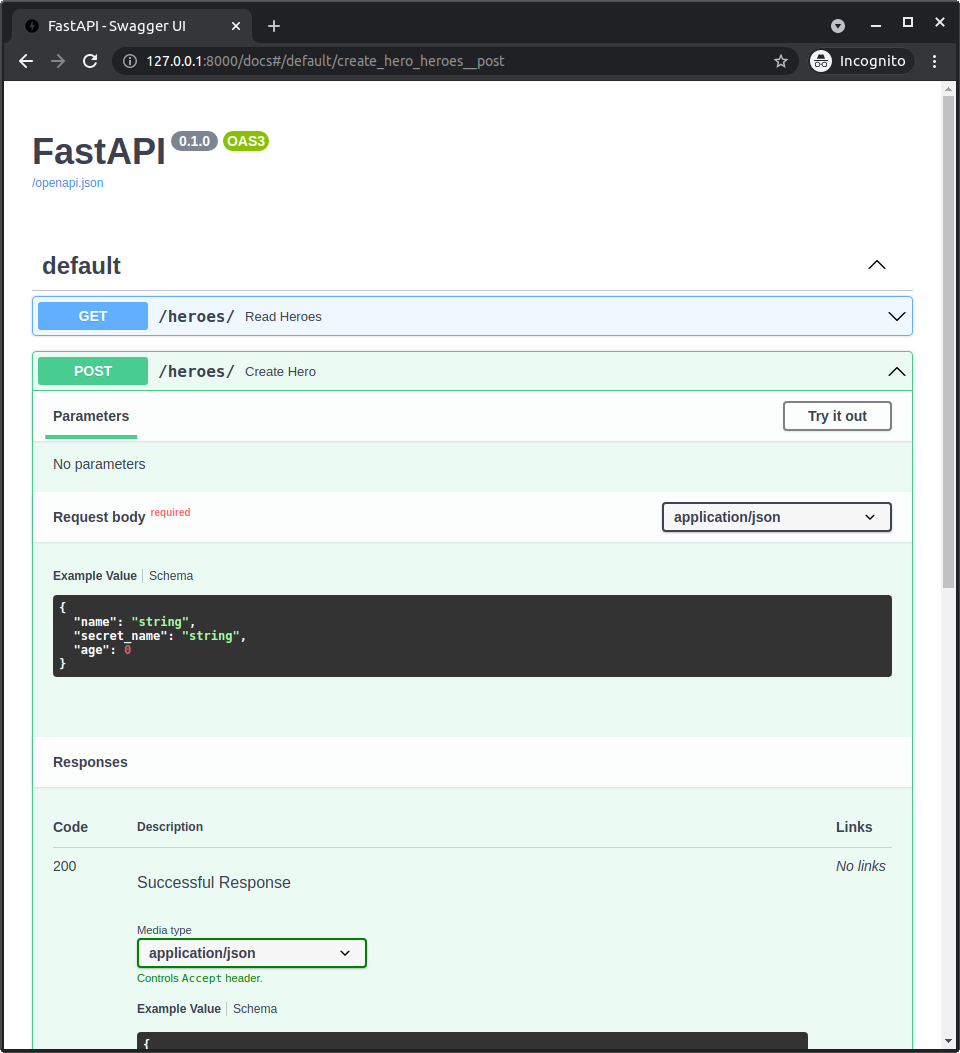
Nice! It now shows that to create a hero, we just pass the name, secret_name, and optionally age.
We no longer pass an id.
# Docs UI with Hero Responses
Now we can scroll down a bit to see the response schema:
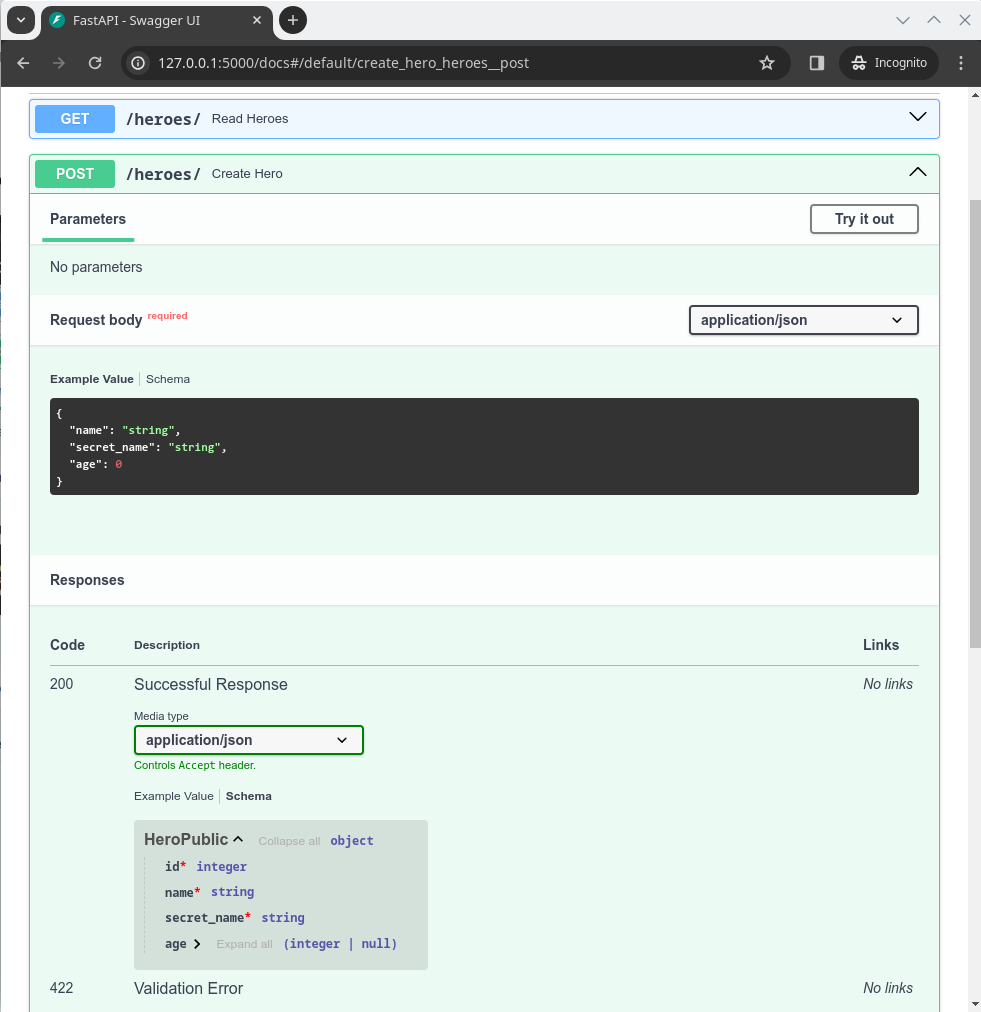
We can now see that id is a required field, it has red asterisk(*).
And if we check the schema for the Read Heroes path operation it will also show the updated shecma.
# Inheritance and Table Models
We just saw how powerful the inheritance of these models could be.
This is very simple example, and it might look a bit... meh.
But now imagine that your table has 10 or 20 columns. And that you have to duplicate all that information for all your data models... then it becomes more abvious why it's quite useful to be able to avoid all that information duplication with inheritance.
Now, this probably looks so flexible that it's not obvious when to use inheritance and for what.
Here are a couple of rules of thumb that can help you.
# Only Inherit from Data Models
Only inherit from data models, don't inherit from table models.
It will help you avoid confusion, and there won't be any reason for you to need to inherit from a table model.
If you feel like you need to inherit from a table model, then instead create a base class that is only a data model and has all those fields, like HeroBase.
And then inherit from that base class that is only a data model for any other data model and for the table model.
# Avoid Duplication - Keep it Simple
It could feel like you need to have a profound reason why to inherit from one model or another, because "in some mystical way" they separate different concepts... or something like that.
In some cases, there are simple separations that you can use, like the models to create data, read, update, etc. If that's quick and obvious, nice, use it.
Otherwise, don't worry too much about profound conceptual reasons to separate models, just try to avoid duplication and keep the code simple enough to reason about it.
If you see you have a lot of overlap between two mdoels, then you can probably avoid some of that duplication with a base model.
But if to avoid some duplication you end up with a crazy tree of models with inheritance, then it might be simpler to just duplicate some of those fields, and that might be easier to reason about and to maintain.
Do whatever is easier to reason about, to program with, to maintain, and to refactor in the future.
Remember that inheritance, the same as SQLModel, and anything else, are just tools to help you be more productive, that's one of their main objectives. If something is not helping with that (e.g. too much duplication, too much complexity), then change it.
# Recap
You can use SQLModel to declare multiple models:
- Some models can be only data models. They will also be Pydantic models.
- And some can also be table models (apart from already being data models) by having the config
table = True. They will also be Pydantic models and SQLAlchemy models.
Only the table models will create tables in the database.
So, you can use all the other data modelsto validate, convert, filter, and document the shcem of the data for your application.
You can use inheritance to avoid information and code duplication.
And you can use all these models directly with FastAPI.
# Read One Model with FastAPI
Let's now add a path operation to read a single model to our FastAPI application.
# Path Operation for One Hero
Let's add a new path operation to read one single hero.
We want to get the hero based on the id, so we will use a path parameter hero_id.
If you need to refresh how path parameters work, including their data validation, check the FastAPI docs about Path Parameters.
from fastapi import FastAPI, HTTPException
from sqlmodel import Field, Session, SQLModel, create_engine, select
# Code here omitted
@app.get("/heroes/{hero_id}", response_model=HeroPublic)
def read_hero(hero_id: int):
with Session(engine) as session:
hero = session.get(Hero, hero_id)
if not hero:
raise HTTPException(status_code=404, detail="Hero not found")
return hero
2
3
4
5
6
7
8
9
10
11
12
For example, to get the hero with ID 2 we would send a GET request to:
/heroes/2
# Handling Errors
Then, because FastAPI already takes care of making sure that the hero_id is an actual integer, we can use it directly with Hero.get() to try and get one hero by that ID.
But if the integer is not the ID of any hero in the database, it will not find anything, and the variable hero will be None.
So, we check it in an if block, if it's None, we raise an HTTPException with a 404 status code.
And to use it, we first import HTTPException from fastapi.
This will let the client know that they probably made a mistake on their side and requested a hero that doesn't exist in the database.
from fastapi import FastAPI, HTTPException
from sqlmodel import Field, Session, SQLModel, create_engine, select
# Code here omitted
@app.get("/heroes/{hero_id}", response_model=HeroPublic)
def read_hero(hero_id: int):
with Session(engine) as session:
hero = session.get(Hero, hero_id)
if not hero:
raise HTTPException(status_code=404, detail="Hero not found")
return hero
2
3
4
5
6
7
8
9
10
11
12
# Return the Hero
Then, if the hero exists, we return it.
And because we are using the response_model with HeroPublic, it will be validated, documented, etc.
from fastapi import FastAPI, HTTPException
from sqlmodel import Field, Session, SQLModel, create_engine, select
# Code here omitted
@app.get("/heroes/{hero_id}", response_model=HeroPublic)
def read_hero(hero_id: int):
with Session(engine) as session:
hero = session.get(Hero, hero_id)
if not hero:
raise HTTPException(status_code=404, detail="Hero not found")
return hero
2
3
4
5
6
7
8
9
10
11
12
# Check the Docs UI
We can then go to the docs UI and see the new path operation.
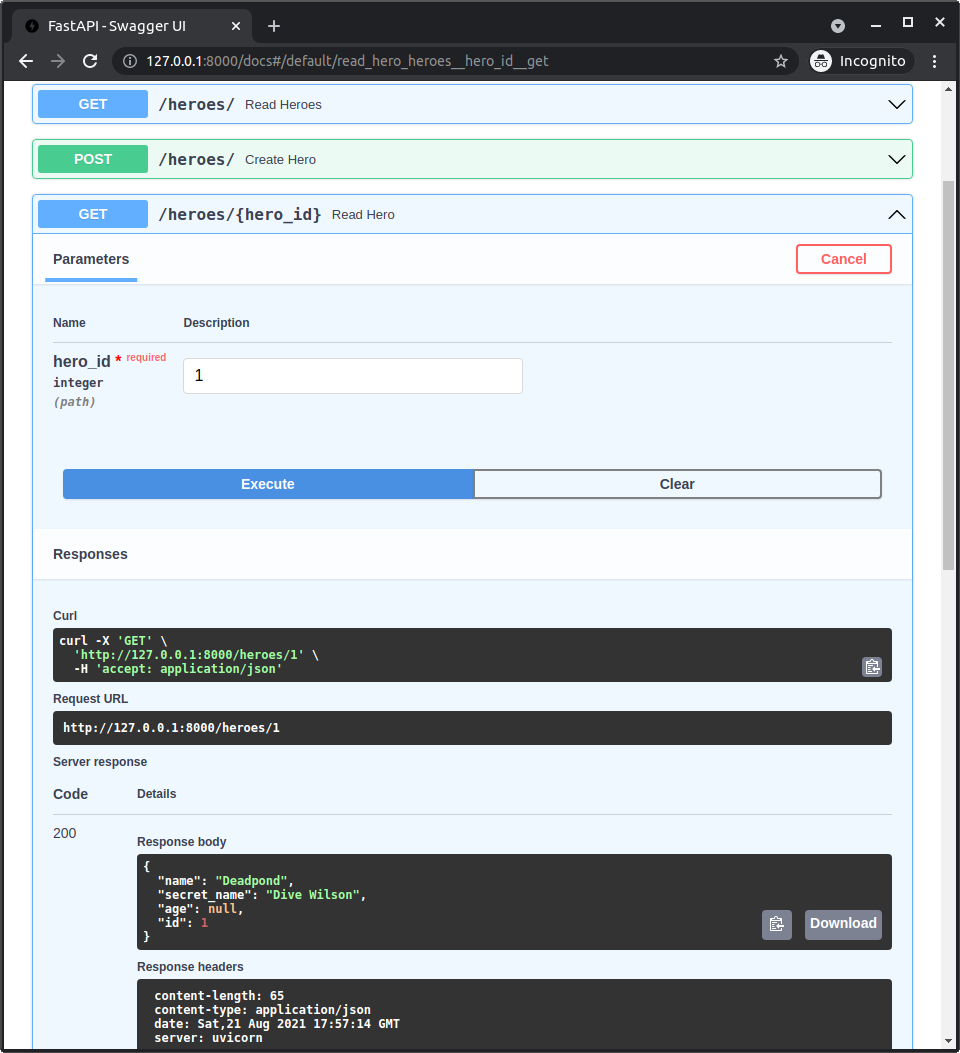
# Recap
You can combine FastAPI features like automatic path parameter validation to get models by ID.
# Read Heroes with Limit and Offset with FastAPI
When a client sends a request to get all the heroes, we have been returning them all.
But if we had thuousands of heroes that could consume a lot of computational resources, network bandwidth, etc.
So, we probably want to limit it.
Let's use the same offset and limit we learned about in the previous tutorial chapters for the API.
In many cases, this is also called pagination.
# Add a Limit and Offset to the Query Parameters
Let's add limit and offset to the query parameters.
By default, we will return the first results from the database, so offset will have a default value of 0.
And by default, we will return a maximum of 100 heroes, so limit will have a default value of 100.
from fastapi import FastAPI, HTTPException, Query
from sqlmodel import Field, Session, SQLModel, create_engine, select
# Code here omitted
@app.get("/heroes/", response_model=list[HeroPublic])
def read_heroes(offset: int = 0, limit: int = Query(default=100, le=100)):
with Session(engine) as session:
heroes = session.exec(select(Hero).offset(offset).limit(limit)).all()
return heroes
# Code below omitted
2
3
4
5
6
7
8
9
10
11
12
We want to allow clients to set different offset and limit values.
But we don't want them to be able to set a limit of something like 9999, that's over 9000!
So, to prevent it, we add additional validation to the limit query parameter, declaring that it has to be less than or equal to 100 with le=100.
This way, a client can decide to take fewer heroes if they want, but not more.
If you need to refresh how query parameters and their validation work, check out the docs in FastAPI:
# Check the Docs UI
Now we can see that the docs UI shows the new parameters to control limit and offset of our data.
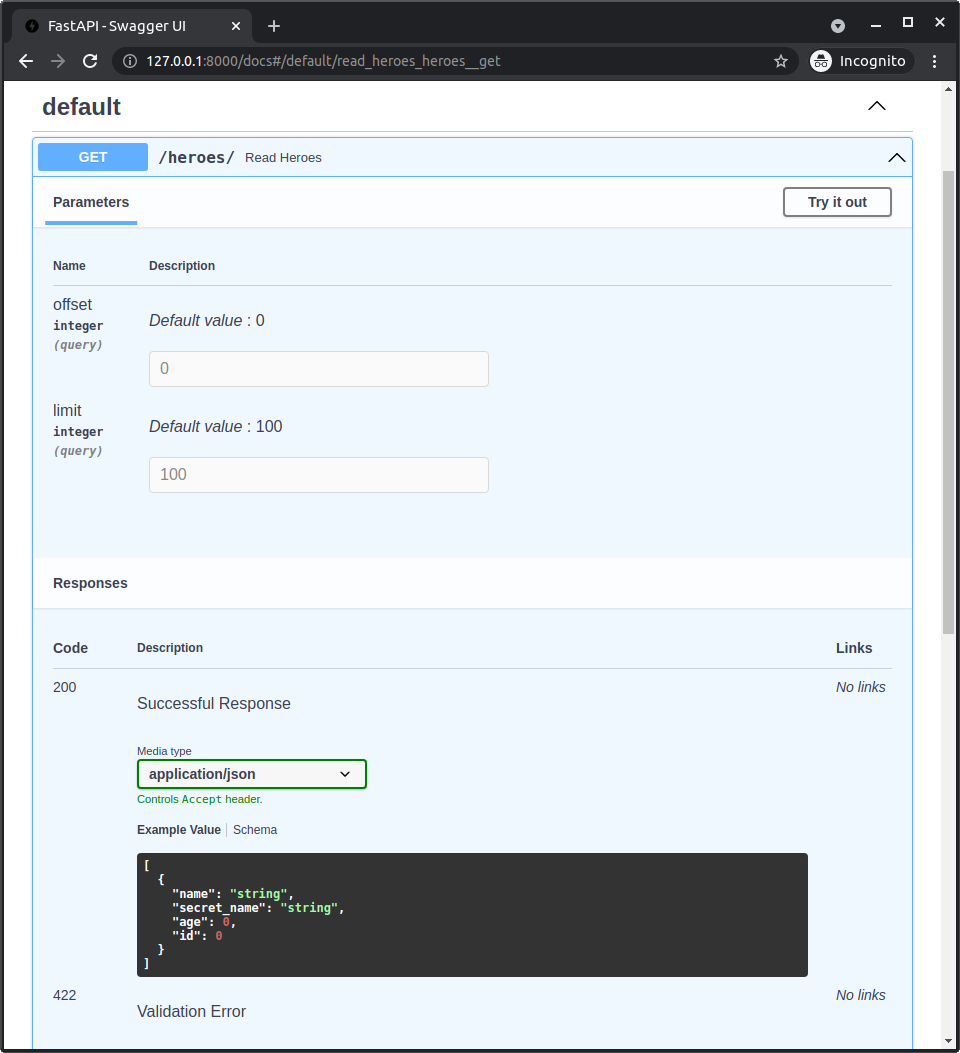
# Recap
You can use FastAPI's automatic data validation to get the parameters for limit and offset, and then use them with the session to control ranges of data to be sent in response.
# Update Data with FastAPI
Now let's see how to update data in the database with a FastAPI path operation.
# HeroUpdate Model
We want clients to be able to update the name, the secret_name, and the age of a hero.
But we don't want them to have to include all the data again just to update a single field.
So, we need to make all those field optional.
And because the HeroBase has some of them required (without a default value), we will need to create a new model.
Here is one of those cases where it probably makes sense to use an independent model instead of trying to come up with a complex tree of models inheriting from each other.
Because each field is actually different (we just set a default value of None, but that's already making it different), it makes sense to have them in their own model.
So, let's create this new HeroUpdate model:
# Code above omitted
class HeroBase(SQLModel):
name: str = Field(index=True)
secret_name: str
age: int | None = Field(default=None, index=True)
class Hero(HeroBase, table=True):
id: int | None = Field(default=None, primary_key=True)
class HeroCreate(HeroBase):
pass
class HeroPublic(HeroBase):
id: int
class HeroUpdate(SQLModel):
name: str | None = None
secret_name: str | None = None
age: int | None = None
# Code below omitted
2
3
4
5
6
7
8
9
10
11
12
13
14
15
16
17
18
19
20
21
22
23
24
25
26
This is almoast the same as HeroBase, but all the fields are optional, so we can't simply inherit from HeroBase.
# Create the Update Path Operation
Now let's use this model in the path operation to update a hero.
We will use a PATCH HTTP operation. This is used to partially update data, which is what we are doing.
# Code above omitted
@app.patch("/heroes/{hero_id}", response_model=HeroPublic)
def update_hero(hero_id: int, hero: HeroUpdate):
with Session(engine) as session:
db_hero = session.get(Hero, hero_id)
if not db_hero:
raise HTTPException(status_code=404, detail="Hero not found")
hero_data = hero.model_dump(exclude_unset=True)
db_hero.sqlmodel_update(hero_data)
session.add(db_hero)
session.commit()
session.refresh(db_hero)
return db_hero
2
3
4
5
6
7
8
9
10
11
12
13
14
We also read the hero_id from the path parameter and the request body, a HeroUpdate.
# Read the Existing Hero
We take a hero_id with the ID of the hero we want to update.
So, we need to read the hero from the database, with the same logic we used to read a single hero, checking if it exists, possibly raising an error for the client if it doesn't exist, etc.
# Code above omitted
@app.patch("/heroes/{hero_id}", response_model=HeroPublic)
def update_hero(hero_id: int, hero: HeroUpdate):
with Session(engine) as session:
db_hero = session.get(Hero, hero_id)
if not db_hero:
raise HTTPException(status_code=404, detail="Hero not found")
hero_data = hero.model_dump(exclude_unset=True)
db_hero.sqlmodel_update(hero_data)
session.add(db_hero)
session.commit()
session.refresh(db_hero)
return db_hero
2
3
4
5
6
7
8
9
10
11
12
13
14
# Get the New Data
The HeroUpdate model has all the fields with default values, because they all have defaults, they are all optional, whichi is what we want.
But that also means that if we just call hero.model_dump() we will get a dictionary that could potentially have several or all of those values with their defaults, for example:
{
"name": None,
"secret_name": None,
"age": None,
}
2
3
4
5
And then, if we update the hero in the database with this data, we would be removing any existing values, and that's probably not what the client intended.
But fortunately Pydantic models (and so SQLModel models) have a parameter we can pass to the .model_dump() method for that: exclude_unset=True.
This tells Pydantic to not include the values that were not sent by the client. Saying it another way, it would only include the values that were sent by the client.
So, if the client sent a JSON with no values:
{}
Then the dictionary we would get in Python using hero.model_dump(exclude_unset=True) would be:
{}
But if the client sent a JSON with:
{
"name": "Deadpuddle"
}
2
3
Then the dictionary we would get in Python using hero.model_dump(exclude_unset=True) would be:
{
"name": "Deadpuddle"
}
2
3
Then we use that to get the data that was actually sent by the client:
# Code above omitted
@app.patch("/heroes/{hero_id}", response_model=HeroPublic)
def update_hero(hero_id: int, hero: HeroUpdate):
with Session(engine) as session:
db_hero = session.get(Hero, hero_id)
if not db_hero:
raise HTTPException(status_code=404, detail="Hero not found")
hero_data = hero.model_dump(exclude_unset=True)
db_hero.sqlmodel_update(hero_data)
session.add(db_hero)
session.commit()
session.refresh(db_hero)
return db_hero
2
3
4
5
6
7
8
9
10
11
12
13
14
Befor SQLModel 0.0.14, the method was called hero.dict(exclude_unset=True), but it was renamed to hero.model_dump(exclude_unset=True) to be consistent with Pydantic v2.
# Update the Hero in the Database
Now that we have a dictionary with the data sent by the client, we can use the method db_hero.sqlmodel_update() to update the object db_hero.
# Code above omitted
@app.patch("/heroes/{hero_id}", response_model=HeroPublic)
def update_hero(hero_id: int, hero: HeroUpdate):
with Session(engine) as session:
db_hero = session.get(Hero, hero_id)
if not db_hero:
raise HTTPException(status_code=404, detail="Hero not found")
hero_data = hero.model_dump(exclude_unset=True)
db_hero.sqlmodel_update(hero_data)
session.add(db_hero)
session.commit()
session.refresh(db_hero)
return db_hero
2
3
4
5
6
7
8
9
10
11
12
13
14
The method db_hero.sqlmodel_update() was added in SQLModel 0.0.16.
Before that, you would need to manually get the values and set them using setattr().
The method db_hero.sqlmodel_update() takes an argument with another model object or a dictionary.
For each of the fields in the original model object (db_hero in this example), it checks if the field is available in the argument (hero_data in this example) and then updates it with the provided value.
# Remove Fields
Here's a bonus.
When getting the dictionary of data sent by the client, we only include what the client actually sent.
This sounds simple, but it has some additional nuances that become nice features.
We are not simply omitting the data that has the default values.
And we are not simply omitting anything that is None.
This means that if a model in the database has a value different than the default, the client could reset it to the same value as the default, or even None, and we would still notice it and udpate it accordingly.
So, if the client wanted to intentionally remove the age of a hero, they could just send a JSON with:
{
"age": null
}
2
3
And when getting the data with hero.model_dump(exclude_unset=True), we would get:
{
"age": None
}
2
3
So, we would use that value and update the age to None in the database, just as the client intended.
Notice that age here is None, and we still detected it.
Also, that name was not even set, and we don't accidentally set it to None or something. We just didn't touch it because the client didn't send it, so we are perfectly fine, even in these corner cases.
These are some of the advantages of Pydantic, that we can use with SQLModel.
# Recap
Using .model_dump(exclude_unset=True) in SQLModel models (and Pydantic models) we can easily update data correctly, even in the edge cases.
# Update with Extra Data (Hashed Passwords) with FastAPI
In the previous chapter I explained to you how to update data in the database from input data coming from a FastAPI path operation.
Now I'll explain to you how to add extra data, additional to the input data, when updating or creating a model object.
This is particularly useful when you need to generate some data in your code that is not coming from the client, but you need to store it in the database. For example, to store a hashed password.
# Password Hashing
Let's imagine that each hero in our system also has a password.
We should never store the password in plain text in the database, we should only stored a hashed version of it.
"Hashing" means converting some content (a password in this case) into a sequence of bytes (just a string) that looks like gibberish.
Whenever you pass exactly the same content (exactly the same password) you get exactly the same gibberish.
But you cannot convert from the gibberish back to the password.
# Why use Password Hashing
If your database is stolen, the thief won't have your user's plaintext passwords, only the hashes.
So, the thief won't be able to try to use that password in another system (as many users use the same password everywhere, this would be dangerous).
You could use passlib to hash passwords.
In this example we will use a fake hashing function to focus on the data changes.
# Update Models with Extra Data
The Hero table model will now store a new field hashed_password.
And the data models for HeroCreate and HeroUpdate will also have a new field password that will contain the plain text password sent by clients.
# Code above omitted
class HeroBase(SQLModel):
name: str = Field(index=True)
secret_name: str
age: int | None = Field(default=None, index=True)
class Hero(HeroBase, table=True):
id: int | None = Field(default=None, primary_key=True)
hashed_password: str = Field()
class HeroCreate(HeroBase):
password: str
class HeroPublic(HeroBase):
id: int
class HeroUpdate(SQLModel):
name: str | None = None
secret_name: str | None = None
age: int | None = None
password: str | None = None
# Code below omitted
2
3
4
5
6
7
8
9
10
11
12
13
14
15
16
17
18
19
20
21
22
23
24
25
26
27
28
When a client is creating a new hero, they will send the password in the request body.
And when they are updating a hero, they could also send the password in the request body to update it.
# Hash the Password
The app will receive the data from the client using the HeroCreate model.
This contains the password field with the plain text password, and we cannot use that one. So we need to generate a hash from it.
# Code above omitted
def hash_password(password: str) -> str:
# Use something like passlib here
return f"not really hashed {password} hehehe"
# Code here omitted
@app.post("/heroes/", response_model=HeroPublic)
def create_hero(hero: HeroCreate):
hashed_password = hash_password(hero.password)
# Code below omitted
2
3
4
5
6
7
8
9
10
11
12
13
# Create an Object with Extra Data
Now we need to create the database hero.
In previous examples, we have used something like:
db_hero = Hero.model_validate(hero)
This create a Hero (which is a table model) object from the HeroCreate (whichi is a data model) object that we received in the request.
ANd this is all good... but as Hero doesn't have a field password, it won't be extracted from the object HeroCreate that has it.
Hero actually has a hashed_password, but we are not providing it. We need a way to provide it...
# Dictionary Update
Let's pause for a second to check this, when working with dictionaries, there's a way to update a dictionary with extra data from another dictionary, something like this:
db_user_dict = {
"name": "Deadpond",
"secret_name": "Dive Wilson",
"age": None,
}
hashed_password = "fakehashedpassword"
extra_data = {
"hashed_password": hashed_password,
"age": 32,
}
db_user_dict.update(extra_data)
print(db_user_dict)
# {
# "name": "Deadpond",
# "secret_name": "Dive Wilson",
# "age": 32,
# "hashed_password": "fakehashedpassword",
# }
2
3
4
5
6
7
8
9
10
11
12
13
14
15
16
17
18
19
20
21
22
23
This update method allows us to add and override things in the original dictionary with the data from another dictionary.
So now, db_user_dict has the updated age field with 32 instead of None and more importantly, it has the new hashed_password field.
# Create a Model Object with Extra Data
Similar to how dictionaries have an update method, SQLModel models have a parameter update in Hero.model_validate() that takes a dictionary with extra data, or data that shold take precedence:
# Code above omitted
@app.post("/heroes/", response_model=HeroPublic)
def create_hero(hero: HeroCreate):
hashed_password = hash_password(hero.password)
with Session(engine) as session:
extra_data = {"hashed_password": hashed_password}
db_hero = Hero.model_validate(hero, update=extra_data)
session.add(db_hero)
session.commit()
session.refresh(db_hero)
return db_hero
# Code below omitted
2
3
4
5
6
7
8
9
10
11
12
13
14
Now, db_hero (which is a table model Hero) will extract its values from hero (whichi is a data model HeroCreate), and then it will update its values with the extra data from the dictionary extra_data.
It will only take the fields defined in Hero, so it will not take the password from HeroCreate. And it will also take its values from the dictionary passed to the update parameter, in this case, the hashed_password.
If there's a field in both hero and the extra_data, the value from the extra_data passed to update will take precedence.
# Update with Extra Data
Now let's say we want to update a hero that already exists in the database.
The same way as before, to avoid removing existing data, we will use exclude_unset=True when calling hero.model_dump(), to get a dictionary with only the data sent by the client.
# Code above omitted
@app.patch("/heroes/{hero_id}", response_model=HeroPublic)
def update_hero(hero_id: int, hero: HeroUpdate):
with Session(engine) as session:
db_hero = session.get(Hero, hero_id)
if not db_hero:
raise HTTPException(status_code=404, detail="Hero not found")
hero_data = hero.model_dump(exclude_unset=True)
# Code below omitted
2
3
4
5
6
7
8
9
10
11
Now, this hero_data dictionary could contain a password. We need to check it, and if it's there, we need to generate the hashed_password.
Then we can put that hashed_password in a dictionary.
And then we can update the db_hero object using the method db_hero.sqlmodel_update().
It takes a model object or dictionary with the data to update the object and also an additional update argument with extra data.
# Code above omitted
@app.patch("/heroes/{hero_id}", response_model=HeroPublic)
def update_hero(hero_id: int, hero: HeroUpdate):
with Session(engine) as session:
db_hero = session.get(Hero, hero_id)
if not db_hero:
raise HTTPException(status_code=404, detail="Hero not found")
hero_data = hero.model_dump(exclude_unset=True)
extra_data = {}
if "password" in hero_data:
password = hero_data["password"]
hashed_password = hash_password(password)
extra_data["hashed_password"] = hashed_password
db_hero.sqlmodel_update(hero_data, update=extra_data)
session.add(db_hero)
session.commit()
session.refresh(db_hero)
return db_hero
2
3
4
5
6
7
8
9
10
11
12
13
14
15
16
17
18
19
The method db_hero.sqlmodel_update() was added in SQLModel 0.0.16.
# Recap
You can use the update parameter in Hero.model_validate() to provide extra data when create a new object and Hero.sqlmodel_update() to provide extra data when updating an existing object.
# Delete Data with FastAPI
Let's now add a path operation to delete a hero.
This is quite straightforward.
# Delete Path Operation
Because we want to delete data, we use an HTTP DELETE operation.
We get a hero_id from the path parameter and verify if it exists, just as we did when reading a single hero or when updating it, possibly raising an error with a 404 response.
And if we actually find a hero, we just delete it with the session.
# Code above omitted
def delete_hero(hero_id: int):
with Session(engine) as session:
hero = session.get(Hero, hero_id)
if not hero:
raise HTTPException(status_code=404, detail="Hero not found")
session.delete(hero)
session.commit()
return {"ok": True}
2
3
4
5
6
7
8
9
10
After deleting it successfully, we just return a response of:
{
"ok": true
}
2
3
# Recap
That's it, feel free to try it out in the interactive docs UI to delete some heroes.
Using FastAPI to read data and combining it with SQLModel makes it quite straightforward to delete data from the database.
# Session with FastAPI dependency
Before we keep adding things, let's change a bit how we get the session for each request to simplify our life later.
# Current Sessions
Up to now, we have been creating a session in each path operation, in a with block.
# Code above omitted
@app.post("/heroes/", response_model=HeroPublic)
def create_hero(hero: HeroCreate):
with Session(engine) as session:
db_hero = Hero.model_validate(hero)
session.add(db_hero)
session.commit()
session.refresh(db_hero)
return db_hero
# Code below omitted
2
3
4
5
6
7
8
9
10
11
12
That's perfectly fine, but in many use cases we would want to use FastAPI Dependencies, for example to verify that the client is logged in and get the current user before executing any other code in the path operaiton.
These dependencies are also very useful during testing, because we can easily replace them, and then, for example, use a new database for our tests, or put some data before the tests, etc.
So, let's refactor these sessions to use FastAPI Dependencies.
# Create a FastAPI Dependency
A FastAPI dependency is very simple, it's just a function that returns a value.
It could use yield instead of return, and in that case FastAPI will make sure it executes all the code after the yield, once it is done with the request.
# Code above omitted
def get_session():
with Session(engine) as session:
yield session
# Code below omitted
2
3
4
5
6
7
# Use the Dependency
Now let's make FastAPI execute a dependency and get its value in the path operation.
We import Depends() from fastapi. Then we use it in the path operation function in a parameter, the same way we declared parameters to get JSON bodies, path parameters, etc.
from fastapi import Depends, FastAPI, HTTPException, Query
from sqlmodel import Field, Session, SQLModel, create_engine, select
# Code here omitted
def get_session():
with Session(engine) as session:
yield session
# Code here omitted
@app.post("/heroes/", response_model=HeroPublic)
def create_hero(*, session: Session = Depends(get_session), hero: HeroCreate):
db_hero = Hero.model_validate(hero)
session.add(db_hero)
session.commit()
session.refresh(db_hero)
return db_hero
# Code below omitted
2
3
4
5
6
7
8
9
10
11
12
13
14
15
16
17
18
19
20
Here's a tip about that *, thing in the parameters.
Here we are passing the parameter session that has a "default value" of Depends(get_session) before the parameter hero, that doesn't have any default value.
Python would normally complain about that, but we can use the initial "parameter" *, to mark all the rest of the parameters as "keyword only", which solves the problem.
You can read more about it in the FastAPI documentation Path Parameters and Numeric Validations - Order the parameters as you need, tricks.
The value of a dependency will only be used for one request, FastAPI will call it right before calling your code and will give you the value from that dependency.
If it had yield, then it will continue the rest of the execution once you are done sending the response. In the case of the session, it will finish the cleanup code from the with block, closing the session, etc.
Then FastAPI will call it again for the next request.
Because it is called once per request, we will still get a single session per request as we should, so we are still fine with that.
And because dependencies can use yield, FastAPI will make sure to run the code after the yield once it is done, including all the cleanup code at the end of the with block. So we are also fine with that.
# The with Block
This means that in the main code of the path operation function, it will work equivalently to the previous version with the explicit with block.
from fastapi import Depends, FastAPI, HTTPException, Query
from sqlmodel import Field, Session, SQLModel, create_engine, select
# Code here omitted
def get_session():
with Session(engine) as session:
yield session
# Code here omitted
@app.post("/heroes/", response_model=HeroPublic)
def create_hero(*, session: Session = Depends(get_session), hero: HeroCreate):
db_hero = Hero.model_validate(hero)
session.add(db_hero)
session.commit()
session.refresh(db_hero)
return db_hero
# Code below omitted
2
3
4
5
6
7
8
9
10
11
12
13
14
15
16
17
18
19
20
In fact, you could think that all that block of code inside of the create_hero() function is still inside a with block for the session, because this is more or less what's happening behind the scenes.
But now, the with block is not explicitly in the function, but in the dependency above.
We will see how this is very useful when testing the code later.
# Update the Path Operations to Use the Dependency
Now we can update the rest of the path operations to use the new dependency.
We just declare the dependency in the parameters of the function, with:
session: Session = Depends(get_session)
And then we remove the previous with block with the old session.
from fastapi import Depends, FastAPI, HTTPException, Query
from sqlmodel import Field, Session, SQLModel, create_engine, select
class HeroBase(SQLModel):
name: str = Field(index=True)
secret_name: str
age: int | None = Field(default=None, index=True)
class Hero(HeroBase, table=True):
id: int | None = Field(default=None, primary_key=True)
class HeroCreate(HeroBase):
pass
class HeroPublic(HeroBase):
id: int
class HeroUpdate(SQLModel):
name: str | None = None
secret_name: str | None = None
age: int | None = None
sqlite_file_name = "database.db"
sqlite_url = f"sqlite:///{sqlite_file_name}"
connect_args = {"check_same_thread": False}
engine = create_engine(sqlite_url, echo=True, connect_args=connect_args)
def create_db_and_tables():
SQLModel.metadata.create_all(engine)
def get_session():
with Session(engine) as session:
yield session
app = FastAPI()
@app.on_event("startup")
def on_startup():
create_db_and_tables()
@app.post("/heroes/", response_model=HeroPublic)
def create_hero(*, session: Session = Depends(get_session), hero: HeroCreate):
db_hero = Hero.model_validate(hero)
session.add(db_hero)
session.commit()
session.refresh(db_hero)
return db_hero
@app.get("/heroes/", response_model=list[HeroPublic])
def read_heroes(
*,
session: Session = Depends(get_session),
offset: int = 0,
limit: int = Query(default=100, le=100),
):
heroes = session.exec(select(Hero).offset(offset).limit(limit)).all()
return heroes
@app.get("/heroes/{hero_id}", response_model=HeroPublic)
def read_hero(*, session: Session = Depends(get_session), hero_id: int):
hero = session.get(Hero, hero_id)
if not hero:
raise HTTPException(status_code=404, detail="Hero not found")
return hero
@app.patch("/heroes/{hero_id}", response_model=HeroPublic)
def update_hero(
*, session: Session = Depends(get_session), hero_id: int, hero: HeroUpdate
):
db_hero = session.get(Hero, hero_id)
if not db_hero:
raise HTTPException(status_code=404, detail="Hero not found")
hero_data = hero.model_dump(exclude_unset=True)
db_hero.sqlmodel_update(hero_data)
session.add(db_hero)
session.commit()
session.refresh(db_hero)
return db_hero
@app.delete("/heroes/{hero_id}")
def delete_hero(*, session: Session = Depends(get_session), hero_id: int):
hero = session.get(Hero, hero_id)
if not hero:
raise HTTPException(status_code=404, detail="Hero not found")
session.delete(hero)
session.commit()
return {"ok": True}
2
3
4
5
6
7
8
9
10
11
12
13
14
15
16
17
18
19
20
21
22
23
24
25
26
27
28
29
30
31
32
33
34
35
36
37
38
39
40
41
42
43
44
45
46
47
48
49
50
51
52
53
54
55
56
57
58
59
60
61
62
63
64
65
66
67
68
69
70
71
72
73
74
75
76
77
78
79
80
81
82
83
84
85
86
87
88
89
90
91
92
93
94
95
96
97
98
99
100
101
102
103
# Recap
You just learned how to use FastAPI dependencies to handle the database session. This will come in handy later when testing the code.
And you will see how much these dependencies can help the more you work with FastAPI, to handle permissions, authentication, resources like database sessions, etc.
If you want to learn more about dependencies, checkout the FastAPI docs about Dependencies.
# FastAPI Path Operations for Teams - Other Models
Let's now update the FastAPI application to handle data for teams.
This is very similar to the things we have done for heroes, so we will go over it quickly here.
We will use the same models we used in previous examples, with the relationship attributes, etc.
# Add Teams Models
Let's add the models for the teams.
it's the same process we did for heroes, with a base model, a table model, and some other data models.
We have a TeamBase data model, and from it, we inherit with a Team table model.
Then we also inherit from the TeamBase for the TeamCreate and TeamPublic data models.
And we also create a TeamUpdate data model.
from fastapi import Depends, FastAPI, HTTPException, Query
from sqlmodel import Field, Relationship, Session, SQLModel, create_engine, select
class TeamBase(SQLModel):
name: str = Field(index=True)
headquarters: str
class Team(TeamBase, table=True):
id: int | None = Field(default=None, primary_key=True)
heroes: list["Hero"] = Relationship(back_populates="team")
class TeamCreate(TeamBase):
pass
class TeamPublic(TeamBase):
id: int
class TeamUpdate(SQLModel):
name: str | None = None
headquarters: str | None = None
# Code below omitted
2
3
4
5
6
7
8
9
10
11
12
13
14
15
16
17
18
19
20
21
22
23
24
25
26
27
28
We now also have relationship attributes.
Let's now update the Hero models too.
# Update Hero Models
# Code above omitted
class HeroBase(SQLModel):
name: str = Field(index=True)
secret_name: str
age: int | None = Field(default=None, index=True)
team_id: int | None = Field(default=None, foreign_key="team.id")
class Hero(HeroBase, table=True):
id: int | None = Field(default=None, primary_key=True)
team: Team | None = Relationship(back_populates="heroes")
class HeroPublic(HeroBase):
id: int
class HeroCreate(HeroBase):
pass
class HeroUpdate(SQLModel):
name: str | None = None
secret_name: str | None = None
age: int | None = None
team_id: int | None = None
# Code below omitted
2
3
4
5
6
7
8
9
10
11
12
13
14
15
16
17
18
19
20
21
22
23
24
25
26
27
28
29
30
31
We now have a team_id in the hero models.
Notice that we can declare the team_id in the HeroBase because it can be reused by all the models, in all the cases it's an optional integer.
And even though the HeroBase is not a table model, we can declare team_id in it with the foreign_key parameter. It won't do anything in most of the mdoels that inherit from HeroBase, but in the table model Hero it will be used to tell SQLModel that this is a foreign key to that table.
# Relationship Attributes
Notice that the relationship attributes, the ones with Relationship(), are only in the table models, as those are the ones that are handled by SQLModel with SQLAlchemy and that can have the automatic fetching of data from the database when we access them.
# Code above omitted
class TeamBase(SQLModel):
name: str = Field(index=True)
headquarters: str
class Team(TeamBase, table=True):
id: int | None = Field(default=None, primary_key=True)
heroes: list["Hero"] = Relationship(back_populates="team")
class TeamCreate(TeamBase):
pass
class TeamPublic(TeamBase):
id: int
class TeamUpdate(SQLModel):
name: str | None = None
headquarters: str | None = None
class HeroBase(SQLModel):
name: str = Field(index=True)
secret_name: str
age: int | None = Field(default=None, index=True)
team_id: int | None = Field(default=None, foreign_key="team.id")
class Hero(HeroBase, table=True):
id: int | None = Field(default=None, primary_key=True)
team: Team | None = Relationship(back_populates="heroes")
class HeroPublic(HeroBase):
id: int
class HeroCreate(HeroBase):
pass
class HeroUpdate(SQLModel):
name: str | None = None
secret_name: str | None = None
age: int | None = None
team_id: int | None = None
# Code below omitted
2
3
4
5
6
7
8
9
10
11
12
13
14
15
16
17
18
19
20
21
22
23
24
25
26
27
28
29
30
31
32
33
34
35
36
37
38
39
40
41
42
43
44
45
46
47
48
49
50
51
52
53
54
55
# Path Operations for Teams
Let's now add the path operations for teams.
These are equivalent and very similar to the path operations for the heroes we had before, so we don't have to go over the details for each one, let's check the code.
# Code above omitted
@app.post("/teams/", response_model=TeamPublic)
def create_team(*, session: Session = Depends(get_session), team: TeamCreate):
db_team = Team.model_validate(team)
session.add(db_team)
session.commit()
session.refresh(db_team)
return db_team
@app.get("/teams/", response_model=list[TeamPublic])
def read_teams(
*,
session: Session = Depends(get_session),
offset: int = 0,
limit: int = Query(default=100, le=100),
):
teams = session.exec(select(Team).offset(offset).limit(limit)).all()
return teams
@app.get("/teams/{team_id}", response_model=TeamPublic)
def read_team(*, team_id: int, session: Session = Depends(get_session)):
team = session.get(Team, team_id)
if not team:
raise HTTPException(status_code=404, detail="Team not found")
return team
@app.patch("/teams/{team_id}", response_model=TeamPublic)
def update_team(
*,
session: Session = Depends(get_session),
team_id: int,
team: TeamUpdate,
):
db_team = session.get(Team, team_id)
if not db_team:
raise HTTPException(status_code=404, detail="Team not found")
team_data = team.model_dump(exclude_unset=True)
db_team.sqlmodel_update(team_data)
session.add(db_team)
session.commit()
session.refresh(db_team)
return db_team
@app.delete("/teams/{team_id}")
def delete_team(*, session: Session = Depends(get_session), team_id: int):
team = session.get(Team, team_id)
if not team:
raise HTTPException(status_code=404, detail="Team not found")
session.delete(team)
session.commit()
return {"ok": True}
2
3
4
5
6
7
8
9
10
11
12
13
14
15
16
17
18
19
20
21
22
23
24
25
26
27
28
29
30
31
32
33
34
35
36
37
38
39
40
41
42
43
44
45
46
47
48
49
50
51
52
53
54
55
56
# Using Relationships Attributes
Up to this point, we are actually not using the relationship attributes, but we could access them in our code.
In the next chapter, we will play more with them.
# Check the Docs UI
Now we can check the automatic docs UI to see all the path operations for heroes and teams.
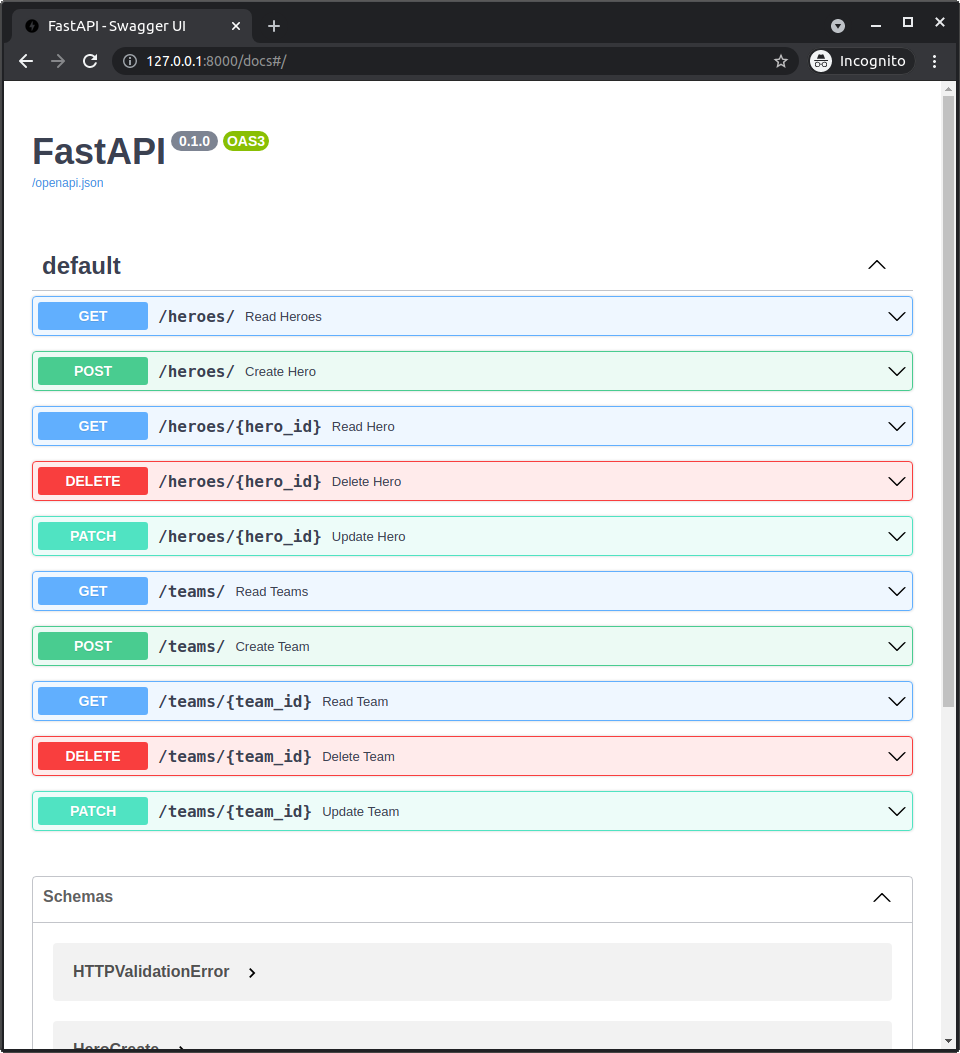
# Recap
We can use the same patterns to add more models and API path operations to our FastAPI application.
from fastapi import Depends, FastAPI, HTTPException, Query
from sqlmodel import Field, Relationship, Session, SQLModel, create_engine, select
class TeamBase(SQLModel):
name: str = Field(index=True)
headquarters: str
class Team(TeamBase, table=True):
id: int | None = Field(default=None, primary_key=True)
heroes: list["Hero"] = Relationship(back_populates="team")
class TeamCreate(TeamBase):
pass
class TeamPublic(TeamBase):
id: int
class TeamUpdate(SQLModel):
name: str | None = None
headquarters: str | None = None
class HeroBase(SQLModel):
name: str = Field(index=True)
secret_name: str
age: int | None = Field(default=None, index=True)
team_id: int | None = Field(default=None, foreign_key="team.id")
class Hero(HeroBase, table=True):
id: int | None = Field(default=None, primary_key=True)
team: Team | None = Relationship(back_populates="heroes")
class HeroPublic(HeroBase):
id: int
class HeroCreate(HeroBase):
pass
class HeroUpdate(SQLModel):
name: str | None = None
secret_name: str | None = None
age: int | None = None
team_id: int | None = None
sqlite_file_name = "database.db"
sqlite_url = f"sqlite:///{sqlite_file_name}"
connect_args = {"check_same_thread": False}
engine = create_engine(sqlite_url, echo=True, connect_args=connect_args)
def create_db_and_tables():
SQLModel.metadata.create_all(engine)
def get_session():
with Session(engine) as session:
yield session
app = FastAPI()
@app.on_event("startup")
def on_startup():
create_db_and_tables()
@app.post("/heroes/", response_model=HeroPublic)
def create_hero(*, session: Session = Depends(get_session), hero: HeroCreate):
db_hero = Hero.model_validate(hero)
session.add(db_hero)
session.commit()
session.refresh(db_hero)
return db_hero
@app.get("/heroes/", response_model=list[HeroPublic])
def read_heroes(
*,
session: Session = Depends(get_session),
offset: int = 0,
limit: int = Query(default=100, le=100),
):
heroes = session.exec(select(Hero).offset(offset).limit(limit)).all()
return heroes
@app.get("/heroes/{hero_id}", response_model=HeroPublic)
def read_hero(*, session: Session = Depends(get_session), hero_id: int):
hero = session.get(Hero, hero_id)
if not hero:
raise HTTPException(status_code=404, detail="Hero not found")
return hero
@app.patch("/heroes/{hero_id}", response_model=HeroPublic)
def update_hero(
*, session: Session = Depends(get_session), hero_id: int, hero: HeroUpdate
):
db_hero = session.get(Hero, hero_id)
if not db_hero:
raise HTTPException(status_code=404, detail="Hero not found")
hero_data = hero.model_dump(exclude_unset=True)
db_hero.sqlmodel_update(hero_data)
session.add(db_hero)
session.commit()
session.refresh(db_hero)
return db_hero
@app.delete("/heroes/{hero_id}")
def delete_hero(*, session: Session = Depends(get_session), hero_id: int):
hero = session.get(Hero, hero_id)
if not hero:
raise HTTPException(status_code=404, detail="Hero not found")
session.delete(hero)
session.commit()
return {"ok": True}
@app.post("/teams/", response_model=TeamPublic)
def create_team(*, session: Session = Depends(get_session), team: TeamCreate):
db_team = Team.model_validate(team)
session.add(db_team)
session.commit()
session.refresh(db_team)
return db_team
@app.get("/teams/", response_model=list[TeamPublic])
def read_teams(
*,
session: Session = Depends(get_session),
offset: int = 0,
limit: int = Query(default=100, le=100),
):
teams = session.exec(select(Team).offset(offset).limit(limit)).all()
return teams
@app.get("/teams/{team_id}", response_model=TeamPublic)
def read_team(*, team_id: int, session: Session = Depends(get_session)):
team = session.get(Team, team_id)
if not team:
raise HTTPException(status_code=404, detail="Team not found")
return team
@app.patch("/teams/{team_id}", response_model=TeamPublic)
def update_team(
*,
session: Session = Depends(get_session),
team_id: int,
team: TeamUpdate,
):
db_team = session.get(Team, team_id)
if not db_team:
raise HTTPException(status_code=404, detail="Team not found")
team_data = team.model_dump(exclude_unset=True)
db_team.sqlmodel_update(team_data)
session.add(db_team)
session.commit()
session.refresh(db_team)
return db_team
@app.delete("/teams/{team_id}")
def delete_team(*, session: Session = Depends(get_session), team_id: int):
team = session.get(Team, team_id)
if not team:
raise HTTPException(status_code=404, detail="Team not found")
session.delete(team)
session.commit()
return {"ok": True}
2
3
4
5
6
7
8
9
10
11
12
13
14
15
16
17
18
19
20
21
22
23
24
25
26
27
28
29
30
31
32
33
34
35
36
37
38
39
40
41
42
43
44
45
46
47
48
49
50
51
52
53
54
55
56
57
58
59
60
61
62
63
64
65
66
67
68
69
70
71
72
73
74
75
76
77
78
79
80
81
82
83
84
85
86
87
88
89
90
91
92
93
94
95
96
97
98
99
100
101
102
103
104
105
106
107
108
109
110
111
112
113
114
115
116
117
118
119
120
121
122
123
124
125
126
127
128
129
130
131
132
133
134
135
136
137
138
139
140
141
142
143
144
145
146
147
148
149
150
151
152
153
154
155
156
157
158
159
160
161
162
163
164
165
166
167
168
169
170
171
172
173
174
175
176
177
178
179
180
181
182
183
184
185
186
187
188
# Models with Relationships in FastAPI
If we go right now and read a single hero by ID, we get the hero data with the team ID.
But we don't get any data about the particular team:
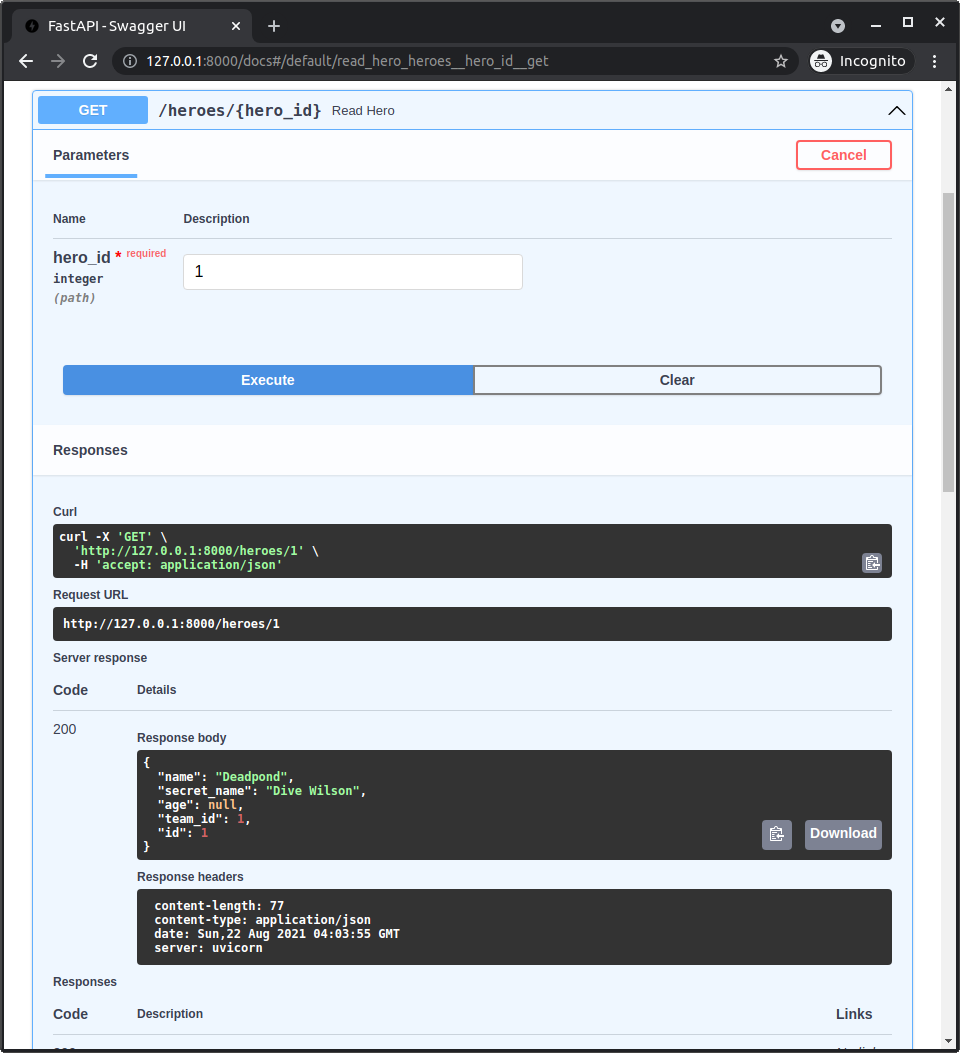
We get a response of:
{
"name": "Deadpond",
"secret_name": "Dive Wilson",
"age": null,
"team_id": 1,
"id": 1,
}
2
3
4
5
6
7
And the same way, if we get a team by ID, we get the team data, but we don't get any information about this team's heroes:
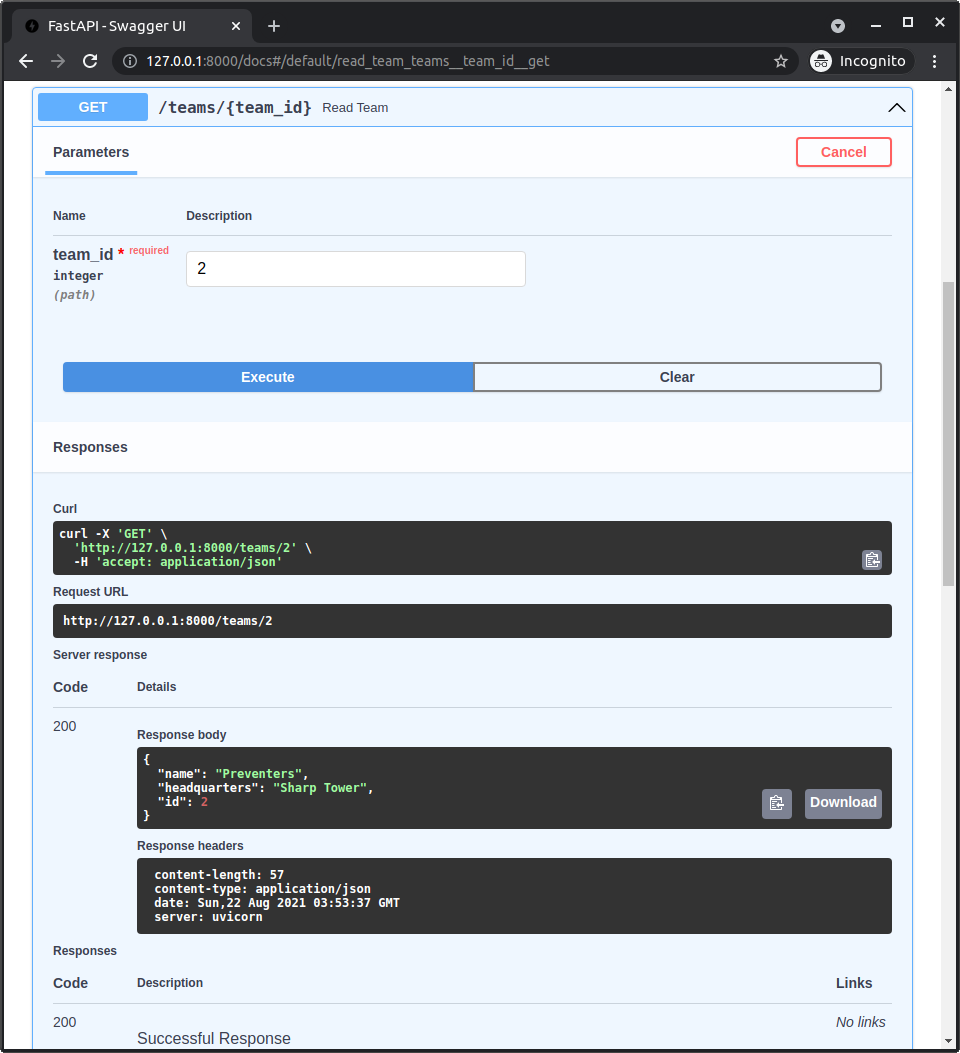
Here we get a response of:
{
"name": "Preventers",
"headquarters": "Sharp Tower",
"id": 2
}
2
3
4
5
but no information about the heroes.
Let's update that.
# Why Aren't We Getting More Data
First, why is it that we are not getting the related data for each hero and for each team?
It's because we declared the HeroPublic with only the same base fields of the HeroBase plus the id. But it doesn't include a field team for the relationship attribute.
And the same way, we declared the TeamPublic with only the same base fields of the TeamBase plus the id. But it doesn't include a field heroes for the relationship attribute.
Now, remember that FastAPI uses the response_model to validate and filter the response data?
In this case, we used response_model=TeamPublic and response_model=HeroPublic, so FastAPI will use them to filter the response data, even if we return a table model that includes relationship attributes:
# Code above omitted
@app.get("/heroes/{hero_id}", response_model=HeroPublic)
def read_hero(*, session: Session = Depends(get_session), hero_id: int):
hero = session.get(Hero, hero_id)
if not hero:
raise HTTPException(status_code=404, detail="Hero not found")
return hero
# Code here omitted
@app.get("/teams/{team_id}", response_model=TeamPublic)
def read_team(*, team_id: int, session: Session = Depends(get_session)):
team = session.get(Team, team_id)
if not team:
raise HTTPException(status_code=404, detail="Team not found")
return team
# Code below omitted
2
3
4
5
6
7
8
9
10
11
12
13
14
15
16
17
18
19
# Don't Include All the Data
Now let's stop for a second and think about it.
We cannot simply include all the data, including all the internal relationships, because each hero has an attribute team with their team, and then that team also has an attribute heroes with all the heroes in the team, including this one.
If we tried to include everything, we could make the server application crash trying to extract infinite data, going through the same hero and team over and over again internally, something like this:
{
"name": "Rusty-Man",
"secret_name": "Tommy Sharp",
"age": 48,
"team_id": 1,
"id": 1,
"team": {
"name": "Preventers",
"headquarters": "Sharp Tower",
"id": 2,
"heroes": [
{
"name": "Rusty-Man",
"secret_name": "Tommy Sharp",
"age": 48,
"team_id": 1,
"id": 1,
"team": {
"name": "Preventers",
"headquarters": "Sharp Tower",
"id": 2,
"heroes": [
{
"name": "Rusty-Man",
"secret_name": "Tommy Sharp",
"age": 48,
"team_id": 1,
"id": 1,
"team": {
"name": "Preventers",
"headquarters": "Sharp Tower",
"id": 2,
"heroes": [
...with infinite data here... 😱
]
}
}
]
}
}
]
}
}
2
3
4
5
6
7
8
9
10
11
12
13
14
15
16
17
18
19
20
21
22
23
24
25
26
27
28
29
30
31
32
33
34
35
36
37
38
39
40
41
42
43
As you can see, in this example, we would get the hero Rusty-Man, and from this hero we would get the team Preventers, and then from this team we would get its heroes, of course, including Rusty-Man.
So we start again, and in the end, the server would just crash trying to get all the data with a "Maximum recursion error", we would not even get a response like the one above.
So, we need to carefully choose in which cases we want to include data and in which not.
# What Data to Include
This is a decision that will depend on each application.
In our case, let's say that if we get a list of heroes, we don't want to also include each of their teams in each one.
And if we get a list of teams, we don't want to get a list of the heroes for each one.
But if we get a single hero, we want to include the team data (without the team's heroes).
And if we get a single team, we want to include the list of heroes (without each hero's team).
Let's add a couple more data models that decalre that data so we can use them in those two specific path operations.
# Models with Relationships
Let's add the models HeroPublicWithTeam and TeamPublicWithHeroes.
We'll add them after the other models so that we can easily reference the previous models.
# Code above omitted
class HeroPublicWithTeam(HeroPublic):
team: TeamPublic | None = None
class TeamPublicWithHeroes(TeamPublic):
heroes: list[HeroPublic] = []
# Code below omitted
2
3
4
5
6
7
8
9
10
These two models are ver simple in code, but there's a lot happening here. Let's check it out.
# Inheritance and Type Annotations
The HeroPublicWithTeam inherits from HeroPublic, which means that it will have the normal fields for reading, including the required id that was declared in HeroPublic.
And then it adds the new field team, which could be None, and is declared with the type TeamPublic with the base fields for reading a team.
Then we do the same of the TeamPublicWithHeroes, it inherits from TeamPublic, and declares the new field heroes, which is a list of HeroPublic.
# Data Models Without Relationship Attributes
Now, notice that these new fields team and heroes are not declared with Relationship(), because these are not table models, they connot have relationship attributes with the magic access to get that data from the database.
Instead, here these are only data models that will tell FastAPI which attributes to get data from and which data to get from them.
# Reference to Other Models
Also, notice that the field team is not declared with this new TeamPublicWithHeroes, because that would again create that infinite recursion of data. Instead, we declare it with the normal TeamPublic model.
And the same for TeamPublicWithHeroes, the model used for the new field heroes uses HeroPublic to get only each hero's data.
This also means that, even though we have these two new models, we still need the previous ones, HeroPublic and TeamPublic, because we need to reference them here (and we are also using them in the rest of the path operations).
# Update the Path Operations
Now we can update the path operations to use the new models.
This will tell FastAPI to take the object that we return from the path operation function (a table model) and access the additional attributes from them to extract their data.
In the case of the hero, this tells FastAPI to extract the team too. And in the case of the team, to extract the list of heroes too.
from fastapi import Depends, FastAPI, HTTPException, Query
from sqlmodel import Field, Relationship, Session, SQLModel, create_engine, select
class TeamBase(SQLModel):
name: str = Field(index=True)
headquarters: str
class Team(TeamBase, table=True):
id: int | None = Field(default=None, primary_key=True)
heroes: list["Hero"] = Relationship(back_populates="team")
class TeamCreate(TeamBase):
pass
class TeamPublic(TeamBase):
id: int
class TeamUpdate(SQLModel):
id: int | None = None
name: str | None = None
headquarters: str | None = None
class HeroBase(SQLModel):
name: str = Field(index=True)
secret_name: str
age: int | None = Field(default=None, index=True)
team_id: int | None = Field(default=None, foreign_key="team.id")
class Hero(HeroBase, table=True):
id: int | None = Field(default=None, primary_key=True)
team: Team | None = Relationship(back_populates="heroes")
class HeroPublic(HeroBase):
id: int
class HeroCreate(HeroBase):
pass
class HeroUpdate(SQLModel):
name: str | None = None
secret_name: str | None = None
age: int | None = None
team_id: int | None = None
class HeroPublicWithTeam(HeroPublic):
team: TeamPublic | None = None
class TeamPublicWithHeroes(TeamPublic):
heroes: list[HeroPublic] = []
sqlite_file_name = "database.db"
sqlite_url = f"sqlite:///{sqlite_file_name}"
connect_args = {"check_same_thread": False}
engine = create_engine(sqlite_url, echo=True, connect_args=connect_args)
def create_db_and_tables():
SQLModel.metadata.create_all(engine)
def get_session():
with Session(engine) as session:
yield session
app = FastAPI()
@app.on_event("startup")
def on_startup():
create_db_and_tables()
@app.post("/heroes/", response_model=HeroPublic)
def create_hero(*, session: Session = Depends(get_session), hero: HeroCreate):
db_hero = Hero.model_validate(hero)
session.add(db_hero)
session.commit()
session.refresh(db_hero)
return db_hero
@app.get("/heroes/", response_model=list[HeroPublic])
def read_heroes(
*,
session: Session = Depends(get_session),
offset: int = 0,
limit: int = Query(default=100, le=100),
):
heroes = session.exec(select(Hero).offset(offset).limit(limit)).all()
return heroes
@app.get("/heroes/{hero_id}", response_model=HeroPublicWithTeam)
def read_hero(*, session: Session = Depends(get_session), hero_id: int):
hero = session.get(Hero, hero_id)
if not hero:
raise HTTPException(status_code=404, detail="Hero not found")
return hero
@app.patch("/heroes/{hero_id}", response_model=HeroPublic)
def update_hero(
*, session: Session = Depends(get_session), hero_id: int, hero: HeroUpdate
):
db_hero = session.get(Hero, hero_id)
if not db_hero:
raise HTTPException(status_code=404, detail="Hero not found")
hero_data = hero.model_dump(exclude_unset=True)
db_hero.sqlmodel_update(hero_data)
session.add(db_hero)
session.commit()
session.refresh(db_hero)
return db_hero
@app.delete("/heroes/{hero_id}")
def delete_hero(*, session: Session = Depends(get_session), hero_id: int):
hero = session.get(Hero, hero_id)
if not hero:
raise HTTPException(status_code=404, detail="Hero not found")
session.delete(hero)
session.commit()
return {"ok": True}
@app.post("/teams/", response_model=TeamPublic)
def create_team(*, session: Session = Depends(get_session), team: TeamCreate):
db_team = Team.model_validate(team)
session.add(db_team)
session.commit()
session.refresh(db_team)
return db_team
@app.get("/teams/", response_model=list[TeamPublic])
def read_teams(
*,
session: Session = Depends(get_session),
offset: int = 0,
limit: int = Query(default=100, le=100),
):
teams = session.exec(select(Team).offset(offset).limit(limit)).all()
return teams
@app.get("/teams/{team_id}", response_model=TeamPublicWithHeroes)
def read_team(*, team_id: int, session: Session = Depends(get_session)):
team = session.get(Team, team_id)
if not team:
raise HTTPException(status_code=404, detail="Team not found")
return team
@app.patch("/teams/{team_id}", response_model=TeamPublic)
def update_team(
*,
session: Session = Depends(get_session),
team_id: int,
team: TeamUpdate,
):
db_team = session.get(Team, team_id)
if not db_team:
raise HTTPException(status_code=404, detail="Team not found")
team_data = team.model_dump(exclude_unset=True)
db_team.sqlmodel_update(team_data)
session.add(db_team)
session.commit()
session.refresh(db_team)
return db_team
@app.delete("/teams/{team_id}")
def delete_team(*, session: Session = Depends(get_session), team_id: int):
team = session.get(Team, team_id)
if not team:
raise HTTPException(status_code=404, detail="Team not found")
session.delete(team)
session.commit()
return {"ok": True}
2
3
4
5
6
7
8
9
10
11
12
13
14
15
16
17
18
19
20
21
22
23
24
25
26
27
28
29
30
31
32
33
34
35
36
37
38
39
40
41
42
43
44
45
46
47
48
49
50
51
52
53
54
55
56
57
58
59
60
61
62
63
64
65
66
67
68
69
70
71
72
73
74
75
76
77
78
79
80
81
82
83
84
85
86
87
88
89
90
91
92
93
94
95
96
97
98
99
100
101
102
103
104
105
106
107
108
109
110
111
112
113
114
115
116
117
118
119
120
121
122
123
124
125
126
127
128
129
130
131
132
133
134
135
136
137
138
139
140
141
142
143
144
145
146
147
148
149
150
151
152
153
154
155
156
157
158
159
160
161
162
163
164
165
166
167
168
169
170
171
172
173
174
175
176
177
178
179
180
181
182
183
184
185
186
187
188
189
190
191
192
193
194
195
196
197
# Check It Out in the Docs UI
Now let's try it out again in the docs UI.
Let's try again with the same hero with ID 1:
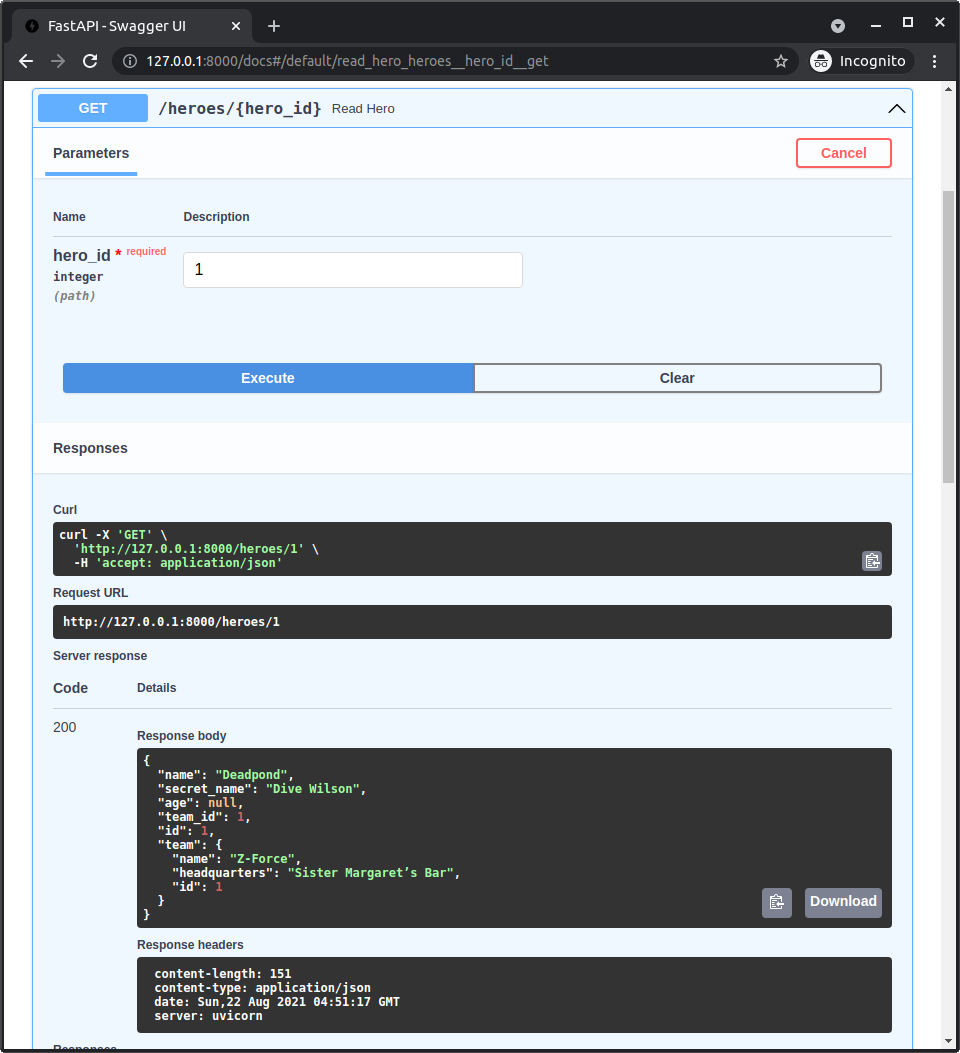
Now we get the team data include:
{
"name": "Deadpond",
"secret_name": "Dive Wilson",
"age": null,
"team_id": 1,
"id": 1,
"team": {
"name": "Z-Force",
"headquarters": "Sister Margaret's Bar",
"id": 1
}
}
2
3
4
5
6
7
8
9
10
11
12
And if we get now the team with ID 2:
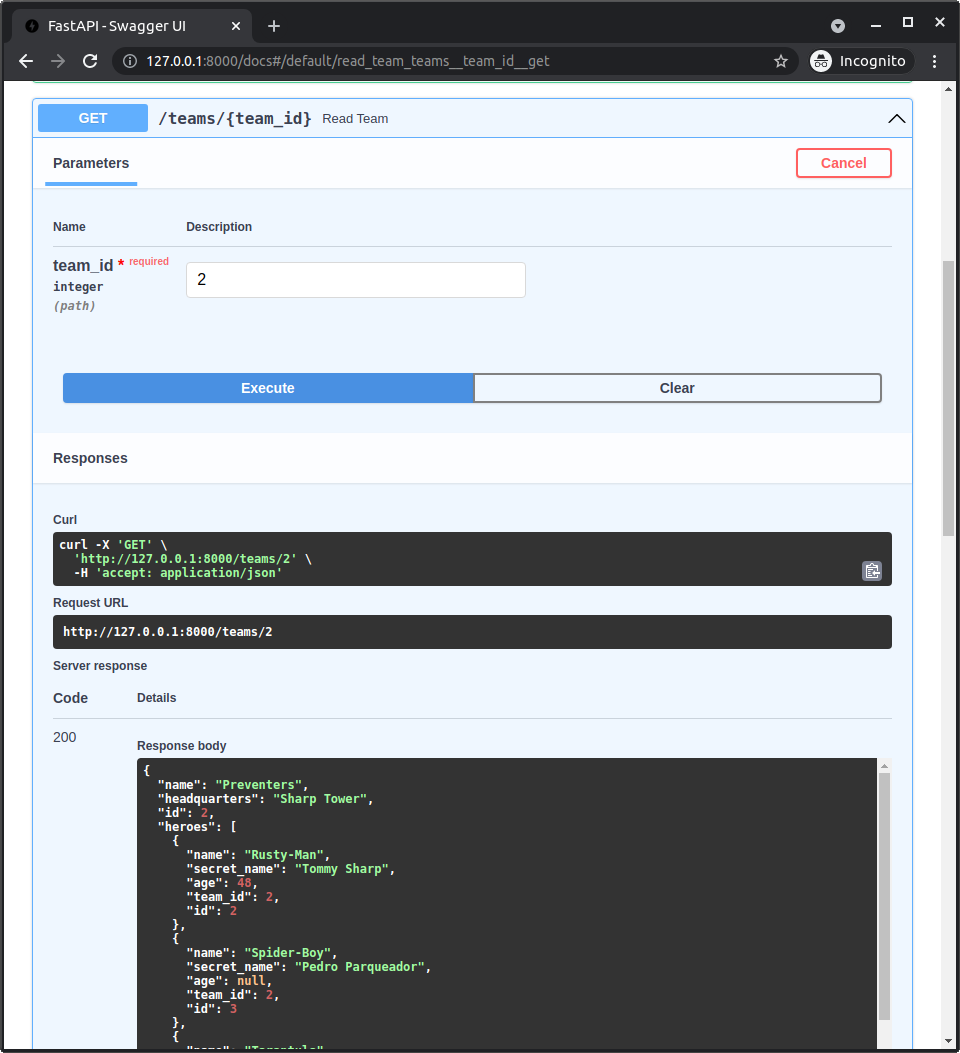
Now we get the list of heroes included:
{
"name": "Preventers",
"headquarters": "Sharp Tower",
"id": 2,
"heroes": [
{
"name": "Rusty-Man",
"secret_name": "Tommy Sharp",
"age": 48,
"team_id": 2,
"id": 2
},
{
"name": "Spider-Boy",
"secret_name": "Pedro Parqueador",
"age": null,
"team_id": 2,
"id": 3
},
{
"name": "Tarantula",
"secret_name": "Natalia Roman-on",
"age": 32,
"team_id": 2,
"id": 6
},
{
"name": "Dr. Weird",
"secret_name": "Steve Weird",
"age": 36,
"team_id": 2,
"id": 7
},
{
"name": "Captain North America",
"secret_name": "Esteban Rogelios",
"age": 93,
"team_id": 2,
"id": 8
}
]
}
2
3
4
5
6
7
8
9
10
11
12
13
14
15
16
17
18
19
20
21
22
23
24
25
26
27
28
29
30
31
32
33
34
35
36
37
38
39
40
41
42
# Recap
Using the same techniques to declare additional data models, we can tell FastAPI what data to return in the responses, even when we return table models.
Here we almost didn't have to change the FastAPI app code, but of course, there will be cases where you need to get the data and process it in different ways in the path operation function before returning it.
But even in those cases, you will be able to define the data models to use in response_model to tell FastAPI how to validate and filter the data.
By this point, you already have a very robust API to handle data in a SQL database combining SQLModel with FastAPI, and implementing best practices, like data validation, conversion, filtering, and documentation.
In the next chapter, I'll tell you how to implement automated testing for your application using FastAPI and SQLModel.
# Test Applications with FastAPI and SQLModel
To finish this group of chapters about FastAPI with SQLModel, let's now learn how to implement automated tests for an application using FastAPI with SQLModel.
Including the tips and tricks.
# FastAPI Application
Let's work with one of the simpler FastAPI applications we built in the previous chapters.
All the same concepts, tips and tricks will apply to more complex applications as well.
We will use the application with the hero models, but without team models, and we will use the dependency to get a session.
Now we will see how useful it is to have this session dependency.
from typing import List, Optional
from fastapi import Depends, FastAPI, HTTPException, Query
from sqlmodel import Field, Session, SQLModel, create_engine, select
class HeroBase(SQLModel):
name: str = Field(index=True)
secret_name: str
age: Optional[int] = Field(default=None, index=True)
class Hero(HeroBase, table=True):
id: Optional[int] = Field(default=None, primary_key=True)
class HeroCreate(HeroBase):
pass
class HeroPublic(HeroBase):
id: int
class HeroUpdate(SQLModel):
name: Optional[str] = None
secret_name: Optional[str] = None
age: Optional[int] = None
sqlite_file_name = "database.db"
sqlite_url = f"sqlite:///{sqlite_file_name}"
connect_args = {"check_same_thread": False}
engine = create_engine(sqlite_url, echo=True, connect_args=connect_args)
def create_db_and_tables():
SQLModel.metadata.create_all(engine)
def get_session():
with Session(engine) as session:
yield session
app = FastAPI()
@app.on_event("startup")
def on_startup():
create_db_and_tables()
@app.post("/heroes/", response_model=HeroPublic)
def create_hero(*, session: Session = Depends(get_session), hero: HeroCreate):
db_hero = Hero.model_validate(hero)
session.add(db_hero)
session.commit()
session.refresh(db_hero)
return db_hero
@app.get("/heroes/", response_model=List[HeroPublic])
def read_heroes(
*,
session: Session = Depends(get_session),
offset: int = 0,
limit: int = Query(default=100, le=100),
):
heroes = session.exec(select(Hero).offset(offset).limit(limit)).all()
return heroes
@app.get("/heroes/{hero_id}", response_model=HeroPublic)
def read_hero(*, session: Session = Depends(get_session), hero_id: int):
hero = session.get(Hero, hero_id)
if not hero:
raise HTTPException(status_code=404, detail="Hero not found")
return hero
@app.patch("/heroes/{hero_id}", response_model=HeroPublic)
def update_hero(
*, session: Session = Depends(get_session), hero_id: int, hero: HeroUpdate
):
db_hero = session.get(Hero, hero_id)
if not db_hero:
raise HTTPException(status_code=404, detail="Hero not found")
hero_data = hero.model_dump(exclude_unset=True)
db_hero.sqlmodel_update(hero_data)
session.add(db_hero)
session.commit()
session.refresh(db_hero)
return db_hero
@app.delete("/heroes/{hero_id}")
def delete_hero(*, session: Session = Depends(get_session), hero_id: int):
hero = session.get(Hero, hero_id)
if not hero:
raise HTTPException(status_code=404, detail="Hero not found")
session.delete(hero)
session.commit()
return {"ok": True}
2
3
4
5
6
7
8
9
10
11
12
13
14
15
16
17
18
19
20
21
22
23
24
25
26
27
28
29
30
31
32
33
34
35
36
37
38
39
40
41
42
43
44
45
46
47
48
49
50
51
52
53
54
55
56
57
58
59
60
61
62
63
64
65
66
67
68
69
70
71
72
73
74
75
76
77
78
79
80
81
82
83
84
85
86
87
88
89
90
91
92
93
94
95
96
97
98
99
100
101
102
103
104
105
# File Structure
Now we will have a Python project with multiple files, one file main.py with all the application, and one file test_main.py with the tests, with the same ideas from Code Structure and Multiple Files.
The file structure is:
.
├── project
├── __init__.py
├── main.py
└── test_main.py
2
3
4
5
# Testing FastAPI Applications
If you haven't done testing in FastAPI applications, first check the FastAPI docs about Testing.
Then, we can continue here, the first step is to install the dependencies, requests and pytest.
Make sure you create a virtual environment, activate it, and then install them, for example with: pip install requests pytest
# Basic Tests Code
Let's start with a simple test, with just the basic test code we need the check that the FastAPI application is creating a new hero correctly.
from fastapi.testclient import TestClient
from sqlmodel import Session, SQLModel, create_engine
# Import the app from the main module
from .main import app, get_session
def test_create_hero():
# Some code here omitted, we will see it later
# We create a TestClient for the FastAPI app and put it in the variable client
client = TestClient(app)
# Then we use this client to talk to the API and send a POST HTTP operation, creating a new hero.
response = client.post(
"/heroes/", json={"name": "Deadpond", "secret_name": "Dive Wilson"}
)
# Some code here omitted, we will see it later
# Then we get the JSON data from the response and put it in the variable data.
data = response.json()
# Next we start testing the results with assert statements, we check that the status code of the response is 200.
assert response.status_code == 200
# We check that the name of the hero created is "Deadpond".
assert data["name"] == "Deadpond"
# We check that the secret_name of the hero created is "Dive Wilson".
assert data["secret_name"] == "Dive Wilson"
# We chack that the age of the hero created is None, because we didn't send an age.
assert data["age"] is None
# We check that the hero created has an id created by the database, so it's not None.
assert data["id"] is not None
# Code below omitted
2
3
4
5
6
7
8
9
10
11
12
13
14
15
16
17
18
19
20
21
22
23
24
25
26
27
28
29
30
31
32
That's the core of the code we need for all the tests later.
But now, we need to deal with a bit of logistics and details we are not paying attention to just yet.
# Testing Database
This test looks fine, but there's a problem.
If we run it, it will use the same production database that we are using to store our very important heroes, and we will end up adding unnecessary data to it, or even worse, in future tests we could end up removing production data.
So, we should use an independent testing database, just for the tests.
To do this, we need to change the URL used for the database.
But when the the code for the API is executed, it gets a session that is already connected to an engine, and the engine is already using a specific database URL.
Even if we import the variable from the main module and change its value just for the tests, by that point the engine is already created with the original value.
But all our API path operations get the session using a FastAPI dependency, and we can override dependencies in tests.
Here's where dependencies start to help a lot.
# Override a Dependency
Let's override the get_session() dependency for the tests.
This dependency is used by all the path operaiont to get the SQLModel session object.
We will override it to use a different session object just for the tests.
That way we protect the production database and we have better control of the data we are testing.
from fastapi.testclient import TestClient
from sqlmodel import Session, SQLModel, create_engine
# Import the get_session dependency from the main module
from .main import app, get_session
def test_create_hero():
# Some code here omitted, we will see it later
# Define the new function that will be the new dependency override.
def get_session_override():
# This function will return a different session than the one that would be returned
# by the original get_session function.
# We haven't seen how this new session object is created yet, but the point is that
# this is a different session than the original one from the app.
# This session is attached to a different engine, and that different engine uses a different URL, for a
# database just for testing.
# We haven't defined that new URL nor the new engine yet, but here we already see the that
# this object session will override the one returned by the original dependency get_session().
return session
# Then, the FastAPI app object has an attribute app.dependency_override.
# This attribute is a dictionary, and we can put dependency overrides in it by passing,
# as the key, the original dependency function, and as the value, the new overriding dependency function.
# So, here we are telling the FastAPI app to use get_session_override instead of get_session in all the
# places in the code that depend on get_session, that is, all the parameters with something like:
# session: Session = Depends(get_session)
app.dependency_overrides[get_session] = get_session_override
client = TestClient(app)
response = client.post(
"/heroes/", json={"name": "Deadpond", "secret_name": "Dive Wilson"}
)
# After we are done with the dependency override, we can restore the application back to normal,
# by removing all the values in this dictionary app.dependency_overrides.
# This way whenever a path operation function needs the dependency FastAPI will use the original one instead
# of the override.
app.dependency_overrides.clear()
data = response.json()
assert response.status_code == 200
assert data["name"] == "Deadpond"
assert data["secret_name"] == "Dive Wilson"
assert data["age"] is None
assert data["id"] is not None
# Code below omitted
2
3
4
5
6
7
8
9
10
11
12
13
14
15
16
17
18
19
20
21
22
23
24
25
26
27
28
29
30
31
32
33
34
35
36
37
38
39
40
41
42
43
44
45
46
47
48
# Create the Engine and Session for Testing
Now let's create that session object that will be used during testing.
It will use its own engine, and this new engine will use a new URL for the testing database:
sqlite:///testing.db
So, the testing database will be in the file testing.db.
from fastapi.testclient import TestClient
from sqlmodel import Session, SQLModel, create_engine
from .main import app, get_session
def test_create_hero():
engine = create_engine(
"sqlite:///testing.db", connect_args={"check_same_thread": False}
)
SQLModel.metadata.create_all(engine)
with Session(engine) as session:
def get_session_override():
return session
app.dependency_overrides[get_session] = get_session_override
client = TestClient(app)
response = client.post(
"/heroes/", json={"name": "Deadpond", "secret_name": "Dive Wilson"}
)
app.dependency_overrides.clear()
data = response.json()
assert response.status_code == 200
assert data["name"] == "Deadpond"
assert data["secret_name"] == "Dive Wilson"
assert data["age"] is None
assert data["id"] is not None
2
3
4
5
6
7
8
9
10
11
12
13
14
15
16
17
18
19
20
21
22
23
24
25
26
27
28
29
30
31
32
# Import Table Models
Here we create all the tables in the testing database with:
SQLModel.metadata.create_all(engine)
But remember that Order Matters and we need to make sure all the SQLModel models are already defined and imported before calling .create_all().
In this case, it all works for a little subtlety that deserves some attention.
Because we import something, anything, from .main, the code in .main will be executed, including the definition of the table models, and that will automatically register them in SQLModel.metadata.
That way, when we call .create_all() all the table models are correctly registered in SQLModel.metadata and it will all work.
# Memory Database
Now we are not using the production database. Instead, we use a new testing database with the testing.db file, which is great.
But SQLite also supports having an in memory database. This means that all the database is only in memory, and it is never saved in a file on disk.
After the proguram terminates, the in-memory database is deleted, so it wouldn't help much for a production database.
But it works great for testing, because it can be quickly created before each test, and quickly removed after each test.
And also, because it never has to write anything to a file and it's all just in memory, it will be even faster than normally.
Other alternatives and ideas
Before arriving at the idea of using an in-memory database we could have explored other alternatives and ideas.
The first is that we are not deleting the file after we finish the test, so the next test could have leftover data. So, the right thing would be to delete the file right after finishing the test.
But if each test has to create a new file and then delete it afterwards, running all the tests could be a bit slow.
Right now, we have a file testing.db that is used by all the tests (we only have one test now, but we will have more).
So, if we tried to run the tests at the same time in parallel to try to speed things up a bit, they would clash trying to use the same testing.db file.
Of course, we could also fix that, using some random name for each testing database file... but in the case of SQLite, we have an even better alternative by just using an in-memory database.
# Configure the In-Memory Database
Let's update our code to use the in-memory database.
We just have to change a couple of parameters in the engine.
from fastapi.testclient import TestClient
from sqlmodel import Session, SQLModel, create_engine
# Import StaticPool from sqlmodel, we will use it in a bit.
from sqlmodel.pool import StaticPool
from .main import app, get_session
def test_create_hero():
engine = create_engine(
# For the SQLite URL, don't write any file name, leave it empty.
# So, instead of:
# sqlite:///testing.db
# just write
# sqlite://
# This is enough to tell SQLModel (actually SQLAlchemy) that we want to use an in-memory SQLite database
"sqlite://",
connect_args={"check_same_thread": False},
# Remember that we told the low-level library in charge of
# communicating with SQLite that we want to be able to access the database from different threads with
# check_same_thread=False
# Now that we use an in-memory dataase, we need to also tell SQLAlchemy that we want to be able to use the same
# in-memory database object from different threads.
# We tell it that with the poolclass=StaticPool parameter.
poolclass=StaticPool,
)
# Code below omitted
2
3
4
5
6
7
8
9
10
11
12
13
14
15
16
17
18
19
20
21
22
23
24
25
26
27
28
That's it, now the test will run using the in-memory database, which will be faster and probably safer.
And all the other tests can do the same.
# Boilerplate Code
Great, that works, and you could replicate all that process in each of the test functions.
But we had to add a lot of boilerplate code to handle the custom database, creating it in memory, the custom session, and the dependency oeverride.
Do we really have to duplicate all that for each test? No, we can do better!
We are using pytest to run the tests. And pytest also has a very similar concept to the dependencies in FastAPI.
In fact, pytest was one of the things that inspired the design of the dependencies in FastAPI.
It's a way for us to declare some code that should be run before each test and provide a value for the test function (that's pretty much the same as FastAPI dependencis).
In fact, it also has the same trick of allowing to use yield instead of return to provide the value, and then pytest makes sure that the code after yield is executed after the function with the test is done.
In pytest, these things are called fixtures instead of dependencies.
Let's use these fixtures to improve our code and reduce de duplicated boilerplate for the next tests.
# Pytest Fixtures
You can read more about them in the pytest docs for fixtures, but i'll give you a short example for what we need here.
Let's see the first code example with a fixture:
# import pytest
import pytest
from fastapi.testclient import TestClient
from sqlmodel import Session, SQLModel, create_engine
from sqlmodel.pool import StaticPool
from .main import app, get_session
# Use the @pytest.fixture() decorator on top of the function to tell pytest that this is a fixture function
# (equivalent to a FastAPI dependency).
# We also give it a name of "session", this will be important in the testing function.
@pytest.fixture(name="session")
# Create the fixture function. This is equivalent to a FastAPI dependency function.
# In this fixture we create the custom engine, with the in-memory database, we create the tables,
# and we create the session.
# Then we yield the session object.
def session_fixture():
engine = create_engine(
"sqlite://", connect_args={"check_same_thread": False}, poolclass=StaticPool
)
SQLModel.metadata.create_all(engine)
with Session(engine) as session:
# The thing that we return or yield is what will be available to the test function, in this case, the session
# object.
# Here we use yield so that pytest comes back to execute "the rest of the code" in this function once the
# testing function is done.
# We don't have any more visible "rest of the code" after the yield, but we have the end of the with block
# that will close the session.
# By using yeild, pytest will:
# - run the first part
# - create the session object
# - give it to the test function
# - run the test function
# - once the test function is done, it will continue here, right after the yield, and will correctly close
# the session object in the end of the with block.
yield session
def test_create_hero(session: Session):
def get_session_override():
return session
app.dependency_overrides[get_session] = get_session_override
client = TestClient(app)
response = client.post(
"/heroes/", json={"name": "Deadpond", "secret_name": "Dive Wilson"}
)
app.dependency_overrides.clear()
data = response.json()
assert response.status_code == 200
assert data["name"] == "Deadpond"
assert data["secret_name"] == "Dive Wilson"
assert data["age"] is None
assert data["id"] is not None
2
3
4
5
6
7
8
9
10
11
12
13
14
15
16
17
18
19
20
21
22
23
24
25
26
27
28
29
30
31
32
33
34
35
36
37
38
39
40
41
42
43
44
45
46
47
48
49
50
51
52
53
54
55
56
57
58
pytest fixtures work in a very similar way to FastAPI dependencies, but have some minor differences:
- In pytest fixtures, we need to add a decorator of
@pytest.fixture()on top. - To use a pytest fixture in a function, we have to declare the parameter with the extract same name. In FastAPI we have to explicitly use
Depends()with the actual function inside it.
But apart from the way we declare them and how we tell the framework that we want to have them in the function, the work in a very similar way.
Now we create lot's of tests and re-use that same fixture in all of them, saving us that boilerplate code.
pytest will make sure to run them right before (and finish them right after) each test function. So, each test function will actually have its own database, engine, and session.
# Client Fixture
Awesome, that fixture helps us prevent a lot of duplicated code.
But currently, we still have to write some code in the test function that will be repetitive for other tests, right now we:
- create the dependency override
- put it in the
app.dependency_overrides - create the
TestClient - Clear the dependency override(s) after making the request
That's still gonna be repetitive in the other future tests. Can we improve it? Yes!
Each pytest fixture (the same way as FastAPI dependencies), can require other fixtures.
So, we can create a client fixture that will be used in all the tests, and it will itself require the session fixture.
import pytest
from fastapi.testclient import TestClient
from sqlmodel import Session, SQLModel, create_engine
from sqlmodel.pool import StaticPool
from .main import app, get_session
@pytest.fixture(name="session")
def session_fixture():
engine = create_engine(
"sqlite://", connect_args={"check_same_thread": False}, poolclass=StaticPool
)
SQLModel.metadata.create_all(engine)
with Session(engine) as session:
yield session
# Create the new fixture named "client"
@pytest.fixture(name="client")
# This client fixture, in turn, also requires the session fixture.
def client_fixture(session: Session):
# Now we create the dependency override inside the client fixture.
def get_session_override():
return session
# Set the dependency override in the app.dependency_overrides dictionary.
app.dependency_overrides[get_session] = get_session_override
# Create the TestClient with the FastAPI app.
client = TestClient(app)
# yield the TestClient instance.
# By using yield, after the test function is done, pytest will come back to execute the rest of
# the code after yield.
yield client
# This is the cleanup code, after yield, and after the test function is done.
# Here we clear the dependency overrides (here it's only one) in the FastAPI app.
app.dependency_overrides.clear()
# Now the test function requires the client fixture.
# And inside the test function, the code is quite simple, we just use the TestClient to make requests to the API,
# check the data, and that's it.
# The fixtures take care of all the setup and cleanup code.
def test_create_hero(client: TestClient):
response = client.post(
"/heroes/", json={"name": "Deadpond", "secret_name": "Dive Wilson"}
)
data = response.json()
assert response.status_code == 200
assert data["name"] == "Deadpond"
assert data["secret_name"] == "Dive Wilson"
assert data["age"] is None
assert data["id"] is not None
2
3
4
5
6
7
8
9
10
11
12
13
14
15
16
17
18
19
20
21
22
23
24
25
26
27
28
29
30
31
32
33
34
35
36
37
38
39
40
41
42
43
44
45
46
47
48
49
50
51
52
53
54
55
Now we have a client fixture that, in turn, uses the session fixture.
And in the actual test function, we just have to declare that we require this client fixture.
# Add More Tests
At this point, it all might seem like we just did a lot of changes for nothing, to get the same result.
But normally we will create lots of other test functions. And now all the boilerplate and complexity is written only once, in those two fixtures.
Let's add some more tests:
# Code above omitted
def test_create_hero(client: TestClient):
response = client.post(
"/heroes/", json={"name": "Deadpond", "secret_name": "Dive Wilson"}
)
data = response.json()
assert response.status_code == 200
assert data["name"] == "Deadpond"
assert data["secret_name"] == "Dive Wilson"
assert data["age"] is None
assert data["id"] is not None
def test_create_hero_incomplete(client: TestClient):
# No secret_name
response = client.post("/heroes/", json={"name": "Deadpond"})
assert response.status_code == 422
def test_create_hero_invalid(client: TestClient):
# secret_name has an invalid type
response = client.post(
"/heroes/",
json={
"name": "Deadpond",
"secret_name": {"message": "Do you wanna know my secret identity?"},
},
)
assert response.status_code == 422
# Code below omitted
2
3
4
5
6
7
8
9
10
11
12
13
14
15
16
17
18
19
20
21
22
23
24
25
26
27
28
29
30
31
32
33
It's always good idea to not only test the normal case, but also that invalid data, errors, and corner cases are handled correctly.
That's why we add these two extra tests here.
Now, any additional test functions can be as simple as the first one, they just have to declare the client parameter to get the TestClient fixture with all the database stuff setup. Nice!
# Why Two Fixtures
Now, seeing the code, we could think, why do we put two fixtures instead of just one with all the code? And that makes total sense!
For these examples, that would have been simpler, there's no need to separate that code into two fixtures for them...
But for the next test function, we will require both fixtures, the client and the session.
import pytest
from fastapi.testclient import TestClient
from sqlmodel import Session, SQLModel, create_engine
from sqlmodel.pool import StaticPool
from .main import Hero, app, get_session
# Code here omitted
def test_read_heroes(session: Session, client: TestClient):
hero_1 = Hero(name="Deadpond", secret_name="Dive Wilson")
hero_2 = Hero(name="Rusty-Man", secret_name="Tommy Sharp", age=48)
session.add(hero_1)
session.add(hero_2)
session.commit()
response = client.get("/heroes/")
data = response.json()
assert response.status_code == 200
assert len(data) == 2
assert data[0]["name"] == hero_1.name
assert data[0]["secret_name"] == hero_1.secret_name
assert data[0]["age"] == hero_1.age
assert data[0]["id"] == hero_1.id
assert data[1]["name"] == hero_2.name
assert data[1]["secret_name"] == hero_2.secret_name
assert data[1]["age"] == hero_2.age
assert data[1]["id"] == hero_2.id
# Code below omitted
2
3
4
5
6
7
8
9
10
11
12
13
14
15
16
17
18
19
20
21
22
23
24
25
26
27
28
29
30
31
32
In this test function, we want to check that the path operaiont to read a list of heroes actually sends us heroes.
But if the database is empty, we would get an empty list, and we wouldn't know if the hero data is being sent correctly or not.
But we can create some heroes in the testing database right before sending the API request.
And because we are using the testing database, we don't affect anything by creating heroes for the test.
To do it, we have to:
- import the
Heromodel - require both fixtures, the client and the session
- create some heroes and save them in the database using the session.
After that, we can send the request and check that we actually got the data back correctly from the database.
Here's the important detail to notice: we can require fixtures in other fixtures and also in the test functions.
The function for the client fixture and the actual testing function will both receive the same session.
# Add the Rest of the Tests
Using the same ideas, requiring the fixtures, creating data that we need for the tests, etc. we can now add the rest of the tests. They look quite similar to what we have done up to now.
import pytest
from fastapi.testclient import TestClient
from sqlmodel import Session, SQLModel, create_engine
from sqlmodel.pool import StaticPool
from .main import Hero, app, get_session
@pytest.fixture(name="session")
def session_fixture():
engine = create_engine(
"sqlite://", connect_args={"check_same_thread": False}, poolclass=StaticPool
)
SQLModel.metadata.create_all(engine)
with Session(engine) as session:
yield session
@pytest.fixture(name="client")
def client_fixture(session: Session):
def get_session_override():
return session
app.dependency_overrides[get_session] = get_session_override
client = TestClient(app)
yield client
app.dependency_overrides.clear()
def test_create_hero(client: TestClient):
response = client.post(
"/heroes/", json={"name": "Deadpond", "secret_name": "Dive Wilson"}
)
data = response.json()
assert response.status_code == 200
assert data["name"] == "Deadpond"
assert data["secret_name"] == "Dive Wilson"
assert data["age"] is None
assert data["id"] is not None
def test_create_hero_incomplete(client: TestClient):
# No secret_name
response = client.post("/heroes/", json={"name": "Deadpond"})
assert response.status_code == 422
def test_create_hero_invalid(client: TestClient):
# secret_name has an invalid type
response = client.post(
"/heroes/",
json={
"name": "Deadpond",
"secret_name": {"message": "Do you wanna know my secret identity?"},
},
)
assert response.status_code == 422
def test_read_heroes(session: Session, client: TestClient):
hero_1 = Hero(name="Deadpond", secret_name="Dive Wilson")
hero_2 = Hero(name="Rusty-Man", secret_name="Tommy Sharp", age=48)
session.add(hero_1)
session.add(hero_2)
session.commit()
response = client.get("/heroes/")
data = response.json()
assert response.status_code == 200
assert len(data) == 2
assert data[0]["name"] == hero_1.name
assert data[0]["secret_name"] == hero_1.secret_name
assert data[0]["age"] == hero_1.age
assert data[0]["id"] == hero_1.id
assert data[1]["name"] == hero_2.name
assert data[1]["secret_name"] == hero_2.secret_name
assert data[1]["age"] == hero_2.age
assert data[1]["id"] == hero_2.id
def test_read_hero(session: Session, client: TestClient):
hero_1 = Hero(name="Deadpond", secret_name="Dive Wilson")
session.add(hero_1)
session.commit()
response = client.get(f"/heroes/{hero_1.id}")
data = response.json()
assert response.status_code == 200
assert data["name"] == hero_1.name
assert data["secret_name"] == hero_1.secret_name
assert data["age"] == hero_1.age
assert data["id"] == hero_1.id
def test_update_hero(session: Session, client: TestClient):
hero_1 = Hero(name="Deadpond", secret_name="Dive Wilson")
session.add(hero_1)
session.commit()
response = client.patch(f"/heroes/{hero_1.id}", json={"name": "Deadpuddle"})
data = response.json()
assert response.status_code == 200
assert data["name"] == "Deadpuddle"
assert data["secret_name"] == "Dive Wilson"
assert data["age"] is None
assert data["id"] == hero_1.id
def test_delete_hero(session: Session, client: TestClient):
hero_1 = Hero(name="Deadpond", secret_name="Dive Wilson")
session.add(hero_1)
session.commit()
response = client.delete(f"/heroes/{hero_1.id}")
hero_in_db = session.get(Hero, hero_1.id)
assert response.status_code == 200
assert hero_in_db is None
2
3
4
5
6
7
8
9
10
11
12
13
14
15
16
17
18
19
20
21
22
23
24
25
26
27
28
29
30
31
32
33
34
35
36
37
38
39
40
41
42
43
44
45
46
47
48
49
50
51
52
53
54
55
56
57
58
59
60
61
62
63
64
65
66
67
68
69
70
71
72
73
74
75
76
77
78
79
80
81
82
83
84
85
86
87
88
89
90
91
92
93
94
95
96
97
98
99
100
101
102
103
104
105
106
107
108
109
110
111
112
113
114
115
116
117
118
119
120
121
122
123
124
125
# Run the Tests
Now we can run the tests with pytest and see the results:
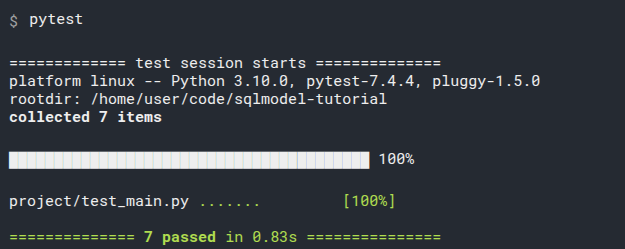
# Recap
Adding tests to your application will give you a lot of certainty that everything is working correctly, as you intended.
And tests will be notoriously useful wen refactoring your code, changing things, adding features. Because tests can help catch a lot of errors that can be easily introduced by refactoring.
And they will give you the confidence to work faster and more efficiently, because you know that you are checking if you are not breaking anything.
I think tests are one of those things that bring your code and you as a developer to the next professional level.
And if you read and studied all this, you already know a lot of the advanced ideas and tricks that took me years to learn.
# Decimal Numbers
In some cases you might need to be able to store decimal numbers with guarantees about the precision.
This is particularly important if you are storing things like currencies, prices, accounts, and others, as you would want to know that you wouldn't have rounding errors.
As an example, if you open Python and sum 1.1 + 2.2 you would expect to see 3.3, but you will actually get 3.3000000000000003.
This is because of the way numbers are stored in "ones and zeroes" (binary). But Python has a module and some types to have strict decimal values. You can read more about it in the offical Python docs for Decimal.
Because database store data in the same ways as computers (in binary), they would have the same types of issues. And because of that, they also have a special decimal type.
In most cases this would probably not be a problem, for example measuring views in a video, or the life bar in a videogame. But as you can imagine, this is particularly important when dealing with money and finances.
# Decimal Types
Pydantic has special support for Decimal types.
When you use Decimal you can specify the number of digits and decimal places to support in the Field() function. They will be validated by Pydantic (for example when using FastAPI) and the same information will also be used for the database columns.
For the database, SQLModel will use SQLAlchemy's DECIMAL type.
# Decimals in SQLModel
Let's say tha each hero in the database will have an amount of money. We could make that field a Decimal type using the condecimal() function:
from decimal import Decimal
from sqlmodel import Field, Session, SQLModel, create_engine, select
class Hero(SQLModel, table=True):
id: int | None = Field(default=None, primary_key=True)
name: str = Field(index=True)
secret_name: str
age: int | None = Field(default=None, index=True)
money: Decimal = Field(default=0, max_digits=5, decimal_places=3)
# Code below omitted
2
3
4
5
6
7
8
9
10
11
12
13
Here we are saying that money can have at most 5 digits with max_digits, this includes the integers (to the left of the decimal dot) and the decimals (to the right of the decimal dot).
We are also saying that the number of decimal places (to the right of the decimal dot) is 3, so we can have 3 decimal digits for these numbers in the money field. This means that we will have 2 digits for the integer part and 3 digits for the decimal part.
So, for example, these are all valid numbers for the money field:
12.34512.3121.20.1230
But these are all invalid numbers for that money field:
1.2345: This number has more than 3 decimal places.123.234: This number has more than 5 digits in total (integer and decimal part).123: Even though this number doesn't have any decials, we still have 3 places saved for them, which means that we can only use 2 places for the integer part, and this number has 3 integer digits. So, the allowed number of integer digits ismax_digits - decimal_places = 2.
Make sure you adjust the number of digits and decimal places for your own needs, in your own application.
# Create models with Decimals
When creating new models you can actually pass normal (float) numbers, Pydantic will automatically convert them to Decimal types, and SQLModel will store them as Decimal types in the database (using SQLAlchemy).
# Code above omitted
def create_heroes():
hero_1 = Hero(name="Deadpond", secret_name="Dive Wilson", money=1.1)
hero_2 = Hero(name="Spider-Boy", secret_name="Pedro Parqueador", money=0.001)
hero_3 = Hero(name="Rusty-Man", secret_name="Tommy Sharp", age=48, money=2.2)
with Session(engine) as session:
session.add(hero_1)
session.add(hero_2)
session.add(hero_3)
session.commit()
# Code below omitted
2
3
4
5
6
7
8
9
10
11
12
13
14
15
# Select Decimal data
Then, when working with Decimal types, you can confirm that they indeed avoid those rounding errors from floats:
# Code above omitted
def select_heroes():
with Session(engine) as session:
statement = select(Hero).where(Hero.name == "Deadpond")
results = session.exec(statement)
hero_1 = results.one()
print("Hero 1:", hero_1)
statement = select(Hero).where(Hero.name == "Rusty-Man")
results = session.exec(statement)
hero_2 = results.one()
print("Hero 2:", hero_2)
total_money = hero_1.money + hero_2.money
print(f"Total money: {total_money}")
# Code below omitted
2
3
4
5
6
7
8
9
10
11
12
13
14
15
16
17
18
# Review the results
from decimal import Decimal
from sqlmodel import Field, Session, SQLModel, create_engine, select
class Hero(SQLModel, table=True):
id: int | None = Field(default=None, primary_key=True)
name: str = Field(index=True)
secret_name: str
age: int | None = Field(default=None, index=True)
money: Decimal = Field(default=0, max_digits=5, decimal_places=3)
sqlite_file_name = "database.db"
sqlite_url = f"sqlite:///{sqlite_file_name}"
engine = create_engine(sqlite_url, echo=True)
def create_db_and_tables():
SQLModel.metadata.create_all(engine)
def create_heroes():
hero_1 = Hero(name="Deadpond", secret_name="Dive Wilson", money=1.1)
hero_2 = Hero(name="Spider-Boy", secret_name="Pedro Parqueador", money=0.001)
hero_3 = Hero(name="Rusty-Man", secret_name="Tommy Sharp", age=48, money=2.2)
with Session(engine) as session:
session.add(hero_1)
session.add(hero_2)
session.add(hero_3)
session.commit()
def select_heroes():
with Session(engine) as session:
statement = select(Hero).where(Hero.name == "Deadpond")
results = session.exec(statement)
hero_1 = results.one()
print("Hero 1:", hero_1)
statement = select(Hero).where(Hero.name == "Rusty-Man")
results = session.exec(statement)
hero_2 = results.one()
print("Hero 2:", hero_2)
total_money = hero_1.money + hero_2.money
print(f"Total money: {total_money}")
def main():
create_db_and_tables()
create_heroes()
select_heroes()
if __name__ == "__main__":
main()
2
3
4
5
6
7
8
9
10
11
12
13
14
15
16
17
18
19
20
21
22
23
24
25
26
27
28
29
30
31
32
33
34
35
36
37
38
39
40
41
42
43
44
45
46
47
48
49
50
51
52
53
54
55
56
57
58
59
60
Now if you run this, instead of printing the unexpected number 3.3000000000000003, it prints 3.300.
Although Decimal types are supported and used in the Python side, not all databases support it. In particular, SQLite doesn't support decimals, so it will convert them to the same floating NUMERIC type it supports.
But decimals are supported by most of the other SQL databases.
# UUID (Universally Unique Identifiers)
We have discussed some data types like str, int, etc.
There's another data type called UUID (Universally Unique Identifier).
You might have seen UUIDs, for example in URLs. They look something like this:
4ff2dab7-bffe-414d-88a5-1826b9fea8df
UUIDs can be particularly useful as an alternative to auto-incrementing integers for primary keys.
Official support for UUIDs was added in SQLModel version 0.0.20.
# About UUIDs
UUIDs are numbers with 128 bits, that is, 16 bytes.
They are normally seen as 32 hexadecimal characters separated by dashes.
There are several versions of UUID, some versions include the current time in the bytes, but UUIDs version 4 are mainly random, the way they are generated makes them virtually unique.
# Distributed UUIDs
You could generate one UUID in one computer, and someone else could generate another UUID in another computer, and it would be almost impossible for both UUIDs to be the same.
This means that you don't have to wait for the DB to generate the ID for you, you can generate it in code before sending it to the database, because you can be quite certain it will be unqiue.
Technical Details
Because the number of possible UUIDs is so large (2^128), the probability of generating the same UUID version 4 (the random ones) twice is very low.
If you had 103 trillion version 4 UUIDs stored in the database, the probability of generating a duplicated new one is one in a billion.
For the same reason, if you decided to migrate your database, combine it with another database and mix records, etc. you would most probably be able to just use the same UUIDs you had originally.
There's still a chance you could have a collision, but it's very low. In most cases you could assume you wouldn't have it, but it would be good to be prepared for it.
# UUIDs Prevent Information Leakage
Because UUIDs version 4 are random, you could give these IDs to the application users or to other systems, without exposing information about your application.
When using auto-incremented integers for primary keys, you could implicitly expose information about your system. For example, someone could create a new hero, and by getting the hero ID 20 they could know that you have 20 heroes in your system (or even less, if some heroes were already deleted).
# UUID Storage
Because UUIDs are 16 bytes, they would consume more space in the database than a smaller auto-incremented integer (commonly 4 bytes).
Depending on the database you use, UUIDs could have better or worse performance. If you are concerned about that, you should check the documentation for the specific database.
SQLite doesn't have a specific UUID type, so it will store the UUID as string. Other databases like Postgres have a specific UUID type which would result in better performance and space usage than strings.
# Models with UUIDs
To use UUIDs as primary keys we need to import uuid, which is part of the Python standard library (we don't have to install anything) and use uuid.UUID as the type for the ID field.
We also want the Python code to generate a new UUID when creating a new instance, so we use default_factory.
The parameter default_factory takes a function (or in general, a "callable"). This function will be called when creating a new instance of the model and the value returned by the function will be used as the default value for the field.
For the function in default_factory we pass uuid.uuid4, which is a function that generates a new UUID version 4.
We don't call uuid.uuid4() ourselves in the code (we don't put the parenthesis). Instead, we pass the function itself, just uuid.uuid4, so that SQLModel can call it every time we create a new instance.
This means that the UUID will be generated in the Python code, before sending the data to the database.
import uuid
from sqlmodel import Field, Session, SQLModel, create_engine, select
class Hero(SQLModel, table=True):
id: uuid.UUID = Field(default_factory=uuid.uuid4, primary_key=True)
name: str = Field(index=True)
secret_name: str
age: int | None = Field(default=None, index=True)
# Code below omitted
2
3
4
5
6
7
8
9
10
11
12
Pydantic has support for UUID types.
For the database, SQLModel internally uses SQLAlchemy's Uuid type.
# Create a Record with a UUID
When creating a Hero record, the id field will be automatically populated with a new UUID because we set default_factory=uuid.uuid4.
As uuid.uuid4 will be called when creating the mdoel instance, even before sending it to the database, we can access and use the ID right now.
And that same ID (a UUID) will be saved in the database.
# Code above omitted
def create_hero():
with Session(engine) as session:
hero = Hero(name="Deadpond", secret_name="Dive Wilson")
print("The hero before saving in the DB")
print(hero)
print("The hero ID was already set")
print(hero.id)
session.add(hero)
session.commit()
session.refresh(hero)
print("After saving in the DB")
print(hero)
# Code below omitted
2
3
4
5
6
7
8
9
10
11
12
13
14
15
16
# Select a Hero
We can do the same operations we could do with other fields.
For example we can select a hero by ID:
# Code above omitted
def select_hero():
with Session(engine) as session:
hero_2 = Hero(name="Spider-Boy", secret_name="Pedro Parqueador")
session.add(hero_2)
session.commit()
session.refresh(hero_2)
hero_id = hero_2.id
print("Created hero:")
print(hero_2)
print("Created hero ID:")
print(hero_id)
statement = select(Hero).where(Hero.id == hero_id)
selected_hero = session.exec(statement).one()
print("Selected hero:")
print(selected_hero)
print("Selected hero ID:")
print(selected_hero.id)
# Code below omitted
2
3
4
5
6
7
8
9
10
11
12
13
14
15
16
17
18
19
20
21
22
Even if a database like SQLite stores the UUID as a string, we can select and run comparisons using a Python UUID object and it will work.
SQLModel (actually SQLAlchemy) will take care of making it work.
# Select with session.get()
We could also select by ID with session.get():
# Code above omitted
def select_hero():
with Session(engine) as session:
hero_2 = Hero(name="Spider-Boy", secret_name="Pedro Parqueador")
session.add(hero_2)
session.commit()
session.refresh(hero_2)
hero_id = hero_2.id
print("Created hero:")
print(hero_2)
print("Created hero ID:")
print(hero_id)
selected_hero = session.get(Hero, hero_id)
print("Selected hero:")
print(selected_hero)
print("Selected hero ID:")
print(selected_hero.id)
# Code below omitted
2
3
4
5
6
7
8
9
10
11
12
13
14
15
16
17
18
19
20
21
The same way as with other fields, we could update, delete, etc.
# Run the program
import uuid
from sqlmodel import Field, Session, SQLModel, create_engine
class Hero(SQLModel, table=True):
id: uuid.UUID = Field(default_factory=uuid.uuid4, primary_key=True)
name: str = Field(index=True)
secret_name: str
age: int | None = Field(default=None, index=True)
sqlite_file_name = "database.db"
sqlite_url = f"sqlite:///{sqlite_file_name}"
engine = create_engine(sqlite_url, echo=True)
def create_db_and_tables():
SQLModel.metadata.create_all(engine)
def create_hero():
with Session(engine) as session:
hero = Hero(name="Deadpond", secret_name="Dive Wilson")
print("The hero before saving in the DB")
print(hero)
print("The hero ID was already set")
print(hero.id)
session.add(hero)
session.commit()
session.refresh(hero)
print("After saving in the DB")
print(hero)
def select_hero():
with Session(engine) as session:
hero_2 = Hero(name="Spider-Boy", secret_name="Pedro Parqueador")
session.add(hero_2)
session.commit()
session.refresh(hero_2)
hero_id = hero_2.id
print("Created hero:")
print(hero_2)
print("Created hero ID:")
print(hero_id)
selected_hero = session.get(Hero, hero_id)
print("Selected hero:")
print(selected_hero)
print("Selected hero ID:")
print(selected_hero.id)
def main() -> None:
create_db_and_tables()
create_hero()
select_hero()
if __name__ == "__main__":
main()
2
3
4
5
6
7
8
9
10
11
12
13
14
15
16
17
18
19
20
21
22
23
24
25
26
27
28
29
30
31
32
33
34
35
36
37
38
39
40
41
42
43
44
45
46
47
48
49
50
51
52
53
54
55
56
57
58
59
60
61
62
63
If you run the program, you will see the UUID generated in the Python code, and then the record saved in the database with the same UUID.
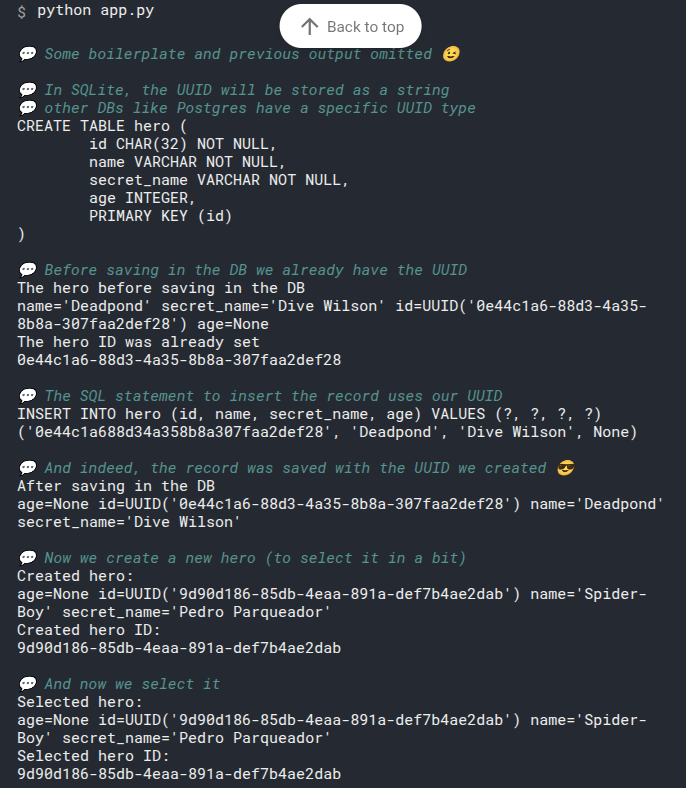
# Learn More
You can learn more about UUIDs in:
- The official Python docs for UUID.
- The Wikipedia for UUID.
# Async
from sqlmodel import SQLModel, Field, create_engine, Session, select
from sqlalchemy.ext.asyncio import AsyncSession, create_async_engine
from typing import AsyncGenerator
import asyncio
# 1.定义数据模型
class Hero(SQLModel, table=True):
id: int | None = Field(default=None, primary_key=True)
name: str
secret_name: str
age: int | None = None
# 2.异步数据库配置
class DatabaseManager:
def __init__(self, database_url: str):
# 创建异步数据库引擎
self.async_engine = create_async_engine(
database_url,
echo=True, # 打印SQL语句, 生产环境可设为False
future=True,
pool_size=5,
max_overflow=10,
pool_pre_ping=True, # 连接前检查
pool_recycle=3600 # 连接回收时间, 1小时
)
async def create_tables(self):
"""创建所有表"""
async with self.async_engine.begin() as conn:
await conn.run_sync(SQLModel.metadata.create_all)
async def create_session(self) -> AsyncSession:
"""创建异步会话"""
return AsyncSession(self.async_engine)
async def get_session(self) -> AsyncGenerator[AsyncSession, None]:
"""获取异步会话"""
async with AsyncSession(self.async_engine) as session:
yield session
async def close(self):
"""关闭数据库连接"""
await self.async_engine.dispose()
# 3. 使用示例
async def main():
# PostgreSQL 异步连接字符串
DATABASE_URL = "postgresql+asyncpg://postgres:zlqf%402024!@192.168.1.79:5432/sys_1"
db_manager = DatabaseManager(DATABASE_URL)
try:
# 创建表
await db_manager.create_tables()
print("√ 数据库表创建成功")
# 方法1: 使用 create_session (推荐用于业务逻辑)
async for session in db_manager.get_session():
hero = Hero(name="Superman", secret_name="Clark Kent", age=30)
session.add(hero)
await session.commit()
await session.refresh(hero)
print(f"√ 创建英雄: {hero.name} (ID: {hero.id})")
# 查询英雄
statement = select(Hero).where(Hero.name == "Superman")
result = await session.execute(statement)
superman = result.scalars().first()
print(f"√ 查找英雄: {superman.name if superman else '未找到'}")
# 方法2: 手动管理会话
session = await db_manager.create_session()
try:
statement = select(Hero)
result = await session.execute(statement)
heroes = result.scalars().all()
print(f"√ 查找所有英雄: {', '.join(hero.name for hero in heroes)}")
finally:
await session.close()
except Exception as e:
print(f"Error: {e}")
finally:
await db_manager.close()
if __name__ == "__main__":
asyncio.run(main())
2
3
4
5
6
7
8
9
10
11
12
13
14
15
16
17
18
19
20
21
22
23
24
25
26
27
28
29
30
31
32
33
34
35
36
37
38
39
40
41
42
43
44
45
46
47
48
49
50
51
52
53
54
55
56
57
58
59
60
61
62
63
64
65
66
67
68
69
70
71
72
73
74
75
76
77
78
79
80
81
82
83
84
85
86
87
88
89
90
91
- Install SQLModel
- Install DB Browser for SQLite
- Tutorial - User Guide
- Type hints
- Intro
- Run the code
- Create a Table with SQL
- Create a Database
- Create a Table
- Confirm the Table
- Create the Table again, with SQL
- Learn More SQL
- Recap
- Create a Table with SQLModel - Use the Engine
- Create the Table Model Class
- Define the Fields, Columns
- Create the Engine
- Create the Database and Table
- Migrations
- Run The Program
- Refector Data Creation
- Last Review
- Recap
- Create Rows - Use the Session - INSERT
- Create Table and Database
- Create Data with SQL
- Data in a Database and Data in Code
- Create Data with Python and SQLModel
- Create a Model Instance
- Create a Session
- Add Model Instances to the Session
- Commit the Session Changes
- Create Heroes as a Script
- Run the Script
- Close the Session
- A Session in a with Block
- Review All the Code
- What's Next
- Automatic IDs, None Defaults, and Refreshing Data
- Create a New Hero Instance
- Print the Default id Values
- Add the Objects to the Session
- Commit the Changes to the Database
- Print a Single Field
- Refresh Objects Explicitly
- Print Data After Closing the Session
- Review All the Code
- Recap
- Read Data - SELECT
- Continue From Previous Code
- Read Data with SQL
- Read Data with SQLModel
- Create a Session
- Create a select Statement
- Execute the Statement
- Iterate Through the Results
- Add select_heroes() to main()
- Review The Code
- Get a List of Hero Objects
- Compact Version
- SQLModel or SQLAlchemy - Technical Details
- Filter Data - WHERE
- Continue From Previous Code
- Filter Data with SQL
- SELECT and WHERE
- Review SELECT with SQLModel
- Filter Rows Using WHERE with SQLModel
- select() Objects
- Calling .where()
- .where() and Expressions
- Model Class Attributes, Expressions, and Instances
- Class or Instance
- .where() and Expressions Instead of Keyword Arguments
- Exec the Statement
- Other Comparisons
- Multiple .where()
- .where() With Multiple Expressions
- .where() With Multiple Expressions Using OR
- Type Annotations and Errors
- Recap
- Indexes - Optimize Queries
- No Time to Explain
- What is an Index
- What are Database Indexes
- Updating the Index
- Index Cost
- Create an Index with SQL
- Declare Indexes with SQLModel
- Query Data
- Run the Program
- More Indexes
- Primary Key and Indexes
- Recap
- Read One Row
- Continue From Previous Code
- Read the First Row
- First or None
- Exactly One
- Exactly One with More Data
- Exactly One with No Data
- Compact Version
- Select by Id with .where()
- Select by Id with .get()
- Select by Id with .get() with No data
- Recap
- Read a Range of Data - LIMIT and OFFSET
- Create Data
- Review Select All
- Select with Limit
- Run the Program on the Command Line
- Select with Offset and Limit
- Run the Program with Offset on the Command Line
- Select Next Batch
- Run the Program with the Last Batch on the Command Line
- SQL with LIMIT and OFFSET
- Combine Limit and Offset with Where
- Run the Program with Limit, Offset, and Where on the Command Line
- Recap
- Update Data - UPDATE
- Continue From Previous Code
- Update with SQL
- Read From the Database
- Set a Field Value
- Add the Hero to the Session
- Commit the Session
- Refresh the Object
- Print the Updated Object
- Review the Code
- Multiple Updates
- Recap
- Delete Data - DELETE
- Continue From Previous Code
- Delete with SQL
- Read From the Database
- Delete the Hero from the Session
- Commit the Session
- Print the Deleted Object
- Query the Database for the Same Row
- Confirm the Deletion
- Review the Code
- Recap
- Connect Tables - JOIN - Intro
- Create Connected Tables
- One-to-Many and Many-to-One
- Create Tables in Code
- Run the Code
- Create Tables in SQL
- Recap
- Create and Connect Rows
- Create Rows for Teams with SQLModel
- Add It to Main
- Run it
- Create Rows for Heroes in Code
- Refresh and Print Heroes
- Relationships
- Read Connected Data
- SELECT Connected Data with SQL
- Select Related Data with SQLModel
- Add It to Main
- Run the Program
- JOIN Tables with SQL
- Join Tables in SQLModel
- JOIN Tables with SQL and LEFT OUTER (Maybe JOIN)
- Join Tables in SQLModel with LEFT OUTER
- What Goes in select()
- Relationship Attributes
- Update Data Connections
- Assign a Team to a Hero
- Remove Data Connections
- Break a Connection
- Relationship Attibutes - Intro
- Define Relationships Attributes
- Declare Relationship Attributes
- What Are These Relationship Attributes
- Relationship Attributes or None
- Relationship Attributes With Lists
- Next Steps
- Create and Update Relationships
- Create Instances with Fields
- Create Instances with Relationship Attributes
- Assign a Relationship
- Create a Team with Heroes
- Include Relationship Objects in the Many Side
- Recap
- Read Relationships
- Select a Hero
- Select the Related Team - Old Way
- Get Relationship Team - New Way
- Get a List of Relationship Objects
- Recap
- Remove Relationships
- Recap
- Relationship back_populates
- Relationship with back_populates
- An Incomplete Relationship
- Read Data Objects
- Print the Data
- Update Objects Before Committing
- Commit and Print
- Fix It Using back_populates
- Review the Result
- The Value of back_populates
- A Mental Trick to Remember back_populates
- Cascade Delete Relationships
- Initial Heroes and Teams
- Delete a Team with Heroes
- Configure Automatic Deletion
- Delete in Python with cascade_delete
- Delete in the Database with ondelete
- Set ondelete to CASCADE
- Using cascade_delete or ondelete
- Remove a Team and its Heroes
- Confirm Heroes are Deleted
- Run the Program with cascade_delete=True and ondelete="CASCADE"
- ondelete with SET NULL
- Let the Database Handle it with passive_deletes
- ondelete with RESTRICT
- Conclusion
- Type annotation strings
- About the String in list["Hero"]
- Many to Many - Intro
- Starting from One-to-Many
- Introduce Many-to-Many
- Link Table
- Link Primary Key
- Recap
- Create Models with a Many-to-Many Link
- Link Table Model
- Team Model
- Hero Model
- Create the Tables
- Run the Code
- Recap
- Create Data with Many-to-Many Relationships
- Create Heroes
- Commit, Refresh, and Print
- Add to Main
- Run the Program
- Recap
- Update and Remove Many-to-Many Relationships
- Get Data to Update
- Add Many-to-Many Relationships
- Run the Program
- Remove Many-to-Many Relationships
- Run the Program Again
- Recap
- Link Model with Extra Fields
- Link Model with One-to-Many
- Update Link Model
- Update Team Model
- Update Hero Model
- Create Relationships
- Run the Program
- Add Relationships
- Run the Program with the New Relationship
- Update Relationships with Links
- Run the Program with the Updated Relationships
- Recap
- Code Structure and Multiple Files
- Circular Imports
- Single Module for Models
- Make Circular Imports Work
- Recap
- FastAPI and Pydantic - Intro
- Learning FastAPI
- Simple Hero API with FastAPI
- Install FastAPI
- SQLModel Code - Models, Engine
- FastAPI App
- Create Database and Tables on startup
- Create Heroes Path Operation
- The SQLModel Advantage
- Read Heroes Path Operation
- One Session per Request
- Run the FastAPI Server in Development Mode
- Run the FastAPI Server in Production Mode
- Check the API docs UI
- Play with the API
- Check the Database
- Recap
- FastAPI Response Model with SQLModel
- Interactive API Docs
- Response Data
- Use response_model
- List of Heroes in response_model
- FastAPI and Response Model
- New API Docs UI
- Automatic Clients
- Recap
- Multiple Models with FastAPI
- Review Creation Schema
- Review Response Schema
- Multiple Hero Schemas
- Multiple Models with Duplicated Fields
- Use Multiple Models to Create a Hero
- Shared Fields
- Multiple Models with Inheritance
- Review the Updated Docs UI
- Inheritance and Table Models
- Recap
- Read One Model with FastAPI
- Path Operation for One Hero
- Handling Errors
- Return the Hero
- Check the Docs UI
- Recap
- Read Heroes with Limit and Offset with FastAPI
- Add a Limit and Offset to the Query Parameters
- Check the Docs UI
- Recap
- Update Data with FastAPI
- HeroUpdate Model
- Create the Update Path Operation
- Update the Hero in the Database
- Remove Fields
- Recap
- Update with Extra Data (Hashed Passwords) with FastAPI
- Password Hashing
- Update Models with Extra Data
- Hash the Password
- Create an Object with Extra Data
- Update with Extra Data
- Recap
- Delete Data with FastAPI
- Delete Path Operation
- Recap
- Session with FastAPI dependency
- Current Sessions
- Create a FastAPI Dependency
- Use the Dependency
- The with Block
- Update the Path Operations to Use the Dependency
- Recap
- FastAPI Path Operations for Teams - Other Models
- Add Teams Models
- Update Hero Models
- Relationship Attributes
- Path Operations for Teams
- Using Relationships Attributes
- Check the Docs UI
- Recap
- Models with Relationships in FastAPI
- Why Aren't We Getting More Data
- Don't Include All the Data
- What Data to Include
- Models with Relationships
- Update the Path Operations
- Check It Out in the Docs UI
- Recap
- Test Applications with FastAPI and SQLModel
- FastAPI Application
- File Structure
- Testing FastAPI Applications
- Basic Tests Code
- Testing Database
- Override a Dependency
- Create the Engine and Session for Testing
- Memory Database
- Configure the In-Memory Database
- Boilerplate Code
- Pytest Fixtures
- Client Fixture
- Add More Tests
- Why Two Fixtures
- Add the Rest of the Tests
- Run the Tests
- Recap
- Decimal Numbers
- Decimal Types
- Decimals in SQLModel
- Create models with Decimals
- Select Decimal data
- Review the results
- UUID (Universally Unique Identifiers)
- About UUIDs
- Models with UUIDs
- Learn More
- Async